FPS, or Frames Per Second, is a metric that indicates the number of images displayed per second on a screen. It is an important criterion for gamers, as it influences the quality of the gaming experience.
But what is the ideal FPS for gaming? Should you prioritize 30 FPS or 60 FPS ? What are the advantages and disadvantages of each option? That's what we'll explore in this article, by analyzing the different aspects of the debate.
Is FPS important?
The frame rate (FPS) influences the quality of the game, in terms of smoothness and responsiveness. The higher the FPS, the smoother and more responsive the game. Some games have a fixed FPS, such as 30 or 60, while others have a variable FPS, which changes depending on the game. The choice of FPS depends on the player's preferences and hardware. 30 FPS and 60 FPS are the most common and are the subject of debate.
| 30 FPS | 60 FPS |
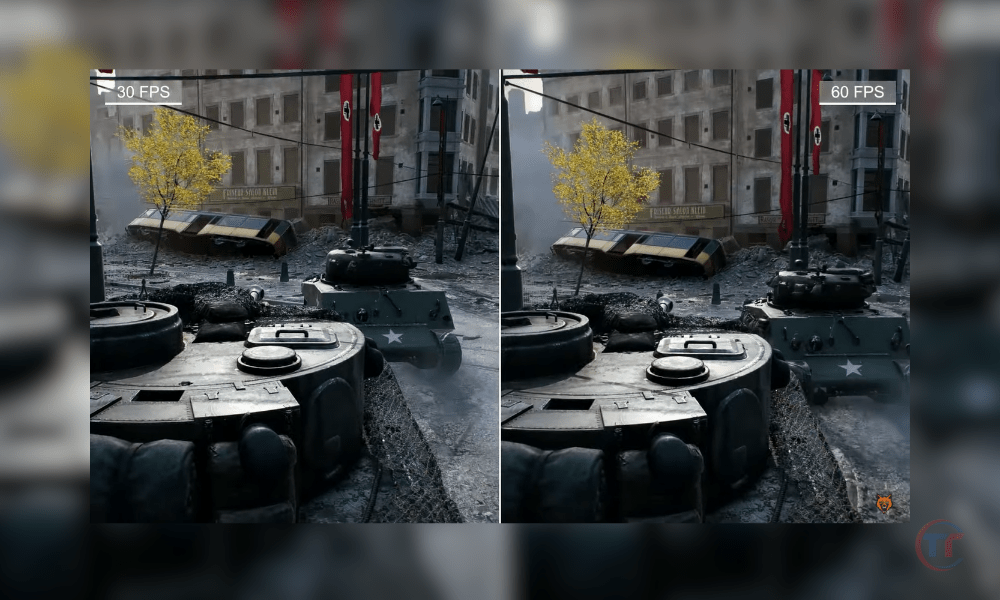
| 30 FPS offers better graphics quality, stability, and accessibility, but it comes at the expense of fluidity, responsiveness, and precision. 30 FPS is often preferred by games that emphasize graphical quality, immersion, or narrative, such as The Witcher, Resident Evil, or The Sims. | 60 FPS offers smoother gameplay, better responsiveness, and greater precision, but it comes at the cost of lower graphics quality, less stability, and reduced accessibility. 60 FPS is often preferred by games that emphasize performance, competition, or challenge, such as Doom, FIFA, or Super Mario. |
How to choose between 30 and 60 FPS according to your preferences and equipment?
There's no single answer to the question of which is the best FPS to play. Choosing an FPS depends on several factors, such as personal preferences, play style, expectations, and hardware. Here are some tips for choosing the FPS best suited to your situation:
Determining your priorities
First, we need to ask ourselves what we are looking for in a game, and what gives us the most pleasure. Is it the graphic quality, the fluidity, the responsiveness, theimmersion, the competition, or something else ?
Depending on one's priorities, one can prioritize 30 FPS or 60 FPS, or make a compromise between the two.
Test the different options
- Next, you need to try out the different options available and compare the gameplay experience. Some games offer performance or quality modes, allowing you to choose between 30 FPS or 60 FPS, or toadjust the graphics settings.
- You also need to take into account the refresh rate of your screen, which can influence the perception of FPS.
In general, a screen of:
- 60 Hz or higher is recommended to enjoy 60 FPS.
- while a screen of 30 Hz or less may be sufficient for 30 FPS.
This article might interest you : What PC configuration do I need to play Fortnite at 144 fps?
Optimize your equipment and settings
Finally, you need to optimize your hardware and settings to achieve the desired FPS or improve game quality. To do this, ensure you have sufficiently powerful, up-to-date hardware that is compatible with the game. You should also check the game, system, and software settings and adjust them as needed.
For example, vertical synchronization , full screen mode, or game mode can be enabled or disabled , as appropriate.
FAQ
What is V-Sync and how does it affect FPS?
V -Sync, or vertical synchronization, is an option that synchronizes the game's frame rate (FPS) with the monitor's refresh rate. The purpose of V-Sync is to prevent screen tearing ,which occurs when the monitor displays two different images simultaneously, creating a horizontal tear line.
V-Sync can have a positive or negative effect on FPS, depending on the circumstances:
- If the game's FPS is higher than the screen's refresh rate, V-Sync will limit it to prevent tearing, which can reduce smoothness and responsiveness.
- If the game's FPS is lower than the screen's refresh rate, V-Sync will stabilize it to prevent variations, which can improve comfort and consistency.
What is motion blur and how does it affect FPS?
Motion blur is a visual effect that simulates retinal persistence, that is, how the human eye perceives moving objects. Motion blur creates a blur around fast-moving objects , which can give an impression of speed, dynamism, or realism .
Motion blur can have a positive or negative effect on FPS, depending on the circumstances:
- If the game's FPS is high, motion blur can enhance fluidity and immersion by adding detail and depth to the images.
- If the game's FPS is low, motion blur can impair readability and precision, making images blurrier and less sharp.
What is ray tracing and how does it affect FPS?
Ray tracing is a graphics rendering technique that simulates the behavior of light by calculating the path of light rays and their interactions with objects. Ray tracing allows for the creation of realistic visual effects , such as reflections, shadows, and transparencies .
Ray tracing has a negative impact on FPS because it consumes a lot of resources and memory. Ray tracing requires powerful and compatible hardware, such as a graphics card with dedicated cores. Ray tracing can significantly reduce FPS, which can decrease the game's smoothness and responsiveness.
Read also : Anti-aliasing: the secret to flawless graphics
What is HDR and how does it affect FPS?
HDR, or High Dynamic Range, is a technology that increasesthe dynamic range of images, meaning the difference between the brightest and darkest areas. HDR allows for the creation of images with greater contrast, brightness, and color.
HDR has a neutral effect on FPS because it depends on the screen, not the game. HDR requires a compatible screenthat can display a wider range of colors and brightness levels. HDR doesn't affect the game's FPS, but it can improve visual quality and immersion.
What is FPS lock and how does it affect FPS?
FPS lock is an option that allows you to fix the game's FPS to a specific value, which cannot be exceeded or decreased. The purpose of FPS lock is to ensure game stability by preventing FPS fluctuations, which can be unpleasant or disruptive.
FPS locking can have a positive or negative effect on FPS, depending on the circumstances:
- If the game's FPS is unstable, FPS lock can stabilize it and make it more comfortable and consistent.
- If the game's FPS is stable, FPS locking can limit it and make it less fluid and less responsive.