Instagram is one of the most popular apps for sharing photos and videos with friends, family, and followers. But sometimes, you might want to save a video you liked, whether to watch it later, share it on other social media platforms, or edit it as you wish.
Unfortunately, Instagram doesn't allow you to download videos directly from its app or website. So, how can you retrieve Instagram videos from any profile, story, or IGTV?
The answer is simple: just use a free and effective online tool called instadll.com. In this article, we'll explain how to use this tool to download Instagram videos in just a few clicks.
What is instadll?

Instadll is a website that allows you to download Instagram videos from any profile, story, or IGTV.
Simply copy the URL of the video you want to download, paste it into the designated field on the website, and click the "Download" button.
You can then choose the video format and quality, and download it to your device. It's that simple!
What are the advantages of instadll?
Instadll offers several advantages over other methods for downloading Instagram videos , such as apps, extensions, or screenshots. Here are some of these advantages:
- It's free and ad-free. You don't need to pay or register to use the service. You also won't be bothered by ads or pop-ups.
- It's quick and easy to use. You don't need to download or install anything on your device. You also don't need to log in to your Instagram account or grant access to your personal data. You can download Instagram videos in seconds, without any complications.
- It's compatible with all devices and browsers. Whether you're using a computer, smartphone, or tablet, you can access the instadll.com website from any web browser, such as Chrome, Firefox, Safari, or Edge. You can also download Instagram videos on any operating system, such as Windows, Mac, Android, or iOS.
- It respects intellectual property. You can download Instagram videos for personal use, but not for redistribution or commercial use. You must always respect the copyright and privacy of content creators.
How to download Instagram videos from any profile, story or IGTV with instadll?
To download Instagram videos from any profile, story, or IGTV with instadll.com, simply follow these easy steps:
Step 1: Copy the Instagram video URL
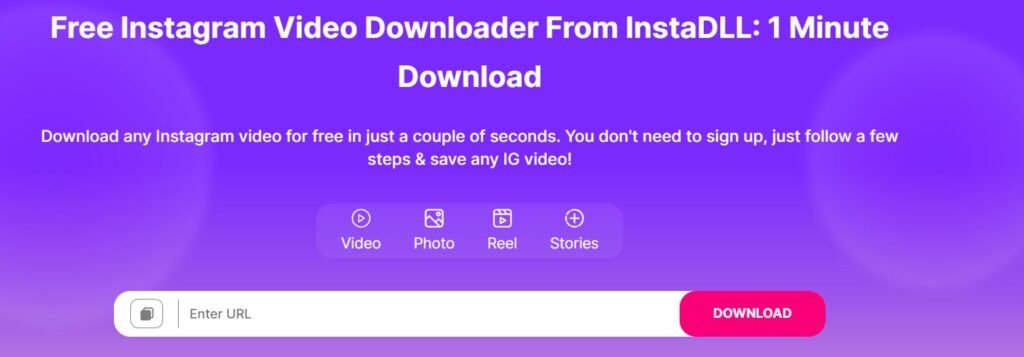
The first thing to do is copy the URL of the Instagram video you want to download. You have two options for this:
- If you are using the Instagram app on your smartphone or tablet, you need to open the video you want to download, tap the three dots in the top right corner, and choose "Copy link".
- If you are using the Instagram website on your computer, you need to open the video you want to download, right-click on the video, and choose "Copy link address".
Step 2: Paste the Instagram video URL on instadll.com
The second thing to do is paste the URL of the Instagram video you copied onto the instadll.com website. To do this, you must:
- Open the instadll.com website in your web browser.
- Paste the Instagram video URL into the "Enter Instagram video URL" field.
- Click on the "Download" button.

Step 3: Choose the format and quality of your Instagram video
The third thing to do is choose the format and quality of the Instagram video you want to upload. To do this, you need to:
- Wait for the instadll.com website to analyze the Instagram video URL and display the available download options.
- Choose the Instagram video format, such as MP4, WEBM or M4A.
- Choose the Instagram video quality, such as 720p, 480p or 360p.
- Click on the "Download" button corresponding to the format and quality you have chosen.
Step 4: Download the Instagram video to your device
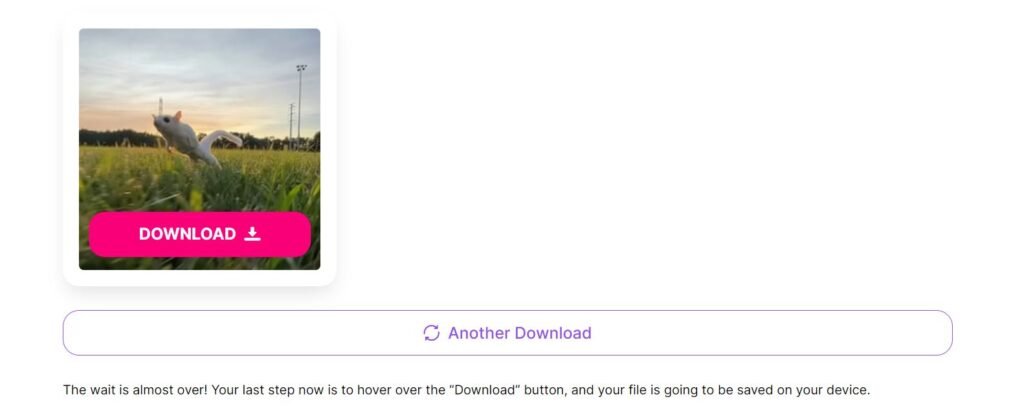
The fourth and final thing to do is download the Instagram video to your device. To do this, you need to:
- Wait for the instadll.com website to redirect you to the Instagram video download page.
- Click on the "Download" button that appears on the page.
- Choose the location on your device where you want to save the Instagram video.
- Enjoy the Instagram video you uploaded!
Conclusion
Now you know how to download Instagram videos from any profile, story, or IGTV using instadll.com. This free and efficient online tool lets you retrieve the Instagram videos you like without needing to download or install anything on your device.
This allows you to watch Instagram videos whenever you want, share them on other social networks, or edit them as you wish.
Feel free to try instadll.com now, and let us know what you think in the comments!
This article about Instagram might interest you : How to fix “this story is no longer available” on Instagram?