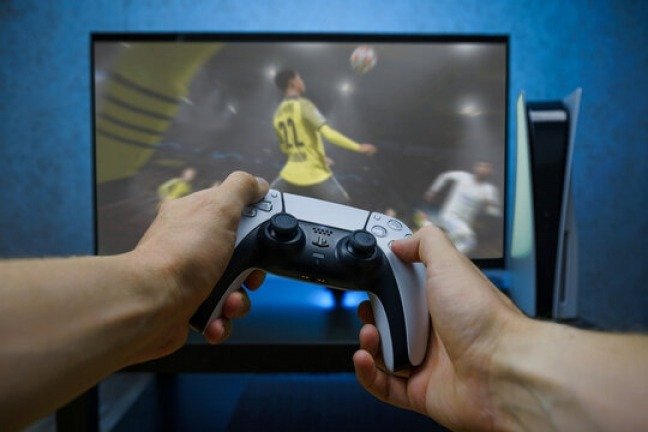
Do you own a PS4 and want to use the new PS5 controller? Are you wondering if it's possible and how to do it? Don't worry, in this article, we'll explain how to connect a PS5 controller to your PS4 using different methods and solutions. Follow the guide!
What are the advantages of the PS5 controller?
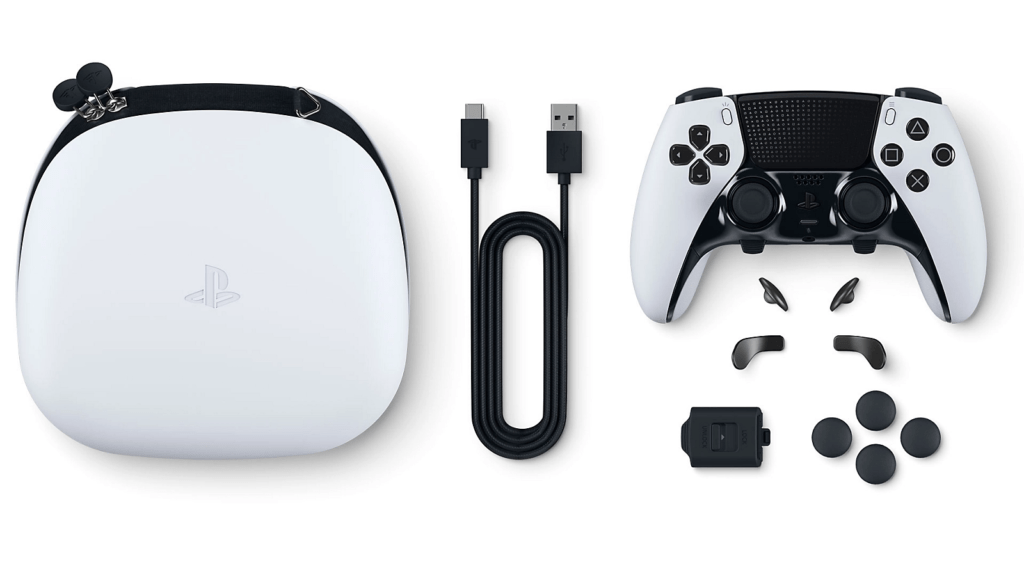
The PS5 controller, also known as DualSense, is the next generation of controllers for Sony's console. It stands out with its futuristic design, black and white color scheme, and numerous innovative features. Among these are:
- Haptic feedback
- Adaptive triggers
- The built-in microphone
- The built-in speaker
- The touchpad
- The light bar
- The Create button
With all these features, the PS5 controller offers a more immersive and personalized gaming experience. That's why many gamers would like to use it on their PS4, even though it's not officially compatible.
How do I connect a PS5 controller to a PS4 using a USB cable?
The first method for connecting a PS5 controller to a PS4 is using a USB cable. This cable works exactly like the cable for an original DualShock 4 controller. You can use this cable to connect your PS5 controller directly to the PS4 without any additional adapters or converters.

Here are the steps to follow:
- Turn on your PS4 and your TV.
- Connect the USB cable to your PS5 controller and to a USB port on your PS4.
- Press the PS button on your PS5 controller to turn it on. The light bar will flash blue then white.
- Select the user profile you want to log into with your PS5 controller. The player indicator will light up white on your controller.
And there you have it, you can now play your PS4 games with your PS5 controller connected via USB. However, it's important to know that some PS5 controller features won't be available on the PS4, such as haptic feedback, adaptive triggers, and the built-in microphone. If you want to use these features, you'll need to connect your PS4 to your laptop with an HDMI cable and use the PS Remote Play application. We'll explain how to do this in a future article.
How do I connect a PS5 controller to a PS4 using a wireless adapter?
The second method for connecting a PS5 controller to a PS4 is to use a wireless adapter. This is a small device that plugs into a USB port on your PS4 and allows it to recognize your PS5 controller as a generic wireless controller.

Here are the steps to follow:
- Turn on your PS4 and your TV.
- Plug the wireless adapter into a USB port on your PS4.
- Press and hold the pairing button on the wireless adapter for a few seconds. A blue light will flash on the adapter.
- Press and hold the PS button and the Share button on your PS5 controller simultaneously for a few seconds. The light bar will flash white rapidly.
- Wait until the blue light on the wireless adapter and the light bar on your PS5 controller become solid. This indicates successful pairing.
- Select the user profile you want to log into with your PS5 controller. The player indicator will light up white on your controller.
And there you have it, you can now play your PS4 games with your wireless PS5 controller. However, it's worth noting that some PS5 controller features won't be available on the PS4, such as haptic feedback, adaptive triggers, or the built-in microphone.
How do I connect a PS5 controller to a PS4 using the PS Remote Play app?
The third method for connecting a PS5 controller to a PS4 is to use the PS Remote Play app. This app allows you to control your PS4 remotely from a computer, smartphone, or tablet. This lets you play your PS4 games on another screen and use your PS5 controller as a remote.

Here are the steps to follow:
- Download and install the PS Remote Play application on your computer, smartphone, or tablet.
- Connect your PS5 controller to your device with a USB cable or via Bluetooth.
- Turn on your PS4 and enable the remote play feature in the console settings.

- Launch the PS Remote Play application on your device and sign in with the same PlayStation Network account as your PS4.
- Select the PS4 console you want to connect to and wait for the connection to be established.
- Enjoy your PS4 games on your device's screen and control them with your PS5 controller.
And there you have it, you can now play your PS4 games with your PS5 controller via the PS Remote Play app. However, keep in mind that this method requires a good internet connection and that image quality may vary depending on your network speed.
FAQ
What is the difference between the PS5 controller and the PS4 controller?
The PS5 controller differs from the PS4 controller in its design, color, size, weight, and features. The PS5 controller offers haptic feedback, adaptive triggers, a built-in microphone, a built-in speaker, a light bar, and a Create button, all of which are not present on the PS4 controller.
Can a PS4 controller be used on a PS5?
Yes, you can use a PS4 controller on a PS5 to play backward-compatible games from the previous console's catalog. However, you cannot use a PS4 controller to play exclusive games from the new generation.
What is the battery life of the PS5 controller?
The PS5 controller's battery life is approximately 12 hours under normal use. This may vary depending on the features enabled, such as haptic feedback or adaptive triggers. The battery recharges via a USB-C cable included with the console.
How to clean your PS5 controller?
The PS5 controller is an object that can easily get dirty with dust, sweat, fingerprints, or various stains. To clean it and keep it in good condition, you should follow a few tips:
- Disconnect the PS5 controller from the console or device to which it is connected.
- Use a soft, slightly damp cloth to wipe the surface of the controller. Avoid chemicals or abrasives that could damage the coating or electronic components.
- Use a cotton swab or toothpick to clean hard-to-reach areas, such as buttons, joysticks, the touchpad, or USB ports.
- Allow the controller to dry completely before plugging it back in or using it.
By following these simple steps, you can keep your PS5 controller clean and functional for a long time.
Conclusion
You now know how to connect a PS5 controller to your PS4 using various methods and solutions. Whether with a USB cable, a wireless adapter, or the PS Remote Play app, you can enjoy the new generation of Sony controllers on your older console. However, keep in mind that some PS5 controller features won't be available on the PS4, and official compatibility doesn't exist. You might also be wondering if you can use a PS3 controller on a PC , and the answer is yes, but with some precautions. Windows doesn't automatically recognize this type of controller, and you'll need to install specific software to make it work.
We hope you found this article helpful and learned something new. If you have any questions or comments, please let us know in the section below. We'd be happy to answer them.