

Amazon Prime Video is a video-on-demand service that offers movies, series, and documentaries. If you subscribe to this service, you can enjoy your favorite programs on your TV by casting them from your smartphone, tablet, or computer. Casting is the act of projecting content from one device to another via Wi-Fi. To do this, you need a device compatible with casting, such as a Chromecast, Apple TV, or Fire TV Stick. In this article, we'll explain how to cast Amazon Prime Video to your TV using these different devices.
Cast Amazon Prime Video with a Chromecast

Chromecast is a device that plugs into your TV's HDMI port and lets you stream content from your smartphone, tablet, or computer to your screen. To cast Amazon Prime Video with a Chromecast, you need to :
- Check that your mobile device (Android or iOS) or your computer (Windows or Mac) is connected to the same Wi-Fi network as your Chromecast.

- Download and install the Amazon Prime Video app on your mobile device or access the service's website from your computer.

- Launch the application or website and log in with your Amazon Prime Video credentials.
- Select the content you want to stream and tap the Cast icon in the top right corner of the screen.
- Choose the name of your Chromecast from the list of available devices.
- Enjoy your program on your television.
Cast Amazon Prime Video to an Apple TV
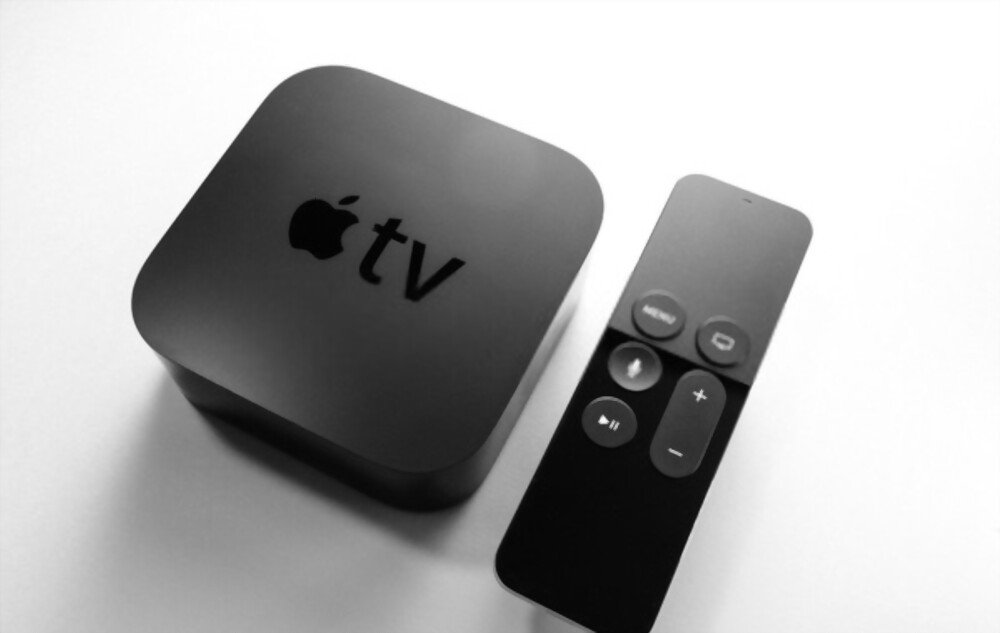
The Apple TV is a device that connects to your television and allows you to access various streaming services, including Amazon Prime Video. To cast Amazon Prime Video to an Apple TV, you need to:
- Check that your mobile device (iOS) or computer (Mac) is connected to the same Wi-Fi network as your Apple TV.
- Download and install the Amazon Prime Video app on your mobile device or access the service's website from your computer.
- Launch the application or website and log in with your Amazon Prime Video credentials.
- Select the content you want to stream and tap the AirPlay icon in the bottom right corner of the screen.
- Choose the name of your Apple TV from the list of available devices.
- Enjoy your program on your television.
Windows computer , you must also use AirPlay on Windows by installing compatible software, such as 5KPlayer or AirParrot 2. You can then follow the same steps as for a Mac.
Cast Amazon Prime Video with a Fire TV Stick

The Fire TV Stick is a device that plugs into your TV's HDMI port and gives you direct access to Amazon Prime Video, as well as other streaming services. To cast Amazon Prime Video with a Fire TV Stick, you need to:
- Check that your Fire TV Stick is properly plugged into your TV and a power outlet.

- Turn on your TV and select the HDMI port corresponding to your Fire TV Stick.
- Follow the on-screen instructions to set up your Fire TV Stick and connect it to your Wi-Fi network.
- Sign in with your Amazon Prime Video credentials.
- Select the content you want to stream and press the Play button on the remote control that came with the Fire TV Stick.
- Enjoy your program on your television.
See also : Chromecast on Google TV
FAQs
Here are some frequently asked questions about the Amazon Prime Video cast:
Does Amazon Prime Video's streaming service consume a lot of data?
Amazon Prime Video streaming uses the same data as watching content on your original device. Data usage depends on the content quality and viewing time. You can reduce data usage by choosing a lower quality setting in the app or website. If you want to download content for offline viewing, you can choose the Web dl format , which offers good picture and sound quality.
Can I cast Amazon Prime Video from a web browser other than Google Chrome?
Yes, you can cast Amazon Prime Video from any web browser that supports casting, such as Firefox, Edge, or Safari. Simply follow the same steps as for Google Chrome.
Can I cast Amazon Prime Video from an iOS device to a Chromecast?
Yes, you can cast Amazon Prime Video from an iOS device to a Chromecast using the Amazon Prime Video app. Simply follow the same steps as for an Android device.
Can I cast Amazon Prime Video from an Android device to an Apple TV?
No, you cannot cast Amazon Prime Video from an Android device to an Apple TV. Apple TV is only compatible with casting from an iOS device or a Mac computer.
Can I cast Amazon Prime Video from multiple devices at the same time?
No, you cannot cast Amazon Prime Video from multiple devices simultaneously. You can only cast one piece of content at a time to a single destination device. If you attempt to cast different content to the same device or to a different device, the previous cast will be interrupted.
Conclusion
Casting Amazon Prime Video to your TV is a simple and convenient way to enjoy your favorite shows on the big screen. Whether you have a Chromecast, Apple TV, or Fire TV Stick, it only takes a few steps to connect your devices and start streaming. Transform your living room into a home theater and share your favorite moments with loved ones. Don't wait any longer and try Amazon Prime Video casting today!


