Whether for gaming or office work, using a laptop offers undeniable advantages, despite its sometimes problematic lifespan. So, what are the 5 most effective tips to maximize the longevity of your laptop? This article will provide all the necessary answers.
Whether for gaming or office use, laptops are popular

Laptops and tablets (both touchscreen and hybrid) have become essential everyday tools. These devices now offer configurations tailored to every need, while also boasting a major advantage: mobility. Simply sharing a connection via a smartphone can be enough to work remotely or join an online gaming session.
This article might interest you: iPad or laptop for a student?
While the availability of a truly upgradeable laptop called a "Framework" allows users to address a major issue (namely, hardware modification), another drawback cannot be overlooked: the lifespan of the equipment. Unlike a desktop computer where maintenance and repairs are much more readily available, the longevity of a laptop can become a real problem. This is why it is essential to use certain applications, such as a VPN, and to follow a few simple rules to ensure optimal lifespan for your laptop.
How to maximize the lifespan of your laptop?
There are simple ways to extend the life of your laptop. Discover our 5 tips now:
Accept each proposed update
Most laptops come with pre-installed software designed by their manufacturer. Often overlooked, these applications nevertheless allow you to get the most out of your computer's hardware. Why? The reason is simple: in addition to providing extra features, this software also offers updates specifically for your computer's hardware.
You might ask yourself a pertinent question: what is the link between manufacturer application updates and the lifespan of the equipment in question? Using a computer relies on drivers that optimize the performance of computer components. However, early versions of these drivers are often power-hungry, which can significantly reduce a laptop's battery life. Logically, this will lead to problems with your computer's battery.
Beware of the temperatures
Many laptops are subject to relatively high temperatures. Indeed, the miniaturization of components and the limited space of the laptop's casing naturally lead to significant heat generation. Adopting good habits is therefore essential to limit the risk of overheating and maintain the proper functioning of your laptop
- Store your computer away from sunlight and avoid using it outdoors during the summer months
- Download an application that can analyze the temperature of your processor and graphics card
- If possible, use an additional ventilation accessory (usually placed under the laptop and powered by USB)
Add one or more RAM modules (if possible)
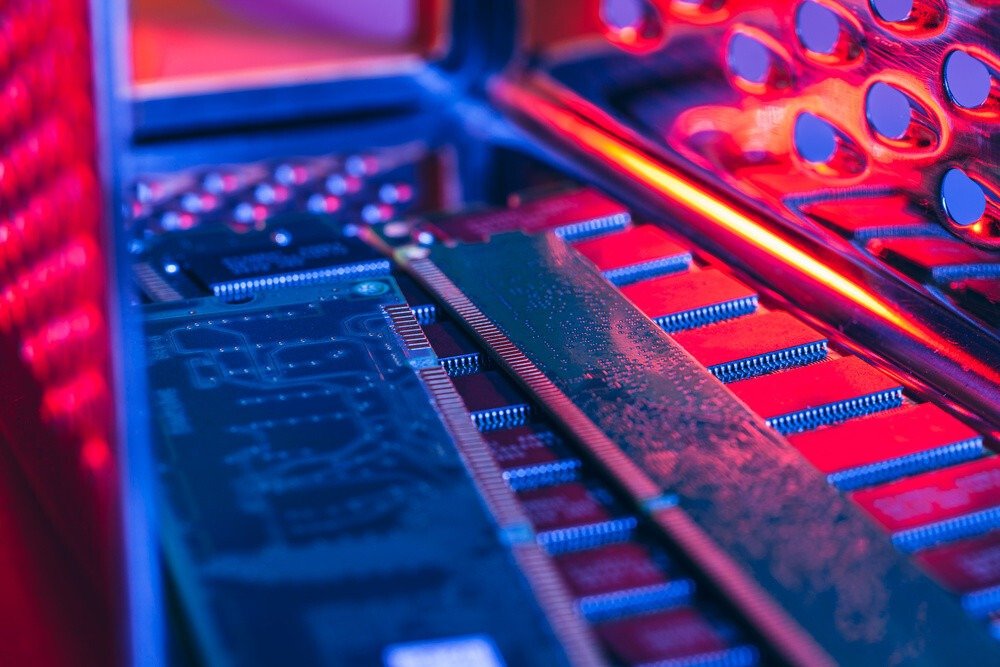
Adding RAM modules is often one of the easiest operations. These components are usually located under a cover that can be removed in moments. In other words, regardless of your computer skills, adding RAM modules shouldn't be a problem.
In short, every laptop has a motherboard. This component determines the maximum RAM capacity. Therefore, depending on your current configuration, you may or may not be able to add (or replace) these RAM modules to improve performance. RAM also provides a significant advantage for processing computer operations and helps limit component overheating. This presents a real opportunity to address performance issues while maximizing the lifespan of your equipment.
Learn more: Discover DDR4 RAM
Limit the use of your screen's backlight
Every laptop has a feature that automatically adjusts the screen's backlight intensity. This is why, depending on ambient conditions, you'll notice the screen brightness varies. However, this automatic adjustment is often imperfect and can significantly impact the lifespan of your device. Feel free to manually adjust your screen brightness or activate battery saver mode to address this issue.
Install a VPN
The definition of a VPN is relatively simple: these applications allow you to secure your connections while enjoying anonymity and access to services initially unavailable based on your geolocation. In practice, a VPN will also significantly reduce the risk of hacking. This protection is particularly important for the lifespan of your laptop, considering that a simple hacking attempt can affect your equipment's performance and longevity.