
OpenAL is a cross-platform software library that provides a 3D audio programming interface (API) primarily for video games, but also for other audio applications. It was developed by Loki Software and Creative Labs.
OpenAL allows you to model a set of sound sources moving in a 3D space, as well as the listener positioned within that same space. It can also add sound effects such as echo and reverberation. It can take advantage of the acceleration capabilities of modern audio interfaces.
Is OpenAL a virus?

No, OpenAL is not a virus . It's a legitimate and safe program used by some games or audio applications to provide 3D realism . It doesn't consume much CPU or memory, unlike the .NET Runtime Optimization Service system process in Windows 7, 8, and 10 .
You may notice the presence of OpenAL in the programs installed on your PC if you have a sound card or audio card compatible with this library, or if you have installed games or applications that use it.
Should OpenAL be removed?

The answer to this question depends on how you use your PC. If you play games or use applications that require OpenAL, it's advisable to keep it on your PC, as it provides a better audio experience. Removing OpenAL may cause sound or compatibility issues with these programs.
However, if you don't use OpenAL and want to free up disk space or avoid potential errors, you can safely uninstall it. OpenAL is not essential for your PC to function, and you can reinstall it later if needed.
How do I download OpenAL?
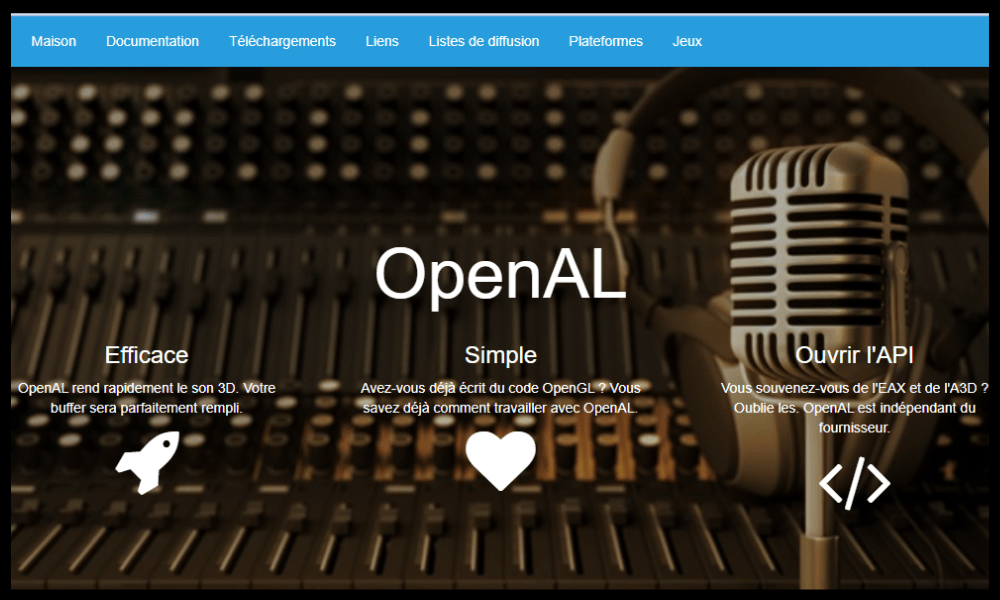
If you wish to download OpenAL, you can do so from the official website www.openal.org. There you will find the latest versions available for various platforms (Windows, Mac OS, Linux, etc.). You can also download OpenAL from the websites of the developers of the games or applications that use it.
How do I update the OpenAL driver for Windows 10?
To update the OpenAL driver for Windows 10, you can follow these steps:
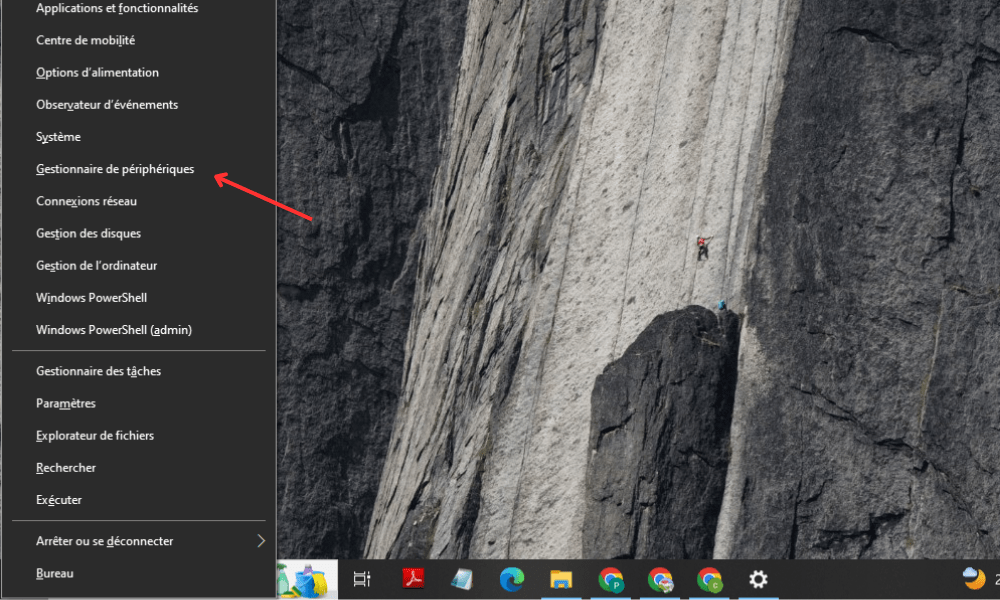
- Step 1 : Open Device Manager by right-clicking on the Start and choosing Device Manager.
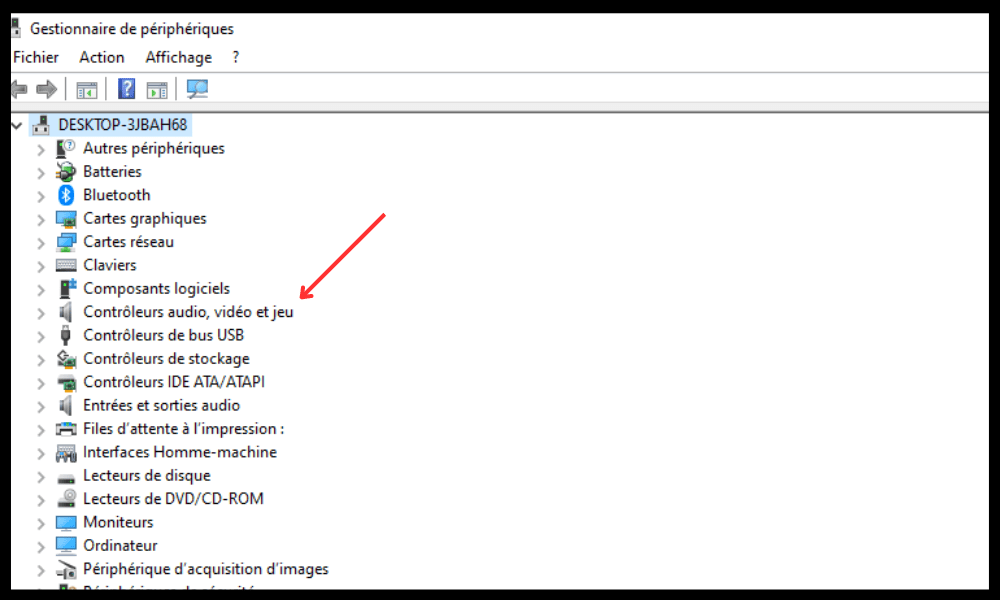
- Step 2 : Expand the Audio, video and game controllers and right-click on the OpenAL device.
- Step 3 : Select Update driver and follow the on-screen instructions to search for and install the latest driver.
You can also update the OpenAL driver using dedicated software such as Driver Booster or Driver Easy , which scans your PC and detects outdated or missing drivers.
Comparative table between OpenAL and other audio APIs
| API | Platform | License | Benefits | Disadvantages |
| OpenAL | Multiplatform | LGPL for Unix and Mac OS, Freeware for Windows | Standard, portable, flexible, OpenGL compatible | Less efficient than some proprietary APIs |
| DirectSound | Windows | Owner | Integrated with Windows, supports Creative Labs EAX effects | Limited to 32 simultaneous sound sources, does not support 3D positional audio under Windows Vista and later |
| XAudio2 | Windows, Xbox 360, Xbox One | Owner | High-performance, supports multi-channel audio and XAPO effects | Requires DirectX and Visual C++ Redistributable Packages |
| FMOD | Multiplatform | Commercial with a free license for non-commercial projects | Powerful, supports many audio formats and effects | Expensive for commercial projects, requires an internet connection for the free license |
FAQ about OpenAL
Here are some frequently asked questions about OpenAL and their answers:
Which games use OpenAL?
There are many games that use OpenAL for 3D audio rendering, including Doom 3, Jedi Knight 2, Jedi Knight: Jedi Academy, Quake 4, Unreal 2, Unreal Tournament 2003, Unreal Tournament 2004, Postal 2, America's Army: Operations, Hitman 2: Silent Assassin, Freedom Fighters, and Psychonauts.
How can I tell if OpenAL is installed on my PC?
To find out if OpenAL is installed on your PC, you can open the Control Panel and click on Programs and Features. You will then see a list of programs installed on your PC. If you see OpenAL in the list, it means it is installed on your PC. You can also check if OpenAL is among the programs that launch automatically when your PC starts and disable it if necessary.
How do I uninstall OpenAL from my PC?
To uninstall OpenAL from your PC, you can follow these steps:
- Step 1: Open the Control Panel and click on Programs and Features.
- Step 2: Select OpenAL from the list of installed programs and click Uninstall.
- Step 3: Follow the on-screen instructions to complete the uninstallation process.
- Is OpenAL compatible with Windows 10?
Yes, OpenAL is compatible with Windows 10. You can download the latest version of OpenAL from the official website www.openal.org or from the websites of the developers of the games or applications that use it.
Is OpenAL free?
Yes, OpenAL is free for Windows. It is distributed as freeware that does not require a license or registration. For Unix and Mac OS, OpenAL is distributed under the GNU General Public Limited License (LGPL), which is a free license that allows modification and redistribution of the source code.
Conclusion
OpenAL is a cross-platform software library that provides a 3D audio programming interface primarily for video games, but also for other audio applications. It is not a virus and is not essential for your PC to function. You can keep it or remove it depending on how you use your PC. If you want to enjoy more realistic sound in certain games or audio applications, it is advisable to keep it on your PC. If you want to free up disk space or avoid potential errors, you can safely uninstall it.