
In a world where speed and efficiency have become essential, the need to validate documents often clashes with the persistence of traditional methods. The scenario is familiar: an urgent contract, certificate, or form arrives by email, requiring a signature. The old reflex was to print the document, sign it by hand, then scan and send it back—a process that proves time-consuming, resource-intensive, and often frustrating. Fortunately, it has become commonplace and simple to sign a document on your computer, without even needing a printer or scanner.
This development marks a significant turning point in administrative management, offering effective digital alternatives. Whether you're a remote professional, a digital nomad, or simply an individual looking to streamline your processes, mastering electronic signatures is an undeniable asset. There are several ways to affix a signature directly to a digital file, each tailored to specific needs in terms of simplicity, security, and legal recognition.
We will explore the different methods for transforming a digital document into a signed document, detailing the advantages of each approach and guiding you towards the most appropriate solution for your requirements.
Why choose digital signatures for your documents?
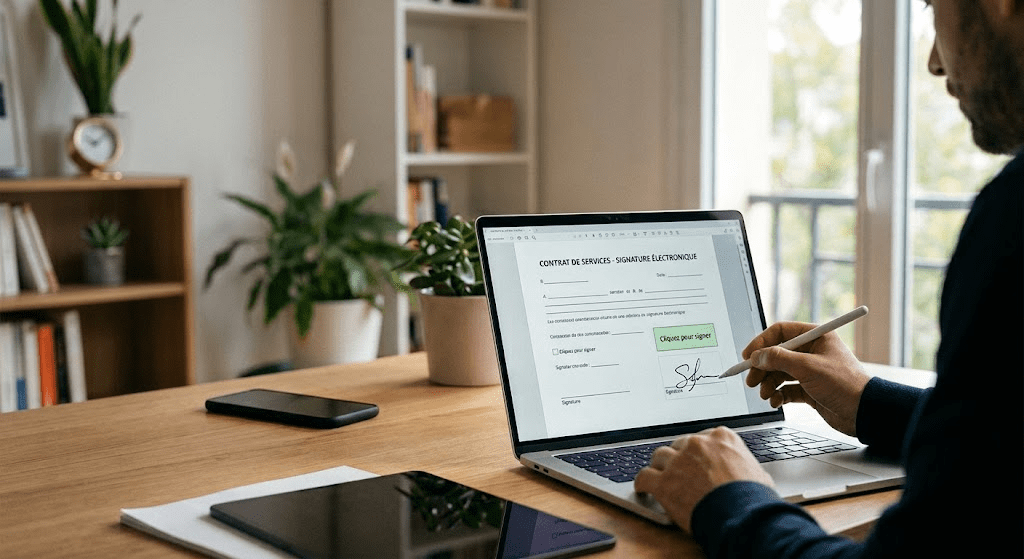
Switching to digital signatures is more than just a convenience; it's about optimizing processes and being environmentally responsible. The traditional method, involving printing and scanning, is often time-consuming. It requires specific equipment and generates additional steps that can slow down the validation of essential documents. By choosing to sign directly on your computer, you save valuable minutes, even hours, by eliminating these intermediate steps.
Beyond the time aspect, the environmental impact is considerable. Each printed document consumes paper, ink, and energy, contributing to a carbon footprint that can be avoided. Digitizing signatures is part of a more sustainable approach, reducing resource consumption and fostering a more respectful work environment. An electronically signed document is also easier to store, organize, and retrieve. Digital archives take up less physical space and offer instant search capabilities, significantly improving administrative efficiency.
Finally, the quality of the documents is improved. Scans of paper originals can sometimes be crooked, poorly lit, or low-resolution, which impairs their legibility and professionalism. A digitally applied signature is clear, precise, and perfectly integrated into the document, guaranteeing an impeccable presentation and better traceability.
The different types of electronic signatures and their legal scope
Before getting started, it's helpful to understand that not all digital signatures are created equal from a legal and technical standpoint. The European eIDAS (electronic IDentification, Authentication and trust Services) regulation establishes a clear distinction between three levels of electronic signatures, each offering a different degree of security and legal recognition.
The simple electronic signature is the most common. It can take the form of an image of your handwritten signature, your name typed on a keyboard, or a checkbox. Its validity relies on proof of the signatory's intention and acceptance of the document's terms. It is widely accepted for everyday documents, such as purchase orders, acknowledgments of receipt, or internal forms. Its ease of use makes it a preferred option for informal or low-stakes exchanges.
Advanced electronic signatures offer a higher level of security. They must be uniquely linked to the signatory, allow for their identification, be created under the signatory's sole control (for example, via a code received on their phone), and guarantee that any subsequent alteration of the document is detectable. They are often used for commercial contracts or documents requiring stronger proof of identity.
Finally, the qualified electronic signature is the highest level. It is an advanced electronic signature based on a qualified certificate, issued by a qualified trust service provider, and created using a qualified electronic signature creation device. This type of signature has the same legal value as a handwritten signature and is required for notarial acts, public tenders, or documents of very high legal importance. The rigor of its implementation guarantees maximum authenticity and integrity.
"The rise of electronic signatures has democratized access to paperless processes, but it is essential to understand the nuances between the different levels in order to choose the method best suited to the legal value of the document."
How do I add a signature to a digital document?

Several practical methods allow you to embed your signature in a file on your computer without printing or scanning. The best choice will depend on your operating system, the type of document, and the required level of security.
Draw your signature using a touchpad or mouse
This is one of the most intuitive methods. Many PDF readers, as well as online tools, offer a "draw" function that allows you to trace your signature directly on the screen. If you're using a laptop with a touchpad, you can try tracing your signature with your finger. For greater precision, a graphics tablet or digital stylus can be very useful. This method faithfully reproduces your handwritten signature, but can sometimes lack fluidity if you're not used to drawing with a mouse.
Online services also offer a handwritten signature generator, allowing you to create an image of your signature that you can then insert into any document. Once your signature is drawn, the tool converts it into an image that you can download and reuse as you wish.
Use an image of your signature
If you prefer a perfect version of your handwritten signature, you can draw it on a piece of white paper, take a photo of it with your smartphone, or scan it once to obtain an image file (ideally in PNG format with a transparent background). Then, simply insert this image into the digital document where desired. This technique is particularly effective because it guarantees a consistent and high-quality reproduction of your signature. It is advisable to save this image safely on your computer for future use.
Type your name as your signature
For low-stakes documents, or when a handwritten signature isn't required, simply typing your first and last name in the signature field may suffice. Some interactive PDF forms include fields specifically designed for this purpose. While this method is the fastest, it offers the lowest level of security and is generally not accepted for legally binding documents.
Tools integrated into operating systems
Modern operating systems often include built-in features for signing documents. For example, on macOS, the Preview app makes it easy to add a signature by drawing it, capturing it with your webcam, or importing it. On Windows, applications like Microsoft Edge or the features of Adobe Acrobat Reader (free or paid version) offer similar options. These native tools are convenient because they don't require installing additional software and ensure that the document remains on your device.
Choosing the right tool to sign your PDFs without a printer
The market offers a range of tools, from integrated applications to online platforms, to help you sign documents without a printer. The choice will depend on your needs in terms of features, security, and budget.
Native and third-party PDF reading applications
Most operating systems include PDF readers that offer basic signing capabilities. On Windows, the Microsoft Edge application allows you to open a PDF and add annotations, including a signature drawn with a mouse or stylus. For macOS users, the Preview application is particularly robust, allowing you to create a signature in just a few clicks, either by drawing it on the trackpad or by capturing it with the computer's camera from a sheet of paper.
Third-party software such as Adobe Acrobat Reader (free version) or Foxit Reader also offers "fill and sign" functionality, allowing users to add text and a handwritten signature (drawn or imported) to a PDF document. Paid versions of this software offer advanced electronic signature options, including certificates and enhanced document integrity protection.
Online electronic signature platforms
For more advanced management and enhanced security requirements, online electronic signature platforms are an excellent option. These services are designed to streamline the entire process, from document submission and signature collection to tracking. They often offer advanced or qualified electronic signatures that comply with international regulations. The main advantage of these platforms lies in their ability to manage complex workflows, robustly authenticate signatories, and provide proof of document integrity.
The use of these services is particularly relevant for companies that process a large volume of contracts, or for documents requiring high probative value. They ensure traceability at each stage of the signing process, from sending to receiving the signed document, and guarantee that the signatures are non-repudiable.
Comparison of digital signature methods
To help you visualize the differences between the main methods, here is a comparative table of their essential characteristics:
| Signature method | Security level | Ease of use | Indicative legal value | Typical use case |
|---|---|---|---|---|
| Signature drawing/image | Low to medium | Very easy | Simple electronic signature | Informal documents, acknowledgments of receipt |
| Name typed on the keyboard | Very low | Extremely easy | Simple electronic signature (with contextual evidence) | Internal forms, quick approvals |
| Integrated tools (Preview, Edge) | Low to medium | Easy | Simple electronic signature | Personal contracts, low-stakes documents |
| Online platforms (advanced) | Pupil | AVERAGE | Advanced electronic signature | Commercial contracts, HR documents |
| Online platforms (qualified) | Very high | Medium to complex | Qualified electronic signature | Notarial deeds, public contracts |
Safety considerations and best practices
Signing a document on your computer, like any digital activity, involves important security considerations. Protecting the integrity of your signature and the confidentiality of your documents is essential to prevent fraudulent use or disputes.
Protect your digital signature

If you use an image of your handwritten signature, be sure to store it in a secure location on your computer, ideally encrypted and password-protected. Avoid leaving it accessible on shared folders or unsecured online storage services. Similarly, if you use a tool to draw your signature, ensure that the software or platform is reliable and adheres to security standards. Non-repudiation of the signature is a key concept: it guarantees that once the signature is affixed, the signatory cannot deny having done so. Advanced and qualified electronic signature solutions incorporate cryptographic mechanisms to ensure this non-repudiation.
Verify the authenticity of the signed documents
When you receive an electronically signed document, it's equally important to be able to verify its authenticity. Advanced and qualified electronic signatures include timestamps and certificates that allow you to detect any changes to the document after it has been signed. Most modern PDF readers indicate whether a signature is valid and if the document has been altered. Make it a habit to check these indicators, especially for important documents. A valid signature ensures that the document has not been falsified and that its content is indeed what was approved by the signatory.
Use of passwords and strong authentication
For online signature platforms, prioritize those that offer two-factor authentication (2FA) or other strong authentication methods. This adds an extra layer of security by requiring verification via a second device (such as your phone) in addition to your password. This practice significantly reduces the risk of unauthorized access to your account and signatures.
The importance of data confidentiality
When using third-party services to sign documents, familiarize yourself with their privacy and data processing policies. Ensure that the service complies with applicable regulations regarding the protection of personal data. A document may contain sensitive information, and it is crucial that this information is handled with the utmost care and not shared with third parties without your explicit consent.
FAQs about signing documents without a printer
Is it legal to sign a document electronically?
Yes, electronic signatures are legal and recognized in many countries, particularly in Europe thanks to the eIDAS regulation. Their legal value depends on the type of signature used (simple, advanced, or qualified) and the context of the document.
Can I use a photo of my handwritten signature as an electronic signature?
Yes, you can insert an image of your handwritten signature into a document. This constitutes a simple electronic signature, sufficient for many documents, but offers a lower level of security and proof than advanced or qualified electronic signatures.
What are the advantages of using an online signature platform compared to integrated tools?
Online platforms generally offer higher levels of security, better traceability, signer authentication, and management of complex workflows for multiple signatures, making them ideal for high-stakes businesses and documents.
How can you tell if an electronically signed document is authentic?
Documents signed with advanced or qualified electronic signatures contain certificates and timestamps that allow their integrity to be verified. PDF readers often display visual indicators of a signature's validity and that the document has not been altered.
Simplify your processes with digital signatures
The ability to sign a document on your computer without using a printer has become an essential skill in today's digital landscape. It offers a combination of speed, efficiency, and environmental responsibility, while ensuring the legal validity of documents thanks to the various levels of electronic signatures available. By adopting best practices and choosing the tools best suited to your needs, you can significantly optimize your document management and simplify your administrative processes.