
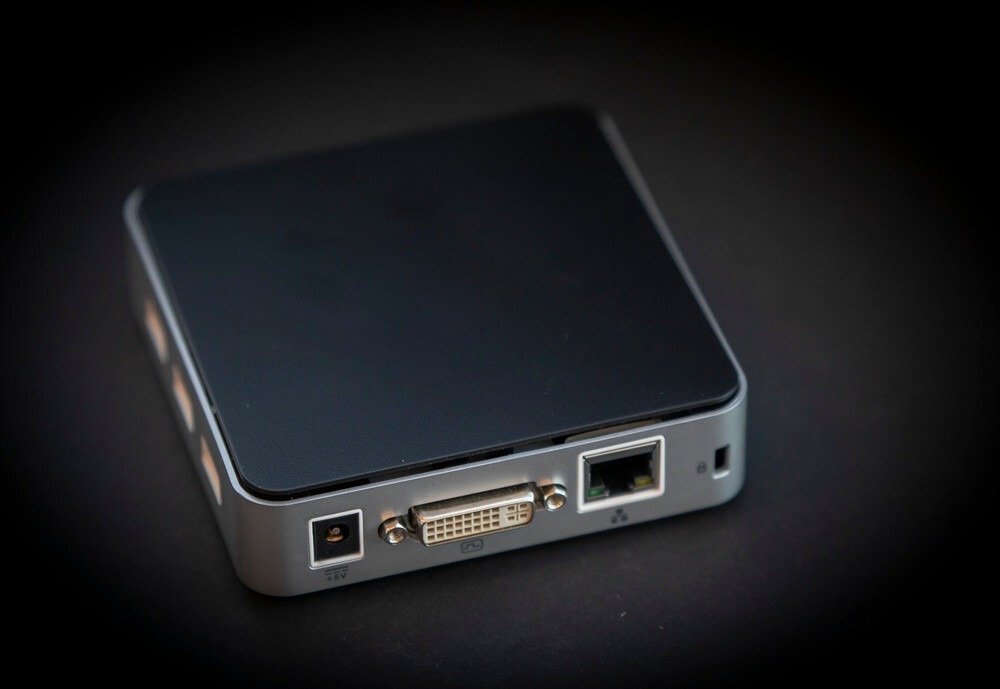
Are you looking for a small, convenient PC for home use with your TV? Or perhaps a portable multimedia device? If so, you'll love the mini PC! This compact, easy-to-use device is a true technological marvel.
If you're looking for the best mini PCs to buy this year, TT-Hardware has you covered! We've prepared a comparison and ranking of 15 models you absolutely shouldn't miss. Finally, if you're still undecided about which mini PC is right for you, we've created a FAQ and buyer's guide to help you choose the perfect mini PC for your needs.
Our top 15 best mini PCs
We know how complicated it can be to choose a mini PC. That's why we want to offer you models that stand out for their excellent value for money!
The 3 best mini PCs in our ranking!

Things to know before buying your mini PC
- The video resolution can be Full HD or 4K UHD! The mini PC is currently the favorite device for those who want to enjoy platforms such as Netflix, Spotify, YouTube, Amazon Prime Video and other multimedia features.
- The mini PC, which works equally well under Windows andAndroid, is a unique and versatile device that is the ideal solution if you want to add functionality to your TV ; or use it as a real PC for your office tasks and to browse the web.
- The latest MINI PC models meet the needs of gamers looking for an ultra-compact desktop PC for HD gaming.
Our comparison of inexpensive MINI PCs under €200
If you're looking for an affordable mini PC, we've selected the best ones for you at low prices! In this price range, the technical specifications allow you to use these mini PCs as a multimedia box to watch Netflix, listen to music on Spotify, etc.
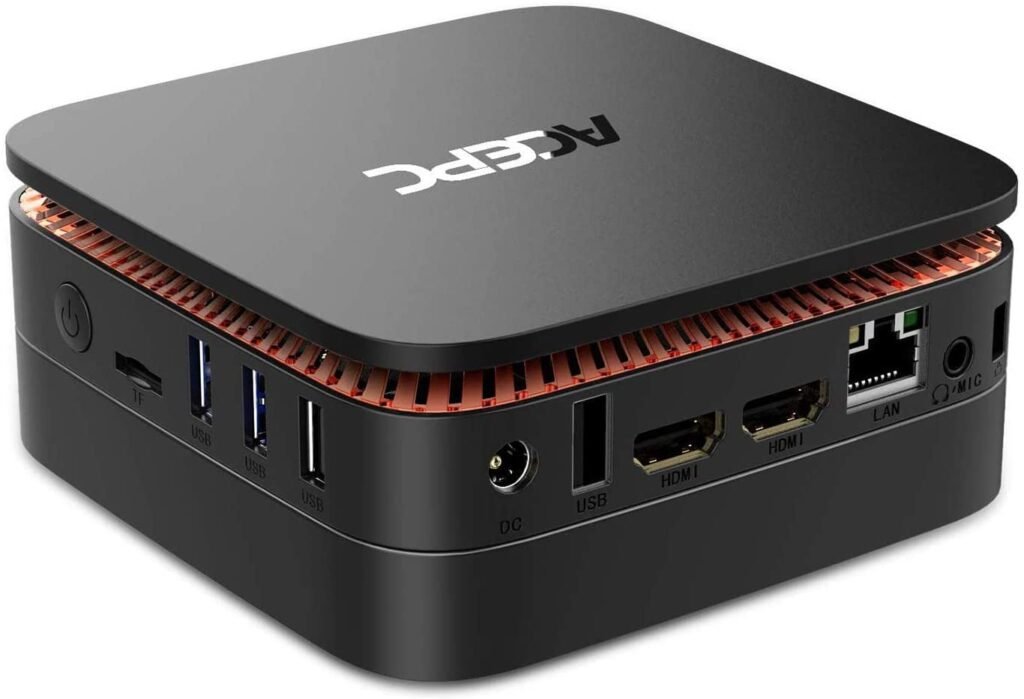
1. ACEPC AK1 Mini PC
Features and Reviews
Here's an excellent, fully functional mini PC equipped with the latest Intel Apollo Lake J3455 processor. Its new processor is 50% faster than its predecessor! Pre-installed with Windows 10 Pro, it boasts powerful technical specifications that make it faster and more stable, along with a good wireless connection. The 4K resolution offers stunning image quality, making it suitable for video and photo editing. Despite the Intel HD Graphics 500, we don't recommend it for gamers.
It can also be used as a TV box , and its compact size allows it to be placed behind the television, saving desk space. With Bluetooth and Wi-Fi connectivity, you can connect to the internet from anywhere in the house! However, if you tend to store a lot of files on your PC, you'll need to free up some space, as this mini PC has a 64GB hard drive. Although equipped with a fairly efficient fan, its design allows it to maintain a low temperature and is, overall, quite quiet. It's simple and intuitive to use, and the average price is reasonable considering its performance.
Technical specifications : Intel Celeron Apollo Lake J3455 processor up to 2.3 GHz, 4 GB of RAM and 64 GB of storage with 2.5" SSD support, dual Wifi, Lan, Bluetooth 4.2 and 4K compatibility.

2. Zodlix Z83-F Mini PC

Features and Reviews
mini-PC Windows we recommend is the Z83-F model from Zodlix. This device has been awarded the "Amazon's Choice " label. It offers excellent performance in a compact and stylish design, making it perfect for those looking for a good quality mini PC at a low price! The device is particularly well-suited for multimedia use. It's an excellent mini-PC to place next to your TV to expand its capabilities: you can easily install Kodi, Netflix, Spotify, and many other video and audio streaming platforms. High performance is made possible by the Intel Atom x5-Z8350 and the Intel HD 400 graphics card. You can choose between different versions that vary in storage capacity and RAM.
Technical specifications : Intel Atom X5-Z8350 with Windows 10 Pro pre-installed, 4GB RAM, 64GB storage, 4K support, 1000Mbps LAN and 2.4/5.8G Wi-Fi connectivity, HDMI and VGA ports.

3. ACEPC T11 Micro Mini PC Intel Atom x5-Z8350

Features and Reviews
The ACEPC T11, a very small mini PC, has established itself as one of the best-selling models in its category. Itsexcellent price-to-performance ratio has contributed to its success, made possible by its Intel Atom x5-Z8350 and Intel HD Graphics 400 coprocessor. Equipped with display Windows 10 Professional, it has 64GB of memory expandable up to 128GB with an SSD. Thanks to its 4K Ultra HD, it allows you to watch movies in very high definition, supporting the most popular video, audio, and photo formats, as well as installing games and applications. It offers 2.4G and 5G Wi-Fi connectivityand features numerous USB ports and microphone jacks. The device includes a cable and a power adapter. Overall, it's a rather versatile mini PC, suitable for basic tasks, making it ideal for a home office, watching videos, or browsing the internet. Although it is a micro version, its features are also optimized for home automation applications and for transforming the television into a Smart TV!
Technical specifications : Intel Atom x5-Z8350 processor, 4 GB RAM, 64 GB EMMC storage with 2.5″ Sata support, Wifi, HDMI + VGA and 1000 Mbps LAN.

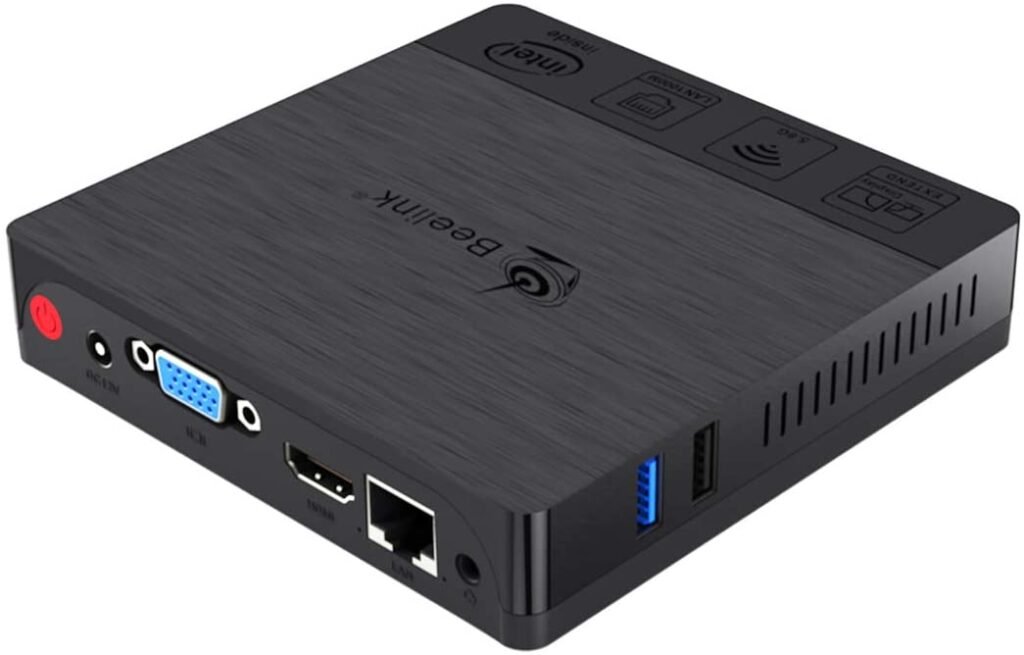
4. Beelink BT3 Pro II Mini PC
Features and Reviews
The Beelink BT3 Pro II is a mini PC equipped with Windows 10, perfect for office use ! Ideal if you use Word or Excel. The Intel Atom x5-Z8350 processor guarantees an excellent user experience, as well as the ability to connect a 4K monitor or two Full HD monitors. The device has 4GB of RAM, more than enough for multimedia/office use; while the 64GB eSATA storagecan be combined with a hard drive, as it's possible to add 2.5-inch storage systems. Excellent heat dissipation with various ventilation openings makes it a robust mini PC if you plan to use it intensively for years to come!
Technical specifications : Intel Atom x5-Z8350, 4GB DDR3 RAM, 64GB expandable storage, 1000Mbps LAN and 5.8G WiFi connectivity, full 4K resolution support, HDMI + VGA input and dual screen support.

5. Acepc Mini PC USB Flash Drive

Features and Reviews
Here's a practical, basic, and functional mini PC that you're sure to love! Small and convenient (it's just a little bigger than a USB flash drive), yet surprisingly versatile. With a quad-core Intel Atom x5-Z8350 processor, it offers speeds up to 1.92 GHz. It has 4 GB of RAM, Bluetooth and Wi-Fi connectivity, and the Windows 10 Pro operating system, allowing you to use this mini PC for a variety of tasks, such as watching videos. Two USB ports allow you to connect other devices, and access to the Office suite makes a difference for those who want to use it for office work. Good news: 4K resolution support ensures smooth image loading, although some users have reported issues when streaming. Obviously, it's not particularly suited for gaming, despite the Intel HD graphics. We find the price quite affordable given its performance.
Technical specifications : This is a computer key (slightly larger than a USB key) with an Intel Atom Z8350 processor, 4 GB of RAM and 64 GB of eMMC memory, Windows 10 pro 64-bit pre-installed, compatible with 4K connectivity and Bluetooth 4.2 and dual-band Wifi and USB 3.0.

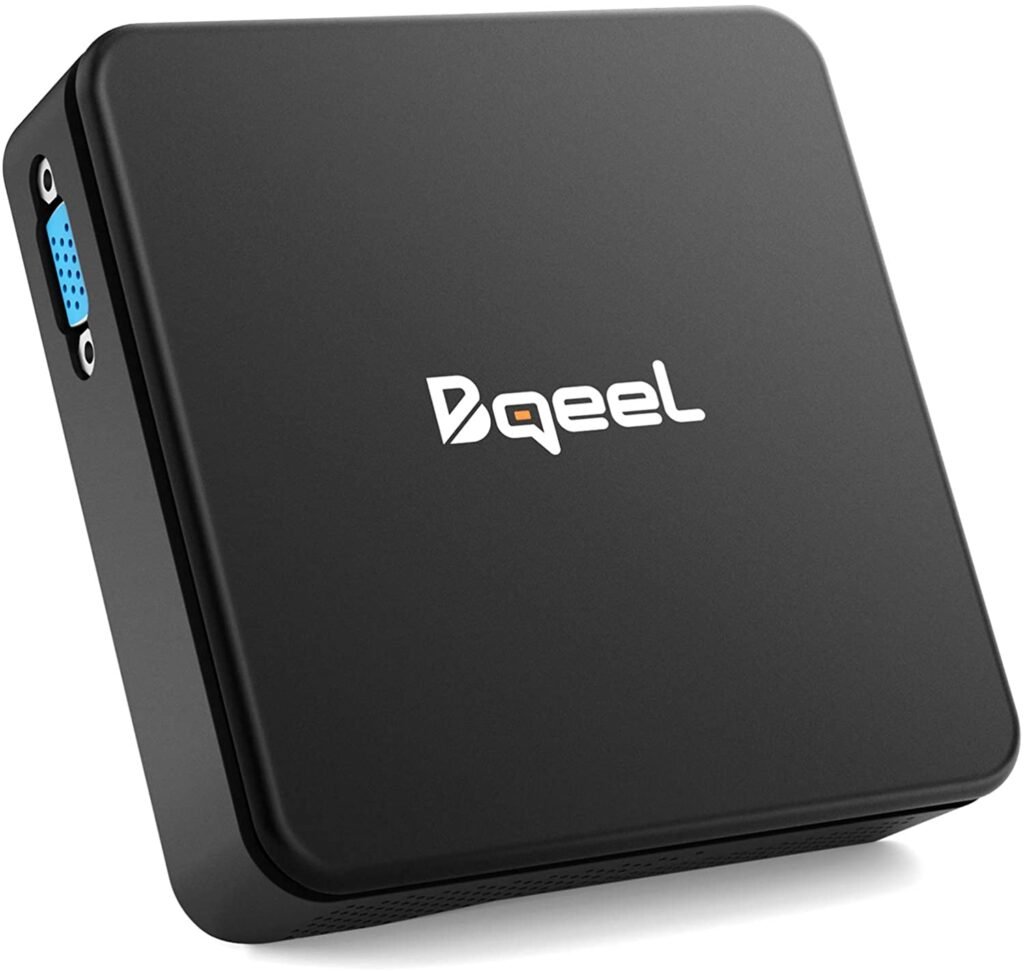
6. Bqeel Windows 10 Mini PC TX85
Features and Reviews
How about a high-performance mini PC with an Intel Cherry Trail Z8350 processor? That's what Bqeel offers. With this compact PC, you can install software like VLC and Windows Media Center and use most of the applications you'd find on a desktop PC! Equipped with HDMI and VGA ports, this mini PC allows you to connect two TV monitors simultaneously. Easy to install, use, and configure, simply connect it to your TV via the HDMI/AV cable and connect it to your network.
It features a smooth system with an integrated graphics chipset and high-definition compatibility, allowing it to easily record video files and play games in 4K resolution, supported by HD audio. It offers fairly stable connectivity with built-in Wi-Fi, a 1000M Ethernet LAN port, and three USB/Micro SD card slots for connecting external devices. Equipped with 4GB of RAM, expandable up to 128GB, it provides versatile and intuitive use based on a fluid operating system. Its higher price compared to other models in our comparison places it in the mid-range category.
Technical specifications : Intel Cherry Trail Z8350 CPU, 4 GB of RAM and 64 GB of storage, Intel HD Graphics 400 graphics card, 1000 Mbps LAN and Dualband 2.4 / 5.8 Wifi, Bluetooth 4.0, 4K compatible.

7. Intel Z85

Features and Reviews
If you're looking for an affordable mini PC, the Intel Z85 is sure to impress! Customer reviews often describe it as: "Small but mighty." The Intel Atom X5-Z8350 CPU, Intel HD Graphics 400 GPU, and 2GB of RAM ensure a smooth multimedia experience. This device was created to help people access the internet on their TVs who don't have a smart TV connection. It supports 4K, all audio, video, and photo formats – making it the perfect mini PC to add functionality to your TV!
Technical specifications : Intel Atom x5-Z8350 processor (2MB cache, 1.44GHz up to 1.92GHz), 4GB DDR3 RAM, 64GB expandable flash memory, integrated dual-band IEEE 802.11a/b/g/n WiFi (2.4G/5.8G) and 1000Mbps LAN, Windows pre-installed

8. Asus Vivostick
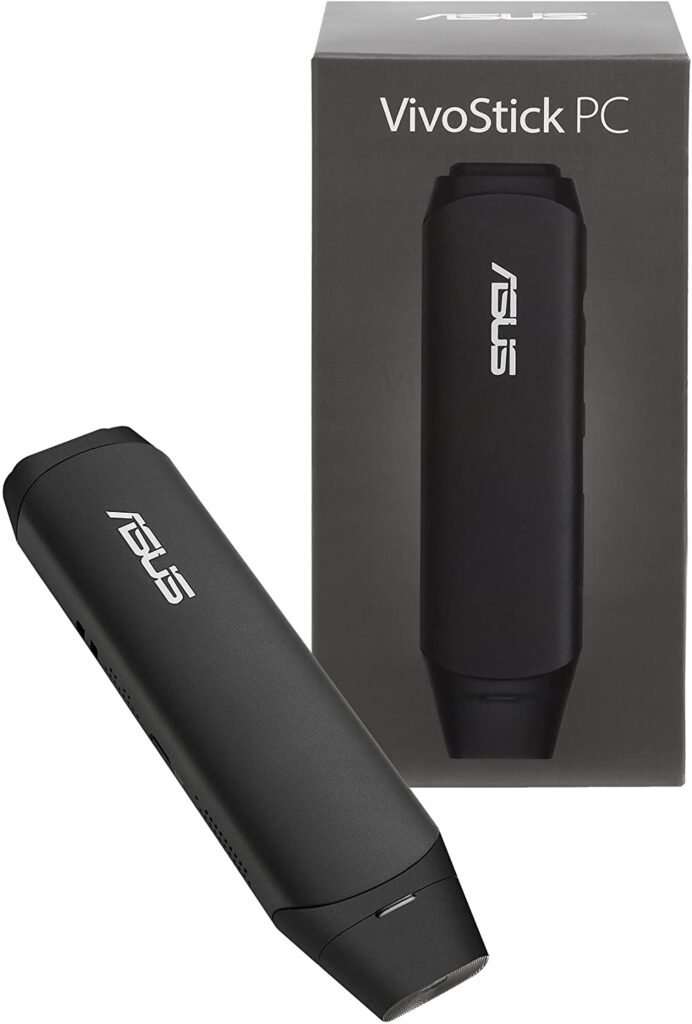
Features and Reviews
Asus never ceases to amaze us! Here's a truly original mini PC as compact as a USB flash drive. It's sold with ChromeOS or Windows 10 Home (the former is slightly cheaper). This system features an Intel Atom x5-Z8350 processor, 2GB of RAM, and 32GB of eMMC flash storage. It offers Wi-Fi and Bluetooth connectivity, along with an HDMI port for connecting to an external monitor. Ports include two USB ports, a combo headphone/microphone jack, and a micro-USB port for an power supply (essential).

Our comparison of mid-range and high-end MINI PCs over €200
If you're looking to buy a high-performance mini PC, you should find what you're looking for in this price range! The models selected here are much more powerful than mini PCs under €200. You can use them for multimedia, office work, or gaming.
1. Lenovo ThinkCentre M93p
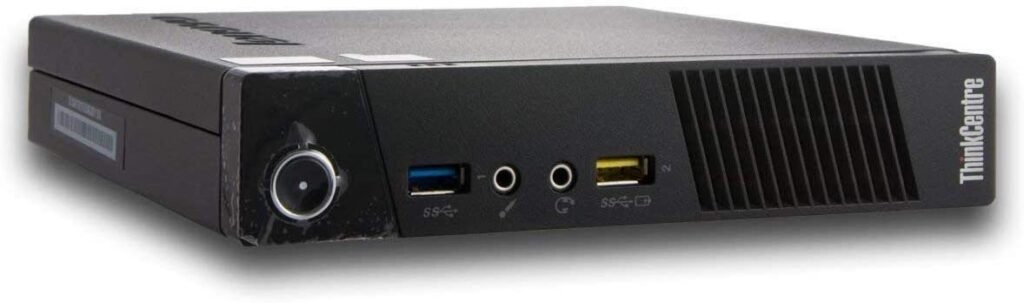
Features and Reviews
With this mini PC model, you're entering the high-end market with this Lenovo mini PC. This model is defined as "premium" due to its particularly high-performance technical specifications. The superior processor ( Intel Core i5 ) makes it reliable and powerful, and it's equipped with an Intel HD Graphics 4600 coprocessor . The hard drive is fast and has a large capacity (512 GB), and it boasts ample memory ( 8 GB of RAM ). Thanks to its design, this mini PC takes up very little space, ideal for hiding in a TV cabinet. The Windows 10 Professional 64-bit software is fully configured; managing devices and updating drivers can be done very easily. A minor drawback is the Wi-Fi connection, which is provided via a USB adapter. Overall, it's a high-performing, intuitive, and very fast product! pre-installed
Technical specifications : Intel core i5-4570t processor up to 3.6 GHz, 240 GB SSD, 8 GB RAM, Windows 10 pro pre-installed.

2. Coofun Mini PC
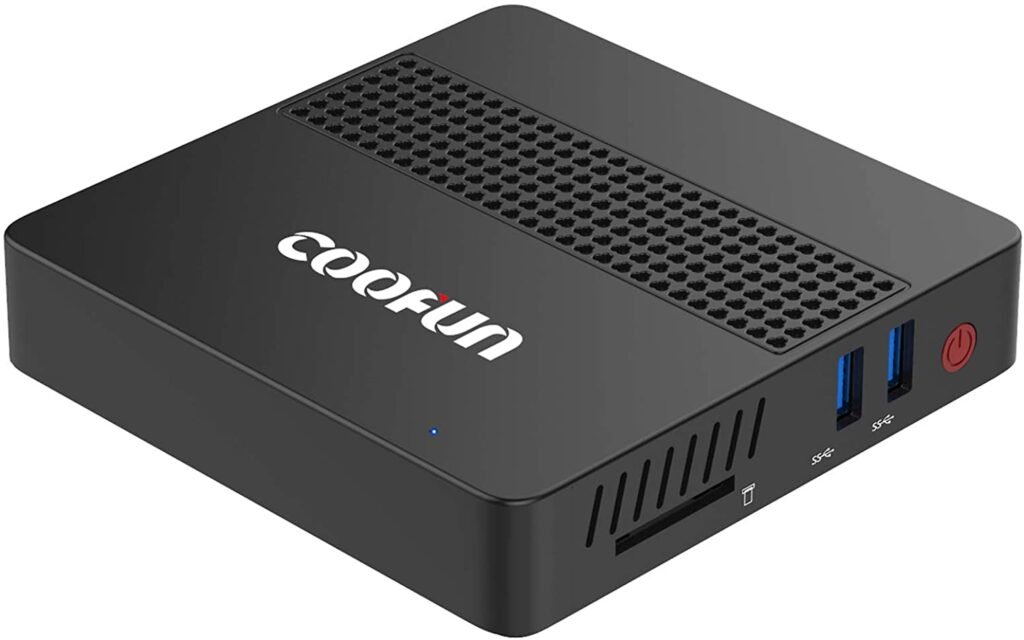
Features and Reviews
One of the best mini PCs thanks to its exceptional speed and integrated SSD ! This model from Coofun is the perfect solution for those looking for a versatile, multi-purpose device. Whether you want to watch a movie on your TV, use it as a desktop PC, or for other multimedia and home automation functions.
Its efficiency is guaranteed by the Intel Celeron J3455, clocked at 2.30 GHz. It features 128 GB of SSD storage, an Intel HD Graphics 500 coprocessor, Bluetooth and Wi-Fi connectivity, and a Windows 10 Professional operating system. The integrated 4K HD graphics card supports two monitors with HDMI and VGA ports; it also has three USB ports, a TF card slot, and ample storage space. Compact and well-positioned, it offers impeccably smooth streaming if you love it. The same goes for web browsing. The package includes apower supply and an HDMI cable.
Technical specifications : Intel Apollo Lake Celeron J3455 CPU (up to 2.3 GHz), 8 GM of DDR4 RAM, 128 GB SSD, Windows 10 Pro 64 pre-installed, HDMI and VGA, Dual Wifi, USB 3.0 and Bluetooth 4.2.

3. Intel NUC Kit

Features and Reviews
This new eighth-generation i3 mini PC (11.7 x 11.2 x 5.1 cm) is so compact that it's easily portable! It features an Intel Core i3with a clock speed of 3 GHz and an Iris Plus Graphics 655 coprocessor, plus 32 GB of SODIMM memory. Windows 10 Pro is fully supported. This mini PC is suitable for office work and gaming, although it doesn't seem particularly efficient with HD games.
Being a "barebone" version, this mini PC doesn't have a hard drive or RAM, so you'll need to configure it yourself. The good news is that the drivers are recognized and installed automatically, except for the sound card, for which the driver is still readily available from the Intel website.
With surprising power for such a small device, it combines the advantages of being silent and quickly loading the SSD-mounted operating system. Storage can be easily expanded, turning this NUC into a small home server running Linux. The cooling system needs improvement, as the fan, while considered effective, doesn't seem to run continuously. Despite its considerable price, it remains the best-selling mini PC !

4. Beelink U55

Features and Reviews
Here is the Beelink U55 mini PC, equipped with an Intel Core i3-5005U, 8GB of DDR3L RAM, and a 128GB SSD. Overall, this device has technical specifications similar to a traditional desktop computer, making it ideal for multimedia use and basic office tasks.
Technical specifications : High-performance, low-power Intel Core i3-5005U, 8GB DDR3L RAM, 128GB SSD, 1000Mbps LAN and 2.4 and 5.8GHz WiFi, 4K support and H.265 codec, excellent thermal dissipation and Windows 10.

5. Asus Mini PC PN40
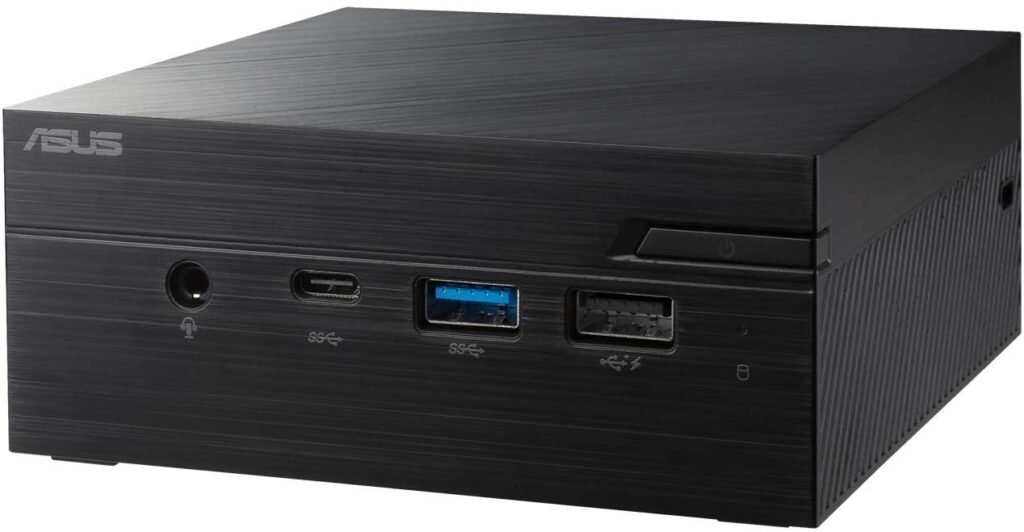
Features and Reviews
The Asus brand needs no introduction! This powerful, compact Asus mini-PC features an Intel processor and DDR4 RAM. Storage upgrades are easy, with options for both a hard drive and a 2.5" SSD. Reliability, a compact design, and a cooling system engineered for maximum performance with minimal noise make this one of the best mini-PCs available. We recommend reading the detailed specifications !

6. Dell Vostro 3470
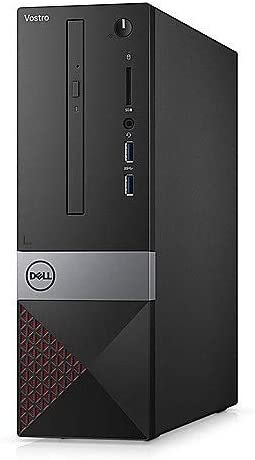
Features and Reviews
The Dell Vostro 3470 is a compact computer designed to deliver high performance in the smallest possible form factor. It features a Intel Core i3-8100 , paired with 8GB of RAM and a 1TB hard drive. It comes with Windows 10 Professional and includes two USB 3.0 ports, VGA and HDMI connectors for external monitors, and four USB 2.0 ports. An SD card reader is also included.

7. Beelink J45 Mini PC

Features and Reviews
The Beelink J45 Mini PC is a great alternative if you're looking for a compact PC for home use! Its high-quality components make it ideal for office work or playing games at lower resolutions. Just to give you an example, the model equipped with 8GB of RAM can easily run Photoshop, browse the internet, and use Microsoft Office or similar applications without any problems! Its technical specifications are above average compared to its competitors, with an excellent BIOS and advanced features, and a perfect connection with Full HD or 4K monitors . As you can see, the Beelink J45 Mini PC packs a punch !

FAQ – Discover all the details about the mini PC!
Mini PCs offer many advantages over more traditional desktop computers. They allow you to do almost everything a traditional computer can do, while also providing additional benefits.
More and more manufacturers are offering their own versions of the mini-PC, and many people are giving in to temptation.
However, with the wide selection and various features available, it's important to make the right choice. Otherwise, you risk ending up with a computer that doesn't meet your needs satisfactorily
Let's see what a mini-PC can offer you; discover it step by step
We'll go through each point step by step so you can choose the best components for your mini PC!
What exactly is a mini-PC?
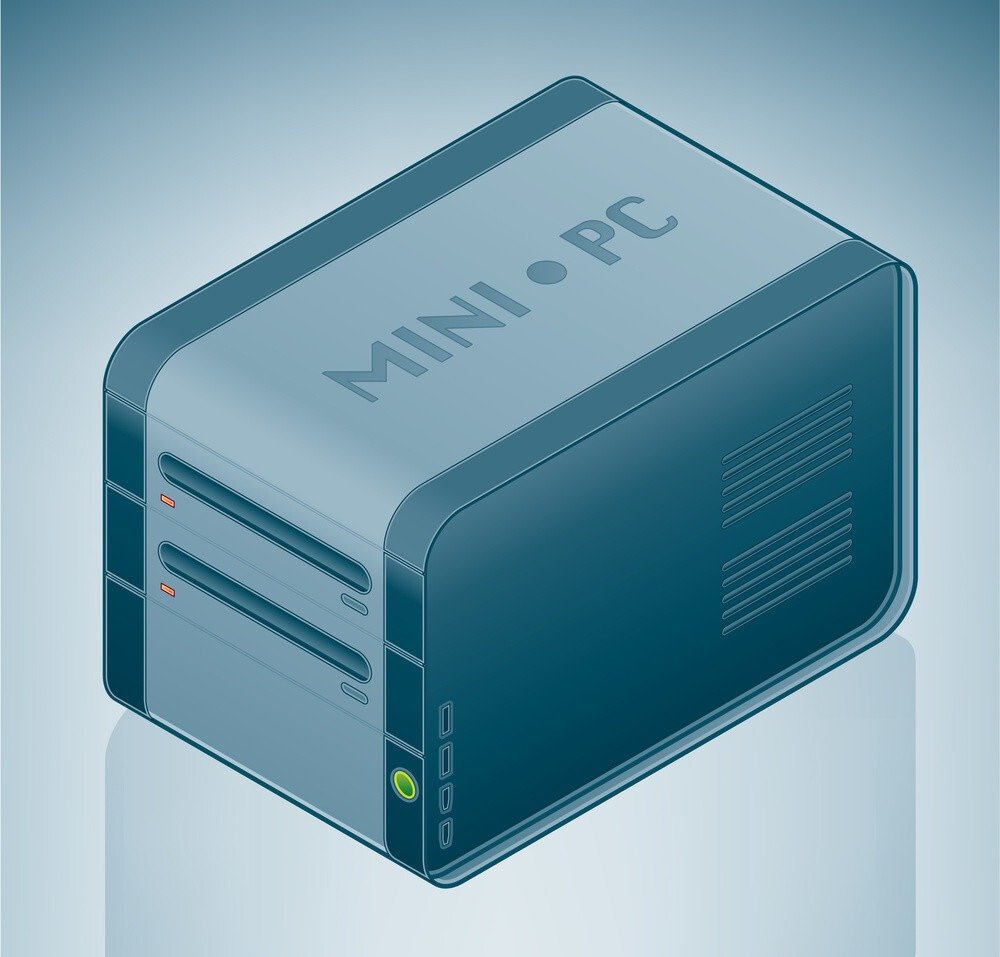
Mini PCs are very similar to classic PCs in their uses; you can connect a screen, a gaming mouse and a keyboard in a completely traditional way.
Their main difference lies in their size, as their names suggest; they are very compact PCs designed to take up as little space as possible. A practical replacement for a large tower that takes up a lot of room.
In order to fit all the components inside the mini-PC, manufacturers have, for the most part, only included the essential elements for basic use.
Although they are similar in their uses, as we have seen, they are often less powerful than traditional PCs. Mini-PCs are mostly preferred for office tasks.
Some people buy them to use as servers or emulators for retro games.
Like a PC, when you buy your mini-PC, you should look at the different components inside. This will allow you to know in which areas the mini-PC will perform well and in which other areas it will struggle.
If you have no idea what each component does, don't worry, we'll look at the components and their functions inside a PC towards the end of this article. Note that this information applies to both PCs and Mini-PCs.
Can a Windows mini-PC replace a computer?
To answer this question correctly, it is essential to check the technical specifications of the device in question, as well as the operations performed on the computer.
For basic use , such as a home theater system or for simple web browsing , even devices with 4GB of RAM and little storage memory can be used safely.
The most advanced, and therefore most expensive, mini PCs offer significantly better performance thanks to faster processors and 8GB of RAM. We also recommend these models for office work, provided they are used with a mouse, keyboard, and monitor.Is Linux compatible?
Yes, almost all mini PCs come pre-installed with Windows 10 Home or Pro, but it's possible to partition the SSD (if available) and install any Linux distribution in a dual-boot configuration or by completely removing Windows from the drive. We recommend checking the compatibility between your chosen distribution and the components inside your mini PC.
The cheapest mini PCs!
What are the advantages of a mini-PC?
Due to its small size, the mini PC can easily be carried almost anywhere. Since it takes up less space than a desktop computer, it also makes less noise, which can be a significant advantage if noise is a concern for you.
Because the components are smaller, they also consume less energy, saving you money on your electricity bill, especially if your mini PC is frequently used. In addition to its lower electricity costs, its low power consumption also makes it more environmentally friendly than a desktop computer.
- They are cheaper
- They take up less space than a desktop computer
- They allow you to transform your television into a complete multimedia center!
- Can be transported easily
- Less energy-intensive
- Quieter
The disadvantages of the mini PC
Mini PCs also have a few disadvantages, which may be a problem depending on how you intend to use them.
typically have smaller, cheaper, and therefore less powerful graphics cards than those in PCs. This can be a problem if you use your PC for playing video games.
But even for those who want a mini PC for work, if you use modeling, video editing or other software, it is in your interest to have good performance on your graphics card.
Although mini-PCs have various ports, people who connect too many external devices to their PCs may run into problems…
Indeed, because they are smaller they also have fewer USB ports and other sockets, so when you make your purchase, you must be careful to check the number of connections on the device.
While they are certainly quieter than PCs, they also heat up faster. After prolonged use, your mini-PC may become very hot; in this case, it's best to turn it off to avoid damaging it.
What can I do with a mini PC? The different possible uses!

Mini-computers have several features; you're sure to find one that suits you among those I'm going to mention!
First and foremost, its most common use is for office work. You'll have no trouble installing applications like Word for word processing or Excel for spreadsheets. These programs require very few resources and are therefore perfectly suited to a mini-PC. If you travel frequently, this type of computer allows you to easily keep all your work with you.
Mini-computers can also connect to your television to transform it into a smart TV. You have a true multimedia center at your disposal.
A common use among retro gaming fansis to use this mini-computer to build an arcade cabinet. The mini-PC is very easy to install in the cabinet thanks to its small size, and it can run older generation games without any problems, as they are very undemanding. Thus, by installing an emulator and connecting their gamepads instead of a mechanical gaming keyboard, they have recreated a real console that allows them to play all the games they cherish so much.
People with more advanced computer skills are more likely to use them as servers, VPNs, or other NAS and DNS services.
The best-selling mini PCs of the year!


Which operating systems should I install on my mini-PC?

That's a good question, and an important one to ask. Indeed, operating system Windows that everyone knows is a paid product and costs €100.
This represents a significant cost to consider when purchasing a mini-PC. However, there is a free alternative that bears some resemblance to Windows; you've probably already heard of it: Linux.
This operating system can be a little confusing at first, especially if you are used to Windows or Mac OS, but you will get used to it very quickly.
It's up to you to make a choice: do you prefer to pay €100 to have access to Windows and find all your usual bearings and therefore not change anything in your habits, or go and choose Linux which costs you nothing but will take some time to get used to.
If you want to use your mini-computer as a smart TV, the Android operating system may be more suitable.
Can I install and play video games on my mini PC?
Well, you can install all sorts of games on your mini-computer, but be careful!
It mostly depends on the mini-PC model, but most of them have fairly limited storage space, so it's possible that your games will take up all the space on your computer.
Similarly, if your games are too demanding for your mini-PC, it will not be possible to run them smoothly.
However, there are very powerful (but more expensive) mini-PCs that will have no trouble displaying your games smoothly at the highest possible resolution.
Purchasing criteria for choosing your MINI PC
Now we will look at the different criteria to consider for your mini PC, particularly regarding components.
By analyzing each of the components, you will be able to determine which offers represent the best value for money.
The processor
The processor is the component that performs all the calculations on your computer; the more powerful it is, the more calculations it can perform in a short amount of time.
If you plan to do 3D modeling, video editing, video rendering or just play a big video game, a good processor will be essential for your use.
Several factors define the power and efficiency of a processor.
First, the generation: at Intel (the main processor manufacturer along with AMD), the processor generation is defined by an i followed by a number.
The main generations are 3, 5, 7 and 9. The higher the number, the more recent the generation and therefore the more powerful the processor.
I will give you an example below to help you understand better.
Next, there is the frequency of a processor, measured in Hz.
Frequency is the speed of your processor; the higher it is, the faster your processor will run.
The frequency actually corresponds to the number of calculations per second that the processor can perform; for a frequency of 2GHz it will be able to perform 2 billion calculations per second.
Finally, the number of cores will determine the number of tasks you can perform simultaneously. Importantly, the displayed Hz number is equal to the sum of the cores.
The higher the clock speed (Hz) of a core, the faster it will perform a task. Conversely, the higher the number of cores, the better your computer will handle multitasking.
I will illustrate all this with an example: let's take the Intel Core i3-9100 F (3.6 GHz) Quad core processor.
The information to consider is therefore:
- i3 which means that the processor is 3rd generation.
- 3.6GHz quad core: so a power of 3.6GHz for four cores, which means that 1 core has a power of 0.9GHz (remember, the number of Hz displayed is equal to the sum of the cores).
RAM
RAM is your computer's temporary memory. It is completely erased each time you restart the computer, unlike your hard drive which retains all stored information even after a restart.
For office work, 4GB of RAM is sufficient.
For gaming or modeling purposes, 8GB of RAM is the minimum.
We invite you to discover our comparison of the best 16GB RAM to buy!
The hard drive or SSD

A physical hard drive is a viable option for storing data; 64GB is sufficient for office use.
There are also SSDs, which are essentially the same as hard drives but are thinner, quieter, and faster than a physical disk. They allow you to boot your computer or launch any other application much more quickly.
If you wish to store your data on a large SSD, we recommend reading our comparison of the best cheap 1TB SSDs.
The graphics card
Highly prized by gamers, this is what allows you to achieve good visual quality. Basic graphics cards are more than sufficient for office work or retro games.
This is a component that needs to be very powerful if you're doing video editing or any kind of rendering.
Beware of mistakes
I have just shown you the purpose of the most important components, however, be careful!
The component sizes for a PC and a mini-PC will not be the same, so don't get confused when buying, otherwise you'll end up with a graphics card that's way too big for your mini-PC.
Finally, that's in the case where you decide to build your PC yourself, which I advise against doing if you have neither the time nor the desire.
However, there is an alternative; barebones, which are computers that are only partially assembled, so you can install just the parts you are interested in.
Conclusion
The mini PC is a multimedia device suitable for retro gaming enthusiasts but also a good tool for professionals.
We were able to see the different possible uses of mini-computers, and the parameters to consider when purchasing one.
With all this information, you are now able to determine whether or not a mini PC is right for you!


