

You tried to access a website , but you got an error message saying, “ The server's IP address could not be found .” What does this mean? And more importantly, how do you fix it? In this article, we'll explain the possible causes of this error and the solutions you can implement to resolve it.
Why does the message “Unable to find the server's IP address” appear?

The message “ Unable to find server IP address ” appears when the browser is unable to obtain the IP address of the website you wish to visit. This can have several causes:
- The website is temporarily unavailable or has changed its IP address .
- The DNS server you are using is down or does not know the website's IP address.
- Your internet connection is unstable or interrupted.
- Your browser or operating system is misconfigured or infected with malware.
- Your firewall or antivirus software is blocking communication with the DNS server or website.
How to solve the problem “Unable to find the server's IP address”?
There are several solutions to resolve the " Unable to find server IP address " problem. Here are the steps to follow:
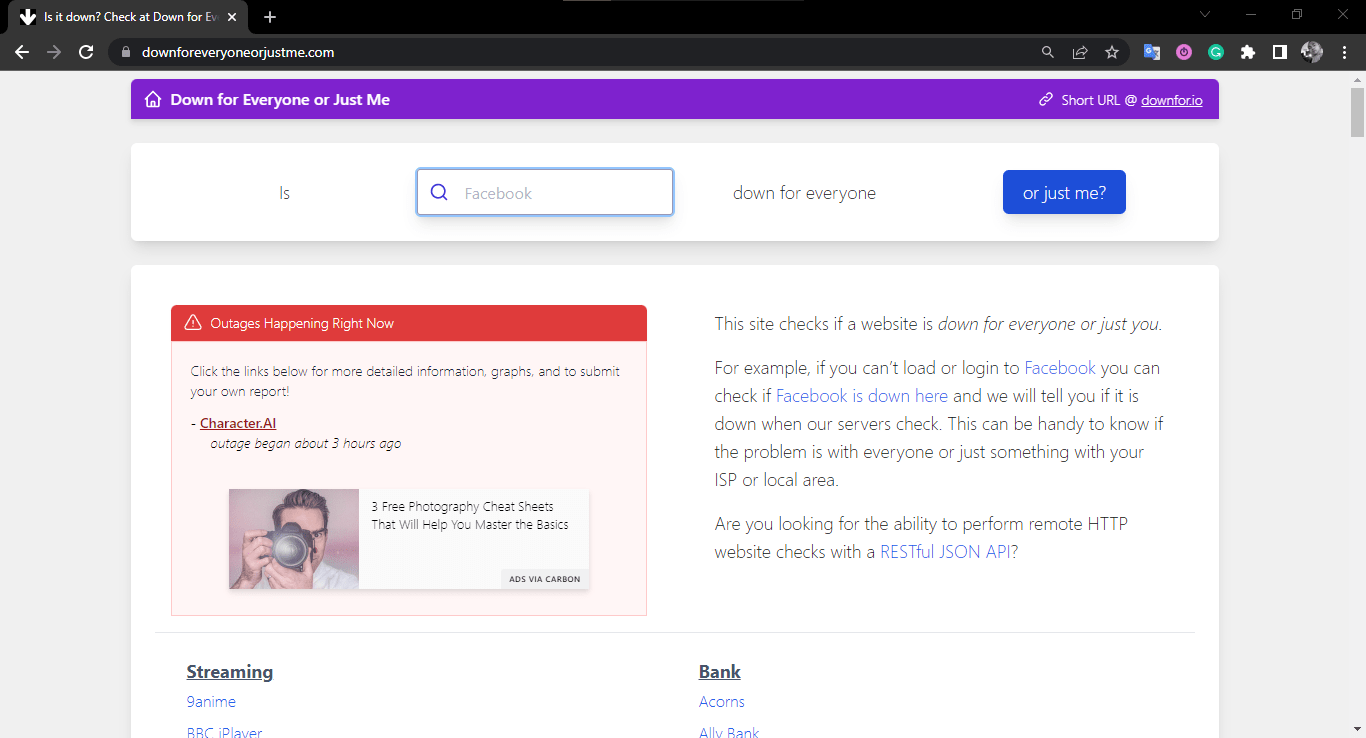
- Step 1 : Check that the website you want to visit is accessible. You can use an online service like Down For Everyone Or Just Me to check if the website is online. If the website is offline, you will need to wait until it is back online or contact its administrator.
- Step 2 : Check that your internet connection is working properly. To do this, you can try accessing another website or run a speed test on Speedtest . If your internet connection is faulty, you will need to repair it or contact your internet service provider.

- Step 3 : Check that your browser is up to date and free of malware. To do this, you can visit your browser's About page to check its version and install any available updates.

You can also scan your computer with antivirus software like Malwarebytes to detect and remove any malware.
- Step 4 : Check that your firewall or antivirus software is not blocking communication with the DNS server or website. To do this, you can temporarily disable your firewall or antivirus software and see if the problem persists. If it does, you will need to allow communication with the DNS server or website in your firewall or antivirus software settings.

- Step 5: Change the DNS server you are using. By default, your computer uses your internet service provider's DNS server, but it may be down or may not know the IP address of the website you want to visit. You can then try using a different DNS server, such as Google's (8.8.8.8 and 8.8.4.4) or Cloudflare's (1.1.1.1 and 1.0.0.1). To change the DNS server, you can follow the instructions in this guide .
If you have followed these steps and the “Unable to find server IP address” problem persists, the website you want to visit may be blocked by your country or network. In this case, you can try using a VPN (Virtual Private Network) or a proxy to bypass censorship and access the website.
You might like this article: WAN Miniport: What is it?
FAQ
Here are some frequently asked questions about the problem “Unable to find the server's IP address”:
What is an IP address?
An IP (Internet Protocol) address is a unique numerical identifier that allows each device connected to the Internet to communicate with others. Every website also has an IP address that corresponds to its domain name (for example, the IP address of www.google.com is 142.250.74.196).
When you type a website address into your browser, it sends a request to the DNS (Domain Name System) server, which translates the domain name into an IP address. The DNS server then sends the website's IP address back to the browser, which can then connect to the website's server and display the requested page.
What is the difference between an IP address and a MAC address?
An IP address is a numerical identifier that allows each device connected to the internet to communicate with others. A MAC (Media Access Control) address is a physical identifier that allows each device connected to a local network to communicate with others. An IP address can change depending on the network to which it is connected, while a MAC address is unique and fixed for each device.
How can I find my IP address?
There are several ways to find your IP address. The simplest is to use an online service like My IP, which displays your public IP address (the one visible on the internet) and your local IP address (the one used on your local network). You can also use the ipconfig command on Windows or ifconfig on Mac or Linux to display your network connection information, including your IP address.
How can I find the IP address of a website?
There are several ways to find a website's IP address. The simplest is to use an online service like IP Location, which displays a website's IP address and geographic location based on its domain name. You can also use the ping command on Windows , Mac, or Linux to send data packets to a website and retrieve its IP address.
How do I change my IP address?
There are several ways to change your IP address. The simplest is to restart your modem or internet box, which may result in your internet service provider assigning you a new IP address. You can also use a VPN (Virtual Private Network) or a proxy to mask your real IP address and use one located in another country or on a different network.
How to block an IP address?
There are several ways to block an IP address. The simplest is to use a firewall or antivirus program that allows you to create rules to allow or block communication with certain IP addresses. You can also modify your computer's hosts file to redirect certain IP addresses to a blank page or an error page.
Conclusion
The "Unable to find server IP address" error can have several causes and solutions. You should check that the website is accessible, that your internet connection is working, that your browser is up-to-date and secure, that your firewall or antivirus software isn't blocking communication, and that your DNS server is operational or has been changed. If the problem persists, you should use a VPN or proxy to bypass website censorship or blocking. We hope this article has helped you resolve the "Unable to find server IP address" issue. If you have any questions or comments, please leave them below. We will respond as soon as possible. Thank you for reading!


