Do you dream of playing Zelda: Breath of the Wild on your computer and wonder if it's possible? You've come to the right place! We'll explain everything you need to know. Follow the guide!
Zelda: Breath of the Wild
Zelda: Breath of the Wild is an open-world adventure video game Nintendo and released in 2017 for the Wii U and Switch consoles . It is the 19th installment in The Legend of Zelda , which features the hero Link in a fantasy world inspired by Japanese mythology and culture.

The PC version
The first thing to know is that there is no official PC version of Zelda: Breath of the Wild . The game was designed exclusively for the Wii U and Switch consoles, which are the only ones capable of running the game's graphics engine, called Decaf .
However, this hasn't stopped some fans from finding ways to play Zelda: Breath of the Wild on PC, thanks to emulators and mods. Similarly, it's also possible to play Nintendo DS games on your smartphone .
We will see how this works in the following sections.
Emulation: Play Zelda: Breath of the Wild on PC with Cemu
Emulation involves using software that replicates the functionality of a console on a computer, provided the emulator is sufficiently powerful and compatible with the game.
To play Zelda Breath of the Wild on PC, you need to use the Cemu emulator , which is the only one capable of emulating the Wii U. Cemu is a project developed by an independent team since 2015, which has managed to run the game with a higher graphical quality than the original console.
Please note that Cemu is not official software and is not authorized by Nintendo, which considers emulation a form of piracy. To play Zelda: Breath of the Wild on PC with Cemu, you need a digital copy of the game, which can be obtained by illegally downloading the ROM file from the internet or by legally dumping the game disc using a modified Wii U.
The system requirements to play Zelda: Breath of the Wild on PC with Cemu
To play Zelda Breath of the Wild on PC with Cemu, you need a PC that meets the following minimum and recommended specifications:
- Minimum configuration:
- Operating system: Windows 7 (x64) or higher
- Processor: Intel Core i5-4460 / AMD FX-6300 or equivalent
- RAM: 8 GB
- Graphics card: NVIDIA GeForce GTX 760 / AMD Radeon R7 260X or equivalent
- Disk space: 15 GB of available space
- Recommended configuration:
- Operating system: Windows 10 (x64)
- Processor: Intel Core i7-6700K / AMD Ryzen 5 1600X or higher
- RAM: 16 GB
- Graphics card: NVIDIA GeForce GTX 1060 / AMD Radeon RX 580 or better
- Disk space: 15 GB of available space
You also need a stable internet connection to download Cemu and game updates, as well as a controller compatible with the emulator, such as an Xbox controller or a Wiimote .
How to get and install Zelda: Breath of the Wild on PC with Cemu
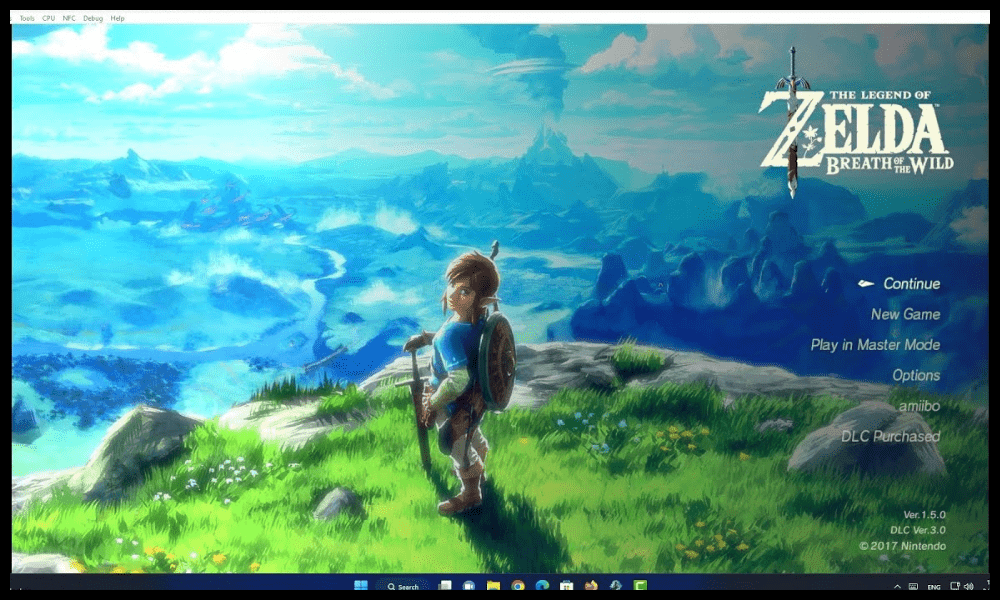
To play Zelda Breath of the Wild on PC with Cemu, you need to follow these steps:
- Download and install Cemu on your PC , following the instructions on the official website.
- Download and install Cemu updates using the emulator's “Help > Check for updates” menu.
- Download and install game updates using the emulator's "File > Install game update or DLC" menu.
- Download and install the graphics packs , which are files that improve the visual quality of the game, using the emulator's “Options > Graphic packs” menu.
- Download and install the shader caches , which are files that speed up the loading of game textures, using the emulator's “Options > Transferable shader cache” menu.
- Configure the emulator settings , adjusting the resolution, full screen mode, sound, controller, etc., using the emulator's “Options” menu.
- Launch the game , using the emulator's “File > Load” menu, and selecting the game's ROM file.
Mods: Customize Zelda: Breath of the Wild on PC with Cemu
Mods are modifications made to a game by fans, allowing users to change its appearance, gameplay, content, and more. There are hundreds of mods for Zelda: Breath of the Wild, which can be downloaded from specialized websites like Gamebanana or Nexus Mods .
To install a mod on Zelda Breath of the Wild on PC using Cemu, you must follow these steps:
- Download the mod from the website of your choice, making sure that it is compatible with the version of the game and the emulator.
- Extract the mod's contents into a folder , using software like WinRAR or 7-Zip.
- Copy the contents of the folder into the game directory , respecting the subfolder structure. For example, if the mod contains a file “content\Actor\Pack\Linkle.pack”, it must be copied into the folder “Cemu\mlc01\usr\title\00050000\101C9400\content\Actor\Pack”.
- Launch the game with Cemu , and enjoy the mod.
It is possible to install multiple mods at once, but you must be careful of potential conflicts or incompatibilities between them. It is advisable to back up your game before installing a mod, in case it causes problems.
FAQ
What are the advantages of playing Zelda: Breath of the Wild on PC?
Playing Zelda: Breath of the Wild on PC has several advantages, such as:
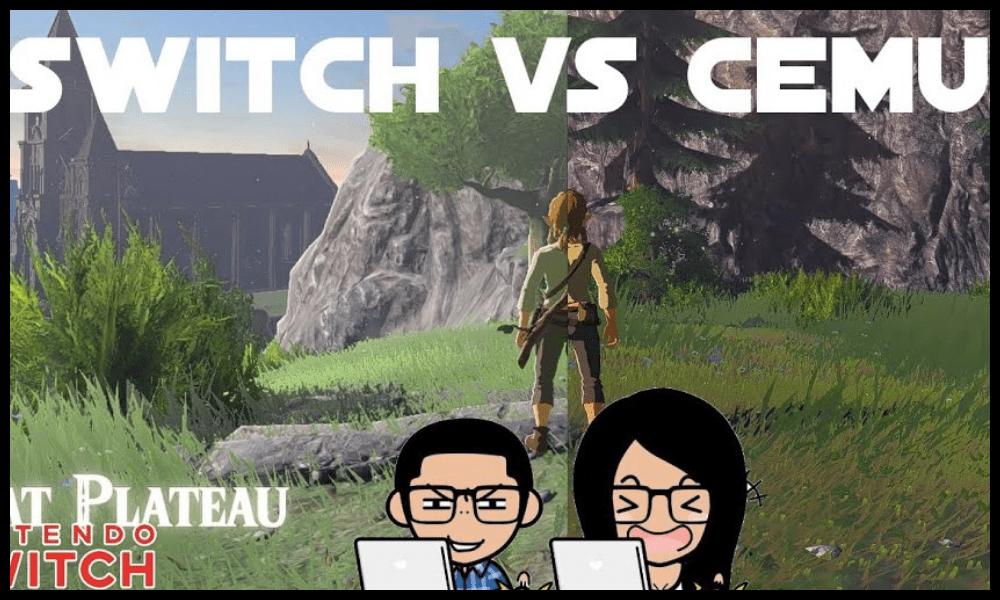
- Enjoy improved graphics quality by increasing resolution, framerate, lighting effects, textures, etc.
- Customize the game , using mods that change the appearance of characters, weapons, environments, etc.
- Play with the controller of your choice , using an Xbox controller, a Wiimote, a keyboard and mouse, etc.
- Play the Japanese version of the game , by changing the language and region of the emulator.
What are the disadvantages of playing Zelda: Breath of the Wild on PC?
Playing Zelda: Breath of the Wild on PC also has some drawbacks, such as:
- Risking legal problems by using an emulator and a copy of the game not authorized by Nintendo.
- Experiencing bugs , slowdowns or incompatibilities when using an emulator that is not perfect or stable.
- Losing certain game features , such as the gyroscope or the touch screen of the Wii U and Switch.
- Losing the charm of the original game by changing its appearance or gameplay too much.
How do I save my progress in Zelda: Breath of the Wild on PC?
To save your progress in Zelda: Breath of the Wild on PC , you need to use the game's autosave feature, which creates a save file each time you quit the game or change areas. You can view your save files in the "File > Load" menu of Cemu.
It is also possible to create manual saves using Cemu's " Save State " function, which allows you to create a restore point at any time during the game. Simply use the shortcut "Ctrl + S" to save and "Ctrl + L" to load. You can manage your manual saves in Cemu's "Debug > Save States" menu.
How to play Zelda Breath of the Wild online on PC?
To play Zelda Breath of the Wild online on PC, you need to use a service called Cemu Online , which allows you to connect to Nintendo's official servers and enjoy the game's online features, such as updates, DLC or amiibo .
However, it's important to know that Cemu Online is not an official service, nor is it authorized by Nintendo, which may ban accounts or consoles that use this tool. Therefore, caution is advised, and it's recommended to use a secondary or guest account to log in.
To use Cemu Online, you must follow these steps:
- Download and install Cemu Online on your PC , following the instructions on the official website.
- Create or use a Nintendo Network ID (NNID) account, which is the account used to connect to Nintendo's online services.
- Launch Cemu Online and log in with your NNID.
- Launch Cemu and configure the network settings in the menu “Options > General settings > Online”.
- Launch the game and enjoy online mode.
What are the best mods for Zelda Breath of the Wild on PC?
There are hundreds of mods for Zelda Breath of the Wild on PC, which can be classified into several categories:
- Graphics mods , which improve the visual appearance of the game, such as the Clarity GFX mod, which adds more realistic lighting and color effects.
- Aesthetic mods , which change the appearance of characters, weapons, clothing, etc., such as the Linkle mod, which replaces Link with a young girl.
- Gameplay mods , which modify the way the game works, such as the Relics of the Past mod, which increases the difficulty and adds new enemies and weapons.
- Content mods , which add new quests, new areas, new items, etc., such as the Second Wind mod, which offers a sequel to the game with new adventures.
Choosing the best mods is difficult, as it depends on individual tastes and preferences. Therefore, you need to test the mods that interest you and see what they add to the game.
How to solve technical problems related to emulating Zelda: Breath of the Wild on PC?
You may encounter technical problems when emulating Zelda: Breath of the Wild on PC, such as bugs, slowdowns, black screens, distorted sound, etc. To resolve these issues, try the following solutions:
- Check that you have the latest version of Cemu and the game , as well as the corresponding updates and graphics packs.
- Check that you meet the system requirements to run the game, and adjust the emulator settings according to your system.
- Check that you are not using too many mods or mods that are incompatible with each other, and disable those that cause problems.
- Check that you do not have any software or peripherals that interfere with the emulator, such as antivirus, VPN, unrecognized controllers, etc.
- Consult online forums or tutorials that address specific issues related to the game or emulator.
If none of these tips work, you have to resign yourself to waiting for a new version of Cemu or the game that fixes the problems.

Conclusion
Zelda: Breath of the Wild is an exceptional game that can be played on PC using emulation and mods. However, you should be aware of the legal and technical risks associated with this practice, which is not approved by Nintendo. You also need a powerful and well-configured PC to fully enjoy the game. If you're a Zelda fan and want to discover or rediscover this masterpiece on PC, now you know how.