If you're like me, you love using symbols and emojis to communicate your emotions. But do you know how to make the empty heart symbol/emoji ? It's a very popular symbol, but not always easy to find or type.
Fortunately, in this article, I'm going to teach you how to make the empty heart symbol/emoji on different devices and applications. Whether you have a computer or a smartphone, there's a method that works for you.
Learn how to make the empty heart symbol/emoji in seconds!
Type the empty heart symbol/emoji on your keyboard
If you have a keyboard with a numeric keypad, you can make the empty heart symbol/emoji using the key combination Alt + 3 :
- Hold down the Alt key and type the number 3 on the numeric keypad.
- Then release the Alt key,
- You will then get the symbol ♡ which looks like an empty heart.

If you do not have a numeric keypad, you can also use the key combination Alt + 9825 :
- Hold down the Alt key and type the numbers 9825 on the keyboard.
- Then release the Alt key,
- You will then get the symbol ♡ which is another type of empty heart.
Draw the empty heart symbol/emoji on your smartphone
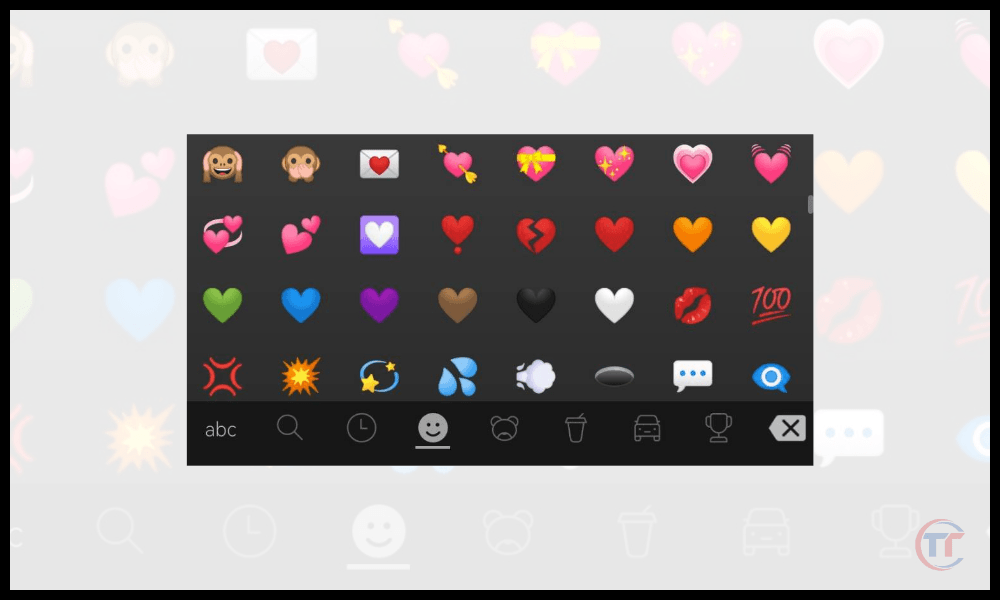
If you're using a smartphone, you can create the empty heart symbol/emoji by accessing the virtual keyboard and selecting the emoji category. You'll then find several types of hearts, some of which are empty. Simply choose the one you want and tap it on your screen.
Good to know : There are other key combinations, keyboard shortcuts, to insert other symbols and special characters.
Type the empty heart symbol/emoji on your computer
If you are using a computer, you can create the empty heart symbol/emoji using the copy-paste. Several websites offer lists of symbols and emojis, including empty hearts.
For example, you can visit the EMOJIPEDIA website , which offers a variety of hearts to copy and paste. Simply click on the empty heart symbol/emoji you want and paste it into your document or message.

You can also use the search-and-replace function if you have word processing software like Word or Google Docs . Simply type a keyword like " heart " in the search box and choose the empty heart symbol/emoji you like from the list of results. Then, you can replace all occurrences of the keyword with the empty heart symbol/emoji in your document.
FAQ
How do I make the empty heart symbol/emoji on social media?
On social media, there are several ways to create the empty heart symbol/emoji. You can:
- Use the virtual keyboard on your smartphone or computer and select the empty heart symbol/emoji from the emoji category.
- Copy and paste the empty heart symbol/emoji from another source, such as a website or application.
- Use specific symbols depending on the social network you're using. For example, on Facebook, you can type `` <3 to make a filled heart and `` <\3 to make an empty heart. On Twitter, you can type `♡` to make an empty heart. On Instagram, you can type `♥` to make a filled heart and `♡` to make an empty heart.
This article might interest you: How to make an upside-down exclamation mark?
How do I make the empty heart symbol/emoji on a Mac?
On a Mac, you can create the empty heart symbol/emoji using the keyboard shortcut Option + Shift + K.Simply hold down the Option and Shift and type the letter K on the keyboard, then release the keys. This will produce the ♡ symbol, which is a type of empty heart.

You can also use the Edit > Emoji and Symbols in your application's menu. Simply click on this option and choose the empty heart symbol/emoji from the list of special characters.
How do I make the empty heart symbol/emoji on Linux?
On Linux, you can create the empty heart symbol/emoji using the key combination Ctrl + Shift + U followed by the hexadecimal code of the character. Simply hold down the Ctrl and Shift keys and type the letter U on the keyboard, then release the keys. You will then see an underline under the cursor.
Next, you need to type the hexadecimal code of the character you want and press Enter.
For example, to make an empty heart, you must type 2661 after the underscore and press Enter. This will give you the symbol ♡, which is a type of empty heart.
You can also use the Characters in your application's menu. Simply click on this option and choose the empty heart symbol/emoji from the list of special characters.
Conclusion
Creating the empty heart symbol/emoji isn't difficult if you know the right methods. Whether on your keyboard, smartphone, or computer, you can easily express your love, affection, or emotion with this symbol.
Feel free to use the empty heart symbol/emoji in your messages, social media, or documents to add a touch of romance or originality.