Are you a seasoned gamer or a professional looking for a powerful laptop? Look no further, ASUS offers models capable of running even the most demanding software and games. But you still need to choose the one that meets your needs. Don't worry. Let's discover together the ASUS laptops that are truly worth the investment! Whether it's for gaming, office work, or...
Ah yes… For those of you who are new to this, we've put together a buyer's guide and a quick and easy FAQ to tell you everything you need to know about ASUS PCs! We invite you to take a look at it at the end of our comparison!
Our comparison of the best ASUS laptops!

The best ASUS laptops for gaming
1. Asus Zephyrus : The first laptop equipped with a Ryzen 7 3700X processor!

Features and Reviews
Processor: AMD Ryzen 7 3700X | GPU: GeForce GTX 1660Ti 6GB | RAM: 8GB DDR4 | SSD: 512GB M.2 NVMe PCIe 3.0 | Screen: 15.6" | OS: Windows 10 Home
Shattering preconceived notions, the Zephyrus is a revolutionary computer with its 14-inch chassis weighing just 1.6 kilograms. In addition to being ultra-light, this computer houses an AMD Ryzen 4000 series processor and a GeForce RTX 2060 graphics card. Enjoy a smooth 120Hz refresh rate and WQHD resolution thanks to its various components. The four speakers feature Dolby Atmos for exceptionally high-quality sound.
The various metallic colors available and its 1215 mini-LEDs create a mesmerizing effect at first glance. Unlike its competitors, the Zephyrus is the first computer to feature a fingerprint reader integrated into the power button.

2. ASUS ROG Strix G15

Features and Reviews
Processor: Intel Core i7-10750H | GPU: NVIDIA GeForce RTX 2060 | RAM: 16 GB DDR4 | SSD: 512 GB M.2 NVMe PCIe 3.0 | Display: 15.6" Full HD IPS 144 Hz | OS: Windows 10 Home
This is a gaming laptop with a distinctive design, albeit with an entirely plastic exterior. Battery life is mediocre: the 66 Wh battery provides anywhere from 6 hours to just under an hour of use. On the other hand, thermal management is excellent. Even under maximum load, the outer casing barely reaches 40°C (the keyboard area at the top of the base only slightly exceeds 30°C).
Just like its big brother, the Scar 15, the ROG Strix G15 is a perfect computer for gaming enthusiasts. Its Intel Core i7 processor and latest-generation GeForce RTX 2070 Super graphics card provide ample power for a 240Hz display!
The integrated 3D flow zone, along with the liquid metal paste applied to the processor, efficiently cools your computer and prevents overheating. In addition to its performance, the G15 is available in three different designs! You can easily adapt your computer to your environment.

3. Asus scar 15

Features and Reviews
The ROG Strix is the computer you need if you're a top-level gamer! Its tenth generation Intel Core i7 processor combined with DDR4-3200 memory and its Nvidia GeForce RTX 2070 8GB graphics card significantly improves your gaming performance.
Run all your games in high definition and enjoy incredibly smooth gameplay thanks to its 300Hz refresh rate. Its customizable keystone correction offers a futuristic design. Experience superior audio quality with real-time adjustments that put you right in the heart of the action.

4. ASUS TUF A17
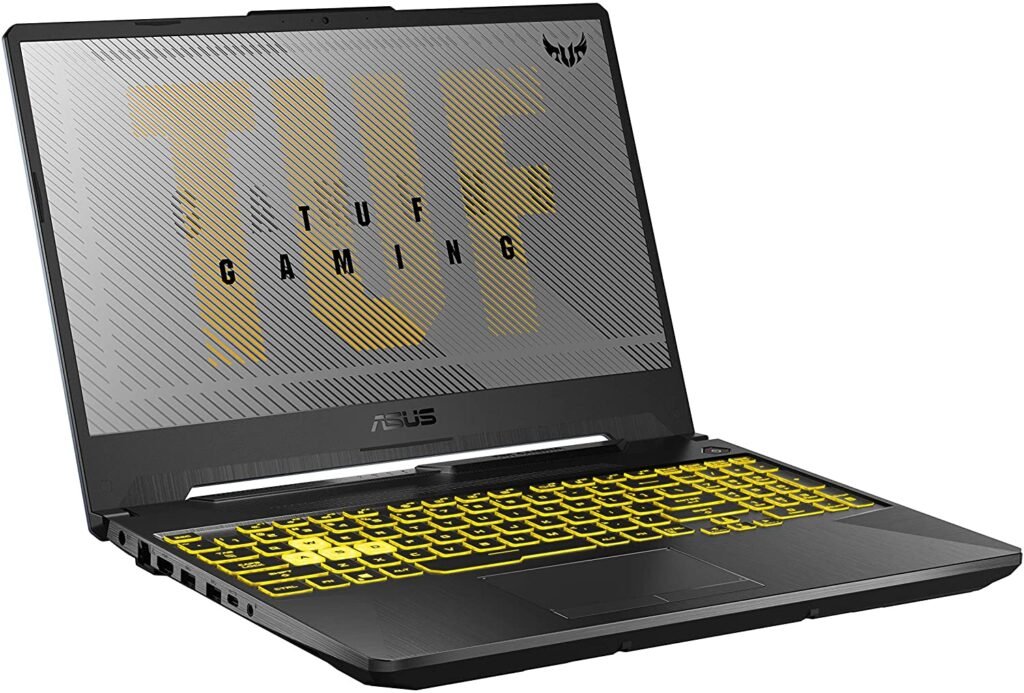
Features and Reviews
The TUF A17 is the perfect computer if you're looking to take your gaming to the next level. A great compromise between office work and professional gaming, its GeForce RTX 1660 motherboard and AMD Ryzen 9 series processor deliver high-quality gameplay with a 120Hz display. Ideal for streaming.
Its battery life is guaranteed thanks to a 90Wh battery, and its NVMe SSD allows you to store up to 1TB of games or software. Shock tests have been carried out to provide you with the most robust computer on the market. Say goodbye to bumps and fatal drops. In addition to its performance, it is available in two different colors. The TUF 17 therefore offers excellent value for money.

The best ASUS laptop for home and office use
5. Asus Vivo Book

Features and Reviews
The vivobook R515JA is a compact and user-friendly laptop. Easy to take with you thanks to its 15-inch screen, you can use it anywhere thanks to its anti-glare display. Its 1920 x 1080 pixel resolution provides smooth, high-quality visuals for any task.
Its Intel Core i3 processor and Intel UHD Graphics card allow you to easily run large applications and software. The 512GB SSD provides ample storage capacity. In addition to being perfectly suited for office work, its silver color makes it one of the most elegant computers on the market.

The best ASUS laptops for professionals: "ZENBOOK"
6. Asus Zenbook duo UX481FA
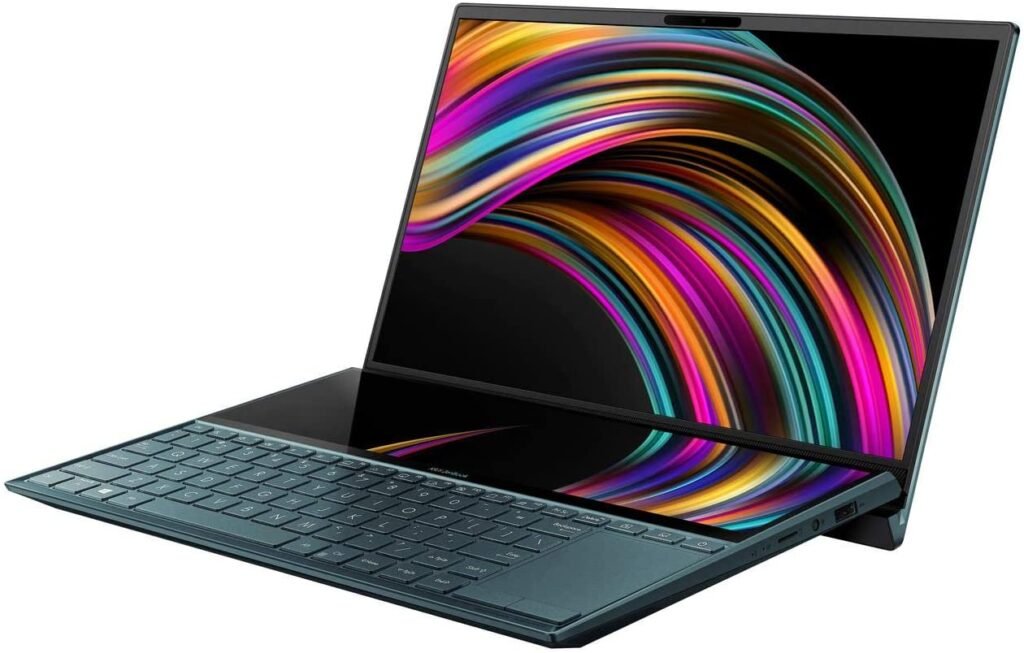
Features and Reviews
Equipped with an 11th generation Intel Core i7 processor and integrated Intel UHD Graphics, the Asus Zenbook Duo UX481FA aims to be one of the computers revolutionizing the world of computing. With the ScreenPad and built-in ViewMaw technology, you can enjoy simultaneous display on both screens, supported by a full HD anti-glare system.
Its 14-inch screen and 1.1kg chassis make it the most compact computer currently available. The unibody chassis meets the MIL-SD military standard, demonstrating the robustness of its components. If you value quality, the smart amplifier technology guarantees high-quality sound.

7. ASUS Zenbook UX431FA

Features and Reviews
The Asus Zenbook UX431FA is a true masterpiece. Its silver finish makes it one of the most stylish laptops available. Compact with its 14-inch screen and weighing just 1.4 kg, you can take it anywhere. Its performance is undeniable thanks to its 10th-generation Intel Core i7 processor and integrated Intel UHD Graphics 620.
In addition to these components, the Ergolift hinge's tilt allows for improved cooling as soon as the laptop is opened. Its WideView technology ensures high-quality images. The Numpad gives it an advantage over its competitors, allowing you to type quickly and efficiently.

5 purchasing criteria to consider when buying your ASUS laptop
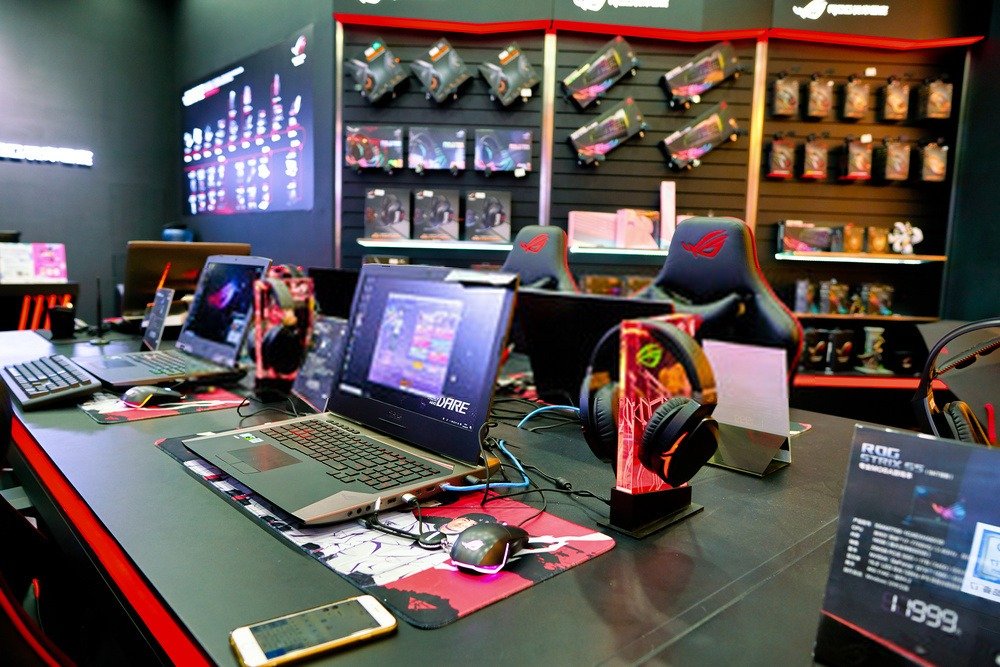
Now we will look at the different criteria to consider for your ASUS computer, particularly regarding components.
By analyzing each of the components, you will be able to determine which offers represent the best value for money.
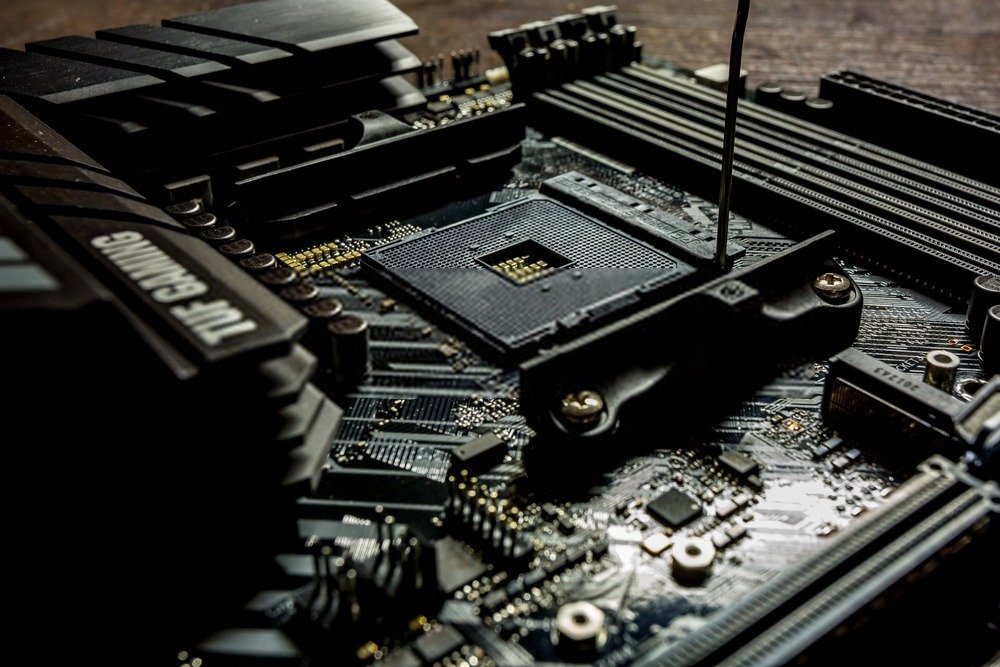
The processor
The processor is the component that performs all the calculations on your computer; the more powerful it is, the more calculations it can perform in a short amount of time.
If you plan to do 3D modeling, video editing, video rendering or just play a big video game, a good processor will be essential for your use.
Several factors define the power and efficiency of a processor.
The processor generation
First, the generation: at Intel (the main processor manufacturer along with AMD), the processor generation is defined by an i followed by a number.
The main generations are 3, 5, 7 and 9. The higher the number, the more recent the generation and therefore the more powerful the processor.
I will give you an example below to help you understand better.
The processor frequency
Next, there is the frequency of a processor, measured in Hz.
Frequency is the speed of your processor; the higher it is, the faster your processor will run.
The frequency actually corresponds to the number of calculations per second that the processor can perform; for a frequency of 2GHz it will be able to perform 2 billion calculations per second.
Finally, the number of cores will determine the number of tasks you can perform simultaneously. It's important to know that the displayed Hz number is equal to the sum of the cores.
The higher the clock speed (Hz) of a core, the faster it will perform a task. Conversely, the higher the number of cores, the better your computer will handle multitasking.
I will illustrate all this with an example: let's take the Intel Core i3-9100 F (3.6 GHz) Quad core processor.
The information to consider is therefore:
- i3 which means that the processor is 3rd generation.
- 3.6GHz quad core: so a power of 3.6GHz for four cores, which means that 1 core has a power of 0.9GHz (remember, the number of Hz displayed is equal to the sum of the cores).
RAM

RAM is your computer's temporary memory. It is completely erased each time you restart the computer, unlike your hard drive which retains all stored information even after a restart.
For office work, 4GB of RAM is sufficient. For gaming or modeling, 8GB of RAM is the minimum.
Good to know: For intensive gaming and related activities, you can upgrade to 16GB of RAM.
The hard drive or SSD
A physical hard drive is a viable option for storing data; 64GB is sufficient for office use.
There are also SSDs, which are essentially the same as hard drives but are thinner, quieter, and faster than a physical disk. They allow you to boot your computer or launch any other application much more quickly.
Good to know: To increase your PC's speed and save space, check out our comparison of affordable 1TB SSDs !
The graphics card
Highly prized by gamers, this is what allows you to achieve good visual quality. Basic graphics cards are more than sufficient for office work or retro gaming.
This is a component that needs to be very powerful if you're doing video editing or any kind of rendering.
The screens
Finally, there are mainly 2 types of screens that you choose when you buy an ASUS laptop.
Firstly, LED screens, the most used and modern, offer better quality thanks to HD while having good contrast and brightness.
There's also the LCD screen, which might be suitable if you don't need a high-quality display. The advantage is that it's less expensive than an LED screen and perfectly adequate for all sorts of tasks.
But if you want, for example, beautiful graphics on your games, this is not the screen to choose.
With these different types of screens, you can also choose the size. It's mainly a matter of taste; try to see which screen seems best suited to your intended use.
Bearing in mind, of course, that the larger your screen is, the more expensive it will be.
Thanks to the different sizes offered, you are sure to find a compromise between size and your budget.
Good to know: Regarding screen refresh rate, we recommend choosing a 144Hz PC monitor.
FAQ – Everything you need to know about ASUS and its laptops!

The birth of Asus and its laptops.
The company was founded in 1989 in Taiwan by TH Tung, Ted Hsu, Wayne Hsieh and MT Liao, all four former Acer engineers.
Today, the company is the world's number 1 manufacturer of motherboards and is also the fifth largest manufacturer of laptops in the world by units sold.
Why are ASUS laptops so popular?
But in such a competitive environment, what explains the popularity of ASUS computers?
How did they manage to establish themselves when giants already dominated the market before their arrival?
The answer is quite simple: ASUS offers a very high-quality machine demonstrating unwavering reliability and performance. The brand highlights the excellence of its motherboards while offering a product tailored to the market in which they operate.
What are the various advantages of ASUS laptops?
Here's a brief summary of the advantages and disadvantages of various models.
| advantage | Disadvantages | |
| ROG | It has powerful processors and excellent graphics. | They are thick, heavy, and have a battery that could be improved. |
| Zenbook | They offer good performance at a very competitive price. | Some models do not have a Spanish keyboard. |
| Vivobook | They offer an interesting balance between performance and weight. | The construction can be improved. |
| Chromebook | They are compact, inexpensive and have a long battery life. | Its performance is poor. |
| K and E series | These are inexpensive models that belong to a range of the above. | They have very limited power. |
What operating systems are available for ASUS laptops?
This is particularly useful for experts or enthusiasts who prefer to use other operating systems.
For those who lack the skills or simply don't want to install an operating system, don't worry; you can easily choose a computer that already has one.
The vast majority of ASUS computers come with Windows 10, but some are equipped with Linux.
Since Linux is free, this can allow you to purchase your computer at a lower price.
What are the different specific features offered by an ASUS brand laptop?
The company has made significant contributions to stability, energy efficiency, andoverclocking capabilities (Overclocking involves improving the performance of a PC component by reducing its stability; an overclocked component heats up much faster than a non-overclocked one. If you choose to use this technology, be sure to take good care of your overclocked component).
Here are the various technologies found in ASUS computers:
Power Supply 16+2 Phase : This system allows for better energy utilization, resulting in greater battery life savings and lower electricity consumption. It also reduces component heat without impacting performance, thus extending the lifespan of your machine.
Power Processing Unit (EPU) : The EPU allows you to regulate thepower supply and cooling.
Express Gate : This system allows you to access certain features without having to boot into Windows , such as Skype, a web browser, and others.
Drive Xpert : Useful for people who want a very high level of security for their hard drive.
Tweakit : A tool that allows you to quickly manage overclocking, very useful for those who want to overclock their laptops.
Are there ASUS gaming laptops?
Depending on the price and therefore the different components, you can get increasingly high-end graphics while enjoying excellent fluidity.
ASUS also offers desktop PCs for those who don't want to play on a laptop. This allows, for example, a larger screen and the option to replace it when it becomes too old or outdated.
What is the relationship between ASUS and the environment?
strives to protect its customers and the environment as much as possible, notably by making its products easier to recycle, disassemble, or reuse.
Conclusion
We were therefore able to see the various ASUS laptops, as well as all the features and characteristics that make it a unique brand. Purchasing one of these laptops remains a sound investment, whether you're looking for an entry-level or high-end model.
Thanks to all the information I've shared with you, you're now ready to buy a computer that's perfectly suited to you!