

A free video editing tool called CapCut creative suite allows users to easily edit their movies into professional-quality content.
Its user-friendly features include text, stickers, music integration, speed adjustments, reversing, and cropping. It's suitable for users of all skill levels and works with both Windows and web editions.
CapCut enhances your social media videos
social media videos for YouTube as well as Facebook, Instagram and TikTok, while ensuring a stylish and polished final product.
Thanks to the templates in the CapCut creative suite, creating contemporary content is simple and has resulted in over a billion views on TikTok under the CapCut creative suite hashtag.
These themes connect effortlessly to TikTok and offer brand-respecting, copyright-free sound remixes.
Due to the growing global popularity of TikTok businesses, providers are using the CapCut creative suite to change the way they advertise TikTok videos.
They use hilarious and highly regarded CapCut creative suite templates or an online photo editor to create content that garners millions of views, showcasing their best-selling products.
Numerous modifications from the CapCut creative suite are available for TikTok shop items, including visually appealing product listings and product demos.
How can I add elements to the CapCut creative suite?
Your video editing experience is enhanced by adding elements to the CapCut creative suite, which is easy to do. Tap the "+" symbol on the home screen to select from a range of options, including text, stickers, effects, and music.
Enter your message and change the fonts, colours and text animations.
Numerous different images and emoticons are available for stickers. Effects include visual effects, filters, and distinctive transitions. Selecting "Music" from the menu allows you to upload your own audio files or choose from the extensive collection offered by the toolbox.
The process of creating visually stunning and entertaining videos is simple: just drag and drop the selected elements onto the timeline for precise placement and editing.
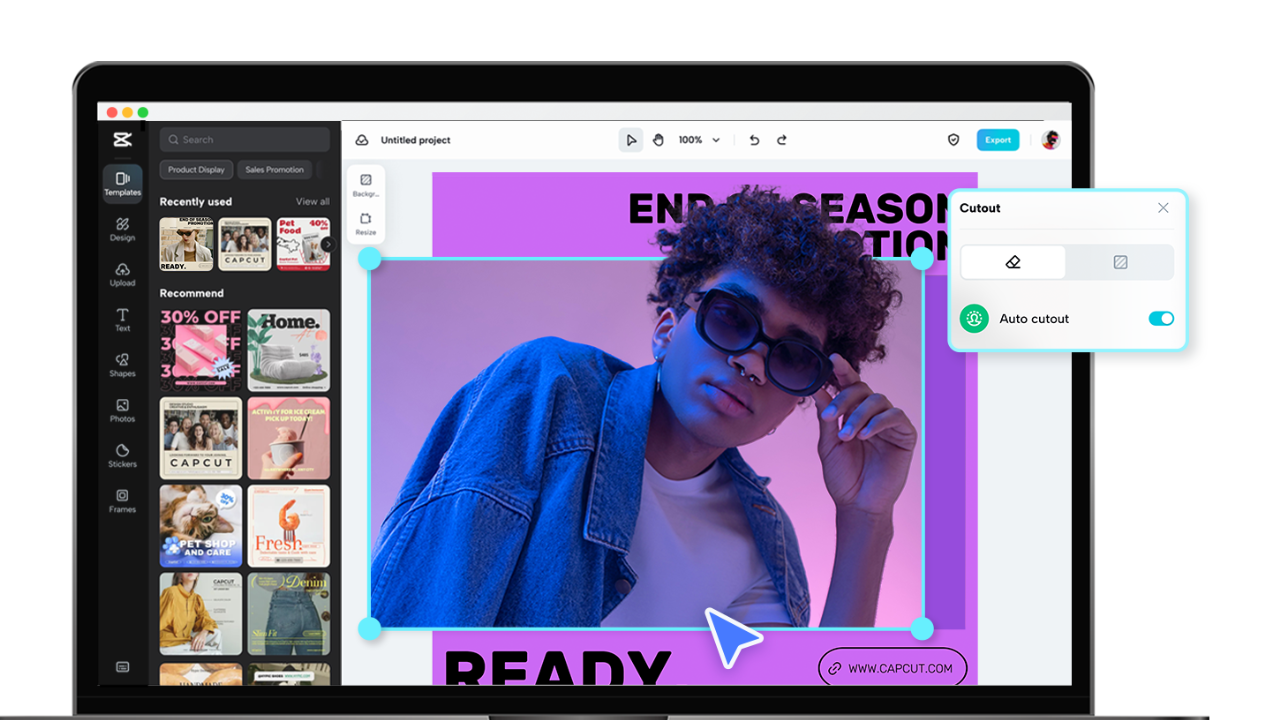
Key features of the CapCut creative suite
● Wide selection of models
With its vast selection of templates, the CapCut creative suite adapts to a multitude of video styles and themes.
Using these templates as a creative starting point, you can quickly and easily create videos that look professional. Travel, leisure, gaming, and much more are just a few of the many genres covered by the wide range of templates, which include everything from captivating transitions to dynamic intros.
You can easily generate professional and visually striking results by customizing these templates with your material, including images, videos and text, in just a few simple clicks.
With the extensive template library in the CapCut creative suite, videographers of all levels can create countless creative options for their work.
● Interface for initiatives
With its simple and easy-to-use interface, the CapCut creative suite facilitates smooth video editing tasks.
With a wide collection of effects and objects, a set of intuitive editing tools and a neat timeline, the interface has been carefully designed.
Users can easily organize clips, add transitions, include text and apply filters using drag-and-drop functionality.
While providing complex tools for experienced editors, the user-friendly layout ensures a seamless editing experience, allowing newcomers to get started without feeling overwhelmed.
Thanks to its user-centric design, the CapCut creative suite is the perfect option for anyone looking to enhance their video editing efforts with precision and ease. It helps producers efficiently realize their creative ambitions.
● Text resolution
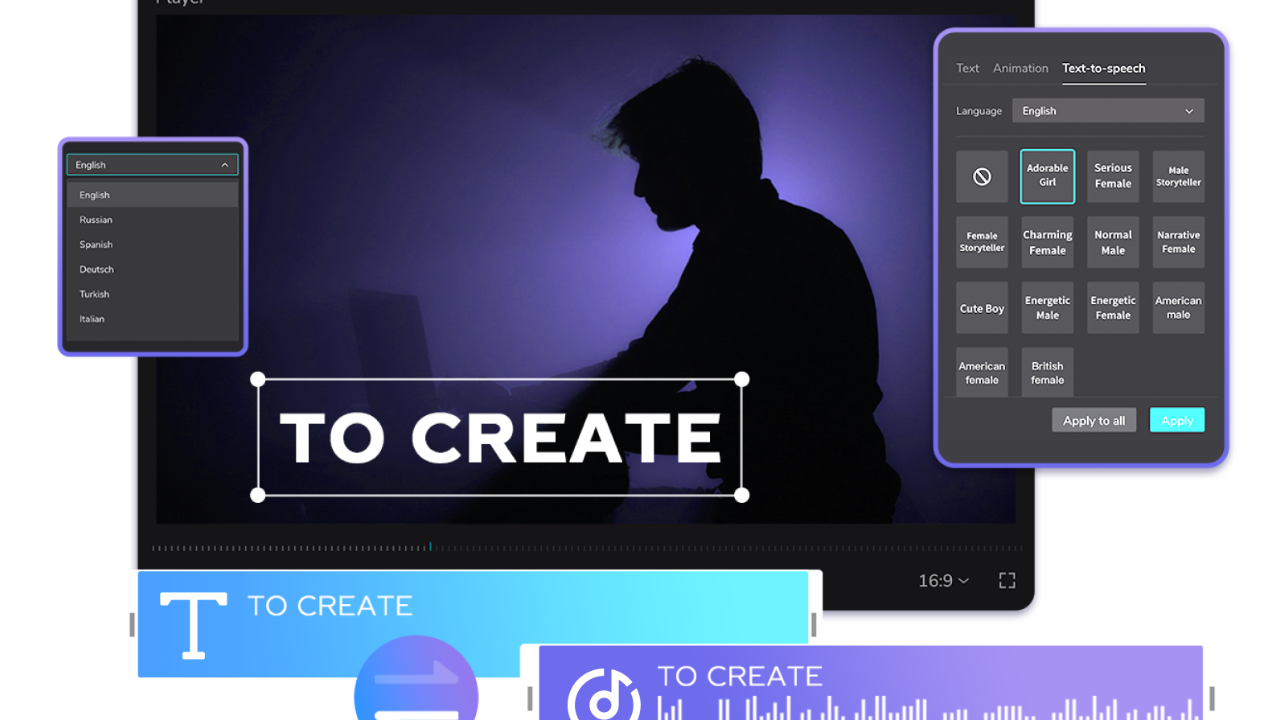
When included in videos, text can add a wealth of information and make the content more engaging. By providing text-to-speech editing , the CapCut creative suite offers a creative service. This eliminates the need to switch between multiple complex tabs to modify font styles, widths, and bubbles, improving efficiency by streamlining the process.
If manually entering text becomes laborious, you may wish to use the automatic voice-over and subtitle tools available in the audio editing area.
By selecting "Automatic Captions," the CapCut creative suite generates captions and associates them with specific time codes. These captions can be split into new ones, moved, or deleted.
Batch-Edit is a useful tool for editing multiple captions at once.
● Audio toolkit
Thanks to its extensive audio toolkit, the CapCut creative suite allows users to add excellent soundtracks and effects to their videos.
With the toolkit, users can easily edit audio, adjust volume, mute audio, and synchronize audio with video segments. Users can also choose from a vast collection of royalty-free music in many different genres, ensuring their videos have the perfect background music.
In addition, the CapCut Creative Suite offers sound effects, allowing artists to add more depth and atmosphere to their creations. The CapCut Creative Suite's audio toolkit provides a wide variety of easy-to-use audio settings and controls, all essential for enhancing the audio quality of your videos and the overall viewing experience.
● Use of chroma keying
The use of Chroma Key, a powerful tool that allows for smooth background changing and removal in videos, is made possible for artists thanks to the CapCut creative suite.
Users can create creative compositions using Chroma Key, which removes a specific color (usually blue or green) from the video with just a few taps. With this tool, you can easily create visually immersive settings, integrate animations, and incorporate captivating virtual backgrounds.
The CapCut Creative Suite offers precise control over chroma key settings, ensuring accurate removal and smooth blending, even in intricate details. With the chroma key feature of the CapCut Creative Suite, you can easily enhance the visual appeal of your videos, whether they are vlogs, tutorials, or creative storytelling.
● Adhesives and special effects
CapCut's creative suite stands out with its wide range of decals and special effects, allowing users to add artistic touches to their videos. The decals lend a dynamic and interactive element to videos by enabling the seamless integration of text, stickers, and images onto moving objects.
In addition, the toolbox offers a multitude of extra effects that can be applied to regular sequences to create visually spectacular sequences.
These effects include fun animations and dramatic filters. Precise application of these effects allows users to fine-tune the timing and intensity for optimal results. Creators can easily add individuality, style, and charm to their videos using the stickers and special effects in the CapCut creative suite, captivating viewers with every shot.
● Transitions and filters
With its wide selection of transitions and filters, the CapCut creative suite is excellent for boosting the visual storytelling of your videos. Thanks to the toolkit's smooth transitions, scenes can be easily assembled and a professional narrative flow produced.
CapCut's creative suite ensures a polished finish to your edits with a variety of transition effects, including zooms, slides, and fades.
In addition, the extensive collection of filters supports a variety of aesthetics and moods, from modern and vibrant tones to retro emotions.
Users can achieve their desired cinematic effect by adjusting the color balance and intensity of these customizable filters. The transitions and filters included in the CapCut creative suite allow content creators to effortlessly add a polished and visually appealing touch to their videos.
Last words
The CapCut creative suite is a versatile and user-friendly toolkit suitable for both beginners and professionals with prior video editing experience. It's free, makes essential features easily accessible, and works wonders for your TikTok videos.
While some businesses cannot afford TikTok marketing agencies, the CapCut creative suite can help you produce unique and excellent clips at a lower cost.
Regardless of your level of editing experience, the CapCut creative suite is a powerful and fast way to unleash your creativity.


