
PDFs are very popular and convenient file formats for sharing digital documents. They preserve the formatting, fonts, images, and links of the original document, regardless of the software or operating system used to view it. However, PDFs also have a major drawback: they are often difficult to edit or fill out.
That's why it can be useful to convert your PDFs into fillable forms, i.e., interactive documents that allow users to enter information directly into the fields provided for this purpose.
What is a PDF form to fill out and why adopt it?
A fillable PDF form is an interactive document used to collect information. It is created by adding signature fields, checkboxes, text fields to fill in, or drop-down menu options to the document.
The PDF form to be completed is very useful in many cases, such as:
- Purchase orders
- Expense reports
- Rental forms
- Subcontractor timesheets
- The receipts
- Surveys and studies
- The invoices
By converting your PDFs into fillable forms, you can:
- Simplify data collection and processing : you no longer need to print, scan, or send documents by mail or email. You can receive responses directly on your computer or smartphone and easily export them to other software.
- Improve the user experience : you offer your customers, partners, or employees a quick and easy way to fill out your forms. You avoid data entry errors, erasures, or illegible documents. This increases response rates and customer satisfaction.
- Optimize your brand image : you demonstrate that you are at the forefront of technology and that you care about the environment. You reduce your paper consumption and your carbon footprint. You strengthen your credibility and professionalism.
Here's a video tutorial on how to create an interactive PDF form
How to convert your PDFs into fillable forms?
To convert your PDFs into fillable forms, you have several options:
- Use specialized software : There are programs specifically designed for creating and converting PDF forms, such as Adobe Acrobat Pro , Foxit PhantomPDF, or Nitro Pro. These programs allow you to create text fields, checkboxes, radio buttons, dropdown lists, and more. You can also customize the appearance and behavior of the forms and add advanced features like data validation, automatic calculation, or electronic signatures.
- Using an online service : There are also web platforms that allow you to convert your PDFs into fillable forms without having to install any software on your computer. For example, you can use PDFescape, JotForm, or Smallpdf. These services are generally free or inexpensive, but they may have limitations in terms of file size, number of forms, or security.
- Using a mobile app : If you want to convert your PDFs into fillable forms on your smartphone or tablet, you can download a dedicated app like Adobe Fill & Sign, PDFelement, or CamScanner. These apps allow you to scan your paper documents with your device's camera or import your digital files from your internal storage or a cloud service like Google Drive or Dropbox. You can then add form fields and fill them out using your keyboard or stylus.
The 5 advantages of converting your PDFs into fillable forms
- The guarantee of reliable and solid vision
PDF forms are a smart, relevant, and reliable way to instantly capture important data. You can customize your forms to match the specific information you want to collect and make adjustments as your needs change, ensuring the integrity and accuracy of your data.
- An increase in efficiency
Missing information, typos, or even damaged documents: paper files increase the likelihood of human error. By converting your PDFs into fillable forms and digitizing your documents, you minimize these risks. It's a real time and energy saver. The tedious and repetitive tasks associated with paper (printing, scanning, storing, finding your forms…) will quickly seem completely outdated.
- More security
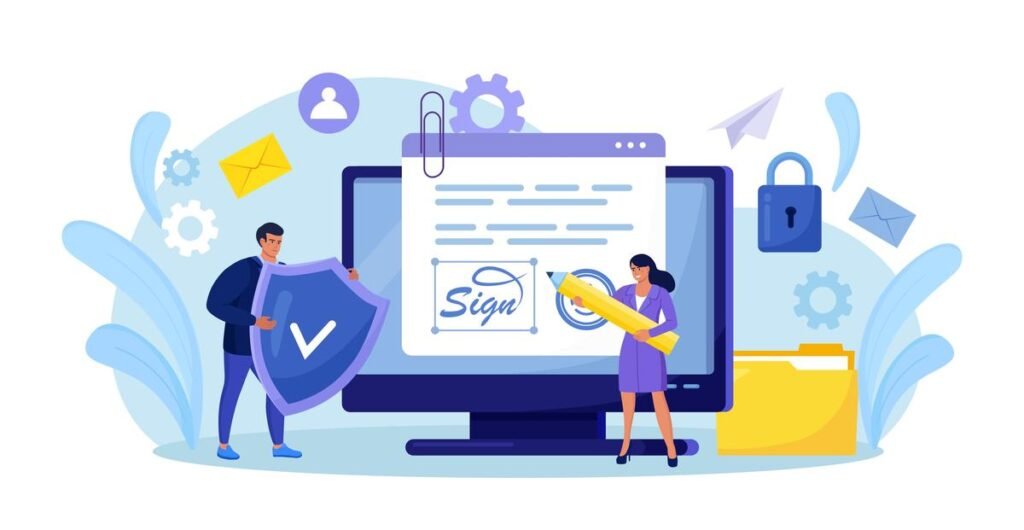
Handling data requires absolute certainty that your documents don't fall into the wrong hands – sometimes a real challenge when managing a multitude of physical files simultaneously. Switching to online forms provides peace of mind, taking advantage of all the available security features. For example, the PDF form offers password protection, and the electronic signature is legally binding.
- A simplified user experience
Offering forms that are quick and easy to fill out is essential for increasing your response rates. Your users can complete a PDF form from any device and browser, without having to download any software or switch between tools. Your document remains simple and consistent throughout the entire process, without compromising the quality of the user experience.
- A positive environmental impact
It's no secret that using forms generates a lot of paperwork and a significant amount of printing. By going digital to modernize your documents, you reduce your environmental footprint. And less paper, equipment, and supplies also means savings on your costs!
Conclusion
In conclusion, converting your PDFs into fillable forms is an effective solution for simplifying the management of your digital documents. You save time, money, and storage space. You improve the quality and reliability of your data. You build user loyalty and enhance your brand image.


