Sometimes you have to cater to the most demanding players. Gamers know that playing with a controller is less precise than playing with a keyboard and mouse , even on your console . And yes! It is possible to play on your PS4 and PS5 with a keyboard and mouse , which is why we offer you a comparison of the best keyboards and mice for your console .
Things to know before making a purchase!
- Not PS4 and PS5 games keyboard and mouse combo.
- Some keyboard, mouse and headset bundles require software to be configured.
- You don't have to spend a fortune on a quality gaming keyboard and mouse set
Comparison of the best keyboards and mice for PS4 and PS5 (Bundle)
![Orzly Rx250 4-in-1 Gaming Kit consisting of an RGB backlit keyboard [AZERTY layout]...](https://tt-hardware.com/wp-content/plugins/aawp/public/assets/img/thumb-spacer.png)
1. Orzly RX-250: Good value for money

Features and Reviews
The Orzly RX250 is a 4-in-1 package specially designed for gamers to fully enjoy games, whether on your PC, on a PS4 console and/or an Xbox console.
The RX-250-K membrane keyboard features RGB LED backlighting. Being wired, you can adjust the backlighting brightness on each key to your liking. With its anti-ghosting system, essential for preventing glitches, it offers a smooth typing experience with its responsive and quiet keys.
This keyboard features 19 toggle keys, multimedia keys, and game mode function keys. For improved wrist comfort during use, the keyboard's feet are adjustable.
With its RX-250-M wired mouse, enjoy its rainbow RGB backlighting. It features an adjustable DPI optical sensor. Specially designed for ambidextrous users, the design allows for a comfortable grip with its highly precise scroll wheel.
The RX-250-H wired gaming headset offers high-quality stereo sound with deep bass and crisp treble. Its soft earcups ensure a comfortable fit. Equipped with a retractable microphone and in-line controls, you can adjust the volume directly on the cord.
And to complete the package, the mouse pad. With its generous dimensions of 28.7 x 24.4 x 0.3 cm, this pad will allow your mouse to glide very smoothly. It is compatible with all DPI settings. Made from natural rubber, this is a high-quality pad.
![Orzly Rx250 4-in-1 Gaming Kit consisting of an RGB backlit keyboard [AZERTY layout]...](https://m.media-amazon.com/images/I/51tS6YkW+jL._SL160_.jpg)
2. The G-Lab Combo Selenium 4 in 1: an excellent pack!
Features and Reviews
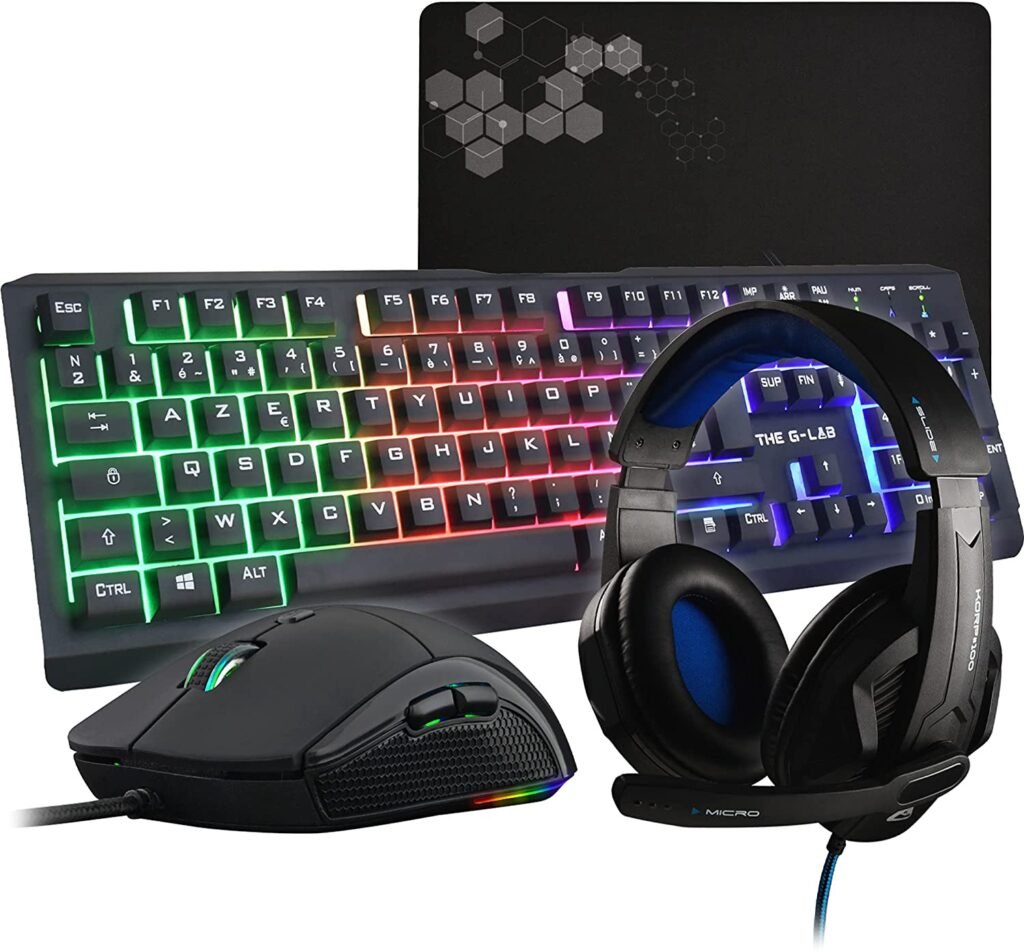
The G-Lab presents its Selenium Combo 4-in-1 gaming pack. Comprising a backlit AZERTY gaming keyboard, The G-Lab delights us with its performance. This keyboard combines robustness and quality. Made of metal, the keyboard chassis is very sturdy. With its quiet and responsive keys, typing is quick and easy.
The backlighting system is included to enhance your desktop while you play. Designed with 19 anti-ghosting keys, The G-Lab anticipates any unwanted actions if you press key combinations simultaneously. The brand also offers 12 multimedia shortcut keys and a Windowskey lock option.
The Selenium Combo is a wired mouse with an ergonomic shape and a light weight (105g), making it suitable for all hand sizes. It allows for rapid gliding. You can adjust the sensitivity to your liking; the DPI sensor is adjustable via 4 levels for a truly enjoyable gaming experience. Illuminated by RGB neon backlighting, enjoy a high-quality accessory perfect for your games. The mousepad, measuring 30 x 23 x 0.2 cm, ensures smooth and fluid movements.
Finally, to complete the pack, there's the Selenium Combo headset. It offers good sound quality to immerse you in the gaming environment. With its adjustable microphone, you can communicate with your teammates. And its faux leather ear cushions ensure your ears are comfortable.

3. The G-LAB Combo HELIUM: the most popular pack!

Features and Reviews
The Helium Combo pack from The G-Lab remains the most popular among gamers, offering the best gaming experience. The brand features a 105-key gaming keyboard with excellent typing quality. Six keys are anti-ghosting, preventing accidental key presses, and there are 12 multimedia shortcut keys. Like all other G-Lab packs, the Windows key can be locked. The keyboard is backlit with a fixed Rainbow system and adjustable brightness, providing excellent illumination for both day and night gaming sessions.
The Combo Helium mouse is a wired mouse with a high-precision optical sensor. With its ergonomic design and lightweight construction, this gaming mouse is comfortable to hold. Responsive and sensitive, it's suitable for all types of games. Its backlighting offers seven different colors to illuminate your gaming experience. And you don't have to worry about quality; the braided cable is very durable.
Included in the pack, the non-slip mouse pad is made of high-quality fabric for long-lasting durability. It measures 30 x 23 x 0.2 cm. With its smooth texture, this pad ensures perfect mouse gliding. To complement this material, the base is made of non-slip rubber for added stability. Maintenance is simple: just wash with water.
Finally, The G-Lab completes the Helium Combo pack with its earphones. This accessory stands out thanks to its in-ear design. Offering excellent sound quality, the included ear tips are made of rubber. These earphones are equipped with a remote control with an integrated microphone and a volume control wheel. They will put you completely immersed in your game.

4. The G-LAB Combo KRYPTON: guaranteed performance!
Features and Reviews
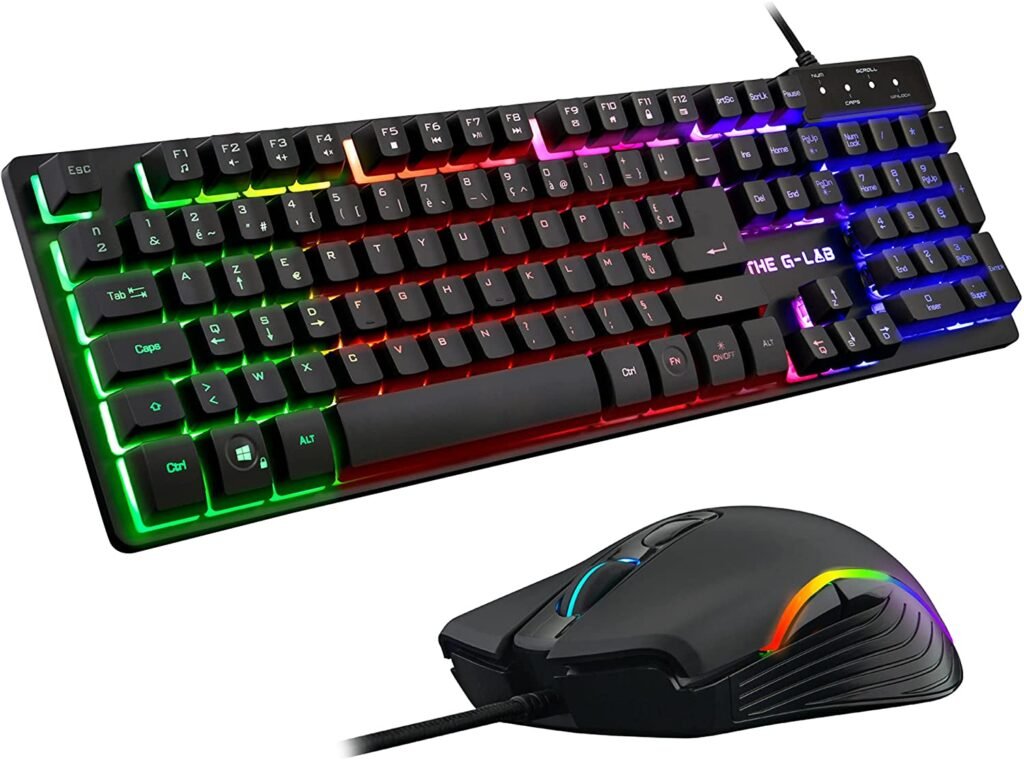
Once again, The G-Lab offers us its Krypton Combo pack, a set of keyboards and a backlit mouse, it's what you need if you're looking for performance from your accessories.
Comprising a membrane gaming keyboard, the Krypton Combo ensures responsive typing, precision, and quiet keystrokes. With its 6 anti-ghosting keys, you can perform simultaneous key combinations, and it also features 12 multimedia shortcut function keys. Like all other packages from the brand, you can lock the Windowskey. With a robust metal base, the keyboard is completely durable and very stable despite its 830g weight. Thanks to its multi-color backlighting, which can be turned off as desired, it will illuminate your gaming experience in a dark environment.
Designed for ergonomics and a comfortable grip, this Krypton Combo mouse is suitable for all hand sizes and grip styles. Achieve peak performance with perfect precision and the 6 buttons on this mouse. Equipped with a high-precision optical sensor, the sensitivity is adjustable to suit your games and needs. Experience lightning-fast movement with 8G acceleration. And to enhance your gaming experience, the mouse features vibrant and dynamic circular RGB backlighting.

5. SPIRIT OF GAMER – Xpert G700: a surprising bundle!
Features and Reviews
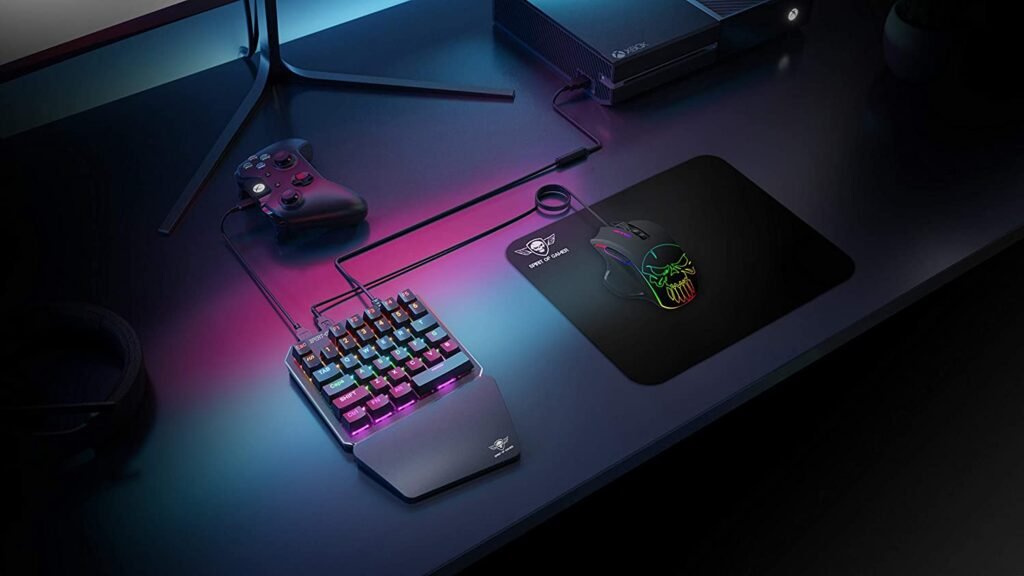
SPIRIT OF GAMER offers its Xpert G700 keyboard and mouse bundle. This set is specifically designed for MMO and FPS gamers.
With its ergonomic, gamer-centric design, the XPERT Gamerboard K-700 is a mechanical keyboard featuring blue switches and LED backlighting, including 8 preset effects to illuminate your playing experience at night or in dimly lit environments. For added user comfort, this keyboard includes an integrated wrist rest.
To take full advantage of the options, the XPERT G-700 software is available for download for programming this XPert K-700 combo. This software allows you to create three customizable keyboard profiles and includes a macro editor. It also offers full anti-ghosting, function programming, and shortcuts
The XPERT GAMEBOARD M-700 mouse is also designed for gamers. Made from durable materials, it features non-slip feet and an extra-large, notched metal scroll wheel. Its design is optimized for comfort thanks to the thumb rest. Backlit by an LED system, this mouse offers 11 preset lighting effects. The high-quality, non-slip pad ensures smooth gliding with every mouse movement.
The SPIRIT OF GAMER Xpert G-700 combo each comes with a sheathed and reinforced USB cable with a length of 1m60.

What are the advantages and disadvantages of playing with a keyboard and mouse on your console?
We might wonder why some players modify their PlayStation 4 or 5 setup to play with a keyboard and mouse combo on these consoles.
Furthermore, this often requires the purchase of additional equipment such as a mouse pad or adapter. Nevertheless, it does have advantages.
The advantages of using a keyboard and mouse on a console
The advantage of this PS4 and PS5 keyboard and mouse setup compared to a controller is that a keyboard offers more macro configuration possibilities than a DualShock. Furthermore, the
A mouse allows you to be more precise and faster than a controller , whereas with the latter you suffer from the sensitivity of the joystick which lacks precision.
The disadvantages of playing with a keyboard and mouse on your PS4.
The main drawback is ergonomic. Whereas with a PS4 wireless controller you simply pick it up and press the home button to play, with a PS4 keyboard and mouse combo you have to set yourself up as if you were at a desktop PC. This takes up space and limits gaming comfort, requiring more accessories than just sitting on the sofa where the controller encourages you to slouch.
So, controller or keyboard? Which offers the best performance?
It's impossible to give a precise answer to that. Are you familiar with Norman Genius? He's a professional Tekken player known for playing exclusively with a controller. While in MOBAs or fighting games, some prefer the keyboard and mouse combo and others the arcade pad, he beats everyone with a controller.
All this to say that there's no single right answer. It depends on your preferences, your habits, and the type of games you play. In short, in FPS games, many people find themselves more precise with a mouse, while others are better with a controller. It's up to you to decide between a keyboard or a PS4 mouse.
What types of games are recommended for playing with a keyboard and mouse?
Some video games are better suited to keyboard and mouse combos than others, and your gamer instincts know it. Just as Street Fighter players prefer an arcade stick to a PS4 controller, you'll likely prefer a keyboard and mouse combo for MMOs and FPS games.
Indeed, the keys of a mechanical keyboard are better suited to the numerous actions in MMOs, while a PS4 mouse will allow you to be extremely precise in your FPS games. This allows you to achieve high performance.
Are there any other accessories to consider for his setup?
We just briefly mentioned it, but it is obvious that a keyboard and mouse combo , even if it is a wireless keyboard and a wireless PS4 mouse
As you can see in the image below, you'll need a surface to place your keyboard and a mousepad . It would be a shame to want to improve your performance on PS4 and PS5 and then not be able to use your equipment properly.
Consider investing in a gaming keyboard, mouse, and mousepad bundle !
Keyboard and mouse bundles for your PS4 and PS5: the buyer's guide!
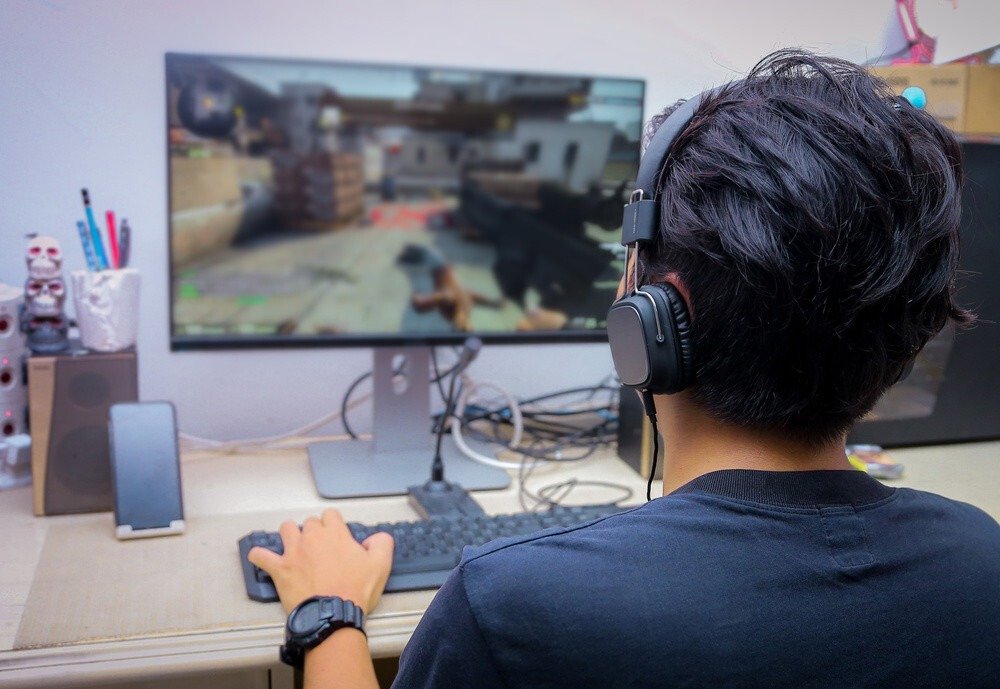
Playing with a keyboard and mouse on a console will delight true gamers and those who swear by PC hardware, allowing for greater precision in many games, especially FPS titles. Gaming keyboard and mouse bundles are often complemented by a headset and mousepad , guaranteeing a gaming setup .
However, there are many products on the market. That's why we offer this buyer's guide so you don't get lost in this jungle of console equipment.
Play with an ergonomic keyboard and mouse gaming combo
This is a purchasing criterion that often takes a backseat to the initial impression one gets of the product. Thus, we prefer to rely on its design rather than its ergonomics simply because the latter can only be assessed with the keyboard and mouse combo in hand.
However, this is one of the most important criteria: playing comfort, which allows you to play for hours without worrying about any pain.
How can my PS4 keyboard and mouse combo help protect my wrist?
play on a console with a gaming keyboard it's essential that it has a wrist rest to prevent arm pain after just a few hours of gameplay. While some have developed extraordinary muscle tone by forgoing this feature, others, especially those new to PS4 and PS5 keyboard and mouse , will struggle without adequate comfort.
This also applies to mice. In fact, there are ergonomic mice that provide instant relief when used because they perfectly conform to the shape of the wrist and hand. However, these are less common in PS4 keyboard bundles. Here, you'll want to choose a mouse with a thumb rest, guaranteeing comfortable gaming for everyone.
Get stylish with a backlit gaming mouse and keyboard
We're all drawn to the RGB backlighting on our mechanical keyboards and mice . Aesthetically, it makes an immediate impact, so much so that in the collective unconscious, when your RGB keyboard is shining brightly, you're instantly a gaming pro. Now imagine having that pro keyboard and mouse setup on your PS4 or PS5 console.
However, the practical aspect cannot be ignored. Besides the fact that backlighting enhances immersion in the game thanks to LED lights (especially if they are dynamic), it also illuminates your setup and improves visibility when playing on your console with your RGB keyboard and mouse in a dark or even completely dark room. This is something some players appreciate depending on the game they are playing.
From one keyboard and mouse set to another, the main difference lies in the intensity of your backlighting, but also in whether or not you can customize the colors and their arrangement. Depending on the model, you might find yourself with a keyboard that offers backlighting but only one non-adjustable color, a keyboard with multiple colors, or a keyboard and mouse set where all the LEDs on your keyboard and mouse are customizable.
Which should you choose: wired or wireless packages?

As you've probably guessed, we'll be looking at 2 types of keyboard and mouse bundles for consoles :
- Wired keyboard and mouse bundles
- Wireless keyboard and mouse bundles
Wired PS4 keyboard and mouse bundles
Although it adds even more cables to your already crowded setup, and if a cable breaks your equipment, it's irreparable, choosing a keyboard and mouse combo has its advantages. You're guaranteed a constant connection to your console , and this direct connection ensures the lowest possible latency when you press a key.
Those who appreciate precision on consoles , as we mentioned earlier, will be delighted with this. However, be mindful of the cable length; if it's too short, you won't be able to set up wherever you like. Also, pay attention to the port being used.
Most of the time it's a USB port , but you might be surprised to find you have to buy an adapter if it isn't, so keep your eyes peeled!
PS4 Bluetooth keyboard mouse packs
By using Bluetooth, you no longer need to bother with cables. However, the transmission speed of your keyboard and mouse is slower.
There is no right or wrong choice, it's up to you to choose what you prefer!
Think about the durability of your PS4 and PS5 equipment!
To confidently choose the best keyboard and mouse combo for your PS4 and PS5 , it's important to consider the durability and sturdiness of the equipment. It would be a shame to have to replace your console's hardware every year. Furthermore, a keyboard and mouse aren't just for gaming; they can be helpful for many other tasks, especially on your PC.
Therefore, it's important to consider this. When you're engrossed in a game, you tend to press the keys hard. Make sure you choose a mechanical keyboard that can withstand all the abuse you'll give it (and for a long time). There are also waterproof keyboards that help prevent accidents that could damage your console . You'll be using your keyboard and mouse combo daily, so pay attention to its quality.
FAQ
How do I connect a keyboard and mouse to a PS4?
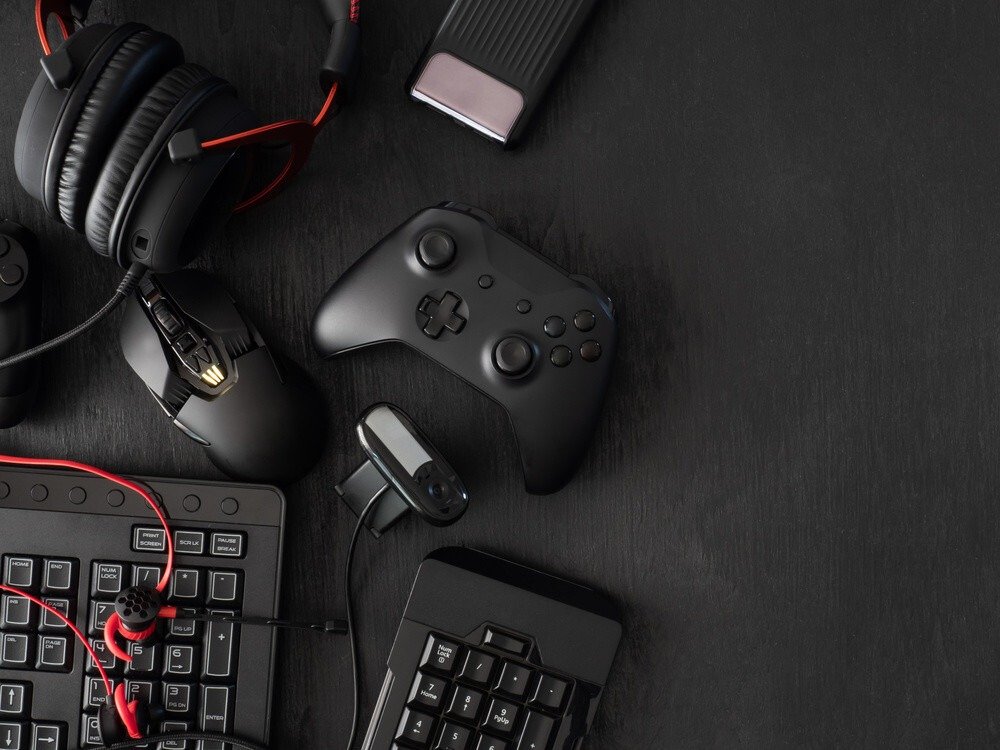
We'll say it again: it's perfectly possible to play on PS4 and PS5 with a keyboard and mouse , and it's even easier when you've bought equipment specifically designed for this purpose. There are two options when you purchase your bundle:
Your keyboard and mouse are plug-and-play
Your keyboard and mouse require software to be configured
In the first case, you simply need to plug in your keyboard and mouse , allow your console to recognize everything, and you're good to go! Just launch your game to enjoy your setup.
In the second case, software is required to configure your hardware. This is indicated in the user manual for your new purchase. Simply install the software and configure your keyboard and mouse to finally start playing!
How to play with a keyboard and mouse on PS4?
Be careful, as some games are not compatible with a keyboard and mouse. Take the time to research before investing in a gaming bundle, especially if it's for just one game. As you can imagine, console are designed from the ground up to work with a controller. So, check before you even think about playing Uncharted on your PS4 or PS5 with a keyboard and mouse.
In general, and if your keyboard is equipped with anti-ghosting, you will have to configure the keys according to the game you are playing, in order to have the shortcuts that suit you and to make the most of the equipment you have just acquired.
If you are not satisfied and need more, you can use an adapter that will make your keyboard and mouse pack more versatile.
How to play Warzone on PS4 and PS5 with keyboard and mouse?
Nowadays, keyboard and mouse combos for consoles are commonplace, but this wasn't always the case. Previously, the connection between console and PC gamers was more significant, and manufacturers focused on what they knew best. However, cross-platform play is increasingly prevalent. This means your favorite games are released on all platforms, and you can play online on your PS4 against PC players. Warzone is a prime example.
That's why it's now possible to play it on your PS5 or PS4 with a keyboard and mouse combo without an adapter, which wasn't the case before. As mentioned above, make sure your keyboard and mouse combo is compatible with or without adapters when you buy it for your favorite game.
How do I play games on my television using a keyboard and mouse?
As we mentioned in the article, you simply need to plug your keyboard and mouse kit into your console to be able to use it on your TV