There isn't just one way to hold your mouse. Knowing how to hold your equipment is essential before delving into software and exercises to improve your aim. In this article, we'll look at the different ways to handle it, and focus particularly on the one used by many professional gamers: the claw grip.
Are you a fan of FPS games? This video might inspire you to use the Claw grip for gaming!
What is the claw grip?
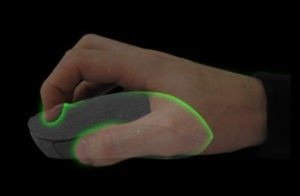
This position is sometimes called the "spider position." Just like in the traditional posture, it involves resting the palm of your hand on the end of the mouse. The difference lies in the fingers. They should be curled up. The buttons should be pressed directly with the fingertips, or even the nails.
The best gaming mice for Claw Grip!

What are the advantages of the claw grip?
Using a claw grip is recommended for users who need to make quick and precise movements. While stabilizing the back of the mouse with the palm of your hand, your fingertips can then perform the small movements. In practice, in a video game, only the wrist should move. The fingers are used to aim at the enemy and fire. Of course, all of this is also possible with the traditional mouse grip, but the claw grip is more efficient!
Another point to note is the speed of clicks. The ergonomic design allows for a much higher number of clicks per second. This is due to the finger position, which reduces the contact area and allows the user to increase the frequency.
A significant number of games require rapid clicks (for typing faster, for example). And the claw grip can truly provide a huge advantage! For all FPS games demanding quick movements, this mouse grip is the most effective.
What are the disadvantages and contraindications of the claw grip?
It also has some disadvantages. Firstly, if you're not used to it, it will take several hours of gameplay to really see what this position can offer you.
Furthermore, some players don't get used to it and feel like the mouse is slipping away from them. This reduces their control and their performance suffers.
Finally, and perhaps most importantly, in addition to being uncomfortable at first, muscle tension can develop. This is because the wrist is overused, unlike with the classic grip. If you play for extended periods, it's not recommended to use this position all the time, as it could lead to tendonitis in the long run.
Which mouse is best for a claw grip?
There are hundreds, if not thousands, of mouse models. Obviously, regardless of your mouse grip, certain features guarantee quality, such as the sensor.
However, in our case, it's recommended to choose a gaming mouse with specific features. It shouldn't be too light, to be precise, nor too heavy to reduce wrist strain. The back of the mouse should be slightly curved for a better grip and to allow the palm to rest comfortably on it.
Other mouse grips
There are two other mouse grips.
The Palm Grip : This name refers to the most well-known and traditional grip. The hand covers the mouse from palm to fingers. While not the most recommended position for playing video games, it allows for a wide range of movement. By using your arm and shoulder, you can turn around quite easily.
It has the advantage of not causing any muscle tension. The wrist is spared, as the effort is evenly distributed between the arm and the shoulder.
The Fingertip Grip : This grip is suitable for quick, sweeping movements. Unlike the Palm Grip, the goal is not to cover the mouse completely. Only three fingers should touch the mouse: the thumb, index, middle, and ring fingers. Very difficult to master and unnatural, it makes it hard to achieve good aim and tracking with this grip. It is only recommended in a few situations and for experienced players.
What are the key takeaways?
The claw grip is used by many gamers, especially at a high level. It's the preferred grip for most FPS games. It can take some getting used to and isn't suitable for everyone. Most mice are compatible.
The only downside is the health aspect. In the long term, tension and tendinitis can develop, so it shouldn't be overused.