Rainbow Six Siege is an online tactical shooter that tests your reflexes, strategy, and teamwork. To progress in this game, it's essential to know your own strengths and weaknesses, as well as those of your opponents and teammates. This is where R6 Tracker, a tool that allows you to track your stats in real time and analyze your performance in Rainbow Six Siege. In this article, we'll explain how to use R6 Tracker to improve your skills, ranking, and overall gameplay experience in Rainbow Six Siege.
What is R6 Tracker?

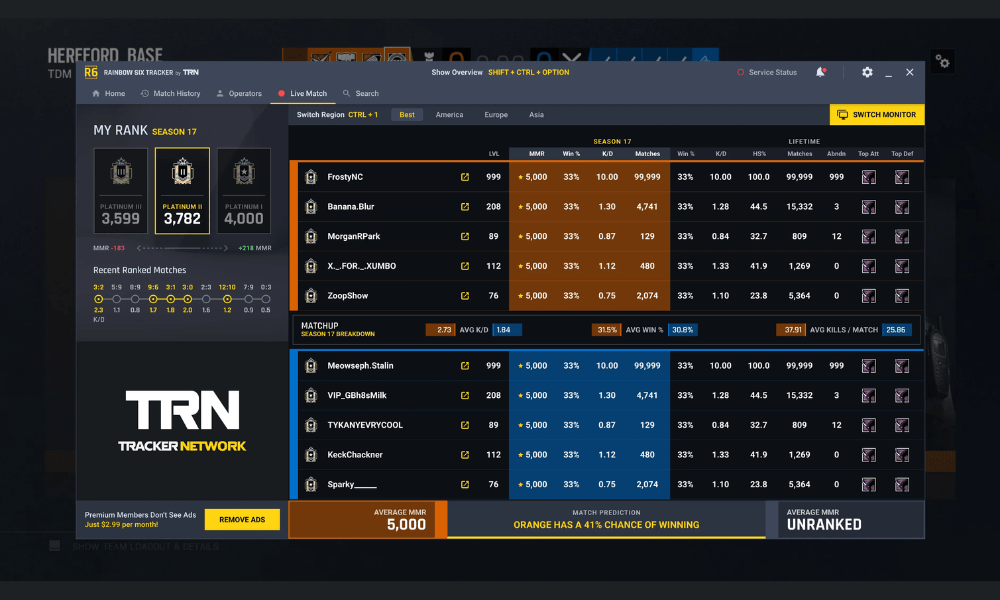
R6 Tracker is a free application for Windows PCs that appears as an overlay while you play Rainbow Six Siege. It gives you access to detailed information about your profile, matches, operators, weapons, maps, and rivals. You can:
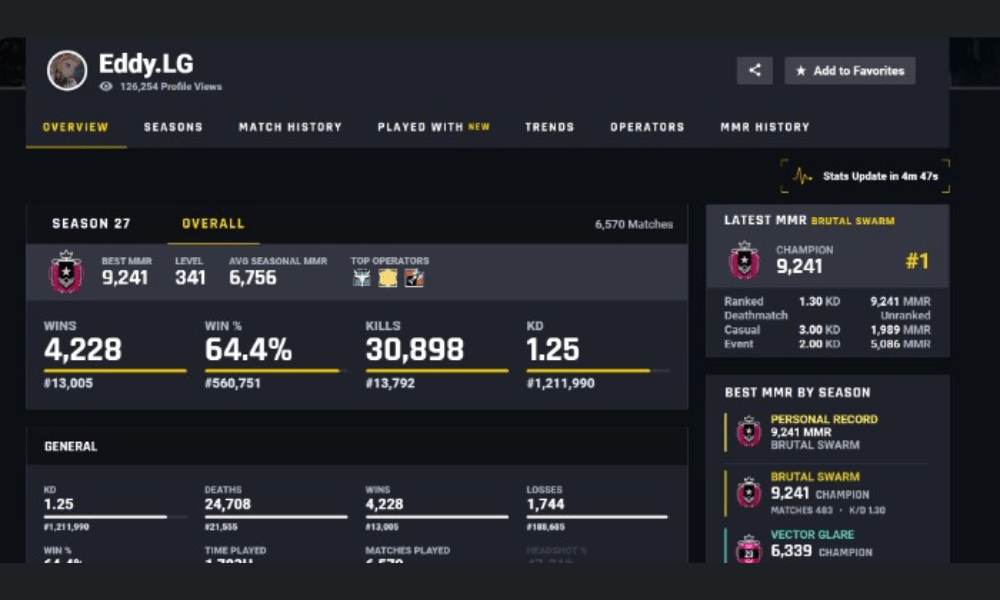
- View your rank, your MMR (Match Making Rating), your KD (Kill/Death ratio), your WL (Win/Loss ratio), your level, your playing time, etc.
- Compare your statistics with those of other players worldwide or in your region.
- View your game history and details of each match, such as the number of kills, deaths, assists, headshots, points, etc.
- Discover the statistics of each operator you have played or faced, such as the number of wins, losses, kills, deaths, etc.
- Analyze the statistics of each weapon you have used or encountered, such as the number of kills, deaths, headshots, etc.
- View statistics for each card you have played or encountered, such as the number of wins, losses, etc.
- Access the profiles of players you meet online and see their statistics, rank, level, etc.
- Receive personalized advice to improve your game based on your strengths and weaknesses.
To download r6 tracker, simply go to the official website and click on the “Download” button.
Next, simply launch the application and link it to your Ubisoft account. You can then enjoy all the features of R6 Tracker while playing Rainbow Six Siege.
What are the advantages and disadvantages of R6 Tracker?
R6 Tracker is a very useful tool for Rainbow Six Siege players who want to improve and compete against others. Here are some of the advantages and disadvantages of R6 Tracker:
Benefits
- R6 Tracker lets you monitor your progress in Rainbow Six Siege and see if you're improving. This allows you to identify your strengths and weaknesses, and work on the aspects of your gameplay that need improvement.
- R6 Tracker lets you compare your stats with other players, whether globally, regionally, or locally. This allows you to see how you stack up against the average, the best players, or your friends. You can also see which operators, weapons, and maps are the most popular and perform best.
- R6 Tracker lets you learn about your opponents before and during the match. This allows you to adapt your strategy based on their rank, skill level, preferred operators, and more. You can also anticipate their moves, traps, angles, and so on.
- R6 Tracker allows you to receive personalized advice to improve your game. The application analyzes your statistics and gives you suggestions to optimize your choice of operator, your playing style, your positioning, etc.
Disadvantages
- R6 Tracker can be distracting if you pay too much attention to it during a match. It can cause you to lose focus, reaction time, or communication with your team. Therefore, it's important to moderate its use and not let yourself get overwhelmed by the numbers.
- R6 Tracker can be demoralizing if you focus too much on your negative results. It can make you lose confidence in yourself, your team, or your game. Therefore, it's important to put your statistics into perspective and not let setbacks discourage you.
- R6 Tracker can be misleading if you misinterpret it or take it as absolute truth. Remember that statistics don't reflect the entire game context, such as the skill level of opponents, team composition, randomness, and so on. Therefore, you need to be able to interpret statistics with nuance and not be blinded by the numbers.
What are the best practices for using R6 Tracker effectively?
R6 Tracker is a tool that can help you progress in Rainbow Six Siege, provided you use it correctly. Here are some tips to get the most out of R6 Tracker:
- Use R6 Tracker before the match to learn about your opponents and choose your operators based on their stats. This will give you a strategic advantage and help you avoid unpleasant surprises.
- Use R6 Tracker during the match to view your real-time stats and adjust your game based on your performance. This allows you to correct mistakes, reinforce your strengths, or change tactics as needed.
- Use R6 Tracker after the match to analyze your results and receive personalized tips to improve your game. This way, you can learn from your successes and failures, and progress faster.
- Use R6 Tracker regularly to monitor your progress in Rainbow Six Siege and compare your stats with other players. This allows you to measure your efforts, set goals, and motivate yourself to play better.
What to do if there is a problem opening R6 Tracker?
You may encounter problems with the R6 Tracker app, especially if you are using Windows 10. Some users have reported that the app does not display correctly or that it causes errors or game crashes. The most common cause of these malfunctions is a "MS Gaming Overlay" feature Windows 10. This feature, also known as the "Game Bar," provides access to game options such as screenshots, video recording, and streaming. However, it can interfere with the R6 Tracker app and prevent it from displaying correctly.
Fortunately, there's a simple solution to fix the "MS-Gaming Overlay" on your Windows PC and resolve issues with the R6 Tracker app. Simply disable the "MS-Gaming Overlay" feature in your Windows 10 settings. Here's how:
- Open the Settings application using the keyboard shortcut Win+I.
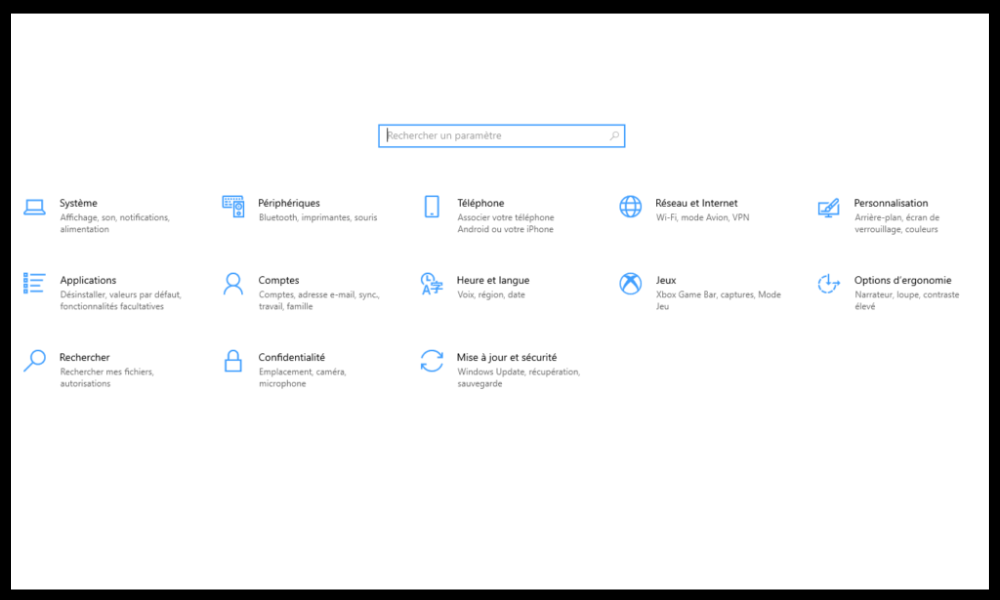
- Click on Games.
- Click on Game Bar in the left menu.
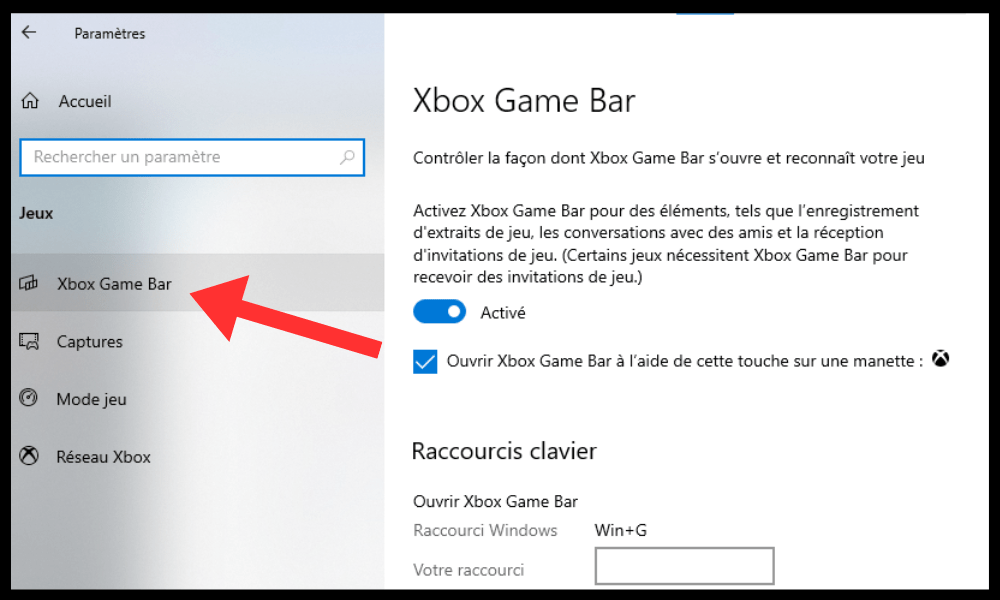
- Disable the button under Record gameplay clips, screenshots, and broadcasts using the game bar.
- Restart your PC and launch the Rainbow Six Siege game with theR6 tracker application.
You should now be able to fully enjoy the R6 Tracker app without any problems. If you still have difficulties, you can visit the official R6 Tracker website for help or contact technical support.
FAQ
What are the prerequisites for using R6 Tracker?
To use R6 Tracker, you need a Windows, a Ubisoft account, and Rainbow Six Siege installed on your computer. You also need to grant R6 Tracker access to your game data.
How do I install R6 Tracker?
To install R6 Tracker, simply go to the official website [here] and click the “Download” button. Then, launch the application and link it to your Ubisoft account. You can then enjoy all of R6 Tracker's features while playing Rainbow Six Siege.
How do I configure R6 Tracker?
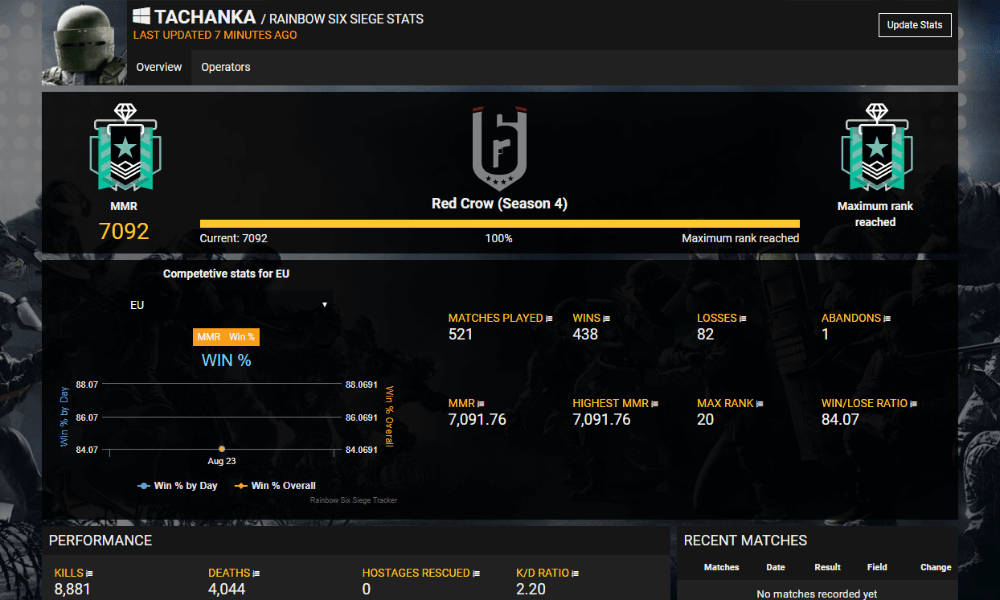
To configure R6 Tracker, you can access the application settings by clicking the gear icon in the top right corner. There, you can customize the R6 Tracker display, such as size, position, transparency, etc. You can also choose which information you want to see displayed on R6 Tracker, such as rank, level, KD, etc.
How do I enable or disable R6 Tracker?
To enable or disable R6 Tracker, you can use the default keyboard shortcut “Ctrl + X” . You can also change this shortcut in the application settings. This will allow you to show or hide R6 Tracker as you wish.
How do I update R6 Tracker?
To update R6 Tracker, you don't need to do anything. The application updates automatically as soon as a new version is available. You can check the current version of R6 Tracker by clicking the gear icon in the top right corner and looking at the number in the bottom left corner.
How do I uninstall R6 Tracker?
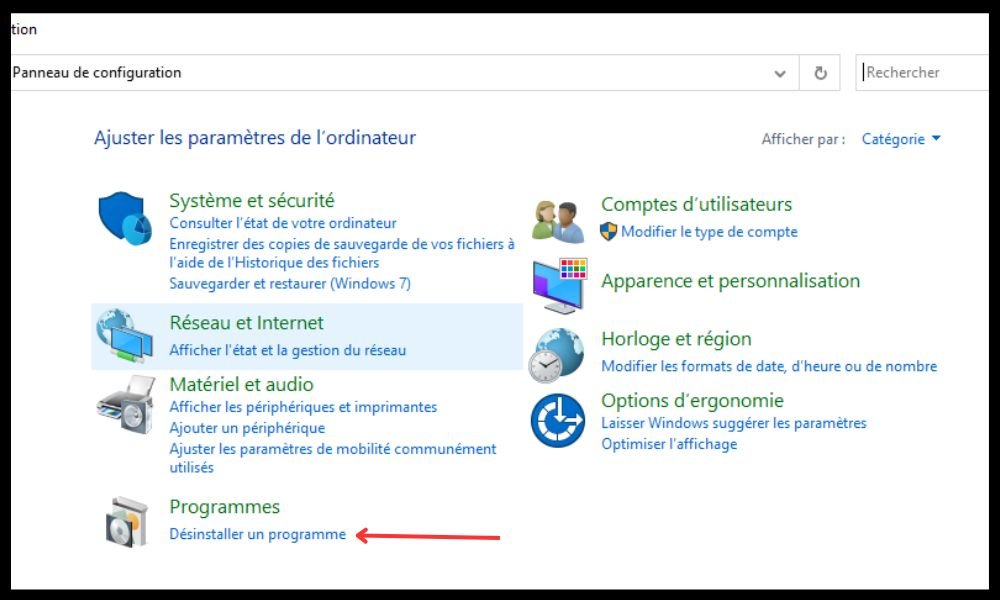
To uninstall R6 Tracker, you must close the application and remove it from your computer. You can also delete the “R6Tracker” folder located in the directory “ C:\Users%USERNAME%\AppData\Local”.
Is R6 Tracker legal and secure?
Yes, R6 Tracker is legal and secure. It doesn't modify the game or give any unfair advantage to players. It simply displays public information that is accessible to everyone. It doesn't collect or share any personal data. It complies with Ubisoft's terms of service and carries no risk of being banned.
Is R6 Tracker free?
Yes, R6 Tracker is free. There are no fees or subscriptions to use the app. You can enjoy all of R6 Tracker's features without spending a penny.
Is R6 Tracker available on platforms other than PC?
No, R6 Tracker is currently only available on PC. There is no console or mobile version. However, the R6 Tracker developers are constantly working to improve the application and make it compatible with other platforms. We will keep you updated if a new version is released.
Is R6 Tracker compatible with other applications or software?
Yes, R6 Tracker is compatible with other applications or software that appear in overlay while you play Rainbow Six Siege. For example, you can use R6 Tracker with Discord, OBS, Steam, etc. Simply adjust the display priority for each application in its respective settings.
Conclusion
R6 Tracker is an essential tool for Rainbow Six Siege players who want to optimize their performance. It allows you to track your stats in real time, learn about your opponents, receive personalized tips , and progress faster. If you have any questions about R6 Tracker or Rainbow Six Siege , feel free to ask them below. We'll be happy to answer them. Thank you for reading, and see you soon in Rainbow Six Siege !