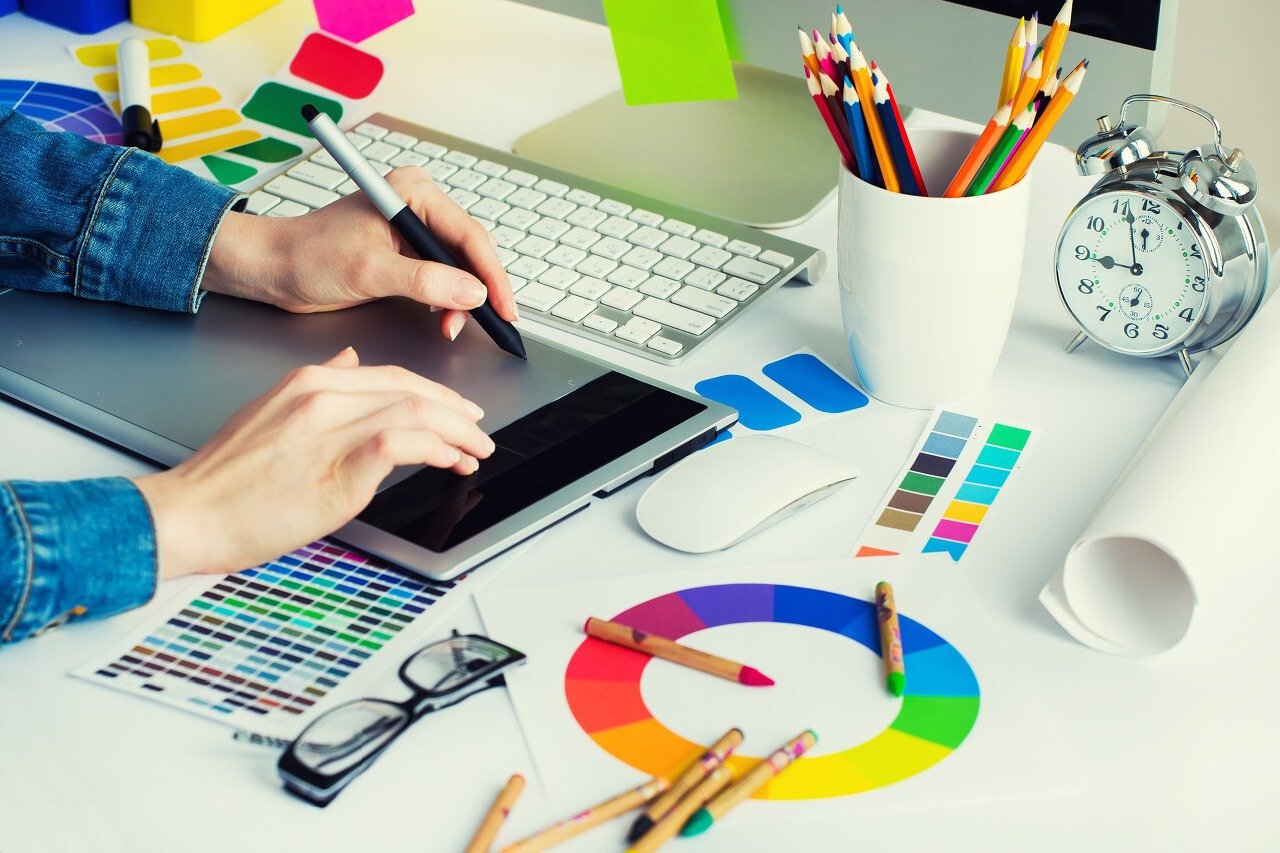
Are you an illustrator or graphic designer looking to get into digital design? That's a great idea, because in today's globalized world, all professions are becoming digital. And the role of illustrator or graphic designer won't be left behind. A professional graphic designer needs high-quality equipment like a graphics tablet.
The market offers a wide variety of options, and choosing a model that suits your needs and budget isn't always easy. Therefore, we invite you to discover our guide to the best graphics tablets of 2020. Below, we provide helpful tips for choosing the ideal graphics tablet.
Comparison of the best graphics tablets in 2020
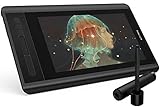
1. X-pen Artist 12: Our favorite

Features and Reviews
If you're looking for a graphics tablet for drawing without breaking the bank, you've come to the right place. The XP-Pen Artist 12 is exactly what you need. This model will suit you whether you're a beginner or a seasoned professional. Its attractive price is undeniable compared to other models offering similar features.
The XP-Pen Artist 12 graphics tablet boasts substantial dimensions: 21.8 cm wide, 36.3 cm long, and 1 cm thick. Weighing only 900 g, it's easily portable. Furthermore, the graphics tablet features a high-definition IPS screen, ensuring faithful color reproduction for exceptional results.
Furthermore, this drawing tablet offers a 178° viewing angle. It's worth noting that this is an ambidextrous model, equally suitable for right- and left-handed users. Thanks to its passive stylus, which operates without batteries or electricity, the tablet offers undeniable ease of use. The sensation of using this XP-Pen Artist 12 graphics tablet is very similar to that of using a pencil to draw on paper.
However, the result will depend heavily on the pressure applied during the maneuver. A built-in eraser allows you to correct mistakes, so don't hesitate to use your stylus in all directions. Versatile, it features a 3-in-1 cable that offers maximum flexibility. No worries if you haven't yet connected the Artist 12 to your PC. This tablet is designed to be particularly independent thanks to its screen and adapter.
To optimize the device's performance, eight replacement nibs are included. A case is also provided to protect the stylus from scratches. A cleaning cloth for the drawing surface and a glove to facilitate hand movement and fluidity on the active area are also included.
2. Wacom Intuos Pro Large PTH-860-S: the graphics tablet adapted for professionals

Features and Reviews
If there's one aspect where Wacom's seriousness and professionalism are immediately apparent, it's in the tablet's design. The Wacom Intuos Pro Large PTH-860-S is both functional and aesthetically pleasing. Its high-quality construction ensures durability. The tablet is made of anodized aluminum and fiberglass. With its refined finish, this drawing tablet comes with a steel stylus for long-lasting use.
Wacom presents it as an innovative and sophisticated creative pen tablet. It is specifically designed to take full advantage of a Wacom Pro Pen 2 for high-precision drawing. The tablet offers seamless connectivity to various devices, including Windows PCs and iOS operating systems. It is also compatible with Bluetooth and USB connections. To use it, you will need to install the drivers and then start working with your preferred software.
While the graphics tablet offers wireless connectivity via Bluetooth, you can also work with a wired connection using USB. However, many users prefer wireless connectivity, especially since the device boasts a battery life of approximately 15 hours for extended use. The Wacom Pro Pen 2 stylus provides 8192 levels of pressure sensitivity.
At this level, it's fair to say the manufacturer seems to have thought of everything. On the side, there are eight ExpressKeys that can be used as shortcuts. A central button on the device allows you to switch between applications or access technical settings for your project. Equipped with a multi-touch screen, the device lets you select, zoom in, and zoom out with your fingers. Note that you can disable this feature from the side of the computer.

3. Wacom Cintiq Pro 16: ideal for intensive use

Features and Reviews
Wacom is the renowned brand specializing in graphics tablets. The brand is constantly innovating with increasingly advanced devices. It's impossible to present our comparison of the best graphics tablets without featuring a few models from its catalog. Here, we have the Cintiq Pro 16. This tablet is every bit as good as other models in its class. Whether you're a beginner or an experienced artist, it will suit your needs perfectly.
Having delighted many users, it features an Ultra HD display with a resolution of 3840 x 194 mm, complemented by a 176° viewing angle. This makes it an ideal device for expressing all kinds of drawing talents. A good graphics tablet should offer vibrant colors, and Wacom understands this well. This Cintiq Pro 16 graphics tablet boasts an 8-bit display that promises 16.7 million colors with 94% Adobe RGB color gamut coverage.
For ergonomic reasons, the tablet features a kickstand that extends to a 20° angle. This allows you to position the graphics tablet at your preferred angle. To take full advantage of the Wacom Cintiq 16's features, the brand offers a Pro Pen 3D stylus.
The stylus is therefore an ideal tool for those who want to create 3D-modeled photographs. It offers 8912 levels of pressure sensitivity, ensuring image clarity. Two side buttons make it user-friendly and comfortable to hold. Integrated EMR technology further simplifies stylus use.

4. Kamvas Pro 13: the best value for money
Features and Reviews
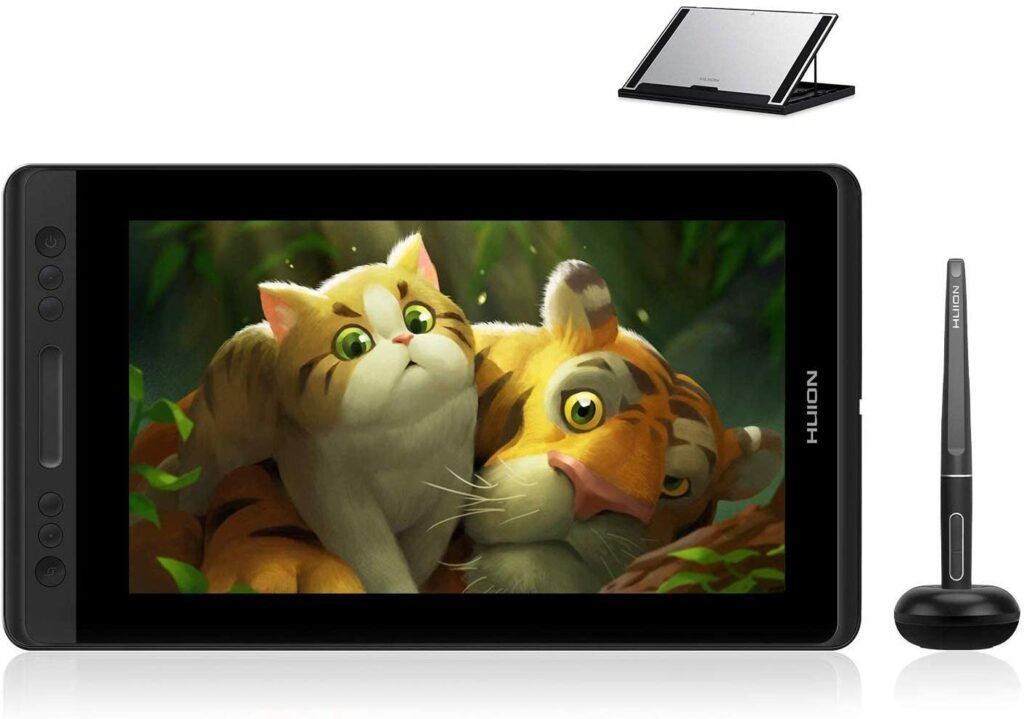
One of the Kamvas Pro 13 graphics tablet's strong points is its ridiculously low price. During our testing of this graphics tablet, we were surprised by what it offered. It boasts a 13.3-inch color screen and uses a passive stylus, making it ideal for wireless use. It offers 8,192 levels of pressure sensitivity, just like the previous model in this comparison.
Furthermore, we commend the Full HD resolution of this screen. Thanks to its integral lamination technology, meaning it integrates both the screen panel and a protective glass layer, this design ensures a reliable thickness for enhanced durability. Offering an unparalleled drawing experience, the tablet provides invaluable visual comfort due to its anti-reflective glass coating. This technology, known as Anti-Reflective Lamination Screen, is a key selling point that the manufacturer is highlighting to promote this product with great fanfare.
Furthermore, it features four shortcut keys, as well as a touch bar for zooming in on details. Since the display weighs less than one kilogram, the tablet is neither too heavy nor too bulky, making it easy to handle and carry. The touch bar and shortcut keys will save you a tremendous amount of time.

5- GAOMON S620 Graphics Tablet
Features and Reviews
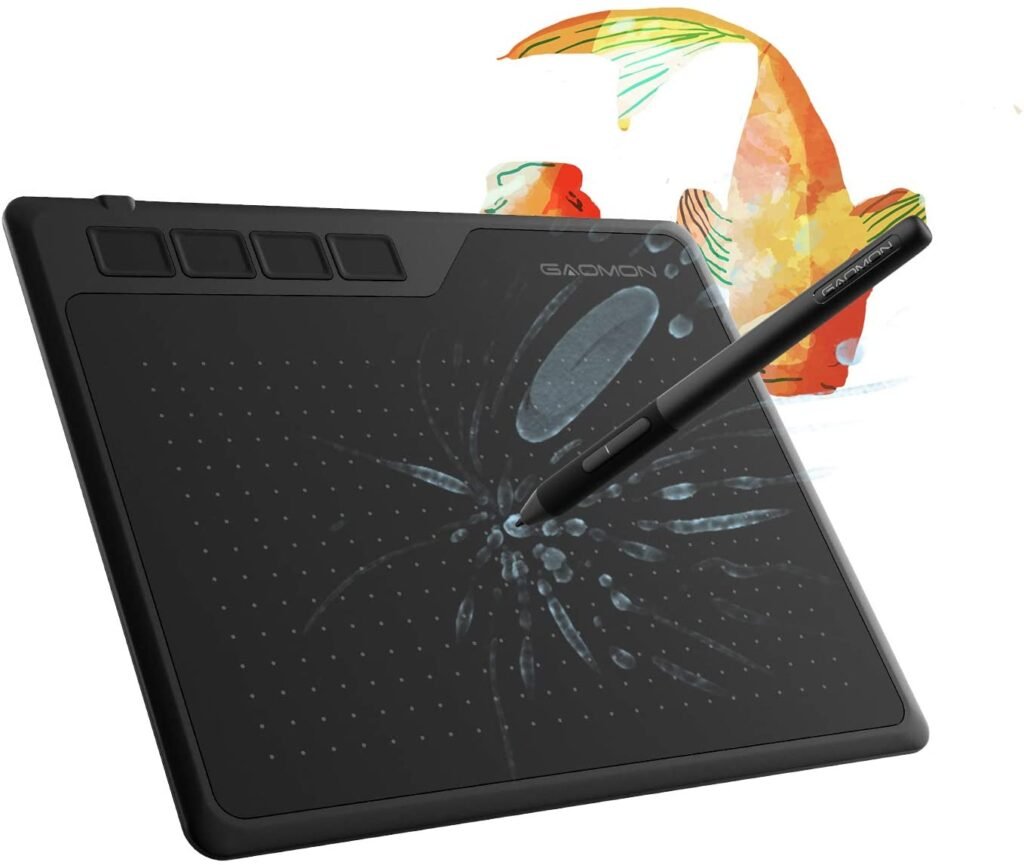
There are many reasons to purchase this M10 K graphics tablet. Boasting a slim and lightweight design, its feather-light weight makes it easy to take with you everywhere. Even with intensive or prolonged use, this device won't strain your wrist. Furthermore, the graphics tablet features a large drawing surface, allowing you to perform a wide range of tasks, from photo editing and writing to graphic design and drawing.
The surface is smooth, offering a pleasant tactile experience. Even without a glove, you won't suffer from slippery fingers like with many other models. Furthermore, the included stylus is a significant advantage. It offers 2048 levels of pressure sensitivity, ensuring high precision during use. Thanks to its high sensitivity, the tablet doesn't require prolonged pressure for lines to appear.
Furthermore, it's a passive pen, so it won't break down at the most inconvenient moment. Another advantage of this GAOMON S620 tablet lies in the size of its active area. This is a significant benefit, whether you're an illustrator or a designer. Because you'll have ample space to create your desired artwork, you'll find working on this graphics tablet, with its 5080 LPI resolution, a truly enjoyable experience.

What is a graphics tablet?
The graphics tablet is also known as a digitizer, pen tablet, drawing pad, or digital art board. It allows an artist to create images, animations, and graphics using a special pen called a stylus. This type of tablet is also used for data capture or handwritten signatures. This use is somewhat similar to the signature pads found in retail stores.
A graphics tablet consists of a flat surface on which images can be drawn using a stylus. Tablets are constantly appearing on the market and are specifically designed to replace the mouse, known as a pointing device. Their purpose is to convert the data transmitted by the stylus. The stylus, used like a pen, brush, or pencil, is pressed with its tip onto the computer screen.
The device can be used in place of a computer mouse. The first tablets on the market were designed by Wacom. Since then, the manufacturer has faced fierce competition. The product is of such paramount importance that brands are constantly designing new models, increasingly tailored to the needs of the most demanding users.
Why buy a graphics tablet?
Purchasing a graphics tablet will allow you to change your various computer drawing options. However, it's important to keep in mind, or even acknowledge, that a tablet won't make you a better artist, regardless of its price. That said, with such equipment, you'll be able to work differently and achieve impressive results thanks to the power of its layering capabilities.
The primary advantage of a graphics tablet lies in its ease of use. The sensation provided by a graphics tablet is similar to that of drawing on a sheet of paper. While early graphics tablets felt somewhat artificial, this is no longer the case. Recent pen tablets have resolved this issue and offer an easy and user-friendly experience.
A tool suitable for draftsmen
To design the best graphics tablet models, manufacturers carefully consulted the users for whom such devices were intended. Those who use these devices share the same opinion: graphics tablets offer the possibility of saving time and increasing productivity. The ability to quickly add or remove details contributes to efficient graphic creation, unlike traditional pencil drawing on paper. Although graphics tablets require some time to adapt to, it's worth it, as you'll undoubtedly find it a pleasure to use every day.
Good to know : Some graphic designers don't like using a tablet for drawing… If that's you, here's our ranking of the laptops for designers this year! Also, if you're using a computer for this activity, consider getting an ergonomic vertical mouse! See our comparison of mice for graphic designers .
Compatibility
One of the major advantages of a graphics tablet lies in its compatibility with numerous photography and drawing software programs, such as Photoshop, Adobe Illustrator, and others. Therefore, regardless of your work environment, you'll find it very easy to integrate it into your workflow and take full advantage of its features. Furthermore, a graphics tablet doesn't require a powerful computer.
Intuitive and complete object
The graphics tablet is used with a stylus. The stylus allows you to control the tablet and use its main features. It goes without saying that the feel of using the stylus is similar to drawing with a pencil. If you can easily charge it, you can also connect it directly to your computer.
As you've probably noticed, the graphics tablet has quite a few advantages. It's an essential tool if you want to get into drawing and graphic design work.
How to choose a graphics tablet?

A tablet is essential for all professional graphic designers, but not all tablets are created equal. How do you choose a model that suits not only your needs but also your budget? Here are the important factors to consider when selecting a graphics tablet.
Pressure sensitivity
Pressure sensitivity is a technology now available on modern graphics tablets. This sensitivity depends on the pressure you apply to the stylus while drawing. Graphics tablets come in a variety of sensitivity options. However, it's important to note that most entry-level graphics tablets do not have pressure sensitivity.
Ideally, it's recommended to choose devices with a level of pressure sensitivity that you can comfortably tolerate. This will give you a feel closer to the experience of working with a traditional pen or brush on canvas or paper. Once you understand what pressure sensitivity can offer, you'll never want to work with graphics tablets that don't provide it again; the difference is quite noticeable.
Resolution
One of the most important things to consider when buying a graphics tablet is resolution. The quality of a graphics tablet depends on the resolution it can offer. In practical terms, as the resolution increases, you'll have a better chance of obtaining more precise renderings, inevitably closer to reality.
Does this mean you should buy the highest resolution available? Well, if you can afford it, that wouldn't be a bad idea. However, if your budget is limited, you'll need to consider whether the type of work you're doing requires incredibly fine detail.
For basic logo design work, you won't necessarily need fine details. You can save money by investing in a basic tablet with a lower resolution. On the other hand, you'll need a high-resolution tablet if you're going to produce fine art and photorealistic drawings.
The fact remains that, over time, you can demand higher resolution. In that case, it's best to wait for the technology to evolve before purchasing suitable equipment. On some tablets, resolution is measured in pixels, while on others, the unit of measurement is lines per inch (LPI).
tracking speed
Tracking speed is measured in points per second (PPS). It represents the time it takes the computer to display the stroke made by the stylus. A high tracking speed means less lag and delay between when you make a stroke on the drawing surface and when the computer responds to it. As you might expect, older graphics tablets with low PPS ratings can offer very poor performance and be prone to glitches.
Size
When buying a graphics tablet, it's always essential to ensure you're getting the best value for your money. You'll need to budget more if you choose an ultra-large tablet. However, a smaller tablet can offer higher resolution for the price, and most artists find that smaller tablets work perfectly well.
Similarly, large graphics tablets require you to have sufficient space to position them. Of course, buying a larger desk will solve the problem. But you must be prepared to pay a premium if you get a large, high-resolution tablet, not to mention that it will be quite bulky. The advantage of smaller tablets is that they are ultra-portable and therefore compact and durable.
Design material
The material used to make your future graphics tablet is also a crucial element to consider when choosing such a device. On the market, you'll find many tablets made from inexpensive plastics. Even if your tablet is plastic, always make sure it has more metal than plastic on its outer surface. If so, you'll likely benefit from a quality tablet that offers some durability. Then there are tablets made entirely of metal. The main characteristic of this type of tablet is its weight, which tends to attract condensation from the air in cooler areas.
While the quality of the casing is essential when choosing a graphics tablet, the most important factor is the surface on which the drawing is performed. Every user truly needs the smoothest possible drawing surface. Entry-level models often have a grainy texture, which can affect how smoothly the pen glides. Wacom has raised the bar in this regard with its special line of graphics tablets known as Cintiq. It offers the smoothest tablet experience you can find because you draw directly on glass.
Connectivity
When choosing a graphics tablet, it's important to consider how it will connect to your computer. If you have an older computer, your only option will be USB 2.0. It's rare for a current-generation tablet to have (or require) USB 3.0. In any case, a USB 3.0 connector plugs into a USB 2.0 port and works perfectly. More modern computers may be able to communicate with some graphics tablets using Bluetooth. Bluetooth technology isn't available on all graphics tablets, so you'll need to check if this is your preferred method of working.
Compatibility with operating systems
The choice of graphics tablet will also depend on the operating system you use. The most well-known graphics tablets, those from Wacom, offer the best compatibility with Windows, Mac, and Linux systems. Models like the Wacom Intuos 5, Wacom Intuos 4, and Wacom Intuos 3 will provide you with better compatibility with graphics software and the most popular operating systems. It's important to note that Apple devices such as iPads, Macs, and iPhones come with integrated Wacom drivers, just like most Linux devices on the market.
Graphics tablet with or without included software?
If your tablet comes with pre-installed software, its value will potentially be higher, but it will also cost you more. Therefore, you should only choose this option if you truly need the software.
Conclusion
Thank you for reading this article to the end. We hope our comparison and buying guide has helped you choose a graphics tablet that suits your needs. There's something for everyone, and it's up to you to make a choice that matches your needs and budget.