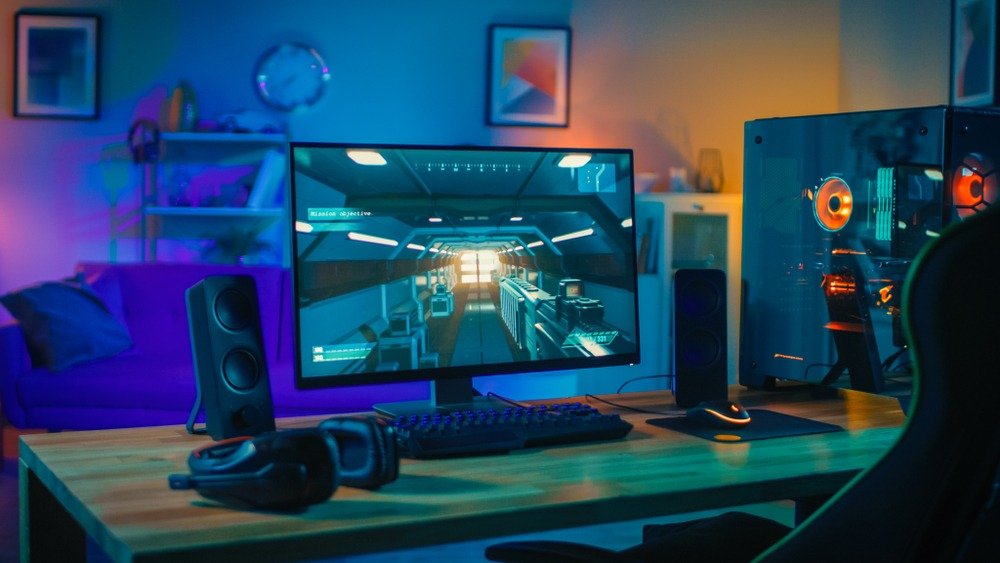
Do you have a gaming setup but it's still missing that little something to make the atmosphere of your setup even more enjoyable?
Looking to invest in a speaker system to improve its quality? Why not go for RGB speakers ? After all, nobody can say no to an aesthetically pleasing look.
From your desktop computer , RGB speakers are perfect for this, with their neon lights. What more could you ask for? It's true that choosing can be difficult. That's why we've put together this buyer's guide to the best RGB speakers for PCs.
Things to know before buying an RGB speaker for your PC
- Generally, the neon lights on RGB speaker systems are customizable.
- There are several sound qualities that do not all correspond to the same need.
- Pay attention to the size of your speakers to avoid any unpleasant surprises due to lack of space!
Now that you are aware of this, we can begin our comparison.

Comparison of the best RGB speakers for PC gaming
High-quality sound enhances a fun and relaxing gaming or work environment. To experience the exciting sounds of your games and listen to great music, a device that improves sound quality is essential. Find the best RGB gaming speakers for your PC with this comparison of the most interesting models on the market.
1. Logitech G560. The best speaker that offers unparalleled sound!

Features and Reviews
The Logitech G560 gaming PC speaker impresses with its 3D DTS surround sound. What's more, it delivers 240W of sound power with two satellite speakers and a subwoofer. An exceptional gaming experience is guaranteed at all times. Requiring a USB and 3.5mm audio connection, it's compatible with all Windows PCs and Mac OS X.
For a fun, interactive experience, it features front and rear light projection. This model is quite expensive compared to other wired RGB speakers. However, it offers interesting technical features for the most demanding gamers. It has received an excellent rating of 4.6 out of 5 stars.

2. The best mini speaker at a low price!

Features and Reviews
Manufactured by Hakeeta, this V-193 Mini Stereo PC Speaker uses wired connectivity. Its USB port and 3.5 mm audio jack must be connected to the PC to produce the expected sound. Even with just one speaker, this device promises good sound quality.
With such a futuristic design, many would have wished for Bluetooth functionality. Aesthetically, the USB speaker lights up with LEDs while in use. Measuring 32 x 6.4 x 6.8 cm, it remains compact. It can even be stored or carried in a small bag.

3. Backlit speakers with great sound

Features and Reviews
Among the attractive PC gaming speakers on the market, this HOPCD subwoofer is reasonably priced, features 7 colored lights, and illuminates throughout its use to provide an attractive gaming environment.
This stereo speaker automatically balances treble and bass. Its maximum output power is 3W. Constructed from wood, chosen for its superior weatherproofing, this material also reduces interference that could otherwise spoil the sound.

4. Trust Gaming GXT 658 Tytan. The ideal speaker for gamers!

Features and Reviews
The GXT 658 Tytan from Trust Gaming is a 5.1 PC gaming speaker system. On the market, it offers good value for money.
Even though it has a fairly high price tag, it's a surefire investment. It includes a subwoofer that delivers a total of 180W of power. This speaker is compatible with desktop/laptop computers, Sony PlayStation 3, and Xbox 360. It measures 25.3 x 93 x 25.5 cm and weighs 6.3 kg.

5. An RGB soundbar with quality sound

Features and Reviews
The JIAIN mini computer soundbar is an innovative speaker for both computer enthusiasts and professionals. Its main appeal lies in its revolutionary design, combining white with blue lighting. But its most interesting feature? Its wireless technology.
Thanks to its built-in rechargeable battery, the user simply activates Bluetooth to connect to a PC or mobile device. Two audio outputs deliver exceptional sound quality. Compact and lightweight, this model measures only 320 x 65 x 60 mm. Its affordable price makes this illuminated speaker a popular choice.

The Buyer's Guide to help you choose the best RGB speaker!
What is the difference between a classic speaker and an RGB speaker?
hardware RGB refers to computer equipment fitted with LEDs or neon lights. This makes your speakers, keyboard, and mouse very aesthetically pleasing and generally very popular with gamers looking to personalize their gaming setup.
So you understand, the difference between an RGB speaker and a classic speaker is solely that the RGB speaker is equipped with neon lights, giving it a more fun look, that's for sure.
brands RGB PC speaker prioritize aesthetics over sound quality, most consumers of these products are gamers. If you're interested in gaming speakers, this type of product will enhance your setup and offer several advantages, which we'll describe below!
What are the advantages and disadvantages of an RGB speaker?

As we explained, the main difference between an RGB PC speaker and a classic PC speaker is the aesthetics, not the sound quality, even though the neon lights may increase the speaker's budget a little.
But what are the advantages of an RGB PC speaker?
The advantages of RGB speakers
Besides the fact that it has a very pleasing visual appearance, especially when coupled with an RGB with a complete setup (RGB keyboard, RGB mouse, RGB case, etc.), computer speakers allow you to enhance the atmosphere of your office by immersing yourself more intensely in your game, movie or series thanks to a true home cinema.
And yes! For gaming, it's a big advantage! Thanks to its color scheme, RGB speakers allow you to create an atmosphere that matches the game you are playing, especially if the lighting is customizable or dynamic (that is, the color changes according to what is on the screen, guaranteeing superior immersion).
In addition to delivering superior sound quality compared to your PC monitor's built-in speakers, these speakers truly immerse you in the experience. That's the real advantage of RGB speakers.
The disadvantages of an RGB speaker
It's obvious that nothing can be perfect, otherwise, as gamers, we wouldn't bother modifying our PC setups so often. Aside from the fact that RGB lighting might make your speaker more expensive while the sound quality is mediocre, this one has some drawbacks due to its very design, such as:
- RGB PC speakers are very energy-intensive: it's a detail that's rarely mentioned when discussing PC gaming hardware, but RGB consumes a lot of power.
If you're plugged into mains power, the electricity company will be happy! If you've opted for a Bluetooth speaker, your laptop battery will be happy too. So, keep that in mind when you're investing in a PC speaker.
- This speaker system might strain your eyes: don't imagine your eyes will escape unscathed from all that blue light! Sure, your gaming setup amazing, but the backlighting in every corner of the room will also increase eye strain. Keep this detail in mind, as it's often overlooked when investing in RGB speakers for your computer.
The different types of speakers!
Let's get down to business. First, note that you'll need to choose your PC speaker based on your needs (and preferences, of course). That's why we suggest you take a look at the different types of speakers below.
RGB stereo 2.0 speakers: the quality of your headphones

This is the most basic option, which won't interest gaming or those seeking high-quality audio. Indeed, the 2.0 designation simply means you have two audio outputs.
Expect to receive a kit with two speakers but no subwoofer or amplifier. The sound quality is basic, and as the title suggests, comparable to your headphones. It's often the same sound quality you'd find natively on your laptop or PC monitor.
2.1 stereo RGB speakers: good value for money

If you want to take your gaming setup or immerse yourself more intensely in your movies or series, without breaking the bank, this is the type of speaker you should be looking at.
Indeed, these RGB PC speaker kits include a subwoofer that prevents interference between the subwoofer and the other frequencies of your sound (treble and midrange). In other words, your sound quality is superior, which will delight gamers and others alike.
5.1 stereo RGB speakers: the ultimate in luxury

Perhaps you've already guessed, but what does the 5 represent here? Quite simply, it's the number of PC speakers in your speaker kit. Besides flooding your gaming setup with neon and guaranteeing immersion with their color scheme, PC speakers provide exceptional surround sound spatialization.
speakers gaming , this is the type to choose to build a truly professional home theater system with its center speaker, subwoofer, and amplifier. Just make sure you have enough space around your computer and in your office!
Criteria for choosing the best RGB speaker for your PC
Now that we have outlined some selection criteria for your next RGB speaker, we offer this buyer's guide so that you can be sure to choose the best RGB PC speaker for your setup.
The size of the enclosure
We briefly touched on this above, but it's important to consider the size of your PC speaker system if you want to avoid any unpleasant surprises. Keep in mind that if you choose RGB Dolby-digital Surround 5.1 PC speakers, your speaker system will take up more space among your peripherals than if you opt for a speaker system only.
Furthermore, such a RGB speaker kit comes with all the necessary cables! This means that if you opt for a wired connection, you'll need to carefully consider where all those cables will go. We invite you to read the section below on this topic.
Wired or wireless speaker?
Just like RGB keyboards or mice, there are 2 types of PC speakers that you can find on the market:
- Wired speakers
- Wireless (Bluetooth) connected speakers
Why choose a wired PC speaker?
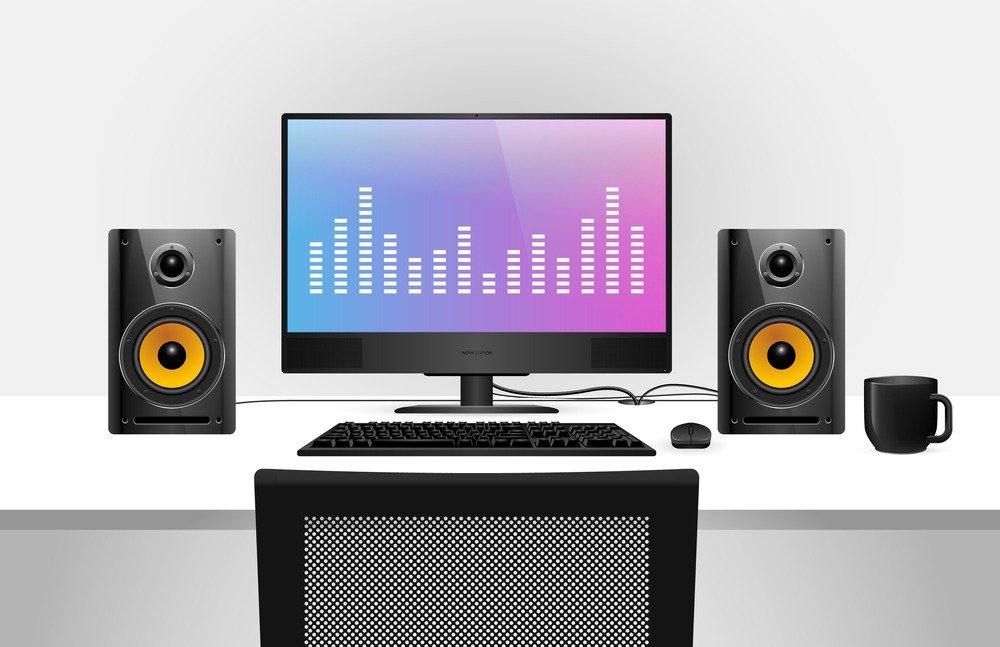
Just as an Ethernet cable connection guarantees a better connection, wired RGB speakers are the ones that will ensure top-notch sound. Indeed, with a direct connection, you can be certain that the output sound will be virtually identical to the output sound, allowing for the purest audio quality. This will appeal to the most discerning among us.
What are the advantages of Bluetooth speakers?
As you might have guessed, these wireless RGB speakers work via Bluetooth. On the one hand, you can be sure you won't have any compatibility issues with faulty connections. There are no cables here, which is a welcome change when your desktop computer is already covered in them. More compact, all you have to do is enjoy the neon lights of these connected speakers.
As previously stated, keep an eye on energy consumption, which will be higher.
The advantage here is in the practicality that makes these speakers truly portable.
What type of connector should I choose for compatibility with my PC?
Let us reassure you on this point. Unless you opt for speakers not designed for your computer, you are unlikely to experience connectivity issues with your PC speakers.
Indeed, AUX ports are common on almost all RGB speaker. Therefore, for most commercially available RGB speakers, you will only need a stereo analog input (for example, the headphone jack on your laptop. This is the same as the headphone jack on your desktop PC).
model RGB speaker , the higher the audio quality, and therefore the more cables are required. This is why some models connectors require more
How can I tell if the sound quality of my RGB speaker is good?

Okay, that's all well and good, but what about the sound quality? Because if I choose RGB speakers for my PC, it's primarily for gaming, videos, or music! In other words, a real sound system !
You are absolutely right. If we buy a PC speaker kit , it's to enjoy superior sound quality that will allow us to immerse ourselves in our video games, movies or favorite music, creating a true home cinema for our office.
First, let's review some basic physics. You probably remember learning in school that the human ear can perceive frequencies from 20Hz to 20,000Hz (20kHz). We want to make it clear right away that gamers are not exempt from this rule.
The quality of a speaker is governed by the breadth of its frequency spectrum, sometimes emphasizing bass, sometimes midrange, and sometimes treble. Therefore, if you prefer deep bass, you will choose a speaker accordingly. The same applies if you prefer treble.
It will depend on how you use it.
For example, for gaming, it is more appropriate to go for a RGB speaker , while if you listen to rap, a PC speaker focused on bass will be much appreciated by your ears.
Understand that the wider the frequency spectrum of your PC speaker, the more faithful the audio reproduction will be to the original sound, even if you don't capture all the frequencies (right, gamers?).
Neon lights for maximum style

After this presentation of the different audio qualities that will allow you to choose the best RGB speaker for your PC, let's tackle what makes us excited about this type of speaker: the neon lights !
Yes, the difference between a classic PC speaker and an RGB speaker lies in the neon lights with which the latter is equipped.
Generally, the higher the price range, the wider the color palette of your neon lights and other lighting options, and the more customizable they become. This means you can choose between solid or contrasting colors, and whether they flash or create a dynamic effect. All these customization possibilities are available to you, even for the most impressive gaming setup.
However, we would like to draw your attention to the ergonomics RGB speakers and accessibility an RGB speaker kit for your PC if it's incredibly difficult to configure.
Our FAQ about RGB speakers for your computer
We wanted to offer you the most comprehensive buying guide for RGB PC speakers you could find. However, it's perfectly normal that you still have some questions.
You have many questions. This FAQ aims to answer them and provide you with all the information you need to choose your new audio output.
What is a codec?
Without going into too much detail, there are three main types of codecs for different audio quality needs:
SBC codec: This is the basic codec that allows you to listen to music on your wireless headphones. Ideal for MP3s.
APTX codec: This codec provides superior sound quality, which is why it's found in good PC speakers.
AAC codec: This codec uses essentially the same filtering as SBC, but with slightly better sound quality .
How can I find out the power output of my speaker?
This is precisely the factor to consider if you're looking for all that.
First, we want to emphasize that power and sound quality are two very different things. You can get great sound with extremely low power, or very poor sound quality (distortion, crackling, etc.) with a powerful speaker.
Between us, it's best to focus on sound quality.
In any case, the total power of your RGB speaker is measured in Watts RMS and generally ranges from 10 to 70 RMS. For gaming, movies, or music, we recommend starting with a minimum of 40 RMS to ensure you can hear something while enjoying the audio quality of your RGB PC speaker.
Itis possible to exceed the RMS power of your speaker. This RMS rating indicates the maximum power your speaker can handle before the risk of damaging the speaker cone becomes too great (due to excessive power from the shock wave). In theory, it's possible to have amplified speakers and therefore amplified sound.
However, we urge you to respect your computer equipment and avoid exceeding this rating. Firstly, this will protect your PC speakers, and secondly, your ears and those of your neighbors, especially since the sound quality will be reduced. These are all drawbacks that should be avoided.
What budget is needed for an RGB PC speaker?
You can find entry-level PC speakers for as little as €10, but I can't guarantee they'll be very enjoyable for gaming or any other use.
For between €20 and €50, you can get good RGB 2.0 PC speaker kits or RGB soundbars—enough to treat yourself while staying within a budget.
For hardcore gamers and those wanting a minimum level of comfort, whether for movies or music, we recommend investing around €100 (plus you'll get a nice remote control to operate your stereo system remotely ).
Think long-term. Sure, you could find a surround sound speaker kit for 60 euros with a subwoofer and amplifier that will do the job, but for how long? Make sure you choose a durable, easy-to-use model whose audio quality won't make you regret your investment. Because there's nothing more frustrating than coming home and realizing that your Bluetooth sound better than your RGB gaming speaker.
Now it's up to you to analyze your needs, and for us to guide you based on the build quality you're looking for.
Do I need to take my sound card into account?
In any case, you have nothing to worry about. In fact, 99% of speakers on the market will be compatible with your sound card, guaranteeing you'll be able to use your new RGB speaker without any issues.
I read that impedance plays a very important role, is that the case?
into technical details, impedance is the resistance to electrical current. We all learned about it in middle school, and those passionate about electricity (are there many?) know that it's measured in ohms.
There are only two things you need to know about this:
The lower the impedance of your RGB speakers , the better the sound quality will be.
The impedance of your PC must be greater than or equal to the impedance of your Hi-Fi system; otherwise, the signal won't be transmitted, and you'll be very disappointed to have bought an RGB kit that produces no sound.
Rest assured, this kind of problem is very rare. These days, manufacturers are closely monitoring each other to synchronize their technologies. After all, it would be a shame to sell RGB PC speakers that nobody can use.