Instagram is not immune to bugs or outages that can affect its operation and frustrate its users.
Are you experiencing a bug on Instagram? Let's look at the most common problems encountered on Instagram and how to identify and resolve them. Here's a guide to help you deal with Instagram bugs.
Good to know : The book you absolutely must read to build an audience and generate passive income through Instagram !

What types of bugs or outages occur on Instagram?
Bugs or outages on Instagram can manifest in different ways, depending on which part of the service is affected. Here are some examples of common problems:
- The Instagram app won't open or keeps closing on its own : this could be a problem with your device (smartphone or tablet), your internet connection, or the app itself. The app might be corrupted, outdated, or incompatible with your operating system.
- If your Instagram feed isn't refreshing or is displaying errors , it could be due to an internet connection issue, a temporary service bug, or ongoing maintenance. Instagram's server might also be overloaded, unavailable, or down.
- Instagram stories are not loading or displaying correctly : this could be due to an internet connection problem, a temporary service bug, or a misconfigured setting. The stories may also have expired, been blocked, or hidden by the user who posted them.
- Instagram Direct messaging isn't working or is displaying errors : this could be due to an internet connection problem, a temporary service bug, or a restriction imposed by Instagram. The recipient may have disabled their messaging, blocked your account, or deleted the conversation.
- Uploading or displaying images or videos on Instagram may not work or may display errors : this could be due to an internet connection problem, a temporary service bug, or a limitation imposed by Instagram. The file format, size, or quality may be unsuitable, the content may violate the service's terms of use, or your account may be restricted.
How can I tell if Instagram is down?
If you're experiencing a problem on Instagram, the service may be down due to maintenance, a cyberattack, or a technical issue. To check if Instagram is down, you can:
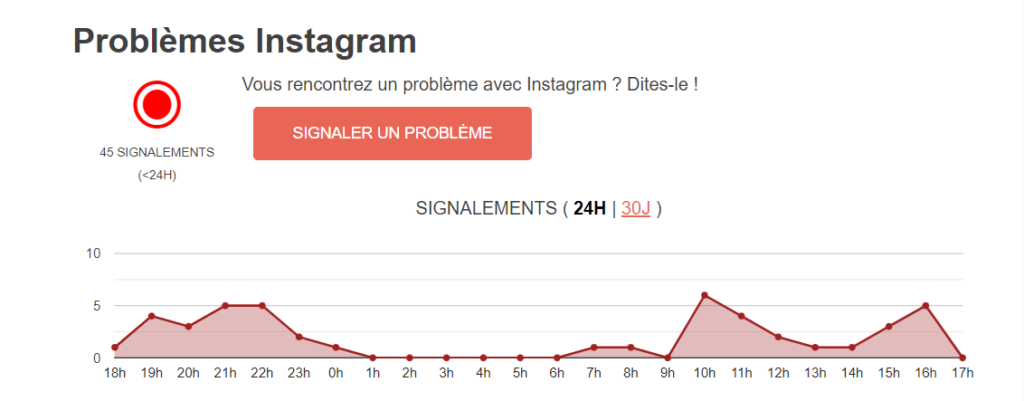
- Visit the TotalBug , which lists current problems and outages on Vinted. There you will find user reports, the dates and times of incidents, as well as comments and possible solutions.
- Check Instagram's official Twitter account : https://twitter.com/instagram. If the account posts a tweet indicating a problem with the service, it means there is an ongoing outage.
- Check the official Instagram website : https://about.instagram.com/. If the site displays a message indicating a problem with the service, there is an ongoing outage.
See also : Why don't I have ratings on Instagram?
How to fix bugs or outages on Instagram?
If you are sure that Instagram is not down, but you are still experiencing a problem with the service, you can try the following solutions:
Check your internet connection
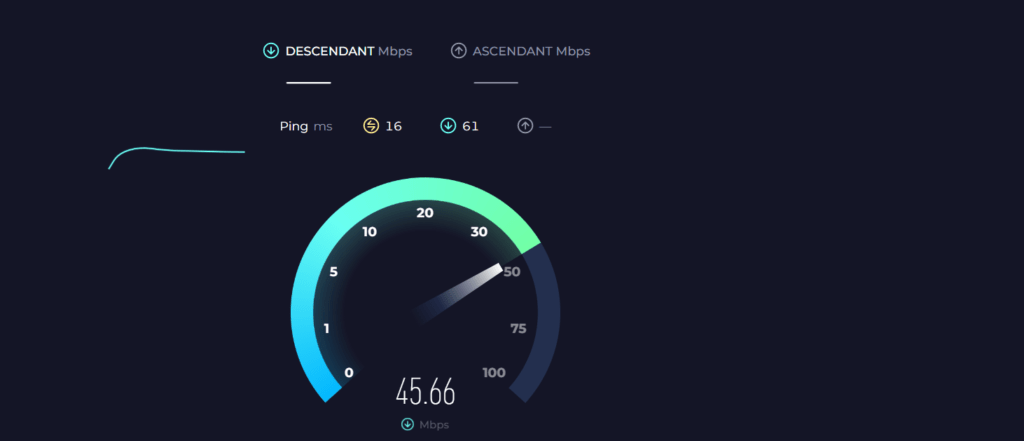
Make sure your device is properly connected to a Wi-Fi or mobile data network and that the signal is strong enough. You can also try switching networks or restarting your router. You can use a website like Speedtest to measure your internet speed
Update the Instagram app
Make sure you have the latest version of the Instagram app, compatible with your operating system. You can check for available updates on the Google Play Store or the App Store, depending on your device.
Clear the cache and data of the Instagram app
The app's cache or data may be corrupted or full, which can cause bugs or errors. You can clear the app's cache and data by going to your device's settings, then to apps, and then selecting Instagram. Be aware that this may delete your preferences and login information.
Uninstall and reinstall the Instagram app
The app may be damaged or infected with a virus, which can cause bugs or errors. You can uninstall the app by deleting it from your device, then reinstall it by downloading it again from the Google Play Store or the App Store, depending on your device.
Good to know : If you're looking for more Android apps, you might want to check out apkresult . It offers a wide range of APK files that are easy to download and install on your device. Whether you're looking for games or utilities, you can find many options here that aren't available on other sites.
Contact Instagram support
If none of the previous solutions work, the problem may be related to your account or a specific service bug. You can contact Instagram support by going to the app's settings, then to Help, and then selecting Report a Problem. You can also send an email to support@instagram.com or fill out the following form: https://help.instagram.com/contact/364531043625021.
Conclusion
Instagram is a service that can occasionally experience bugs or outages, which can affect its functionality and frustrate its users. To address problems encountered on Instagram, it's important to check if the service is down and try possible solutions to resolve the bugs. If the problem persists, you should contact Instagram support for assistance.