
Want to remove someone from your Snapchat best friends list but don't know how? Don't worry, we're here to help! In this article, we'll explain the different methods for removing or replacing a best friend on Snapchat, or for hiding your best friends on Snapchat. Follow the guide!
How do I remove a best friend on Snapchat by deleting them from my contacts?
The first way to remove someone from your best friends list on Snapchat is to delete them from your contacts . If you're no longer friends with this person on Snapchat, they will no longer appear in your best friends list. Here's how to do it:
- Open the Snapchat app and access the Chat screen by swiping left from the camera screen.
- Press and hold the name of the best friend you want to remove until a menu appears.
- Tap on “ Manage Friendship ” or “ Settings ”, depending on the version of the application you are using.
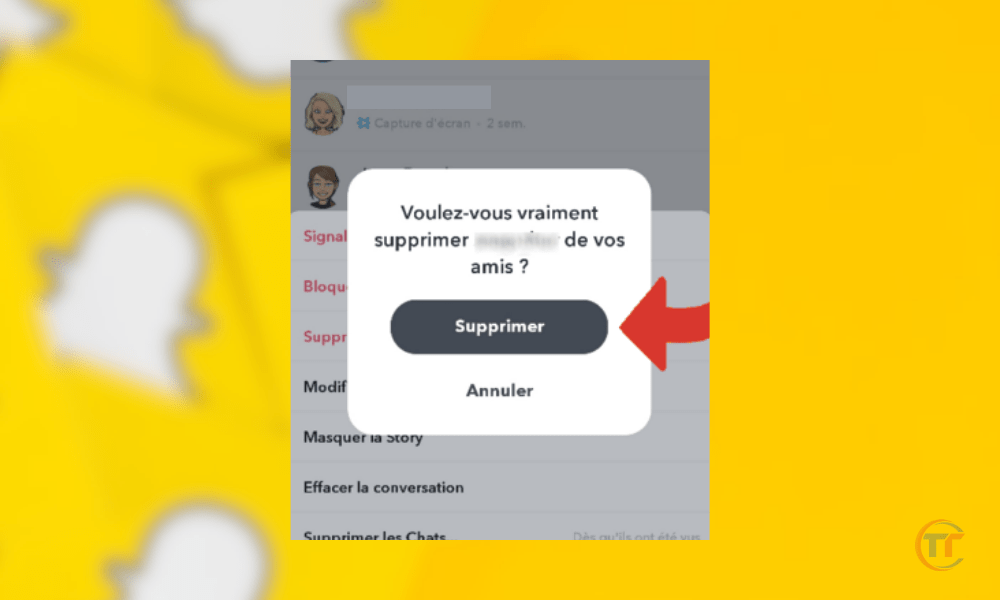
- Tap “ Remove this friend ” or “ Block ”, depending on the degree of separation you want.
- Confirm your choice by pressing “ Delete ” or “ Block ” again.
Warning: This method is irreversible. If you delete or block a friend on Snapchat, you will no longer be able to send or receive snaps or chats with them. You will have to add them as a friend again if you change your mind.
What should you do if you receive a friend request from an unknown person? We explain everything in this article.
How to replace a best friend on Snapchat by sending more snaps to other friends?
The second method to remove someone from your best friends list on Snapchat is to replace them with other friends by sending more snaps and chats to them. This is because Snapchat's algorithm uses the number and frequency of your interactions with your contacts to determine who your best friends are.

Therefore, if you interact more with other people, you increase their chances of becoming your best friends, and you reduce the chances of the best friend you want to remove:
- Send snaps and chats regularly to other friends, varying the types of content (photos, videos, stickers, filters, etc.).
- Reduce your interactions with the best friend you want to replace by sending them fewer snaps and chats, or spacing them out over time.
- Mute her stories, messages, and notifications by long-pressing her name and selecting the corresponding options.
This method is more gradual and discreet than the first. It allows you to maintain contact with the best friend you want to remove, while simultaneously moving them down your list. However, this may take longer, depending on the level of interaction you have with your other friends.
How to trick Snapchat's algorithm to remove a best friend without deleting or replacing them?
The third method for removing someone from your Snapchat best friends list involves tricking Snapchat's algorithm by deleting your conversations with that person. By deleting your chat history with the best friend you want to remove, you trick Snapchat into thinking you haven't interacted with them recently.
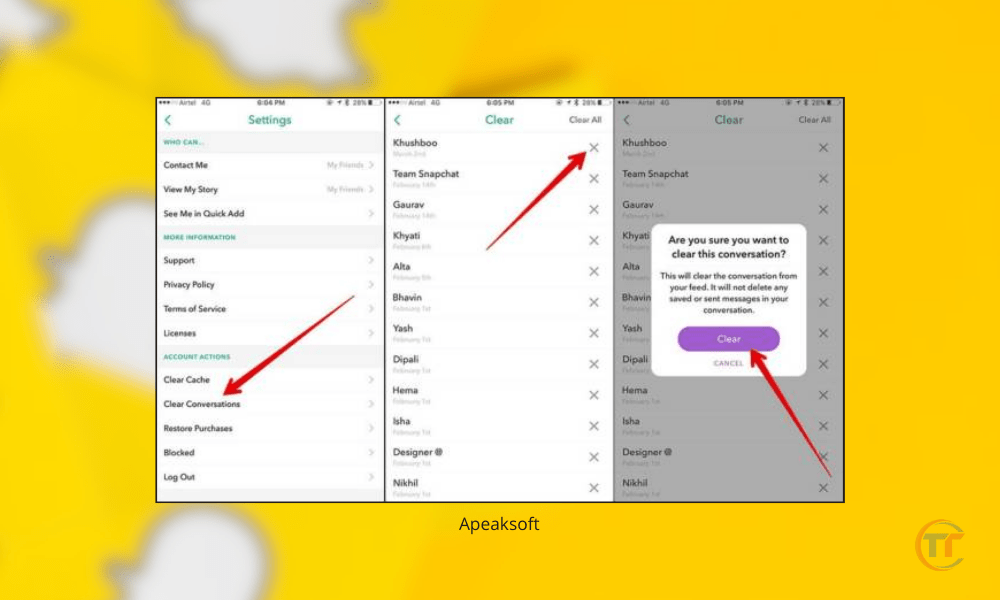
Thus, you decrease his best friend score, and you increase the chances that he will disappear from your list.
This method is simpler and faster than the second. It allows you to stay in touch with the best friend you want to remove, without having to change your interactions with your other friends. However, it's not very reliable, as it depends on how Snapchat's algorithm works, which can change at any time.
How to hide best friends on Snapchat for more privacy?
The fourth method to remove someone from your best friends on Snapchat is to hide your best friends on Snapchat, for more privacy.
Indeed, if you don't want other Snapchat users to see who your best friends are, you can change the application settings to change the emoji associated with best friends, or reduce the number of best friends displayed.
Here's how to proceed:
- Open the Snapchat app and go to the Profile screen by tapping your icon in the top left corner of the camera screen.
- Tap the gear icon in the top right corner to access the application settings.
- Scroll down and tap “ Manage ” under the heading “ Additional Information ”.
- Tap on “ Friend Emoji ” to access the list of emojis and their meanings.
- Change the emoji associated with your best friends by tapping on the current emoji and choosing a new one from the list. You can choose a neutral or discreet emoji, such as a dot, a dash, or a circle.
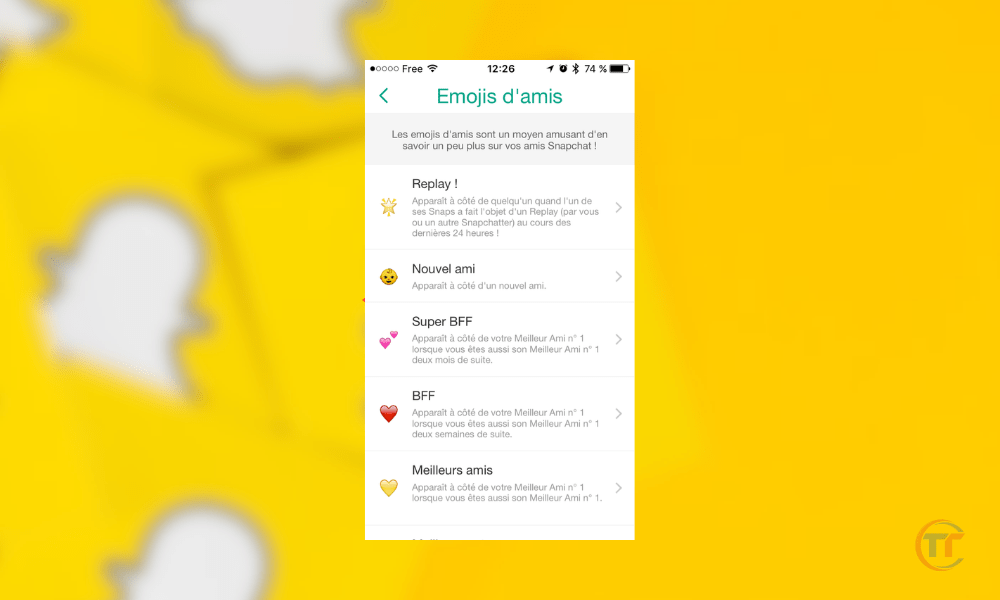
- Reduce the number of best friends displayed by tapping the current number and choosing a new number from the list. You can choose zero, one, two, three, five, or seven.
This method is the most effective and safest way to remove someone from your Snapchat best friends list without deleting or replacing them. It allows you to maintain control over your best friends list and make it invisible to others. However, it doesn't actually change your best friends list; it only hides it.
Good to know : Snapchat bug? What to do to resolve problems and outages?