paid subscription service that lets you enjoy ad-free YouTube , download videos for offline viewing, play videos in the background on your mobile device, access YouTube Music Premium , and watch original series and movies. However, this service is billed monthly and isn't affordable for everyone. Fortunately, there's a trick to get YouTube Premium for free , forever, without paying a cent. In this article, we'll explain how.
What is YouTube Premium?
YouTube Premium is a paid subscription service that offers an ad-free , feature-rich, and enhanced experience across many of Google's video and music services, such as YouTube, YouTube Music, YouTube Gaming, and YouTube Kids. Here are the benefits of YouTube Premium:
- No ads : You'll no longer see any ads before, during, or after the videos you watch on YouTube. This allows you to fully enjoy your favorite content without interruption.
- Video downloads : You can download videos to your mobile device and watch them later without an internet connection. Convenient for travel or areas without network coverage.
- Offline mode : You can also watch videos offline on your computer using the YouTube Offline extension for Chrome. However, you will need to enable this feature beforehand in your account settings.
- Background playback : You can listen to the audio of videos in the background on your smartphone or tablet, even if you leave the YouTube app or lock your screen. Ideal for listening to music or podcasts without draining your battery.
- YouTube Music Premium : You'll have access to YouTube Music, a music streaming service that lets you listen to millions of songs ad-free, with the option to download playlists and albums for offline listening. You can also enjoy audio-only mode, which reduces data usage by streaming only the sound of music videos.
- YouTube Originals : You'll have access to YouTube Originals, a selection of exclusive series and films produced by YouTube and its creator partners. You'll be able to discover original and varied content, such as Cobra Kai, Impulse, Wayne, and Liza on Demand.
What is the price of YouTube Premium?
YouTube Premium costs €11.99 per month in France , but there are ways to get it for free or at a lower cost. We'll show you the 3 best ways to get YouTube Premium for free.
1. Take advantage of the one-month free trial
The first way to get YouTube Premium for free is to take advantage of the one-month free trial offered by Google to new users. To do this, simply follow these steps:
- Visit the YouTube Premium from your computer or mobile phone.
- Click on the “Start free trial” option.
- Sign in to your Google account or create one if you don't have one.
- Choose a payment method from the options provided (credit card, PayPal, etc.).
- Confirm your subscription by accepting the terms of use.
You can then enjoy YouTube Premium for free for one month. You won't be charged if you cancel your subscription before the end of the trial period. To do so, simply:
- Access your Google account from the google.com website or the Google Play Store app.
- Click on “Subscriptions”.
- Select “YouTube Premium”.
- Click on “Cancel subscription”.
- Follow the on-screen instructions.
You can repeat this process with different Google accounts to extend your free trial. However, this method isn't very practical, as it involves creating multiple accounts and entering multiple payment information.
2. Use YouTube Vanced: a modified YouTube application
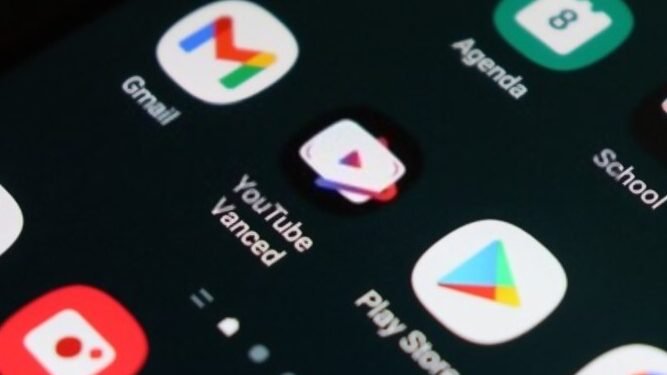
The second way to get YouTube Premium for free is to use YouTube Vanced , an app that offers all the features of YouTube Premium for free. YouTube Vanced is a modified version of YouTube that adds several options you won't find in the official app, such as:
- YouTube Music Premium : You can listen to millions of songs without ad interruptions, with optimal sound quality and personalized suggestions.
- Forced HDR mode : you can enjoy better brightness, better contrast and more vivid colors on HDR compatible videos.
- Swipe controls for volume and brightness : you can easily adjust the sound and brightness of the video by sliding your finger across the screen.
- Dark themes : You can choose a dark theme to reduce eye strain and save your device's battery.
- Video repetition : you can loop a video or playlist of your choice.
- Videos with picture-in-picture : you can reduce the size of the video and move it around the screen to continue watching it while using another application.
- Background playback : you can lock your screen or switch to another application while continuing to listen to the video audio.
- Ad blocking : you can watch videos without being interrupted by ads or banner ads.
To use YouTube Vanced, you need to download the app from its official website: vancedapp.com. You'll also need to install MicroG, an app that allows YouTube Vanced to connect to your Google account. Once both apps are installed, you can enjoy free YouTube Premium on your Android smartphone.
YouTube Vanced is a safe and legal application that does not violate YouTube's terms of service. However, it's important to keep in mind that YouTube Vanced is not an official application and is not endorsed by Google or YouTube.
It's not available on the Google Play Store, and it may not be compatible with some devices or Android versions. Furthermore, it doesn't allow you to watch YouTube Originals and Movies.
3. Use a VPN to get YouTube Premium for free or for less than €2!
The third method to get YouTube Premium for free is to use a VPN (Virtual Private Network), a service that allows you to change your IP address and connect to the internet from another country. Indeed, there are countries where YouTube Premium is cheaper than in France , or even free in some cases. For example, in India, YouTube Premium costs 129 rupees per month, or about €1.50. In Turkey, it costs 15.99 Turkish lira per month, or about €1.40. And in Brazil, it costs 20.90 reais per month, or about €3.
To take advantage of these great rates, simply follow these steps:
- Choose a VPN that offers servers in the country where you want to subscribe to YouTube Premium. There are many free and paid VPNs on the market, such as NordVPN, ExpressVPN, CyberGhost, and TunnelBear .
- Download and install the VPN on your device (computer, smartphone or tablet).
- Launch the VPN and connect to a server located in the chosen country.
- Go to youtube.com/premium and click on “Start Free Trial”.
- Sign in to your Google account or create one if you don't have one.
- Choose your payment method from the available options (credit card, PayPal, etc.). You may need to use a virtual credit card or a Google Play gift card to pay in the local currency.
- Confirm your subscription and enjoy YouTube Premium at a discounted price for one month.
- Don't forget to cancel your subscription before the end of your free trial if you don't want to be charged. To do this, simply go to your account settings, then to "Subscriptions," and finally to "Cancel subscription." You can continue using YouTube Premium until your free trial expires.
Be sure to use a VPN every time you use YouTube Premium, otherwise you risk losing your subscription or having to pay the regular price. Furthermore, this method may be considered a violation of YouTube's terms of service, so use it at your own risk.
How to get YouTube Premium for free on iPhone?
There's no reliable way to get YouTube Premium for free on iPhone. There's no modified app like YouTube Vanced for iOS, and using a VPN or ad blocker is more difficult on iPhone than on Android. The only possible method is to use the Brave web browser to block ads and listen to music in lock mode. Here's a video tutorial:
How to bypass YouTube ads for free without using YouTube Premium?
There are several ways to bypass ads on YouTube without paying for YouTube Premium. For example:
- Use an ad blocker on your web browser, such as uBlock Origin or AdBlock Plus.
- Use an alternative video player on your computer, such as VLC or PotPlayer.
- Use a third-party application on your smartphone or tablet, such as NewPipe or SmartTubeNext.
- Use an online service that allows you to download YouTube videos without ads, such as ClipConverter or SaveFrom.
This article might interest you: YouTube pauses by itself
How to download YouTube videos for free without having YouTube Premium?
There are several ways to download YouTube videos for free without paying for YouTube Premium. For example:
- Use an extension for your web browser, such as Video DownloadHelper or YouTube Video Downloader.
- Use software on your computer, such as 4K Video Downloader or Freemake Video Downloader.
- Use an app on your smartphone or tablet, such as TubeMate or VidMate.
- Use an online service that allows you to download videos from YouTube, such as Y2Mate or OnlineVideoConverter.
How to listen to music on YouTube in the background on Android without YouTube Premium?
There are several ways to listen to music on YouTube in the background without paying for YouTube Premium on your smartphone. For example:
- Use a web browser that allows background reading, such as Firefox or Opera.
- Use an application that allows background playback, such as YouTube Vanced or Musi.
- Use an online service that allows you to convert YouTube videos into audio files, such as MP3Juices or YTMP3.
What are the disadvantages of free YouTube Premium?
Free YouTube Premium has some drawbacks compared to the paid subscription. Here are a few examples:
- The one-month free trial is only valid once per Google account . Therefore, you have to create multiple accounts and enter multiple payment methods to extend the free trial, which is neither practical nor ethical.
- The modified YouTube app is not available on the Google Play Store and may not be compatible with some devices or Android versions. It also does not allow users to watch YouTube Originals and Movies, nor does it offer other Premium benefits such as YouTube Music Premium or YouTube Kids.
- VPN : The downside of this method is that it's neither official nor legal, and it can also lead to a ban or the loss of your Google account. Furthermore, it requires using a VPN, which can slow down the connection or pose security or privacy risks. Finally, it requires using a virtual credit card or a Google Play gift card to pay in the local currency, which can be complicated or expensive.
Is free YouTube Premium legal?
Using YouTube Premium for free isn't illegal, but it's not approved by Google either. This practice circumvents YouTube's business model , which relies on advertising and paid subscriptions. By using YouTube Premium for free, you deprive Google and YouTube creators of a significant source of revenue. You also risk violating YouTube's terms of service, which prohibit modifying or interfering with the service, or using third-party software or services that affect its operation.
How do I cancel my YouTube Premium subscription to get YouTube Premium for free?
To cancel your YouTube Premium subscription and enjoy free YouTube Premium , you must follow these steps:
- Access your Google account from the google.com website or the Google Play Store app.
- Click on “Subscriptions”.
- Select “YouTube Premium”.
- Click on “Cancel subscription”.
- Follow the on-screen instructions.
You can cancel your subscription at any time before the end of your current billing period. You'll continue to enjoy YouTube Premium benefits until your subscription expires. After that, you'll be able to use YouTube for free, but with ads and without the service's additional features.
Is it possible to get YouTube Music Premium for free?
Yes, since YouTube Premium includes YouTube Music Premium , if you use one of the 3 solutions, you can have YouTube Music Premium:
- Take advantage of the one-month free trial offered by Google to new users
- Use YouTube Vanced
- Take advantage of a promotional offer or a reduced rate offered by Google or a partner
How to get free YouTube Premium for the family?
If you want to share YouTube Premium with your family, you can opt for a free one-month trial to test the family subscription , which allows six members of the same family to enjoy the service.
If you want free YouTube Premium for your family for life without paying , you can use YouTube Vanced on all your family's devices. Simply follow the same steps described above to download and install the app. This will give you free access to YouTube Premium on all your devices.
What is the difference between YouTube Premium and YouTube Music Premium?
YouTube Music Premium and YouTube Premium are two different services offered by YouTube. YouTube Music Premium provides high-quality music and allows users to download ad-free videos for offline viewing. YouTube Premium is a paid, ad-free version of YouTube that offers ad-free videos along with other benefits such as YouTube Kids.
YouTube Music Premium costs €9.99 per month, while YouTube Premium costs €11.99 per month. A YouTube Premium subscription also includes access to YouTube Music Premium. Both services offer a one-month free trial for new users.
Here is a comparison table of the two services:
| Functionality | YouTube Premium | YouTube Music Premium |
|---|---|---|
| No ads | Yes | Yes |
| Unlimited download | Yes | Yes |
| Background reading | Yes | Yes |
| Access to YouTube Music | Yes | Yes |
| Access to YouTube Originals | Yes | No |
| Monthly price in France | 11,99 € | 9,99 € |
Conclusion
YouTube Premium is a service that offers many advantages to YouTube users, but it also comes at a cost. If you want to enjoy these features without paying, there are several tips we've covered in this article. You can take advantage of the YouTube Premium free trial, use YouTube Vanced or a VPN, or share a family subscription. You can also use an ad blocker to avoid ads on YouTube. Each of these methods has its pros and cons; it's up to you to choose the one that suits you best.
We hope this article was helpful and that you found the method that works best for you to get YouTube Premium for free. If you have any questions or comments, please feel free to leave them below.