
Also known as Android Debug Bridge, ADB Sideload is a command-line program that simplifies the installation of new applications and the transfer of data between two devices. Want to install custom ROMs or a new update on your smartphone? In this article, discover everything you need to know about ADB Sideload and how you can use it to flash a ROM from your PC!
What does ADB Sideload mean?

Android Debug Bridge refers to the process of transferring data between a smartphone and a PC. In other words, ADB Sideload allows you to send and install a compatible Zip file on an Android smartphone from a computer using a single command.
However, before this works correctly, you must ensure that:
- Your Android device's battery percentage is above 60%
- All your smartphone drivers are installed on the PC (Generally on Windows 10, they are already there! But, you can still install them on your computer by downloading the ADB tools package)
- The latest version of the Android SDK Platform Tools should be downloaded and properly installed on your laptop.
- Your phone's USB debugging is enabled. And here's a little secret: even if you don't want to install an update on your smartphone, we recommend always leaving this mode active! It allows you to easily access all your phone's options and quickly and efficiently fix any errors that might occur 😉!
- Your mobile phone must be properly connected to the computer via a USB cable. Don't have one? Here's exactly what you need:
string(249) "[403] Client error: `POST https://webservices.amazon.fr/paapi5/getitems` resulted in a `403 Forbidden` response: {"__type":"com.amazon.paapi5#AssociateEligibilityException","Errors":[{"Code":"AssociateNotEligible","Message":"Your acc (truncated...) "
![INIU USB-C Fast Charging Cable 3.1A, [2m+2m+0.5m/3-Pack] USB to USB-C Cable, Nylon Charger...](https://tt-hardware.com/wp-content/plugins/aawp/public/assets/img/thumb-spacer.png)
Of course, you also need to download and install the Zip file for your Android system!
How to use a Zip file with ADB Sideload?

To achieve this, carefully follow the steps below:
Step 1: Make sure you have the latest versions of ADB and Fastboot installed on your computer
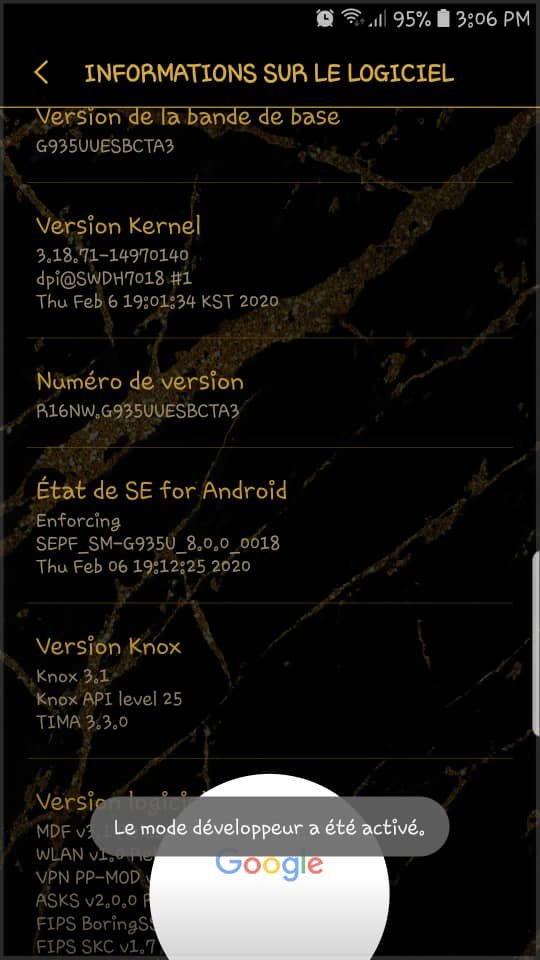
Step 2: Restart your Android smartphone in recovery mode. To do this, go to your phone's Settings. Find the " About phone " option; then tap on " Software information " and then tap on " Build number " several times in a row until the message " Developer mode has been enabled " appears!
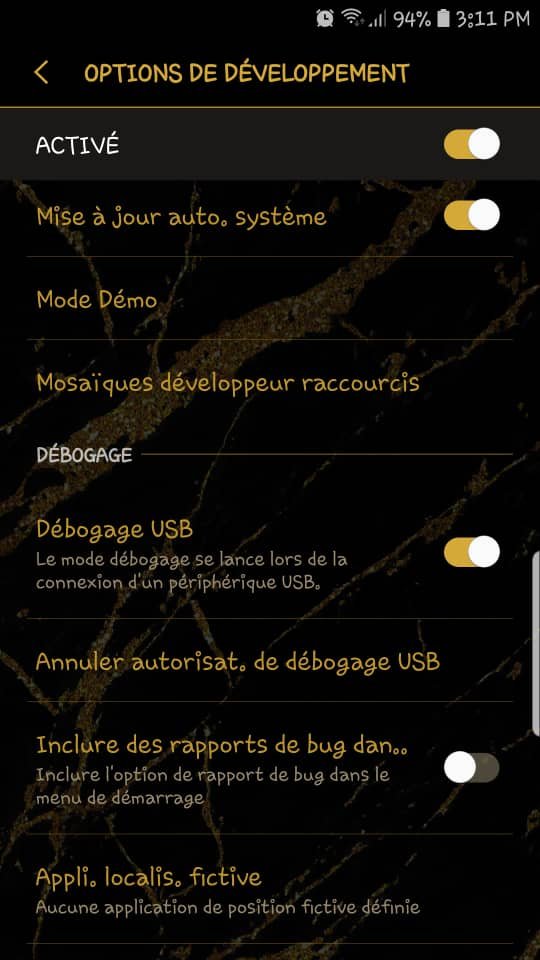
Step 3: Enable USB debugging mode if you haven't already. To do this, go to your phone's settings, find and tap " Developer options ," locate the " USB debugging " option in the list, and tap it to enable it.
Step 4: Use a USB cable to connect your Android device to a Windows and go to the folder where the ADB and Fastboot files are installed.
Step 5: Inside the folder, hold your finger on the Shift key, then right-click on an empty space and select the " Open PowerShell window here" option.
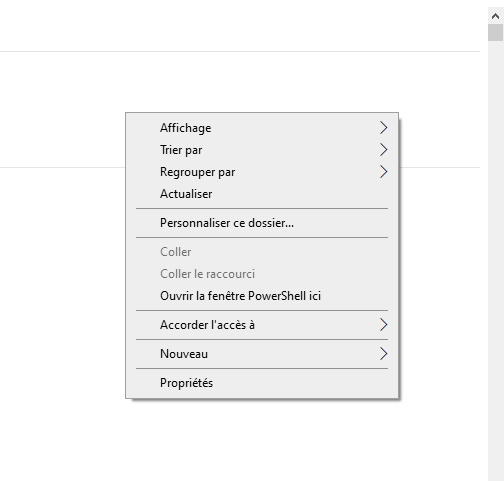
This will indeed allow you to access the PowerShell command!
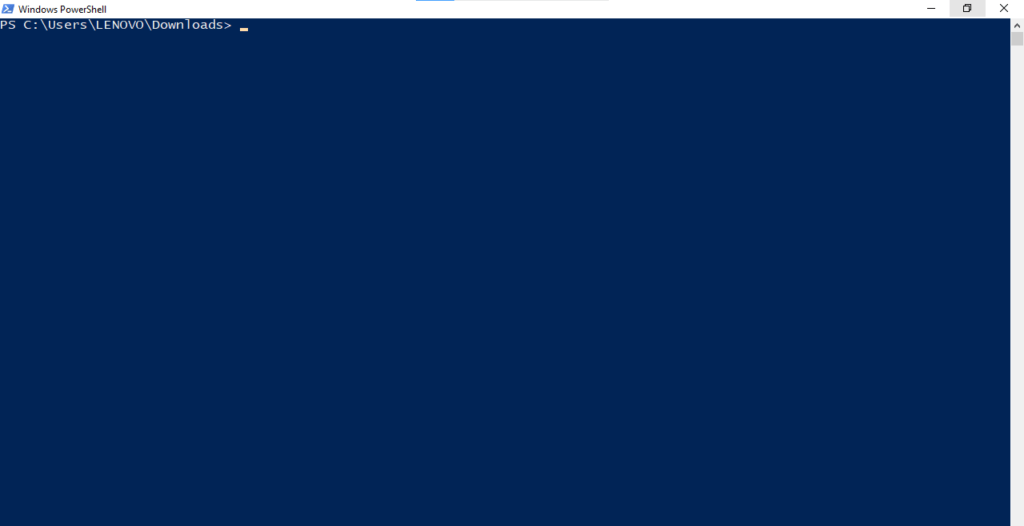
Note: After opening PowerShell on windows 10, each command must be typed as follows: ./ Example: ./adb
Step 6 : In PowerShell, first enter the following command:
adb start server
And then
adb devices
to ensure that your Android smartphone is properly recognized by the system.
Step 7: After verification, insert the command
adb reboot recovery
This will allow you to restart your mobile phone in recovery mode!
Are you installing a new Android update?

To install an official Android system update on your smartphone:
- Choose the "Apply adb update " option
- In the PowerShell window, type and modify the following command: adb sideload For example, if the Zip filename you want to load is 《Custom-ROM.zip》, you can rename it directly as:
adb sideload Custom-ROM.zip . Wait for the file to be fully transferred and installed.
Now restart your smartphone
Are you installing a custom ROM?

To successfully install, the open source recovery software TeamWin Recovery Project (TWRP), which is a custom recovery, must be installed on your computer.
To install TWRP, first download it from the official website !
The Zip file will then be automatically transferred to your Android phone.
For a better understanding of this tutorial, we recommend watching this very explanatory video:


