

How do you choose the best processor for gaming on a PC? Should you opt for the same processor as for a professional PC? What features should you consider? The i7 and i9 are the best options available online, but which one should you choose for playing video games?
How to choose the right processor for your needs?
Just like a car's engine, the processor is the brain of the computer. It allows the execution of instructions from computer programs, including those from the hard drive, graphics card, and RAM.
And the more powerful the processor, the more tasks it can handle simultaneously.
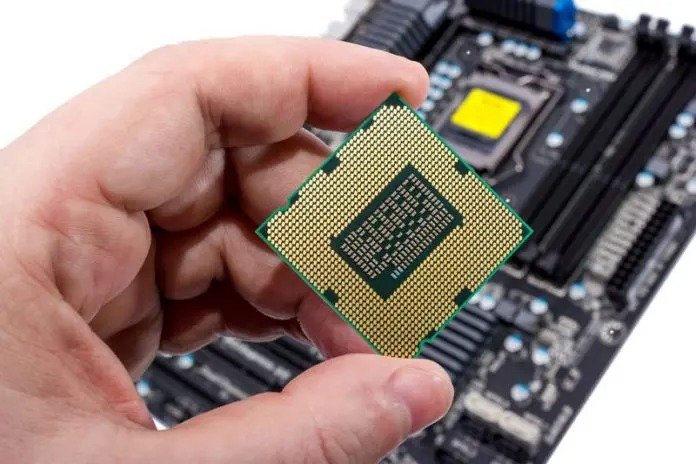
Before buying a processor, it's important to determine your objective. Do you want a high-performance processor for:
- your job as a programmer or,
- Adapt your PC for gaming?
To choose the processor that best suits your needs, it is essential to review and note the technical specifications. Namely:
- The number of cores: each core allows processing one or more instructions.
- And the number of threads: These are the tasks handled by a processor. The more threads a processor has, the more tasks its cores can execute simultaneously.
Since your goal is to play video games on your PC, opt for a processor with at least 8 cores.
That being said, there are different types of processors. And to help you choose the best gaming processor for you, we've put together a short comparison between the two best options offered by Intel, below: the i7 and the i9 .
To learn more in-depth, we recommend this video:
Why choose or not choose the i7
First and foremost, an i7 processor offers:
- low energy consumption,
- excellent responsiveness and,
- improved connectivity.
Here are the specifications of the 5 gaming processors offered by Intel Core i7:
Intel Core i7 6800K

- 06 hearts,
- 12 threads,
- 15 MB cache,
- Speed up to 3.60 GHz.
Can handle:
- virtual reality games,
- high-resolution games
- intensive multitasking…
- capable of running multiple programs simultaneously,
- without slowing down performance.
Intel Core i7 8700

- 06 hearts,
- 12 threads,
- Speed: up to 4.6 GHz,
- Cache memory: 12 MB.
Can handle:
- Extreme games
- Virtual Reality games.
Intel Core i7 9700K
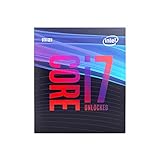
- 8 hearts.
- 8 threads
- Speed between 3.6 and 4.9 GHz
- 12 MB cache memory
Intel Core i7 8700K
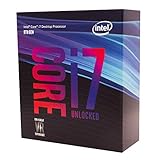
- 06 hearts,
- 12 threads,
- Speed: up to 4.70 GHz,
- 12 MB cache.
He takes it in:
- compression,
- the compilation and,
- even video encoding.
Intel Core i7 7700K

- 04 hearts,
- 08 threads,
- Speed up to 4.2 GHz,
- Cache memory: 8 MB
Suitable for:
- Digital entertainment,
- Content sharing and,
- Video games.
In short, choosing an i7 processor, which ranges in price from €200 to €500 , will help you adapt your PC for gaming. And it won't disappoint you thanks to its exceptional performance. Moreover, its price-to-performance ratio is perfect for gamers.
Why choose or not choose the i9
If you're among the most demanding gamers, opt for an i9 processor ; here are the models to prioritize:
Intel Core i9 9900Kf

- 8 hearts,
- 16 threads,
- a 16 MB cache
- Frequencies between 3.6 GHz and 5 GHz
- Energy consumption is rather high (unlike the i7 )
- Price: 550 euros
Intel Core i9 9980XE 4
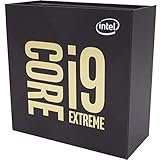
- 18 hearts,
- 36 threads,
- Frequency between 3 and 4.5 GHz,
- 24.75 MB cache memory,
- Price: 2000 euros (or more)
In summary, given their price-performance ratio, i9 are more suited to video editing or 3D design software than to gaming.
Conclusion
We can therefore conclude that the i9 is one of the best processors developed by Intel. It's the most powerful and the most expensive! But since you want to use it for gaming, it would be better to opt for the i7 .
Therefore, you shouldn't choose the best processor online, but rather the best one that meets your needs . And in your case, you don't need to spend more than 500 euros on a processor if your goal is to play games on your PC.


