
Computer imaging is a field of computer science that brings together various techniques related to the production, processing, indexing, and compression of digital images. A digital image is a binary representation of an image, made up of a matrix of points called pixels, which can have different dimensions ( spatial, temporal, etc. ) and different levels of encoding ( colors, grayscale, etc. ).
Computer imaging has numerous applications in diverse fields, such as image synthesis, virtual reality, augmented reality, 3D modeling, image processing , video processing , video editing , compression , computer vision , content-based image retrieval , and video games .
In this article, we will introduce you to the basic principles of computer imaging, the types of digital images, image processing and analysis methods, as well as the main areas of application of this technology .
What are the types of digital images?

Computer imaging relies on three main steps: the acquisition , transformation , and visualization of digital images .
The acquisition of digital images
Digital image acquisition involves converting an analog image (for example, a photograph or a real-life scene) into a digital image. This requires devices capable of capturing light and transforming it into electrical signals, and then into binary data. These devices are called sensors or analog-to-digital converters. Different types of sensors exist, depending on the type of image to be acquired ( still or moving image, color or black and white image, etc.) and the application (photography, video, scanning, thermal imaging, etc.).
The transformation of digital images
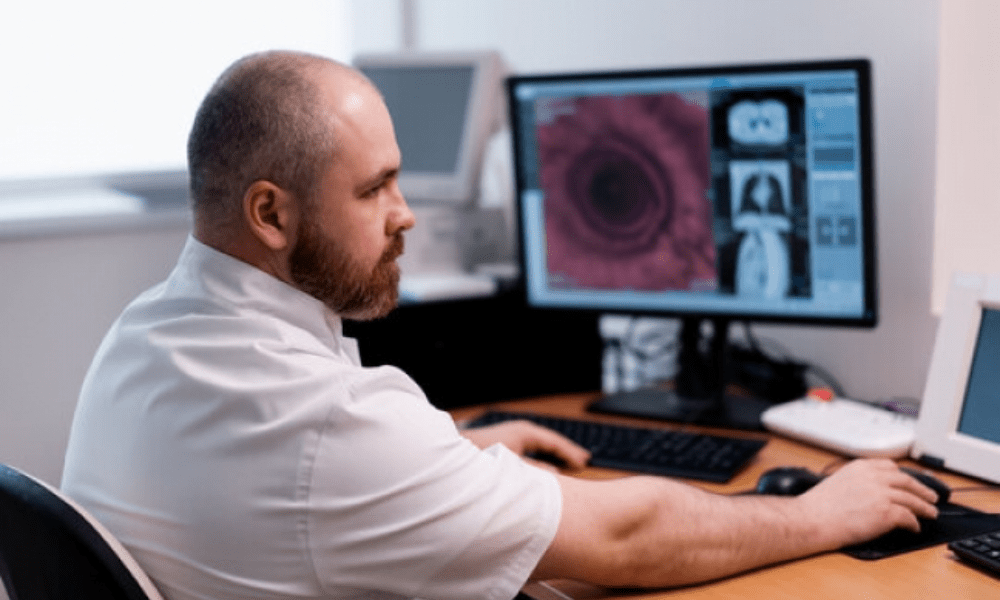
Digital image transformation involves modifying the binary data that represents the image in order to improve its quality, extract relevant information, or create new information. This requires the use of computer programs that apply algorithms specific to digital images. These programs are called imaging software or graphics tools. Different types of imaging software exist, depending on the type of transformation to be performed (correction, filtering, segmentation, edge detection, pattern recognition, etc.) and the application area ( photo retouching, video editing, image synthesis , etc.).
Visualizing digital images
Digital image visualization involves displaying the digital image on a suitable medium, such as a computer screen, printer, or projector. This requires devices capable of converting binary data into electrical or optical signals that stimulate the elements of the medium. These devices are called digital-to-analog converters (DACs). Different types of DACs , depending on the type of medium used (LCD screen, OLED screen, inkjet printer, laser printer, etc.) and the desired display mode (2D or 3D image, stereoscopic or holographic image, etc.).
What are the types of digital images?
There are different types of digital images, depending on how the pixels are coded and organized. Two main categories can be distinguished: raster images and vector images.
Matrix images
Raster images are images made up of a grid of pixels, each with a value representing its color or grayscale level. Raster images are well-suited for representing realistic images with fine details and subtle color nuances. They are also easy to manipulate with image editing software , which can apply transformations pixel by pixel. However, raster images also have drawbacks: they require a lot of storage space, are susceptible to noise and compression artifacts, and lose quality when enlarged or reduced.
There are various file formats for storing raster images, such as JPEG , PNG, GIF, BMP, TIFF, etc. These formats can be classified according to whether they are compressed or uncompressed, and whether they are lossy or lossless. A compressed format reduces the file size by eliminating redundant or inconspicuous information. A lossy format removes information that can degrade image quality, while a lossless format preserves all the information.
Vector images
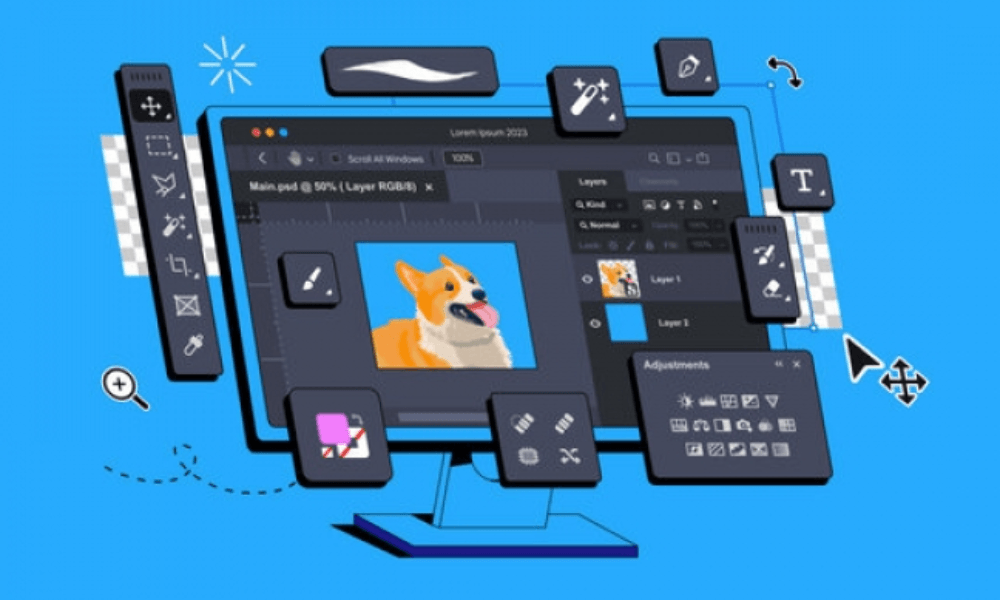
Vector images are images made up of geometric objects, such as points, lines, curves, polygons, etc., each of which has attributes that define its position, shape, color, fill, and so on. Vector images are well-suited for representing simple images with regular shapes and uniform colors. They are also easy to modify with vector graphics software , which can apply geometric transformations to the objects. Furthermore, vector images have the advantage of requiring little storage space, being insensitive to noise and compression, and maintaining their quality regardless of the zoom level .
There are various file formats for storing vector images , such as SVG, EPS, PDF, WMF, etc. These formats can be classified as standard or proprietary, and as compatible with web browsers. A standard format adheres to an open standard and can be read by various software programs. A proprietary format belongs to a company or organization and may require specific software to be read. A browser-compatible format can be displayed directly on a web page without the need for a plugin or external application .
What are the methods for processing and analyzing digital images?
processing and analysis involves applying operations to digital images to improve their quality, extract useful information, or create new information . There are different methods for processing and analyzing digital images, depending on the image type (raster or vector), the domain (spatial or frequency), the purpose ( correction, filtering, segmentation, edge detection, pattern recognition, etc. ), and the level (low-level, medium-level, or high-level).
Matrix image processing and analysis

The processing and analysis of matrix images can be done in two different domains: the spatial domain and the frequency domain.
The space domain
The spatial domain corresponds to the area in which pixels are arranged according to their position in the image . Processing and analyzing raster images in the spatial domain involves applying operations directly to the pixel values, without prior transformation . These operations can be of various types, such as:
- Correction , which aims to improve image quality by modifying parameters such as brightness, contrast, color balance, etc.
- Filtering certain image details by using masks or filters that modify pixel values based on their neighbors.
- Segmentation into homogeneous or meaningful regions according to criteria such as color, texture, intensity, etc.
- Edge detection , which aims to identify the boundaries between image regions using operators that calculate the gradient or variation in pixel intensity.
- Pattern recognition , which aims to identify and classify objects present in the image using techniques such as pattern comparison, feature description, machine learning, etc.
The frequency domain
The frequency domain corresponds to the area in which pixels are arranged according to their frequency or periodicity in the image. Processing and analyzing raster images in the frequency domain involves applying operations after transforming the image from the spatial domain to the frequency domain. This transformation allows the image to be represented as a sum of sinusoidal functions of different frequencies and amplitudes. Low-frequency sinusoidal functions correspond to the overall variations of the image, while high-frequency sinusoidal functions correspond to the fine details of the image. Operations in the frequency domain can be of various types, such as:
- Compression , which aims to reduce file size by eliminating sinusoidal functions that have little impact on the visual perception of the image .
- Filtering certain image details by using filters that modify the amplitudes of sinusoidal functions according to their frequency.
- Restoration aims to improve image quality by correcting distortions caused by the sensor or digital-to-analog converter .
- Pattern recognition , which aims to identify and classify objects present in the image using techniques such as cross-correlation, Hough transform, wavelet transform, etc.
Vector image processing and analysis
Vector image processing and analysis involves applying operations to the geometric objects that make up the image. These operations can be of various types, such as:
- Geometric transformation , which aims to modify the position, size, orientation or shape of geometric objects using matrices or mathematical functions.
- Coloring of geometric objects using attributes or gradients.
- The creation of complex objects , which aims to combine several simple geometric objects using Boolean operations (union, intersection, difference, etc.) or deformation operations (curvature, twist, etc.).
- Rasterization into a raster image by calculating the pixel values that correspond to geometric objects.
- Vectorization the contours and regions of the image and approximating them with geometric objects.
What are the main application areas of computer imaging?
Computer imaging has many applications in various fields, which can be grouped into three main categories: the creation, communication, and understanding of digital images .
The creation of digital images
Digital image creation involves producing original images or modifying existing images for artistic, recreational, or educational purposes. Areas of application for digital image creation include:
- Image synthesis , which consists of generating images from mathematical models or digital data, using techniques such as ray tracing, non-photorealistic rendering, procedural generation, etc.
- Virtual reality , which consists of creating and simulating an immersive and interactive environment in which the user can move and act, using devices such as virtual reality headsets, data gloves, treadmills, etc.
- Augmented reality , which consists of superimposing virtual elements onto a real image, using devices such as smartphones, tablets, smart glasses, etc.
- 3D modeling , which consists of creating and manipulating three-dimensional objects from geometric primitives or point clouds, using software such as Blender, Maya, SketchUp, etc.
- Video editing , which consists of assembling, cutting, modifying or adding effects to video sequences, using software such as Adobe Premiere Pro, Final Cut Pro, iMovie, etc.
- Video games , which consist of creating and playing interactive and playful scenarios in which the player controls one or more characters or objects, using platforms such as game consoles, computers, smartphones, etc.
Digital image communication
Digital image communication involves transmitting or disseminating images across various media or networks for informational, advertising, or social purposes. Areas of application for digital image communication include:
- Compression redundant or barely perceptible information, in order to facilitate their storage or transmission.
- Cryptography , which consists of protecting images against unauthorized access or malicious modification, using techniques such as encryption, digital watermarking, digital signature, etc.
- Content-based image retrieval , which consists of finding images similar or relevant to a textual or visual query, using techniques such as visual feature extraction , keyword indexing, visual similarity, ranking by relevance, etc.
- Facial recognition , which consists of identifying or verifying the identity of a person from their face, using techniques such as feature point detection, pattern comparison, deep learning, etc.
- Social networks , which consist of sharing or commenting on images with other users, using platforms such as Facebook, Instagram, Snapchat, etc.
Understanding digital images
understanding involves analyzing or interpreting images for scientific, medical, or industrial purposes. Areas of application for digital image understanding include:
- Computer vision , which consists of simulating human visual perception and extracting semantic or geometric information from images, using techniques such as semantic segmentation, object detection, motion tracking, 3D reconstruction, etc.
- Medical imaging , which consists of producing or analyzing images of the human body for diagnostic or treatment purposes, using techniques such as radiography, ultrasound, MRI, tomography , etc.
- Scientific imaging , which consists of producing or analyzing images of natural or artificial phenomena for research or exploration purposes, using techniques such as microscopy, spectroscopy, remote sensing, astrophotography, etc.
- Industrial imaging , which consists of producing or analyzing images of industrial products or processes for quality control or safety purposes, using techniques such as machine vision, non-destructive testing, infrared thermography, etc.
Conclusion
Computer imaging is an exciting and rapidly evolving field , offering numerous possibilities for creating, communicating, and understanding digital images. Whether for entertainment, information, or science, computer imaging allows for the production and manipulation of images of unparalleled quality and richness. However, computer imaging also raises ethical challenges and issues, such as respect for privacy, copyright, and the veracity of images. It is therefore important to learn the principles and techniques of computer imaging, but also to develop a critical and responsible approach to digital images. Business intelligence , for example, is one of the disciplines that relies on computer imaging to analyze and visualize complex and large datasets, in order to support decision-making in various fields of application.


