
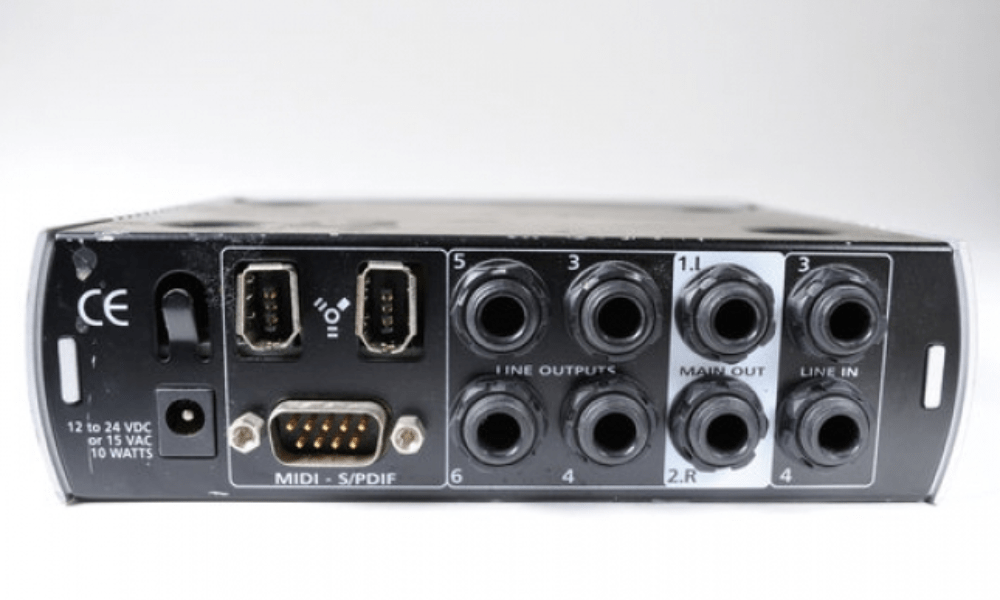
You may have noticed an S/PDIF OUT port on your computer, television, or amplifier. But do you know what it's for and how to use it? In this article, we'll explain what S/PDIF is, its advantages and disadvantages, and how to connect it to enjoy high-quality digital sound.
What is S/PDIF?

S/PDIF (Sony/Philips Digital Interface) is a digital audio data transmission format . It was jointly developed by Sony and Philips in the 1980s to allow digital audio devices to be connected without loss of quality. S/PDIF can transmit up to two audio channels (stereo) with a maximum resolution of 24 bits and a sampling rate of 192 kHz.
S /PDIF exists in two forms: optical and coaxial. The optical form uses a fiber optic cable with Toslink or mini-Toslink connectors. The coaxial form uses a coaxial cable with RCA or BNC connectors. The two forms are compatible with each other, provided an appropriate adapter is used.
How do I connect the S/PDIF?

To connect an S/PDIF device, you need a transmitter with an S/PDIF output (optical or coaxial) and a receiver with an S/PDIF input (optical or coaxial). Then, connect the two devices with a suitable cable (optical or coaxial), respecting the polarity of the connectors.
Next, you need to select the S/PDIF source on the receiving device , using the remote control or the corresponding button.
You must also check that the audio format sent by the transmitting device is compatible with the receiving device. For example, if the transmitting device sends Dolby Digital, the receiving device must be able to decode it. Otherwise, you must change the audio format on the transmitting device, using the corresponding menu or button.
Some examples of S/PDIF connections
Here are some examples of S/PDIF connections depending on the devices you own:
- If you have a CD player and a digital amplifier , you can connect the CD player to the amplifier with an optical or coaxial S/PDIF cable. This will allow you to enjoy high-quality digital stereo sound.
- If you have a DVD player and a home theater system, you can connect the DVD player to the home theater system with an optical or coaxial S/PDIF cable. This will allow you to enjoy multi-channel surround sound (Dolby Digital or DTS) depending on the disc you are playing.
- If you have a computer and digital speakers , you can connect the computer to the speakers with an optical or coaxial S/PDIF cable. This will allow you to listen to music or watch videos with high-quality digital sound.
What are the advantages of S/PDIF?

The main advantage of S/PDIF is that it allows the transmission of a digital audio signal without going through analog-to-digital conversion (or vice versa), thus avoiding the quality loss associated with this process. S/PDIF is therefore ideal for connecting digital audio sources (CD player, Blu-ray player, game console, etc.) to digital amplifiers or speakers.
S /PDIF also allows the transmission of compressed audio formats such as Dolby Digital or DTS , which offer multi-channel surround sound (up to 5.1 channels) with reduced bandwidth. S/PDIF is therefore suitable for connecting audio-video sources (DVD players, TV decoders, etc.) to home theater systems.
What are the disadvantages of S/PDIF?
The main drawback of S/PDIF is that it cannot transmit uncompressed audio formats such as linear PCM or DSD, which offer superior sound quality but require more bandwidth. S/PDIF is therefore limited for connecting high-resolution audio sources ( SACD players, network players , etc.) to high-fidelity amplifiers or speakers.
S/PDIF also has some technical limitations, such as the need to use high-quality cables of limited length (less than 10 meters) to avoid interference or transmission errors. S/PDIF also requires synchronization between the transmitter and receiver of the audio signal, which can lead to compatibility issues or audio delays.
Comparative table of S/PDIF audio formats
| Audio format | Number of channels | Resolution | Sampling frequency | Compression |
|---|---|---|---|---|
| Linear PCM | 2 | 16 to 24 bits | 32 to 192 kHz | No |
| Dolby Digital | 2 to 5.1 | 16 bits | 32 to 48 kHz | Yes |
| DTS | 2 to 5.1 | 16 to 24 bits | 44.1 to 96 kHz | Yes |
FAQ about S/PDIF
What is the difference between S/PDIF and HDMI?
HDMI ( High Definition Multimedia Interface ) is a digital audio and video data transmission format. It allows the transmission of up to 8 audio channels (7.1 channels) with a maximum resolution of 32 bits and a sampling rate of 192 kHz. It can also transmit uncompressed audio formats such as linear PCM or DSD, as well as compressed audio formats such as Dolby Digital Plus or DTS-HD Master Audio.
HDMI therefore offers advantages over S/PDIF, such as better sound quality, greater compatibility, and simplified connections (a single cable for both audio and video). However, HDMI requires newer and more expensive devices and can present copyright protection issues (HDCP).
What is the difference between optical S/PDIF and coaxial S/PDIF?
Optical S/PDIF and coaxial S/PDIF are two forms of the same digital audio data transmission format. They have the same technical characteristics (number of channels, resolution, sampling rate, etc.) and are compatible with each other.
The difference lies in the type of cable and connector used. Optical S/PDIF uses a fiber optic cable with Toslink or mini-Toslink connectors. Coaxial S/PDIF uses a coaxial cable with RCA or BNC connectors.
The choice between the two forms depends primarily on the availability of sockets on the devices to be connected. It may also depend on personal preferences or practical constraints.
For example, some prefer optical S/PDIF to avoid electromagnetic interference that can affect coaxial S/PDIF. Others prefer coaxial S/PDIF for its robustness and ease of connection.
Which devices are compatible with S/PDIF?
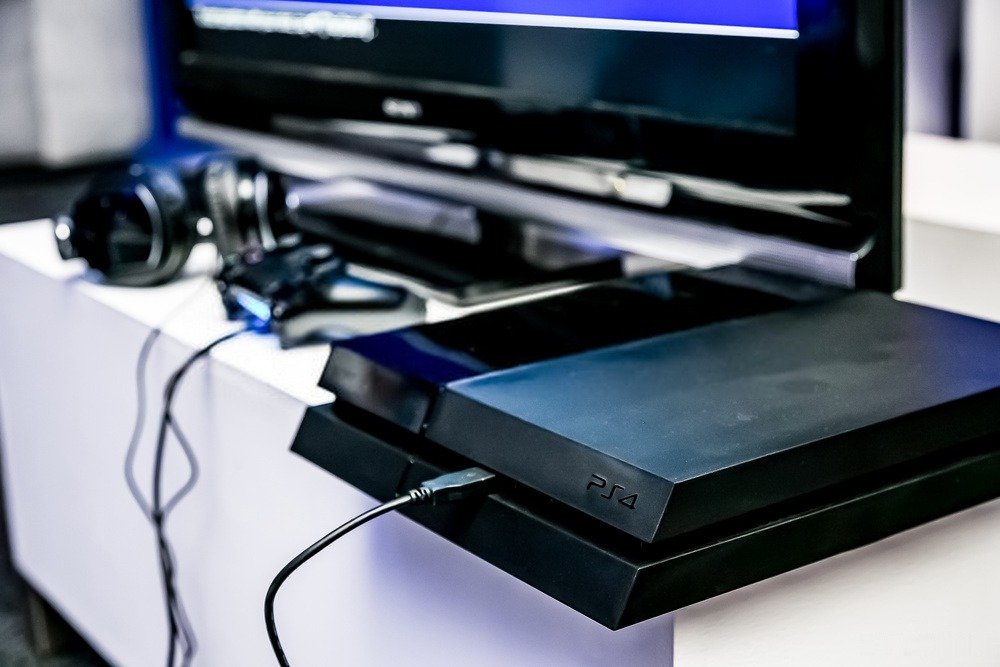
S/PDIF is a digital audio data transmission format . It is therefore compatible with many digital audio devices, such as:
- CD, DVD, Blu-ray, SACD players , etc.
- Game consoles (PlayStation, Xbox, etc.)
- TV decoders (set-top boxes, satellite, cable, etc.)
- Computers (sound card, motherboard, etc.)
- Amplifiers (integrated, home cinema, etc.)
- Speakers (active, wireless, etc.)
To check if a device is compatible with S/PDIF , simply look for an S/PDIF input or output port (optical or coaxial). You should also verify that the audio format sent or received by the device is compatible with S/PDIF.
What is the sound quality of S/PDIF?
The sound quality of S/PDIF depends on several factors, such as:
- The audio format used (Linear PCM, Dolby Digital, DTS, etc.)
- The resolution and sampling rate of the audio signal
- The quality of the cable and S/PDIF connectors
- The quality of the audio signal transmitter and receiver
- The quality of audio devices connected to S/PDIF
In general, S/PDIF offers satisfactory sound quality for most common uses. It allows for the transmission of digital audio without the loss of quality associated with analog-to-digital conversion . It also allows for the transmission of compressed audio formats that offer multi-channel surround sound.
However, S/PDIF doesn't offer the best possible sound quality. It can't transmit uncompressed audio formats that offer superior sound quality. It can also experience synchronization problems or interference that can degrade the sound. If you want to connect your PC to your TV without HDMI , S/PDIF can be an alternative solution, provided your devices have the corresponding ports.
What is the future of S/PDIF?
S/PDIF is a digital audio data transmission format that has been around for over 30 years . It has been widely adopted by manufacturers and users of digital audio devices. It therefore remains a relevant and useful format for connecting digital audio sources and systems.
However, S/PDIF faces competition from newer and more efficient formats, such as HDMI and USB . These formats offer better sound quality, greater compatibility, and easier use. They are therefore increasingly common in digital audio devices.
S/PDIF is therefore not about to disappear, but it could lose some of its appeal and popularity over time. It may remain a secondary or alternative format for connecting digital audio devices .
Conclusion
You now know what S/PDIF OUT is and how to use it to enjoy high-quality digital sound . In short, S/PDIF OUT is a connector that allows you to connect digital audio devices without any loss of quality . There are two types of S/PDIF OUT: optical and coaxial. You need to choose the type that matches the available ports on your devices. You also need to check that the audio format you want to listen to is compatible with S/PDIF OUT.


