
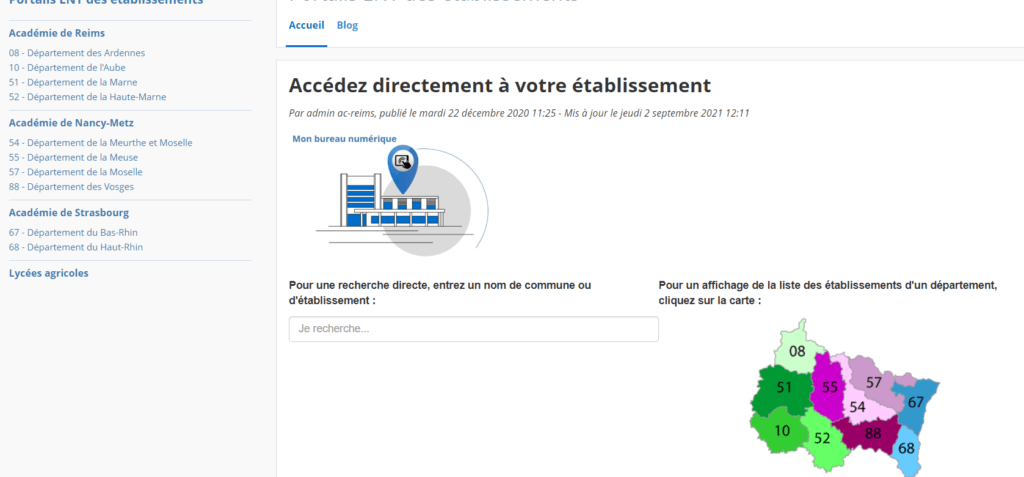
My Digital Workspace (MBN) is a digital workspace (ENT) that allows students, parents, and educational staff to access online services and resources . It is a portal that brings together several schools in the Nancy-Metz . It offers practical information, news, distance learning tools, mobile applications, and more.
But how do you access the My Digital Office website? What are the steps to follow? What are the advantages of this service? That's what we'll see in this article.
How do I connect to My Digital Workspace?
To access the MBN website , first go to https://www.monbureaunumerique.fr/ . Then, click the " Log in " button in the top right corner of the homepage. This will take you to a page offering two options: log in with your EduConnect account or log in with your ATEN account.
The EduConnect is a single account that allows students and parents to connect to various digital services of the French Ministry of Education, including My Digital Workspace (MBN). To create an EduConnect account, you will need your tax identification number and your CAF (French family allowance fund) number. Then, follow the instructions on the website https://educonnect.education.gouv.fr/ . Once the account is created, simply enter your username and password on the My Digital Workspace login page.
The ATEN account is a specific account that allows educational staff (teachers, administrative staff, etc.) to log in to MBN. To create an ATEN account, go to https://teleservices.ac-nancy-metz.fr/ts and follow the instructions. Once the account is created, simply enter your username and password on the Mon bureau numérique login page.
Video explanation of how to connect to My Digital Workspace
What are the advantages of MBN?
My Digital Workspace (MBN) offers several advantages to users. Here are a few examples:
- It provides access to practical information about schools (schedules, contacts, internal regulations, etc.).
- It allows you to view news and events related to school life (outings, projects, competitions, etc.).
- It allows communication with other members of the educational community (messaging, forums, surveys, etc.).
- It allows us to monitor students' academic progress (lesson plans, grades, absences, academic guidance, etc.).
- It provides access to educational resources (digital textbooks, interactive exercises, videos, etc.).
- It allows access to distance learning tools (virtual classrooms, video conferencing, document sharing, etc.).
- It allows you to download mobile applications to access services from your smartphone or tablet.
FAQ about My Digital Workspace (MBN)
How to change your password on My Digital Workspace with EduConnect or ATEN?
- To change your EduConnect password, you need to log in to your account on the website https://educonnect.education.gouv.fr/ and click on “My account” then on “Change my password”.
- To change your ATEN password, you need to log in to your account on the website https://teleservices.ac-nancy-metz.fr/ts and click on “My account” then on “Change my password”.
How to contact the technical support of My Digital Office (MBN) in case of difficulty connecting or using the service?
To contact technical support for connection or usage issues with My Digital Workspace (MBN), click the “Help” button in the top right corner of the interface. This will take you to the Community, which offers tutorials, FAQs, and a contact form. Fill out the form, describing the problem and providing your contact information. Technical support will respond as soon as possible.
How to personalize your personal space on My Digital Workspace (profile, notifications, mobile access, etc.)?
To personalize your profile and preferences on My Digital Workspace, click on the “Preferences” button in the top left corner of the interface. You can then modify your personal information (name, surname, photo, etc.), your notification settings (frequency, mode, etc.), your mobile access (username and password), your homepage (widgets, favorites, etc.) and your graphic theme (color, font, etc.).
How to register for services and activities offered by the Grand Est region and its partners via Mon bureau numérique?
To register for activities or services offered by the region, departments, or academies via My Digital Workspace, click on the “Services” button in the upper right corner of the interface. This will take you to a list of available services based on your profile (student, parent, educational staff). Simply choose the service you are interested in and follow the instructions to register. For example, you can register for school transportation, laptop loans, scholarships, internships, and more.
How can I use the collaborative tools in My Digital Office to work in groups or share documents?
To use MBN's collaborative tools, click the "Tools" button in the top right corner of the interface. This will take you to a list of available tools based on your profile (student, parent, educational staff). Simply choose the tool you need and use it as required. For example, you can share documents with classmates or teachers, view your school or personal calendar, create or join a project space to work in a group, and more.
How to access the digital resources of the media library or the CDI via My Digital Office?
To access the digital resources of the media library or school library via My Digital Workspace, click on the “Resources” button in the top right corner of the interface. This will take you to a list of available resources based on your profile (student, parent, educational staff). Simply choose the resource you are interested in and view it online or download it. For example, you can access ebooks, magazines, films, games, podcasts, and more. These resources are selected by the librarians or project partners (regional, departmental, and academy authorities, etc.). They allow you to enrich your general knowledge, have fun, or find information for your schoolwork.
Conclusion
My Digital Workspace is a digital service that facilitates communication and collaboration among education stakeholders. It provides access to online services and resources tailored to the needs of students, parents, and educational staff. To access the My Digital Workspace website, you must log in with your EduConnect or ATEN account. If you haven't yet created your account, feel free to do so now!


