
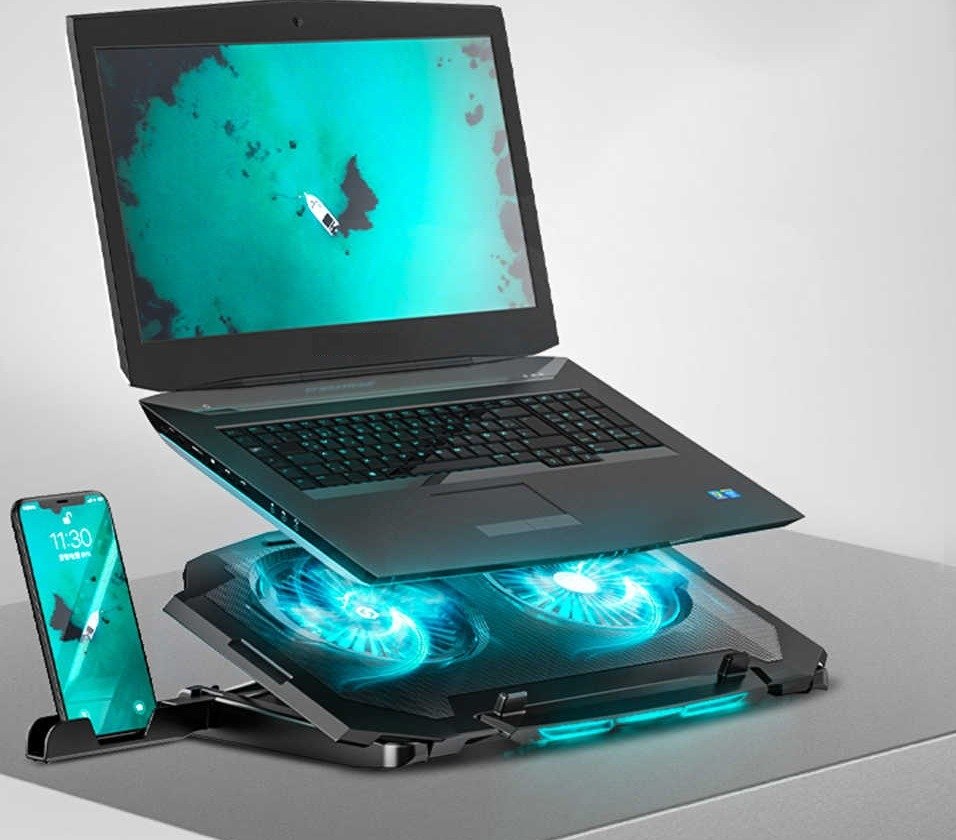
If you're a gamer, this is a problem you've almost certainly encountered: your computer overheating. You're in the middle of a game, the PC starts breathing like a furnace, the image stutters, and the machine eventually crashes spectacularly. So, logically, it's a topic that often resurfaces on forums with this perennial, despairing statement: "My PC overheats when I play .
So how do you prevent your laptop from overheating? The answer is simple: with a laptop cooler. It provides optimal ventilation, thus protecting your equipment from potential problems and ensuring the preservation of your data and work.
To help you choose this incredibly useful system, we've put together a buyer's guide to the 8 best laptop coolers . You'll also find a FAQ section and a comprehensive buyer's guide to help you select the one best suited to your needs.
Things to know before buying a laptop cooler
Before we begin our comparison, here are 3 good reasons that might encourage you to buy one!
- Keeps your PC at optimal temperature
- Prevents the frequent overheating of small laptops
- Ergonomic and used as a stand for his PC
Comparison of the best laptop coolers
We know how complicated it can be to choose a laptop cooler. That's why we want to offer you reliable models that stand out for their excellent value for money!

1. The Klim Wind: The most powerful laptop cooler!

Features and Reviews
Say goodbye to overheating. Enjoy peace of mind with this high-performance Klim Wind laptop cooler. Equipped with four fans boasting a combined speed of 4800 RPM (1200 RPM per fan), it's ideal for keeping your laptop at a comfortable temperature. The Klim Wind ensures fast and efficient cooling for your computer.
The Klim Wind propels a cool airflow into your machine's air intake, cooling all the components. Whether you're a gamer or just using your PC casually, you'll notice a clear performance boost: a faster, more responsive, and less temperamental PC. It's excellent for boosting performance during long gaming sessions and preventing your PC from lagging!
The Klim Wind can be used as a stand for Xbox or PS4. Designed for PCs up to 16 inches, the Klim Wind is easy to use: simply plug it into your PC and activate it using the dial on the back. Stable in all situations, it's perfect for even the most intense gaming sessions. Once your PC is mounted on it, it won't budge an inch. It also features two USB ports. sleek design and durable materials , the futuristic look of the Klim Wind makes it a perfect fit for any gamer's setup. It's also a robust piece of equipment that will accompany you wherever you go.
2. Klim Ultimate: A cooler with RGB lighting!
Features and Reviews
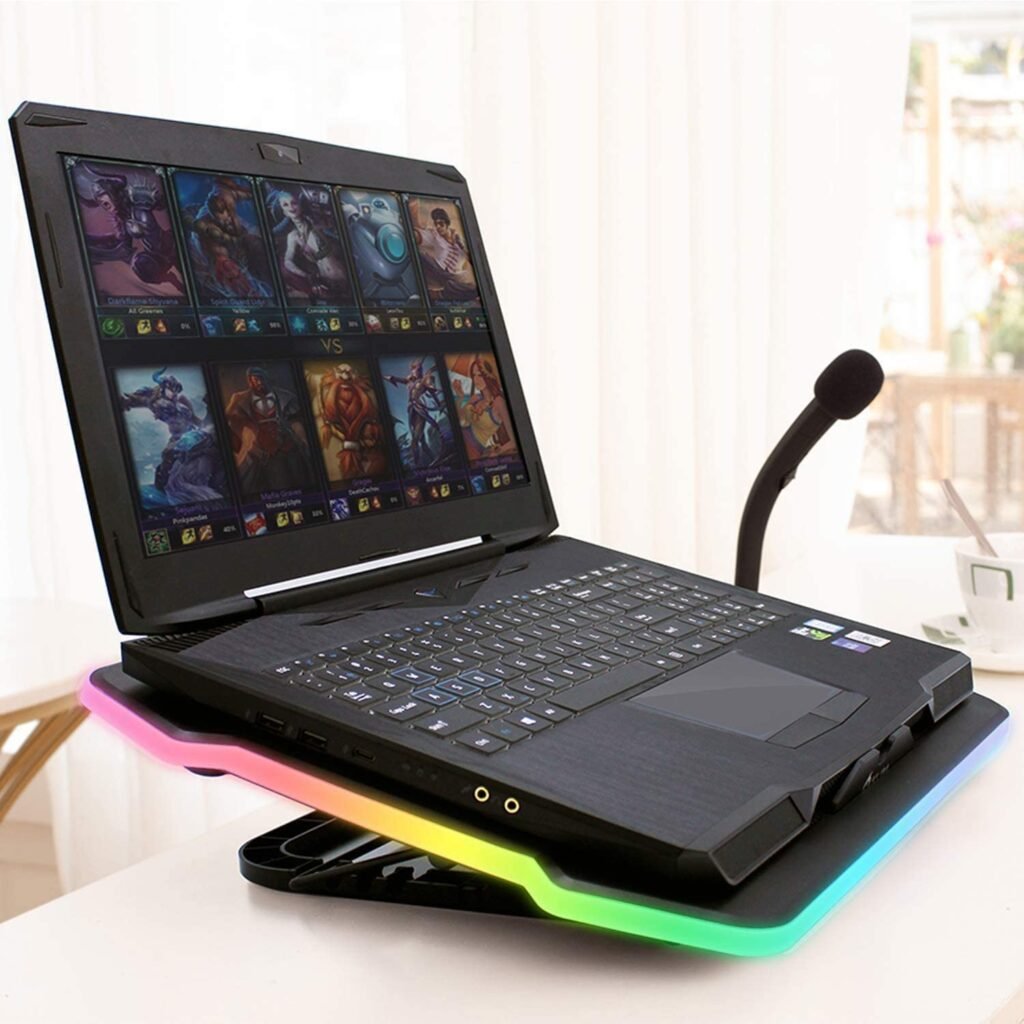
Say goodbye to overheating and noisy computers. The Klim Ultimate will protect your laptop from overheating problems. Equipped with a large 200mm fan spinning at 750 RPM, it will maintain an ideal temperature for your machine. Style and silence. The Klim Ultimate features RGB lighting with 5 effects and 7 colors. You can personalize the lighting to enhance your gaming sessions. You won't go unnoticed on your outings!
The Klim Ultimate is also very quiet, even at its maximum power. You can indulge your passion for gaming, and any other computer activity, without excessive noise. The Klim Ultimate is perfectly suited to all laptops up to 17 inches. It's a stable and robust device that will easily support the weight of your computer. The stand offers four tilt angles for added comfort.
3. Empire Gaming Turboost: A cooler with 5 fans!

Features and Reviews
The Turboost is equipped with a set of five silent fans for formidable performance. It consists of a 140mm main fan paired with four smaller ones, and an exhaust duct. It combines the two cooling systems and thus optimizes their potential. The fans draw in cool air through the intake, and the exhaust fan draws out hot air through the outlet.
Furthermore, its aluminum mesh panel ensures optimal heat dissipation and complete cooling. The Turboost protects components from overheating and boosts the performance of 12- to 17-inch laptops. It is also compatible with Xbox One and PS4, allowing you to control your consoles' temperatures and maximize your gaming performance.
For added stability, the Turboost features a non-slip base and two silicone pads embedded in the platform. It also has a double stop system to prevent your computer from accidentally falling, even when tilted. This ventilated stand offers five adjustable tilt positions for increased comfort: say goodbye to unbearable neck and cervical pain! To top it all off, the Turboost features blue LED backlighting on the fans.

4. The Klim Cool +: A USB air extractor cooler!

Features and Reviews
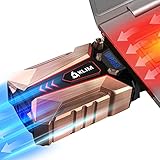
The Klim Cool is an air extractor that attaches to the air outlet and absorbs hot air. This model is the most powerful on the market. It's slightly larger and extracts up to 20% more air than its competitors. It boasts a maximum rotation speed of 4500 RPM: the most powerful in the world! Designed for high-level gamers who push their PCs to the limit. Its ultra-resistant metal structure maximizes heat dissipation and lowers the PC temperature by an average of 20.7°C (laboratory tests).
Furthermore, the Klim Cool+ weighs only 300g and fits perfectly in a pocket, making it easy to take with you everywhere. This state-of-the-art cooler is compatible with all PCs, as long as they have a side or rear air vent. Four nozzles are included with the Klim Cool+ to ensure the best fit with the air vent. The advantage of the Klim Cool+ is that it fits all laptops, regardless of screen size. However, please note that it is designed for use on a flat surface: it exerts pressure on its mounting point and must be used on a computer placed flat.
5. Klim Nova: An extra cooler!

Features and Reviews
The Klim Nova high-performance cooler features four fans. A main 160mm fan spins at 1500 RPM, while three smaller 60mm fans spin at a combined 3500 RPM. The Klim Nova will cool your PC in record time. The main fan features RGB lighting for a true gamer aesthetic. And it operates quietly: the fans deliver high performance without excessive noise. Perfect for PCs up to 17 inches, it can also accommodate a 19-inch monitor.
The Klim Nova weighs over 1 kg, making it a robust and ultra-stable cooler ready to support the weight of even the heftiest gaming PCs. Whatever your needs, the Klim Nova will ensure the longevity of your components and will be a reliable companion for all your work or gaming sessions.

6. Klim Bamboo: A cooler with a bamboo stand!

Features and Reviews
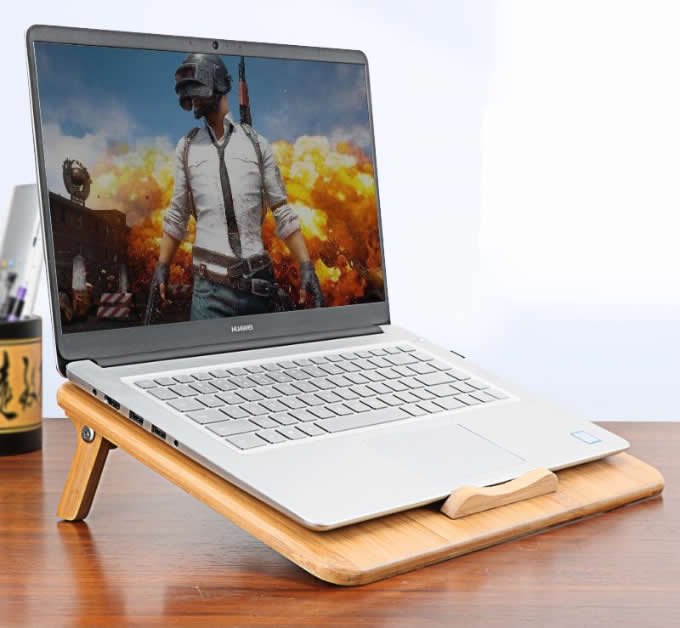
This is Klim's unique little cooler: it blends perfectly into a wooden or sophisticated setting. Ideal for those for whom aesthetics are a key factor in choosing computer equipment. But make no mistake, this natural bamboo cooler is built for gamers: it's equipped with two 130mm fans, each spinning at 1300 RPM. The Klim Bamboo is truly designed for performance.
You can, however, adjust the fan speed to suit your specific needs. Made from natural bamboo wood, this cooler is also very sturdy. It will accompany you through all your activities. Its dimensions are perfectly suited to laptops up to 16 inches. It can also accommodate slightly larger laptops (17.3, 18, and 19 inches), but these will overhang slightly on the sides.
It's also very quiet, with a noise level not exceeding 26dB, equivalent to a soft whisper (in other words, you won't hear it!). It's the ideal model for those who need to work in silence. Finally, it features two USB ports and an anti-slip system for added stability and comfort.

7. Targus: An ergonomic laptop cooler!

Features and Reviews
A minimalist yet highly efficient cooling pad? That's the promise of the Targus! It's equipped with two fans, each spinning at 1900 RPM, providing high-performance ventilation suitable for all types of use. The fans circulate fresh air evenly and keep the inside of your machine clean. This ensures greater durability and a performance boost for your PC.
Its clean design blends easily with any type of furniture, without clashing with the decor. Its simple style makes it a particularly good match for a minimalist Mac or PC.
It offers excellent ergonomics with the option to raise the back of your laptop, making typing more comfortable and preventing muscle fatigue (especially in the neck and shoulders). The neoprene edges soften the surface and allow you to comfortably rest it on your lap. The Targus is equipped with a USB port and is compatible with laptops up to 17 inches.

8. Havit HV: Simple but effective!

Features and Reviews
The Havit HV boasts a simple design and impressive performance. It features three large 110mm fans that deliver optimal airflow. The Havit operates very quietly, making virtually no noise! Its two adjustable speed settings provide maximum comfort during gaming or work sessions.
The metal mesh of the grille allows for multidirectional airflow and even cooling, as well as a super-durable structure. Slim and lightweight, it's convenient to carry and ensures your PC is protected wherever you go.

FAQ—Discover all the details about the laptop cooler!

The advantages of a laptop cooler!
If you're hesitant to buy a cooler for your laptop, here are some advantages it can offer!
Keeps your PC at optimal temperature

There are many reasons why a laptop computer's temperature rises: dust accumulation, program overactivity, unsuitable media, etc.
In principle, the cooling and ventilation systems already integrated into your laptop regulate its temperature. However, it's not uncommon for these systems to be insufficiently efficient (if your PC is even slightly old, its cooling systems may start to show signs of weakness). Your computer then becomes extremely sensitive to its environment and can overheat considerably. A cooler, equipped with one or more fans, acts as an angled support for your computer and helps keep the temperature low. It allows you to make the most of your PC's resources .
Prevents the frequent overheating of small laptops
Unlike a well-ventilated desktop computer with a modular power supply , small laptops are more prone to overheating . This is quite logical: the smaller they are, the smaller their ventilation and cooling systems tend to be. Furthermore, the smaller the laptop, the more likely it is to be carried around, and therefore used in unsuitable locations and on unsuitable surfaces. As a result, they tend to easily absorb heat, increasing the risk of premature deterioration. A cooling pad is therefore highly recommended when choosing a small form factor laptop.
Easy to use
One of the great things about this device is its practicality. It's very easy to use. You simply turn it on and place your computer on it. It's similar to a tray, with the option to tilt it, which makes using your PC more comfortable (especially during long gaming sessions). Say goodbye to neck and back strain that can cause chronic pain.
Why is it recommended to use a cooler for your laptop?

An overheating computer is primarily due to a physical phenomenon: the components dissipate their electrical energy as heat. It's therefore perfectly natural for it to get warm. However, the problem arises when the heat generated becomes excessive. The PC's cooling system is no longer able to properly regulate the temperature, the components lose stability… And then, disaster strikes: blue screens, annoying reboots, beeping sounds, etc. A whole host of bugs, in short.
When that happens, no matter how much we rant on the keyboard, we often end up needing a short break and a proper restart. Yes, nothing is more infuriating.
It's easy to imagine that this overheating phenomenon is typical of gamers. Logically, the more a PC's resources are used, the more likely it is to reach record temperatures. A PC overheating while gaming is a classic example.
In reality, you don't need to be a hardcore gamer to encounter the problem of an overheating laptop. It's very common when using it for several hours at a time, for example, while watching a series, and on certain surfaces like a mattress, your lap, or any other non-rigid surface. Overheating can also occur if you use it in poorly ventilated or overly bright environments (next to a window where sunlight filters through, for example).
It's important to understand that your laptops are equipped with fans that act like dust vacuums. They suck in dust, which accumulates over time and eventually clogs the air filters, leading to an obvious risk of overheating and a host of other problems. But beyond the immediate annoyance of an overheating computer, the real risk is seeing its components fail one after another, resulting in data loss. Therefore, it's absolutely essential that you take good care of your machine.
The best cheap coolers for your laptop!
Ventilated stand or air extractor: 2 cooling systems
The ventilated support
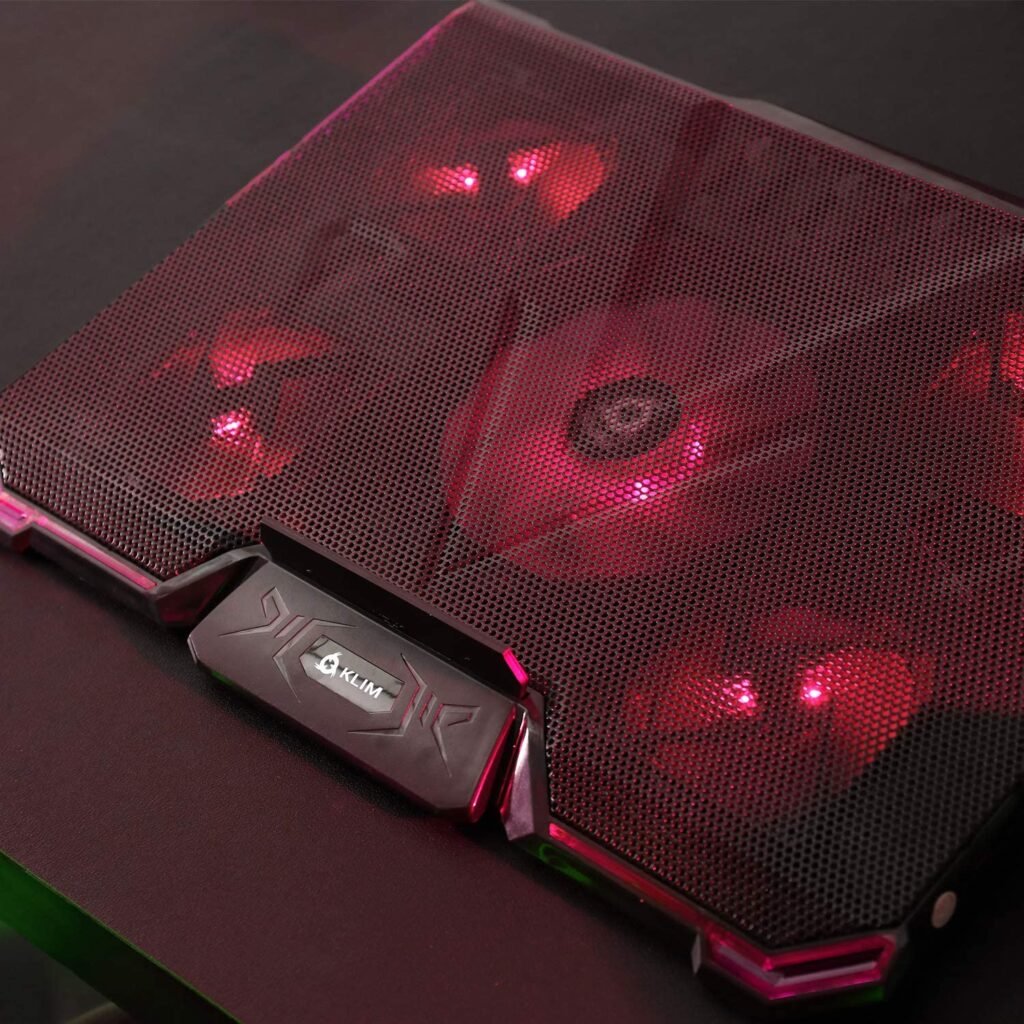
The ventilated stand takes the form of a tilting shelf. It is equipped with one or more fans protected from the outside by a metal grille. Simply place the laptop on it. The cool air, propelled by the fans, enters the laptop through the air intake located under the chassis.
You may encounter this system under different names: cooling pad, fan, or cooling pad. Don't be confused; they all refer to the same cooling system: the ventilated support.
Benefits :
The ventilated stand has the major advantage of practicality. It fulfills its primary function by cooling the laptop, but it also proves to be very ergonomic. The stand offers real comfort to the user by allowing the laptop to be tilted (depending on the model, it can tilt up to 60°. Others, however, are only equipped with small retractable feet). It is therefore ideal for long gaming or work sessions, but also for use in a reclining position (in bed, for example). It has been shown that working on a laptop tilted rather than lying flat makes it less tiring to use.
Disadvantages:
Regarding ventilated stands, the main drawback is the potentially disturbing noise. However, some models are designed to be very quiet. By paying attention to this selection criterion, you can certainly find a silent ventilated stand.
Furthermore, depending on the model, they are not always easy to transport. Some larger ones are difficult to fit in a laptop bag.
The air extractor

An air extractor is a newer system that works differently from a cooling pad; unlike the latter, this system doesn't draw fresh air into the computer through the air intake, but rather extracts hot air from the exhaust. Its function is therefore to remove heat from the PC, not to dilute it with cool or tempered air. In terms of performance, it's slightly superior to a cooling pad and thus ensures a lower temperature. One minor drawback of this device is that it must be placed to the side or behind the computer (depending on the location of the air vent).
Benefits :
Air extractors are generally a bit more powerful than inclined supports, but they are also lighter and smaller, making them easier to transport.
Disadvantages :
They must be placed in front of the air vent, either behind the computer or to the side. This gives the device a somewhat intrusive look. It all depends on how you use your PC, but it's definitely a drawback for some of us.
How does a ventilated support work?
We explained earlier how the system works: one or more fans blow a cold air current into the PC's air intake, located under the chassis.
The processing power varies from one model to another, and each user can find the one that suits their needs. Gamers will need super-powerful hardware to fully utilize their PC's capabilities. The same applies to professionals who use resource-intensive software.
What about the power supply ? Well, the cooling pad connects to the laptop via a USB cable, quite simply. It then synchronizes with the computer's operation and runs at its pace. The fans start working when the laptop is plugged in and adjust their speed to the computer's needs. If the laptop is cool or not really heating up, the cooler reduces its speed. Conversely, if the laptop's temperature rises, the cooler kicks into high gear.
The best-selling curved PC monitors of the year!


How to choose the right laptop cooler?
To choose the cooler that perfectly suits your needs, here are some things to consider .
The number of fans in the cooler
This will determine the power of your cooler. If you push your laptop to its limits and use its performance to the fullest, opt for a cooler with multiple fans. This is very important, especially for performance-hungry gamers who are ruthless with their PCs!
Fan characteristics.
The number of fans is a key factor that will affect the cooler's performance, but it's not the only one. Their speed is also important. The most powerful models reach up to 4500 RPM, while entry-level models operate at 1200 RPM. The positioning of the fans is also worth considering, as it can influence the cooling system's effectiveness.
The number of USB ports
Pay attention to the number of USB ports on the cooler; these will allow you to connect your peripherals directly, freeing up your PC's ports and reducing overheating. USB 3.0 ports are preferable.
Choose a quiet cooler
Be mindful of the noise. This is the cooler's one minor drawback: being equipped with fans, it's common for it to be a little noisy. If, for whatever reason, you want to play or work in a quiet environment, choose one that doesn't emit more than 30 dB. To give you an idea, this noise level is equivalent to a whisper…
Buy a cooler whose dimensions match those of your laptop
Yes, it sounds obvious, but it's always good to reiterate; it's easy to get distracted by other selection criteria and forget the essentials. It would be a shame to have to return your cooler as soon as it's out of the box. Use the screen size and the weight of your PC as indicators; they will help you make the right choice. Opt for a size slightly larger than your computer's dimensions; you'll gain in comfort.
The material of your cooler
The choice of material is also very important. They exist in plastic and even wood, but if possible choose an aluminum model: both strong and light, this metal offers the best of both worlds and allows you to fully enjoy the advantages of such a system.
Air extractor or ventilated support?
Ultimately, it's a matter of personal preference. Both systems are effective; both will prevent your laptop from overheating (the extractor fan might be slightly more effective). However, since the extractor fan is positioned in front of or behind the laptop, it can be bulky (as mentioned earlier). It's up to you to decide which one best suits your needs.
Specifically, if you're looking for precision: there are coolers designed specifically for certain types of components. You'll find coolers for hard drives, processors, cases, graphics cards, and so on.
Why is your PC overheating?

There are many reasons why your computer might overheat. As we've seen, it could be due to a buildup of dust clogging the filters, but also to processor overheating . This happens when you push it to its limits by using its full resources. A gamer playing a resource-intensive video game is more likely to encounter an overheating, noisy computer.
Your computer's components are made of transistors and microchips, which are themselves composed of semiconductors. Binary signals (0 or 1) that carry current are what make these parts work. A signal of 1 corresponds to an "ON" state, and a signal of 0 corresponds to an "OFF" state. When the signal is "OFF," the transistors act as resistors to prevent current from flowing: it is this resistance that generates heat. The more semiconductors a processor contains, the more likely it is to overheat. Generally speaking, the more powerful the processor, the greater the risk of overheating.
Whatever your activity on the PC, you generate heat. This increases with the intensity of the tasks (from a physical point of view).
Don't risk losing your data
As you've probably gathered, it's important to monitor your computer's temperature. It's even crucial: it's a guarantee of longevity. A computer that overheats too frequently risks exploding. It also risks losing your data and game saves forever if you haven't thought to back them up.
Without going that far, ensuring the correct temperature of your PC will prevent some stressful situations: your laptop overheating and shutting down (with the fear of having lost all your data).
Several solutions exist
To avoid any power outages, crashes, PC overheating problems during gaming , and other similar issues, there are solutions.
One of the solutions (perhaps the most effective) is to equip yourself with a cooler. You can choose between an air extractor or a ventilated stand. Both will work perfectly. The choice will depend on your tastes, preferences, and needs.
The laptop air extractor has the advantage of being easily portable. Its small size allows it to be easily slipped into a bag. However, once attached to your laptop, it is less practical than a cooling pad. It increases the surface area required for your computer. In terms of performance, it seems to have a slight edge; the difference is small but can be significant for experienced gamers.
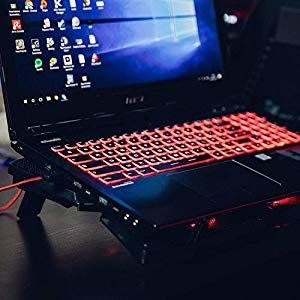
As for the angled stand, it offers a great dual advantage. It's both effective at keeping your computer's temperature within an acceptable range and provides added comfort. The tilt of the device encourages better posture (improved head position, good back support, neck alignment, etc.). And we all know how tiring a prolonged gaming session can be for the body: pain radiating from the shoulders to the neck.
The slight drawback lies in the noise. Depending on the model and the number of fans it uses, the angled stand can be quite bothersome. However, manufacturers have taken this issue into account. Some brands therefore offer quieter versions (emitting 30 dB).
The other minor drawback is this: it takes up space, regardless of your PC. Attached to your computer, it's an integral part of it, but separate, it's an extra device to carry. Some will fit in a laptop sleeve, but not all.
As you can see, there are quite a few points to check before purchasing a laptop cooler.
So take the time to choose the most suitable device, according to the criteria discussed in this comparison: consider the size, weight, fan power, etc.
Imagine yourself using a cooler and ask yourself the right questions: Where do you use your laptop? How? Do you absolutely need to work in a quiet environment? Do you often take your laptop with you when you travel?
Take care of your computer
In any case, even with a cooling pad, be sure to let your laptop cool down from time to time. We tend to leave it constantly on, never closing programs. It's understandable; when you're in the middle of a project, you don't necessarily want to shut everything down and turn it off. And besides, a PC that's turned on and off too often is likely to wear out faster than expected. But the opposite is also true: never turning it off is a very bad habit (a bit like never sleeping. You'd end up going crazy).
In general, take care of your computer. Make sure not to leave it baking in direct sunlight, and avoid sprinkling it with breadcrumbs and other food residue.
Organize your PC too. Clean it up, tidy it! A clean and organized PC will run cooler!
If you follow these recommendations, your PC's overheating will soon be a thing of the past. No more cries of despair on the forums: "My PC overheats when I play games.".


