

The Mozilla Archive Format (MAFF) is a file format that allows entire web pages to be saved in a single compressed file. It was developed by the Mozilla Foundation Firefox and SeaMonkey browsers .
Unfortunately, the MAFF format is no longer supported by Firefox since version 57, released in November 2017. This decision was prompted by the switch to a new extension system, called WebExtensions, which does not allow the use of the MAFF format. Firefox users who have archives in MAFF format are therefore unable to open them with their usual browser.
Fortunately, there are solutions to restore the Mozilla archive format and continue enjoying its benefits. In this article, we'll present three methods to achieve this!
Use an older version of Firefox or SeaMonkey

The first method involves using an older version of Firefox or SeaMonkey that still supports the MAFF format. This is the simplest solution, but also the least recommended, as it poses risks to your computer's security and performance. Indeed, older versions of Firefox or SeaMonkey no longer receive regular updates that patch security vulnerabilities and improve browser functionality. Furthermore, they may be incompatible with some modern websites that use recent technologies.
If you choose this method, here are the steps to follow:
- Download an older version of Firefox or SeaMonkey from the official Mozilla website: https://ftp.mozilla.org/pub/
- Install the browser on your computer, choosing a folder different from the one where your current version is located.
- Open the browser and go to the Tools > Add-ons > Extensions .
- Search for and install the Mozilla Archive Format extension: https://addons.mozilla.org/fr/firefox/addon/mozilla-archive-format/
- Restart your browser and open your MAFF archives as you did before.
Use an extension compatible with the MAFF format
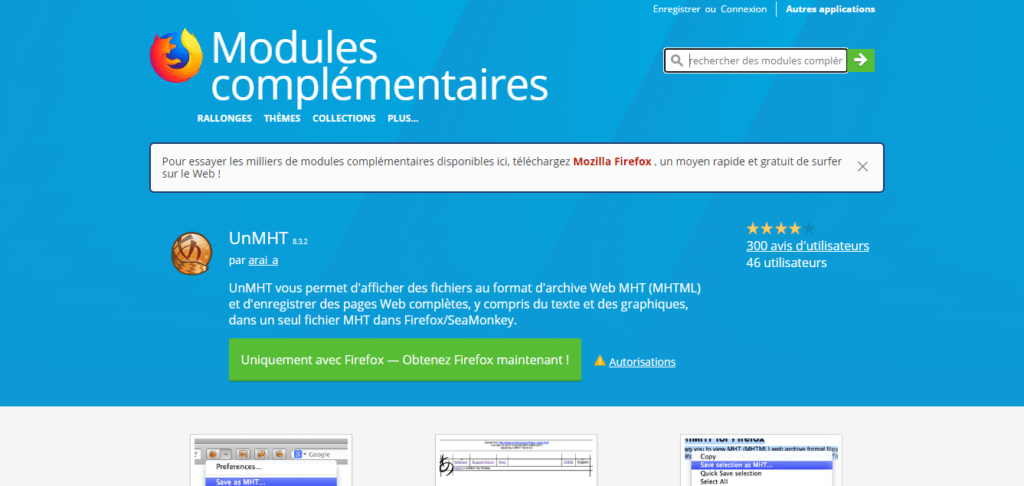
The second method involves using a MAFF-compatible extension on your current version of Firefox or SeaMonkey. This is a safer and more convenient solution than the previous one, as it allows you to benefit from the latest browser updates while still being able to open your MAFF archives . However, it's important to know that MAFF-compatible extensions are limited and may contain bugs or limitations.
Of the available extensions, we recommend one of the following two:
- UnMHT : https://addons.mozilla.org/fr/firefox/addon/unmht/
- Save Page WE : https://addons.mozilla.org/fr/firefox/addon/save-page-we/
These two extensions allow you to open your MAFF archives with your browser, and also to save web pages in various formats, including MHTML, which is similar to MAFF but more widely used. To use these extensions, follow these steps:
- Download and install the extension of your choice on your browser.
- Open your browser and go to the Tools > Add-ons > Extensions .
- Click on the Extension Options button and check the “ Enable MAFF support ” box.
- Restart your browser and open your MAFF archives by clicking the extension button in the toolbar.
Convert MAFF archives to another format
The third method involves converting your MAFF archives to a format more compatible with current browsers . This is a more sustainable and universal solution than the previous ones, as it allows you to preserve your web archives without relying on a specific browser or extension. However, it's important to be aware that the conversion may result in a loss of quality or functionality for the archived web pages .
To convert your MAFF archives, you can use one of the following tools:
- MAF Converter : https://maf.mozdev.org/converter.html
- Archive Converter : https://archive-converter.com/
- Web Archive Extractor : https://www.webarchiveextractor.com/
These tools allow you to convert your MAFF archives into other formats, such as HTML, MHTML, PDF, or ZIP. To use these tools, follow these steps:
- Download and install the tool of your choice on your computer.
- Open the tool and select your MAFF archives to convert.
- Choose the desired output format and click the Convert button.
- Save the converted files to your computer and open them with the browser or software of your choice.
FAQ
Here are some frequently asked questions about the Mozilla archive format:
What is the difference between the MAFF format and the MHTML format?
MHTML is another web archiving format that allows you to save entire web pages in a single file. It is similar to MAFF, but it uses the MIME standard to encode data. It is more widespread than MAFF and is supported by most browsers , including Chrome , Edge , and Internet Explorer .
Why choose the MAFF format for archiving web pages?
The MAFF format offers several advantages over other web archiving formats, such as HTML or MHTML:
- It allows you to preserve the formatting , images, sounds, videos and scripts of web pages.
- It offers better compression and a reduction in the disk space occupied by archives.
- It facilitates the sharing and consultation of archives , since it is enough to open them with a compatible browser.
- It complies with web standards and is independent of the operating system.
What are the advantages of the MAFF format compared to the HTML format?
HTML is the format for representing web pages . It allows you to save the source code of a web page in a text file. However, it doesn't allow you to save the elements associated with the web page, such as images, sounds, videos, or scripts. Therefore, you have to create a separate folder to store these elements, which makes archiving more complex and less reliable. The MAFF format solves this problem by integrating all the elements into a single compressed file.
How to create archives in MAFF format?
To create archives in MAFF format, you need to use a browser compatible with this format, such as Firefox or SeaMonkey , and install the Mozilla Archive Format extension. Then, go to the web page you want to archive and click the extension button in the toolbar. You can then choose the MAFF format and the destination folder to save your archive.
You can also use the File > Save As… and select the MAFF format from the drop-down list.
You can also use the keyboard shortcut Ctrl+Shift+U to save the web page in MAFF format.
Conclusion
The Mozilla Archive format is a file format that allows you to save entire web pages in a single compressed file. It offers better fidelity, compression, and ease of use than other web archiving formats. However, it is no longer supported by Firefox since version 57, which poses a problem for users who have archives in MAFF format. To restore the Mozilla Archive format , you need to access the about:config page in your browser and modify certain settings .
We hope this article has helped you understand what the Mozilla archive format is and how to restore it. If you have any questions or comments, please feel free to share them in the section below.


