
AliExpress is an online marketplace that allows you to buy products at low prices from Chinese sellers. But perhaps you're no longer satisfied with the service, you want to protect your personal data, or you've found a better alternative. In that case, you have the option to delete your AliExpress account.
Here's how to do it!
Step 1: Log in to your Aliexpress account
The first thing to do to delete your Aliexpress account is to log out. To do this, you must:
- Go to the AliExpress website or open the mobile app
- Click on the “Account” icon in the top right corner of the screen
- Enter your email address or phone number and your password
- Click on “Log in”
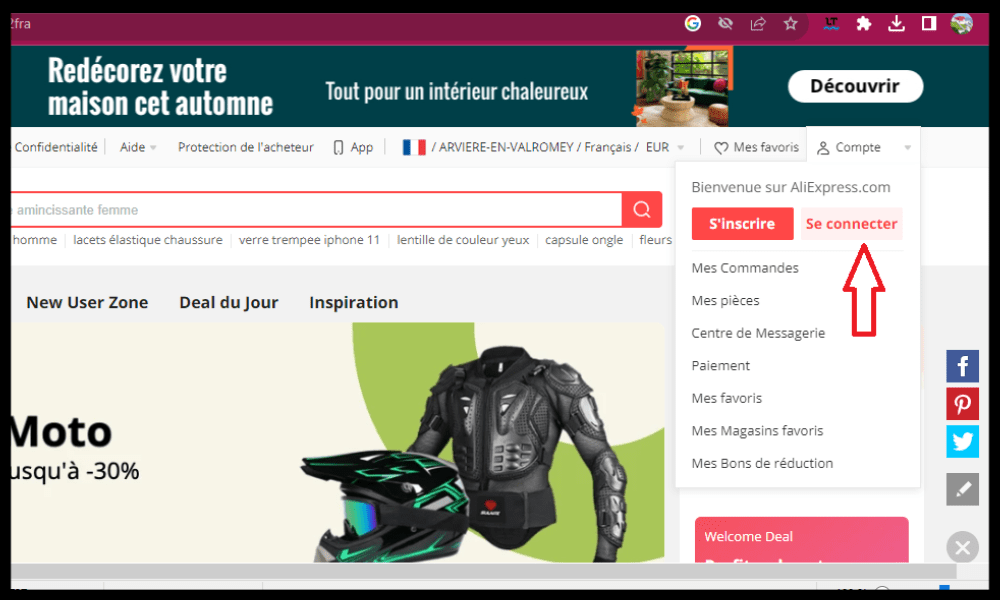
If you have forgotten your password, you can click on “Forgot your password?” and follow the instructions to reset it.
Step 2: Access account settings
Once logged into your Aliexpress account, you need to access your account settings. To do this, you must:
- Click on the “Account” icon in the top right corner of the screen
- Click on “Account Settings”
- Click on “Edit account settings”
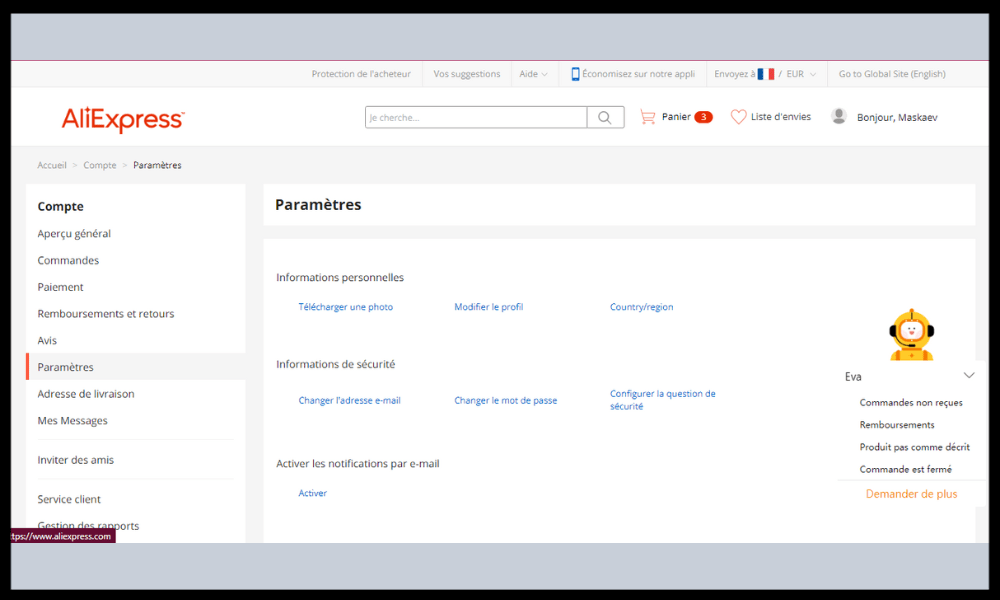
You will then see a page with different options, such as:
- Change password
- Change email address
- Change phone number
- Change username
- Change profile picture
- Change language preferences
- Change notification preferences
Step 3: Request account deletion
To request the deletion of your AliExpress account, you must:
- Click on “Delete account” at the bottom of the page
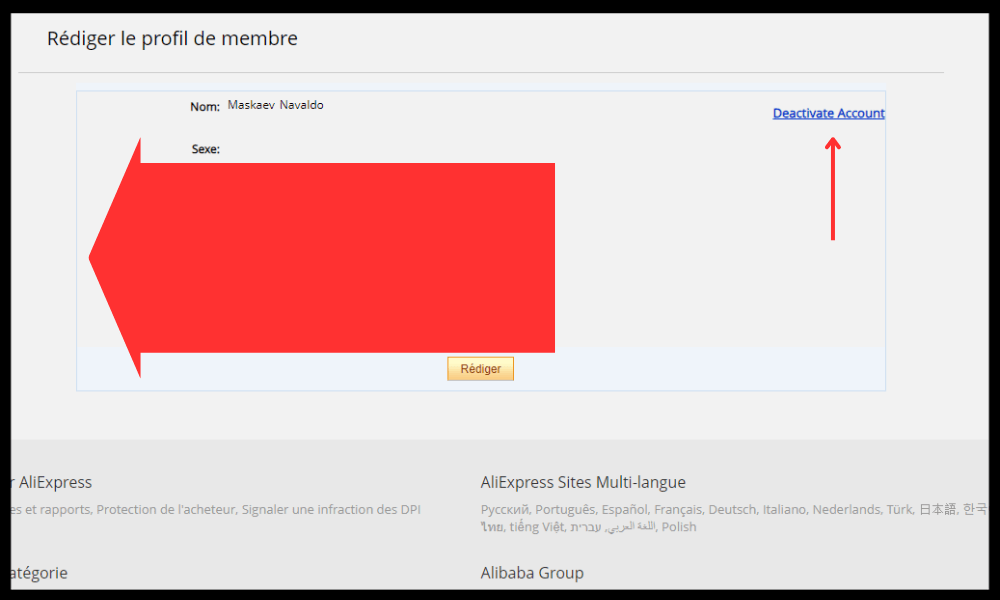
- Read carefully the consequences of this action, such as:
The permanent loss of all your personal information, such as your name, address, phone number, etc.
The permanent loss of all your purchase, payment, delivery, etc. history.
The permanent loss of all your coupons, bonus points, gift cards, etc.
The inability to use the same email address or phone number to create a new AliExpress account
The inability to access services associated with AliExpress, such as Alipay, Alibaba Cloud, Taobao, etc.
- Check the box “I understand the consequences…” to confirm that you have read the consequences and that you accept the terms and conditions of use.
- Click on “Continue”
You will then need to complete a questionnaire asking you why you want to delete your account. You will have to choose from the options provided, such as:
- I don't use AliExpress often
- I don't like AliExpress's products or customer service
- I receive too many notifications or advertisements from AliExpress
- I am concerned about my privacy or my personal data
- I found another platform that suits me better
- Other
You will also need to indicate if you have encountered any problems or difficulties with AliExpress, such as:
- Damaged products or products not as described
- Delivery delays or errors
- Payments refused or not secured
- Unresolved or unsatisfactory disputes
- Difficulties contacting customer service
- Other
Finally, you will need to give your opinion on AliExpress, evaluating different aspects, such as:
- Product quality
- Product selection
- Product prices
- Customer service
- The ease of use of the website or application
- General satisfaction
You can also add a free-form comment to express your opinion or suggestions.
Step 4: Confirm account deletion
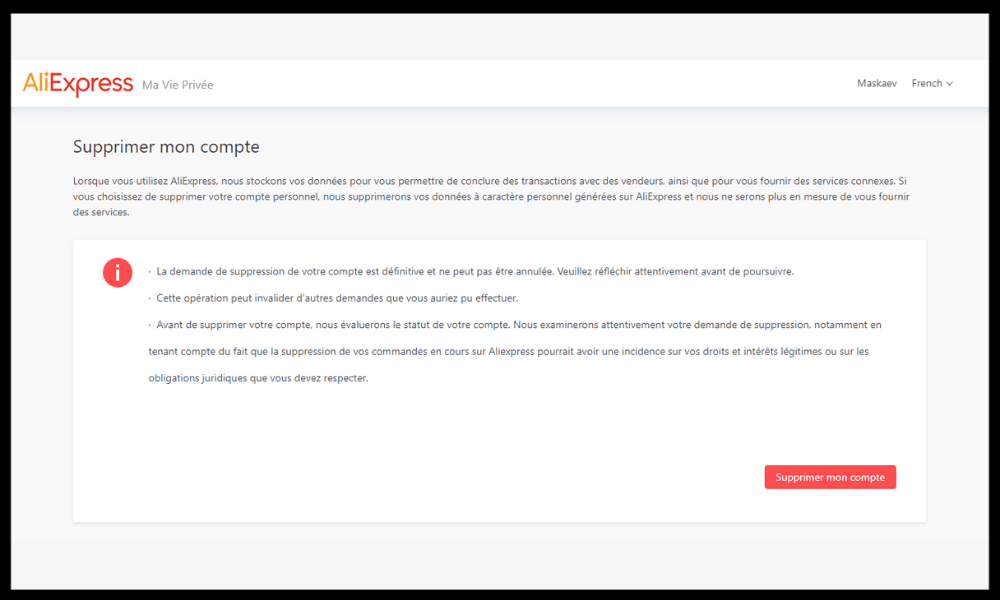
After completing the questionnaire, you will need to confirm the deletion of your AliExpress account. To do this, you must:
- Click on “Submit”
- Enter the verification code that will be sent to you by email or SMS
- Click on “Confirm”
You will then see a message informing you that your request has been received and that your account will be deleted within 24 hours.
Step 5: Verify account deletion
To verify that your AliExpress account has been successfully deleted, you can:
- Try logging into your account with your old email address or phone number. You should receive an error message stating that the account does not exist.
- Check your email inbox. You should receive a confirmation email from AliExpress informing you that your account has been successfully deleted.
Why delete your AliExpress account?
Before you proceed with deleting your AliExpress account, it's important to understand why you want to do so. Here are some possible reasons:
- You are not satisfied with the quality of the products, customer service, or delivery time.
- You are afraid that your personal data will be used for malicious purposes or sold to third parties.
- You want to reduce your consumption and environmental impact by buying less or better.
- You have found another platform that suits you better, whether in terms of price, choice or security.
Whatever your reason, be aware that deleting your AliExpress account is an irreversible decision with consequences. Indeed, by deleting your account, you will lose:
- Your order history and invoices.
- Your coupons, your points and your discounts.
- Your wish lists and your favorites.
- Your ratings and comments.
- Your access to associated services, such as AliPay, AliExpress Premium or AliExpress Dropshipping.
Therefore, before deleting your AliExpress account, make sure you have thought it through carefully and have backed up all important information you might need later.
How to recover your Aliexpress account after deleting it?
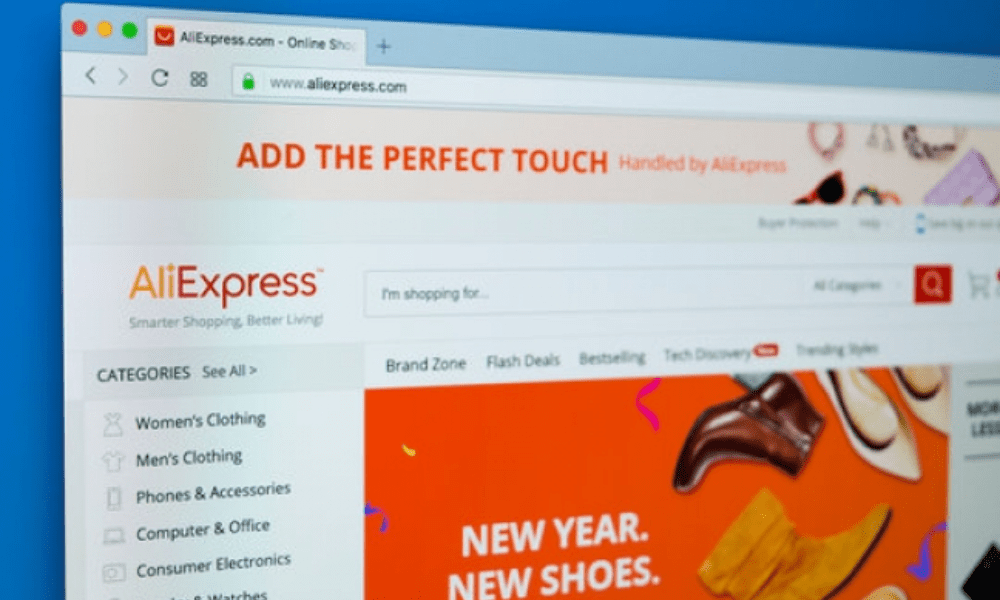
Unfortunately, it is not possible to recover your AliExpress account after deleting it. As explained in the article, deleting your account results in the permanent loss of all your personal information, purchase history, payment history, shipping history, etc. You will also not be able to use the same email address or phone number to create a new AliExpress account. This is a security measure designed to protect your privacy and personal data.
If you regret deleting your AliExpress account, the only solution is to create a new one with a different email address or phone number. You will then have to start from scratch and lose all the benefits you accumulated with your old account.
How to delete your AliExpress account without a password?
If you have forgotten your password and wish to delete your AliExpress account, you must first reset your password. To do this, you must:
- Go to the AliExpress website or open the mobile app
- Click on the “Account” icon in the top right corner of the screen
- Click on “Forgot your password ?”
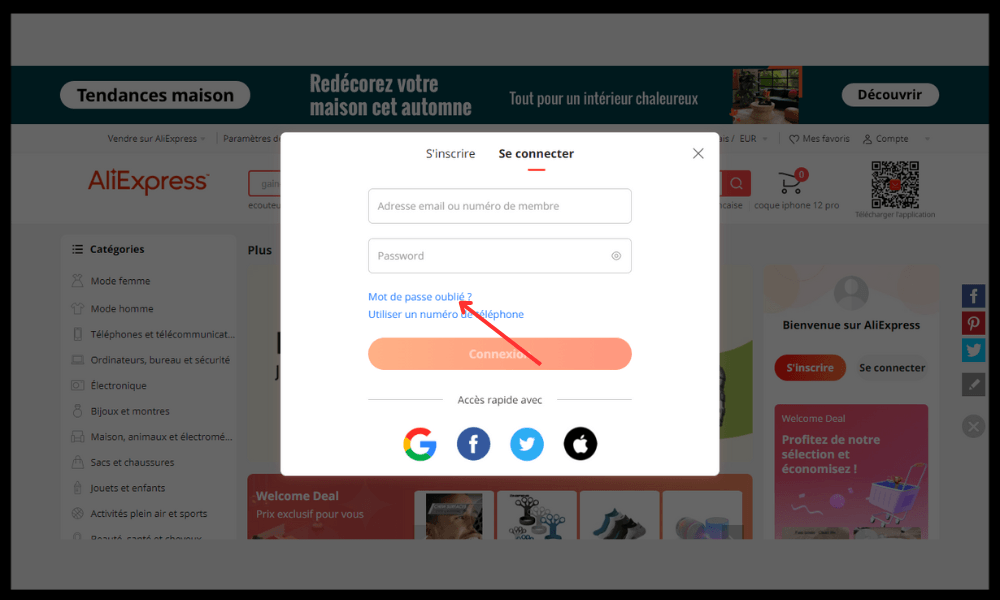
- Enter your email address or phone number associated with your account
- Click on “Send”
- Follow the instructions that will be sent to you by email or SMS to create a new password
Once you have reset your password, you can follow the steps outlined in the article to delete your AliExpress account.
How to delete your AliExpress account without logging in?
It is not possible to delete your AliExpress account without logging in. You must log in with your email address or phone number and password to access your account settings and request account deletion. This is a security measure to prevent someone else from deleting your account without your knowledge.
If you are having trouble logging into your AliExpress account, you can check the following points:
- Please check that you have correctly entered your email address or phone number and password
- Check that you have a stable internet connection.
- Check that you have not activated private mode or an ad blocker on your browser
- Check that you have not changed the security settings or cookies on your browser
- Make sure you are using the latest version of the AliExpress website or app
If the problem persists, you can contact AliExpress customer service for assistance.
How to temporarily delete your AliExpress account?
There is no option to temporarily delete your AliExpress account. You can only permanently delete your AliExpress account, which will result in the irreversible loss of all your data and information.
If you wish to take a break from AliExpress without permanently deleting your account, you can:
- Disable AliExpress notifications and ads by changing your preferences in your account settings.
- Remove the AliExpress mobile app from your phone or tablet
- Stop visiting the AliExpress website for a while
This will allow you to resume using your AliExpress account whenever you want without losing your benefits.