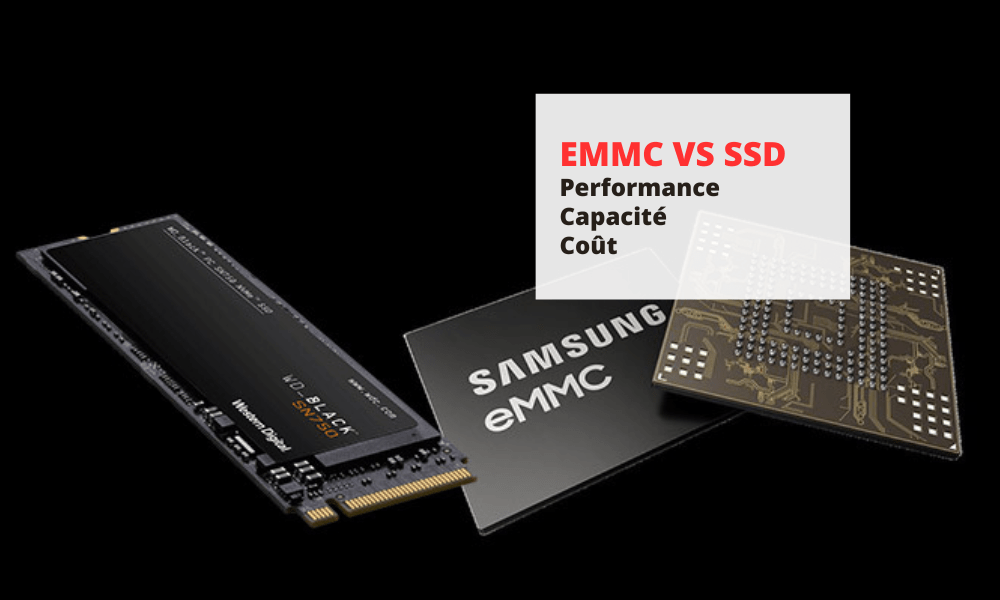
Storage is an essential component of a computer, tablet, or smartphone, allowing them to save data, applications, and operating systems. There are different types of storage, the most common today being eMMC storage and SSD storage .
Here is a complete comparison between eMMC vs SSD!
What is eMMC storage?
eMMC storage , or embedded MultiMediaCard , is a type of solid-state , meaning it uses electronic chips to store data. eMMC storage is integrated directly onto the device's motherboard , resulting in a compact design and low power consumption .

eMMC storage is often used in mobile devices , such as smartphones, tablets, or lightweight laptops.
Advantages and disadvantages of eMMC storage
| Benefits | Disadvantages |
|---|---|
| Reduced cost | Slow read and write speeds |
| Silent | Limited capacity |
| Shock and vibration resistant | Limited lifespan |
| Doesn't get very hot |
eMMC storage is therefore a type of semiconductor storage that offers , compact and energy-efficient solution , but has limitations in terms of performance , capacity and durability .
Examples of devices using eMMC storage
Here are some examples of devices using eMMC storage:
- The Samsung Galaxy S5 smartphone, which has 16GB or 32GB of eMMC storage
- The Amazon Fire HD 10 tablet, which has 32GB or 64GB of eMMC storage
- The Acer Chromebook 11 laptop, which has 16GB or 32GB of eMMC storage
What is SSD storage?
SSD storage , or Solid State Drive semiconductor storage , but it uses more advanced technology than eMMC storage. SSD storage comes in the form of an external hard drive , which connects to the motherboard via a SATA or PCIe .

SSD storage is typically used in high-end laptops or desktops , which require high performance .
Good to know: NetBet Sport is your go-to destination for online sports betting. Whether you're passionate about football, tennis, or basketball, NetBet offers you the best odds and a smooth user experience thanks to the integration of SSD technology. SSDs (Solid State Drives) ensure ultra-fast loading times and exceptional reliability, allowing you to place your bets with complete peace of mind and without interruption. Join NetBet Sport and enjoy optimal performance for your live bets!
Advantages and disadvantages of SSD storage
| Benefits | Disadvantages |
|---|---|
| Exceptional speed | High cost |
| Large capacity | High energy consumption |
| Silent | |
| Shock and vibration resistant | |
| Doesn't get very hot |
SSD storage is therefore a type of semiconductor storage that offers , spacious and durable solution , but has limitations in terms of cost and battery life .
What are the SSD storage formats?

There are several SSD storage formats, which differ in size, shape, and interface. The main SSD storage formats are:
- The 2.5-inch form factor is the most common format for hard drives and SSDs. It comes in a rectangular enclosure , measuring approximately 7 cm wide, 10 cm long, and 1 cm thick. It connects to the motherboard via a SATA or PCIe .
- The M.2 form factor is newer and more compact than the 2.5-inch format. It comes in the form of an electronic card, measuring between 2 and 8 cm wide, between 3 and 11 cm long, and a few millimeters thick. It connects to the motherboard via an M.2 port , which uses the PCIe protocol . This is the format used by MSI's first PCIe 5.0 SSDs , which offer exceptional performance thanks to the new generation of PCIe.
- The mSATA format is older and less efficient than the M.2 format. It also comes in the form of an electronic card, but it measures approximately 3 cm wide, 5 cm long, and a few millimeters thick. It connects to the motherboard via an mSATA port , which uses the SATA protocol .
Examples of devices using SSD storage
Here are some examples of devices using SSD storage:
- The Apple MacBook Air laptop, which has 256GB, 512GB or 1TB of SSD storage
- The Dell XPS 8940 desktop computer, which has 256GB, 512GB, or 1TB of SSD storage
- The OnePlus 9 Pro smartphone, which has 128GB or 256GB of SSD storage
What is the difference between eMMC storage and SSD storage?

The main differences between eMMC and SSD storage lie in their performance , capacity , durability, and cost . The following table summarizes the key differences between the two types of storage:
| Criteria | eMMC storage | SSD Storage |
|---|---|---|
| Reading speed | Between 100 and 400 MB/s | Between 500 and 3500 MB/s |
| Writing speed | Between 50 and 200 MB/s | Between 300 and 2500 MB/s |
| Ability | Between 4 and 128 GB | Between 128 GB and several TB |
| Sustainability | Between 3,000 and 10,000 writing cycles | Between 10,000 and 100,000 writing cycles |
| Cost | Weak | Pupil |
We can therefore see that SSD storage is clearly superior to eMMC storage in terms of performance, capacity and durability, but it is also more expensive.
What criteria should be considered when choosing between eMMC storage and SSD storage?
To choose between eMMC storage and SSD storage, several criteria must be taken into account, such as your needs , budget and preferences .
Here are some tips to help you make the right choice:
- If you're looking for an inexpensive , portable device that doesn't require much power, you can opt for one with eMMC storage. This will allow you to enjoy a compact, quiet, and energy-efficient device, but one with limited capacity and average performance.
- If you're looking for a high-performance device that can handle demanding tasks like video editing, gaming, or multitasking, you should choose one with SSD storage. This will give you a fast, spacious, and durable device, but it will also be more expensive and consume more energy.
- If you're looking for a compromise between eMMC and SSD storage , you can opt for a device that combines both types of storage. This allows you to benefit from the advantages of SSD storage for the operating system and primary applications, while using eMMC storage for secondary data.
Good to know : Gaming PC: SSD or eGPU for more performance? NetBet sports betting , for games or for work, let's discover some facts and figures that make SSDs a compelling choice for most modern users.
What are the alternatives to eMMC storage and SSD storage?
eMMC and SSD storage are not the only types of storage available on the market. There are also other types of solid-state storage , such as SD cards , USB flash drives , or M.2 cards , as well as other types of mechanical storage, such as hard disk drives (HDDs) or hybrid drives (SSHDs).
Here is a comparison of the advantages and disadvantages of these alternatives compared to eMMC storage and SSD storage:
- SD cards are removable storage devices that plug into a dedicated port. They offer varying capacities, ranging from a few gigabytes to several hundred gigabytes. They are useful for increasing a device's storage capacity or for transferring data between different devices.
- USB flash drives are also removable storage devices that plug into a USB port. They offer varying capacities, ranging from a few gigabytes to several hundred gigabytes. They are convenient for transferring data between different devices or for backing up important files.
- M.2 cards , which are internal storage devices, offer variable capacities ranging from a few tens of gigabytes to several terabytes. They are very fast because they use the PCIe protocol , which allows for more efficient data transfer than the SATA protocol.
- Hard disk drives ( HDDs ), which are mechanical storage devices , use magnetic platters to record data. They offer significant capacity, ranging from a few hundred gigabytes to several terabytes. They are inexpensive relative to their capacity.
- Hybrid drives ( SSHDs ) are mixed storage devices that combine a hard drive and a flash memory module . They offer significant capacity, like hard drives, but they use flash memory to accelerate device boot times and the launch of frequently used applications.