
Is the pleasure of watching Netflix and its countless movies and series suddenly interrupted by a black screen on your Samsung Smart TV ? Nothing is more annoying, especially when you're in the middle of a video you love!
Netflix does send a lot of data to your TV, and faced with this influx of data, some TV models can become overloaded, particularly Samsung Smart TVs. In these cases, it suddenly displays a black screen.
What should be done at that point?
Here are some tips that will allow you to restore your screen so you can happily immerse yourself in your viewing again.
Quickly resolve the black screen issue between Netflix and your Samsung Smart TV!

Here are some steps you can take to resolve your problem:
1. Unplug and replug your Samsung Smart TV
- Unplug your TV and then plug it back in after one minute…
- Then restart your Netflix app. The mysteries of technology mean that sometimes this solution is the right one!
2. Reinstall the Netflix app

Like all apps, the Netflix app receives regular updates. The latest update may not have been installed correctly on your Samsung Smart TV: You can therefore uninstall and then reinstall the Netflix app.
- To uninstall your app: press the Home button , then Settings (gear icon), then Assistance , then Car diagnostics , and finally Reset smart hub . Then simply enter your PIN.
- To reinstall Netflix, select Apps to reconfigure everything.
If you can watch your movie again, then this solution was the right one.
If it still doesn't work after these steps, here's the 3rd quick solution!
3. Clear the cache
Televisions cannot store much data. However, like computers, televisions have what is called a cache memory. This memory contains all connection information, such as cookies. You therefore need to delete this unnecessary information.
To free up as much memory as possible on your TV, you can clear its cache . To do this, turn on your TV and hold down the power button for 20 seconds . Then check if Netflix is working.
If you still have your black screen problem, the problem may not come from your Samsung smart TV. Here are some avenues to explore.
The black screen issue on Netflix can also be caused by connection or network problems
Here are some tips that can also help you solve your black screen problems.
4. Test it on other appliances in your home
Other devices you use at home also receive Netflix: your computer, phone, and tablet can provide another clue. If they also don't receive Netflix, it could be a problem directly related to the platform. In that case, be patient; these issues are rare and usually resolved quickly.
5. Check your internet box
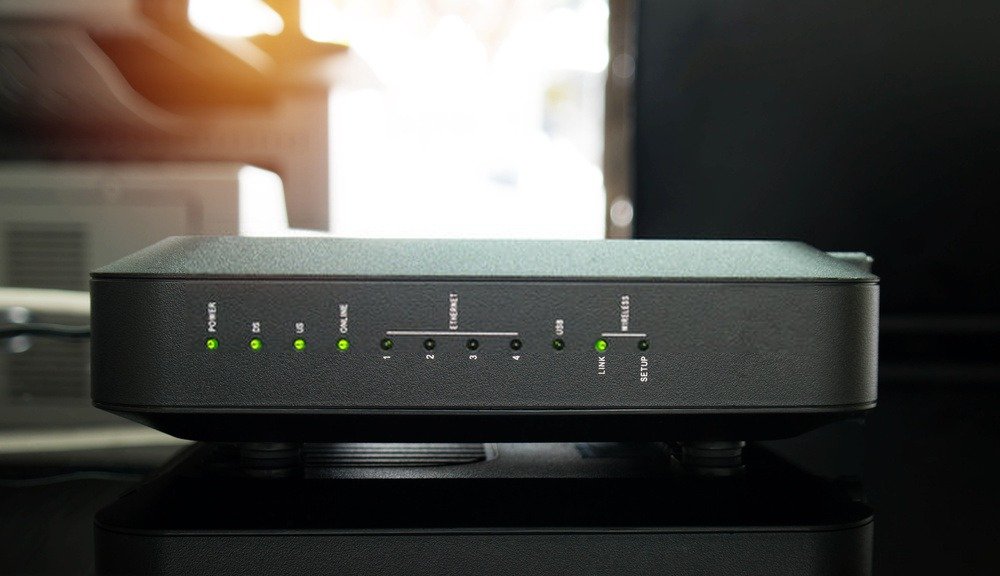
The WIFI may be the source of your problem:
- Too many devices connected to the internet box,
- Internet box disconnection,
- Your internet connection offers low bandwidth.
Check all connected devices and reconnect them. If the problems persist or recur regularly, contact your Livebox provider; it may need to be replaced.
You absolutely must see the end of your movie or series! Rest assured, there are some alternative solutions that will allow you to achieve your goal.
Other solutions to avoid a black Netflix screen on your Samsung Smart TV
If, after all these steps, you still have this black screen problem, you have two solutions left:
6. Connect another device to your Samsung Smart TV
You can connect your computer to the TV using an HDMI cable Miracast wireless technology , which allows you to connect your PC without HDMI !
The process can also be done with a tablet or phone. This way, your TV will only serve as a screen, and there will no longer be any compatibility issues between your television and Netflix.
We highly recommend getting a Chromecast if you want to share your smartphone or PC screen on your Samsung! You can find it for sale here:

Visit the Netflix website dedicated to compatible devices
Finally, for a longer-term solution, we recommend contacting Samsung support. A message from Netflix has been posted on the Samsung website: “ Netflix has announced that, due to technical limitations, as of December 2, 2019, the Netflix streaming service will no longer be available on certain consumer electronics devices, including Samsung devices. ” The affected televisions are only Samsung Smart TVs manufactured in 2010 and 2011. If this applies to your television, you can visit the page dedicated to compatible devices .
Normally, after all these suggested solutions, all you have to do is enjoy your video. Enjoy the movie!


