When it comes to buying a quality 240Hz PC monitor, the choice is vast! But finding the perfect one can be tricky… The monitor market is becoming increasingly difficult to navigate, whether you're a novice gamer or not. This is due to the numerous innovations offered by manufacturers. And as we're discussing, the refresh rate is a must-have when choosing a PC monitor. The latest innovation for monitors is 240Hz, which radically changes the game compared to older models.
Discover our comparison of PC monitors with a 240Hz refresh rate now!
We have also carried out a complete comparison of the best 144Hz monitors !
1. Ben Zowie XL2546 PC Monitor: the highest rated, the current best-seller!
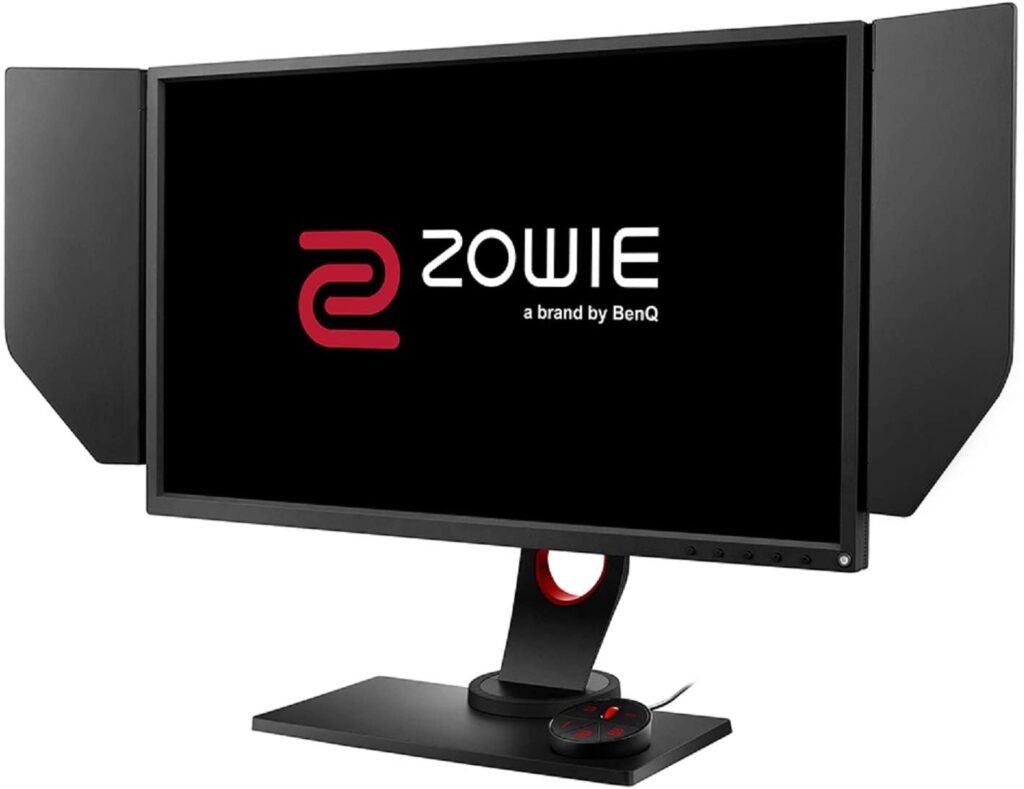
How good is the Ben Zowie XL2546 240Hz PC monitor?
The manufacturer has positioned this monitor in its premium category. And for good reason; you'll get your money's worth. Featuring Full HD technology, the Ben Zowie 240Hz monitor delivers stunning image quality right out of the box. This is precisely why it boasts thousands of positive reviews on Amazon.
To be perfectly honest, 80% of customers are completely won over! Even without synchronization, the manufacturer has placed particular emphasis on the wide range of settings. The gaming experience is fantastic at 240Hz, especially compared to cheaper models that offered refresh rates of 60 or 75Hz. The monitor features two HDMI ports, three USB 3.0 ports, one USB 2.0 port, one DisplayPort, and one DVI-DL port, giving it a certain versatility and justifying its place in its price range.
Design and ergonomics
Installing the Ben Zowie XL2546 is incredibly easy. However, you will need a significant amount of desk space. The fact that the screen has bezels on the edges allows you to focus on all aspects of the game without any distractions. Furthermore, it's quite comfortable to hold.
An integrated control station will help you navigate your screen's menus and save your different settings. There are three preset buttons. Clicking one of them will allow you to easily switch between modes.
What's inside this 240Hz screen?
Black Equalizer, Dynamix Accuracy, Color Vibrance… Zowie's 240Hz monitor boasts a wealth of features. Thanks to Black Equalizer technology, dark areas become brighter without brightening light areas. This makes it a practical monitor for games where enemies are in shadow and difficult to spot. We were delighted to discover this during our testing. Color Vibrance is useful if you want to adjust the color saturation level.
Zowie doesn't provide details on the Dynamix Accuracy feature. However, we tested our Ben Zowie XL2546 240Hz PC monitor with and without it enabled, and we found that this feature helps reduce screen blur during sudden, fast-paced action. This makes it a suitable 240Hz PC monitor for games requiring intense responsiveness.
2. Asus ROG PG256G 240Hz Monitor: The ideal compromise for e-sports and gaming enthusiasts
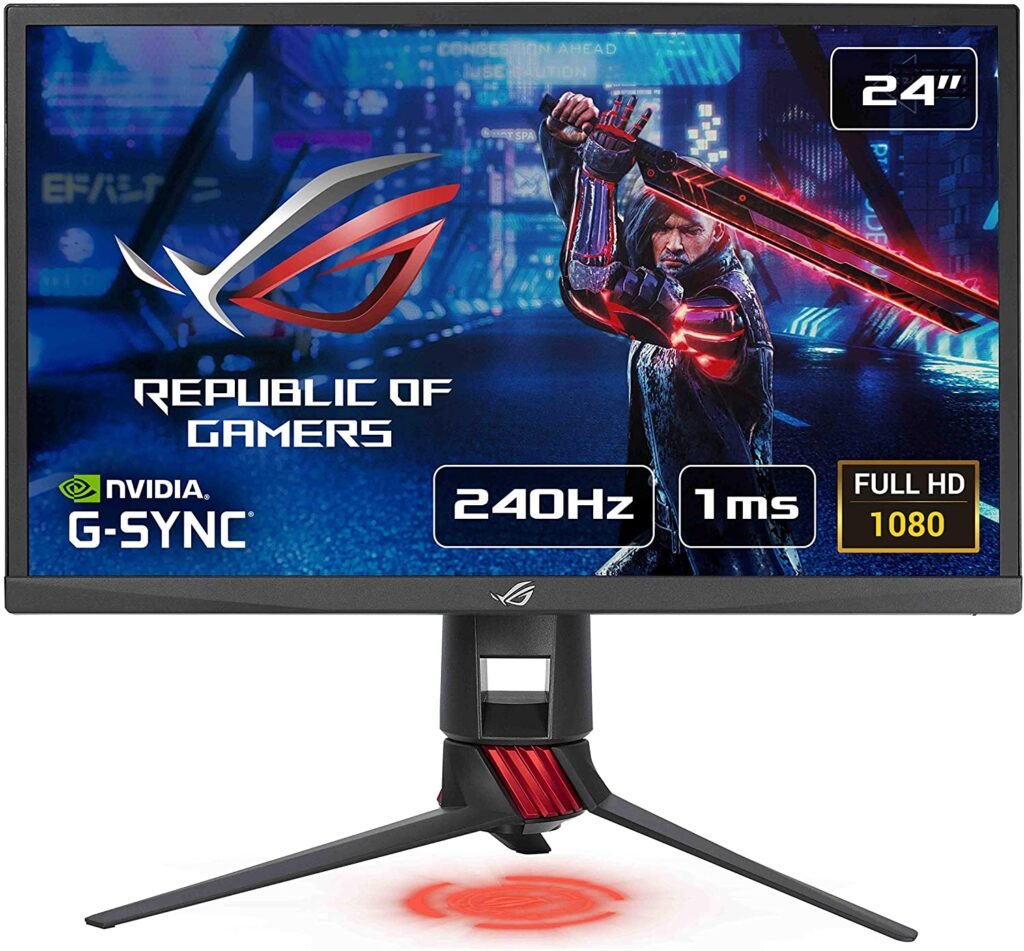
ASUS ROG Swift PG258Q monitor in brief
The PG258Q is a monitor specifically designed for gamers. In fact, this is precisely the aspect on which ASUS is focusing its innovation in the gaming sector. The monitor boasts numerous revolutionary features to deliver an enhanced gaming experience. With a 240Hz refresh rate, UltraMB mode, G-Sync, and a 1ms response time, this screen offers compelling advantages that position it at the top of the hardcore gaming market.
Nvidia G-Sync technology also delivers impeccable image quality, ensuring a user-friendly experience. The integrated TN panel doesn't offer the most precise image quality, but that's to be expected, as it's typical of gaming monitors.
Design and ergonomics
The Asus ROG Switch PG258Q monitor boasts a sleek and futuristic design. Its black color, accented with copper details on the base and back, makes it easy on the eyes. Its slim bezels are also a welcome feature. The solidly built monitor includes a power supply with multiple adjustments, as well as tilt and swivel options.
Other features!
To ensure smooth and practical gameplay, the Asus ROG Switch PG258Q monitor features Nvidia's G-Sync technology. This technology eliminates many of the problems players often encounter when choosing between V-Sync On and V-Sync Off. With this feature, all unpleasant gaming sensations are quickly eliminated. These include display lag, mouse lag, and screen tearing
Another feature we appreciated during our testing of the Asus ROG PG258Q 240Hz monitor is its ability to reduce motion blur. This makes it ideal for competitive FPS gamers.
Note that you can switch to ULMD mode at 144 Hz if you need to reduce or completely eliminate motion blur without sacrificing brightness. Since demanding gamers prefer the best possible gaming experience, they can maintain the 240 Hz refresh rate for optimal response time.

3. The Alienware AW2518H monitor: a responsive and immersive gaming experience
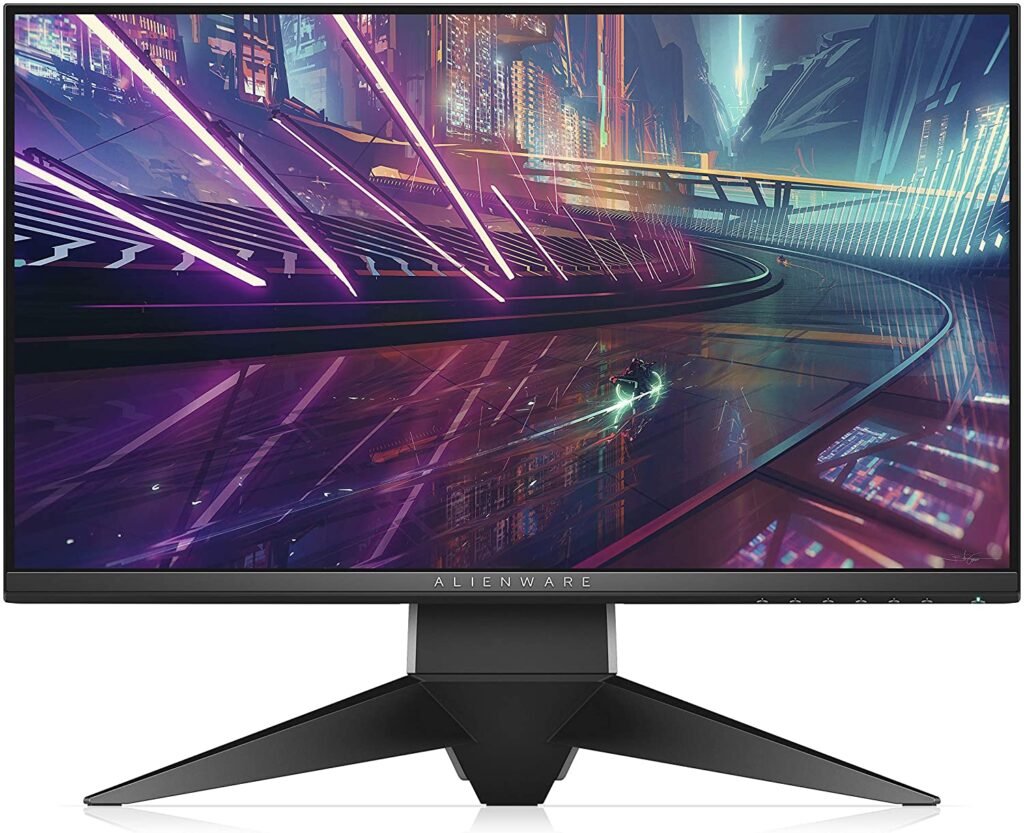
Alienware AW2518H in brief
Just like the AOC Agon AG251FZ, the Alienware AW2518H monitor features a 25-inch (63.5 cm) Full HD TN panel (1920 x 1080 pixels). With a 240 Hz refresh rate, the monitor is comparable to the Agon model. The two also share similar ergonomics and FreeSync compatibility. This is a feature that all quality monitors should have, as it significantly reduces the risks associated with vertical sync issues, potential image tearing, and mouse stuttering.
Even though the Alienware AW2518H is similar to the ASUS ROG PG258Q in terms of performance, its price is relatively low. It sells for €300 at Dell. Its connectivity is excellent, with HDMI, USB 3.0, and DisplayPort. What struck us most about this Alienware AW2518H monitor is its impeccable image quality.
Design and ergonomics
The Alienware AW2518H 240Hz monitor boasts a unique and modern design that is truly striking. The brand consistently employs contemporary design principles across its entire high-end range. Three 5mm noise-canceling bars on the three sides of the monitor and a 14mm bar at the bottom allow gamers to focus entirely on the game without distractions.
The high-quality materials used in Alienware products make them robust and durable, and the Alienware AW2518H monitor is no exception. This 240Hz PC monitor features RGB LEDs and an Alienware logo. These LEDs can be illuminated in 20 distinct colors, accessible via the OSD. This extensive customization allows you to personalize your viewing experience.
Other features
Whether you're a casual or professional gamer, you'll be captivated by the various advantages of this monitor. Given its numerous features, this gaming monitor is exactly what you need. The screen is equipped with a TN panel designed by AU Optronics. This panel is also found in the majority of 24.5" 240Hz gaming monitors. The viewing angle is 170° vertically and 160° horizontally. Therefore, colors will change as you adjust the viewing angle. The exceptional image quality of Dell monitors provides a dynamic experience suitable for even the most experienced gamers.
Furthermore, if you have a graphics card that supports FreeSync, you can synchronize the refresh rate of the Alienware AZ2518H with your GPU. This will make the refresh rate more responsive and reduce the risk of screen tearing. If you use NVIDIA cards, you'll be pleased to know that this monitor is also compatible with G-Sync.
The Alienware AW2518H offers a number of features, including preset options for FPS, RTS, and RPG graphics. There are three customizable game profiles. During our testing, we also noted that the OSD menu stood out for its ease of navigation, thanks to its six OSD buttons.

4. AOC Agon AG251FZ Monitor
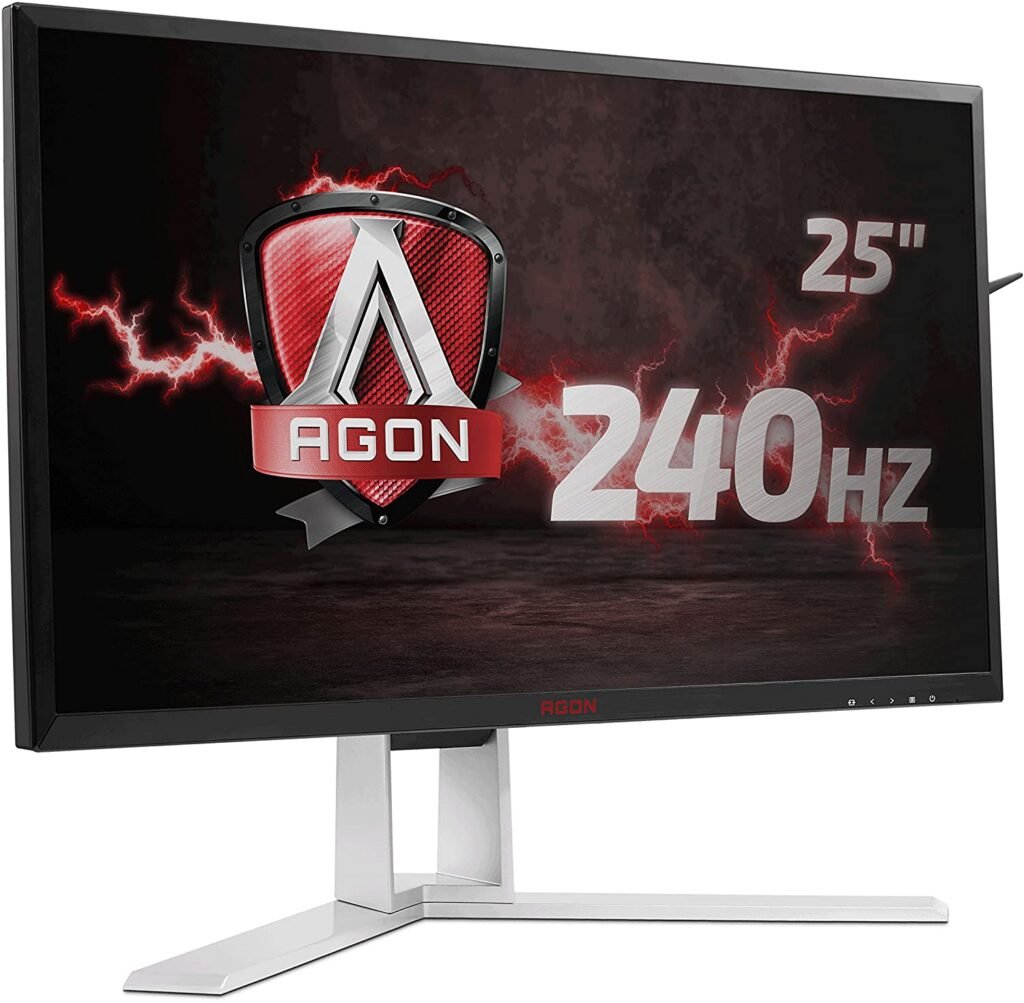
In short
If you're looking for a 240Hz PC monitor with features similar to the Asus ROG Switch PG258Q, but at a much lower price, consider the AOC Agon AG25FZ. Boasting a 240Hz refresh rate and G-Sync compatibility, this gaming monitor delivers a smooth gaming experience with low latency. The AOC Agon AG25FZ is a 24.5-inch LCD monitor with a 1920 x 1080 resolution. The manufacturer advertises a 1ms response time and a 1000:1 contrast ratio. It's currently one of the few 240Hz monitors on the market compatible with FreeSync.
Design and ergonomics
The AG251FW monitor's design is reminiscent of other models in its category (AGON). It features a black frame accented with a few red buttons. Its aluminum stand is strikingly understated.
Thanks to its matte finish, the TN panel virtually eliminates reflections. The predominant red color on the back sets the tone, clearly indicating that this is a gaming monitor. The rigid stand ensures excellent stability, but rotation is limited to approximately 20°. The screen can also be adjusted vertically by 13 cm.
It also offers a tilt angle ranging from -3.5° to +21.5°. Thanks to its portrait orientation, you can easily use the screen vertically or horizontally. This also helps you quickly access the ports. The screen features a DVI port, a VGA port, a DisplayPort, two HDMI ports, and two mini-jack outputs. There is also a mini-USB input that connects the wired remote control to the four USB 3.0 ports.
Other features
During their gaming sessions, gamers are very often subject to problems related to ghosting, tearing, and other ghosting issues. To counter these multiple problems, the AG251FW screen has been designed with AMD Freesync technology, a 240Hz refresh rate, and an ultra-fast 1ms response time.
These features offer gamers a fast and enjoyable experience. Furthermore, thanks to AOC Low Input Lag mode, you can switch between commands quickly, making it a well-suited product for fast-paced action games. A Shadow Control option is also ideal for improving display quality. This device is 100% designed to ensure optimal gaming comfort down to the smallest detail.
The AOC Agon AG251FZ 240Hz PC monitor features AOC Flicker-Free technology, which reduces screen flicker, a common cause of eye strain. Regarding connectivity, we were pleased to find that this monitor offers a fairly comprehensive selection. You can connect your PC to your TV via DisplayPlay, two HDMI ports, two DVI ports, two VGA ports, two stereo speakers, a USB 3.0 hub, and a headphone jack.

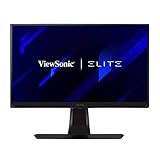
5. ViewSonic XG270: Best Motion Clarity
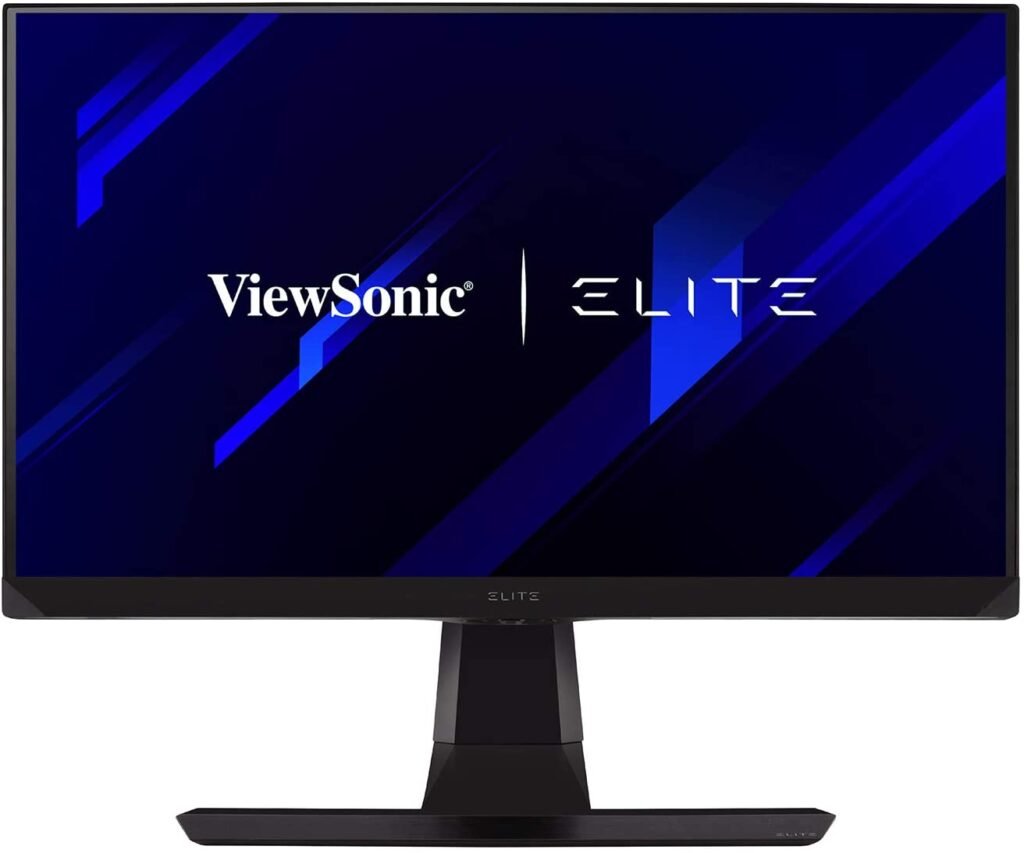
About the ViewSonic XG270 240Hz PC Monitor
The ViewSonic XG270 features a PureXP strobing backlight system, which has earned it Blur Busters Approved certification. It is currently the only 240Hz PC monitor to have received such a distinction. This technology results in improved image clarity and excellent responsiveness.
Overall, this 27-inch, 1080p monitor is suitable for gaming, watching videos, and several similar uses. However, if you intend to use the 240Hz PC monitor for office work, you risk experiencing a lack of clarity.
With its 27" IPS panel, this monitor is perfect for gamers looking for a screen optimized for competition. Its speed and fluidity are reflected in its Full HD resolution, 240Hz refresh rate, G-Sync compatibility, and 1ms response time.
Design and connectivity
Design and connectivity are key considerations when choosing a 240Hz PC monitor. How does the ViewSonic XG270 compare in terms of design and connectivity? This monitor boasts a stylish and futuristic look. Its ergonomic stand offers 120mm of height adjustment, +/-90° rotation, and -5° to +20° tilt.
The device also includes a screen protector, a headphone hook, and a mouse strap. In terms of connectivity, the monitor features two HDMI 2.0 inputs, a DisplayPort 1.2, a headphone jack, and four USB 3.0 ports.
Other features
The image quality offered by the ViewSonic XG270 is not as impressive as that of Asus monitors. The monitor has a resolution of 1920 x 1080, resulting in a very low pixel density.
This feature will cause pixelation in the image. If you want to reduce pixelation, you will need to sit further away from the monitor. A significant distance between you and the monitor will make the image less recognizable.
Furthermore, the ViewSonic XG270 offers G-Sync compatibility. The manufacturer promises a 1ms response time thanks to its fast IPS technology.
Refresh rate: definition and variations

It's important to understand what refresh rate for those who aren't familiar with it. Measured in Hertz, refresh rate is also called refresh frequency.
This rate refers to the number of images displayed on the screen per second. Simply put, it's the maximum number of frames per second (FPS) the screen can display instantly. Refresh rates range from 50 to 240 Hz. As the rate increases, the screen offers a more comfortable viewing experience. A minimum refresh rate of 100 Hz is strongly recommended for people with epilepsy.
As you probably suspected, the most basic monitor has a refresh rate of 60 Hz. Gaming monitors are offered at 144 Hz, but some manufacturers are pushing the boundaries with 240 Hz or even 360 Hz screens. However, throughout this article, we'll focus on 240 Hz PC monitors. We'll discuss other refresh rate types in more detail in future articles.
Why choose a 240Hz computer monitor?

Because the refresh rate represents the maximum FPS displayed in real time by the monitor, the specifications of higher refresh rates will be similar to those of high frame rates. That said, choosing a 240Hz PC monitor with a high refresh rate ensures increased responsiveness during multiplayer competitions.
This is a significant advantage for many video game enthusiasts, especially gamers who prefer competitive multiplayer. As you can see, a 240Hz screen guarantees a truly immersive gaming experience. That's why gamers love them.
Is the difference between 144 Hz and 240 Hz noticeable?

Noticing the difference in image quality between a 144Hz and a 240Hz PC monitor can be quite difficult. However, 240Hz monitors won't necessarily appeal to people with an average income. It's also worth remembering that such PC monitors are essential for fast-paced games.
The 240Hz refresh rate is quite responsive, which is why it's ideal for gaming. While their prices are quite attractive, 144Hz monitors can offer better performance during gameplay and provide acceptable visuals for beginners.
What you need to know is that the PC monitor market is constantly evolving. No sooner had 144Hz monitors become popular than manufacturers were already raising the bar for display technology. 240Hz monitors are now overtaking 144Hz, and the latter will almost certainly be dethroned by 360Hz PC monitors.
How to choose a 240Hz PC monitor? The buyer's guide
Whether you're looking for a desktop monitor or a gaming monitor, several factors need to be considered. Among them:
Size and resolution
The size of a PC or gaming monitor is expressed in inches (''). You will choose the monitor size that suits you best based on your preferences and needs. As the size increases, the display becomes more imposing. However, extra-large PC monitors can be quite difficult to place on a desk due to their bulk.
In terms of resolution, it goes without saying that Full HD technology is increasingly common on 240Hz PC monitors. And as the resolution increases, so does the pixel count and image quality. Ideally, you should opt for a high resolution like WQHD. 4K or 8K also offer an excellent compromise, even though most monitors on the market have a 16:9 aspect ratio. Unfortunately, 8K is currently quite expensive! We recommend you buy a 4K monitor for your PC .

It's generally accepted that high-resolution monitors are more expensive than low-resolution ones. If you're on a budget, choose a 1080p monitor for a screen smaller than 27 inches and a 2K resolution (2560 x 1440) for a screen larger than 27 inches. In this case, you'll get impressive image quality. On the other hand, opting for a 32-inch 1080p monitor risks producing grainy images.
Panel type: IPS, TS or VA?
The image quality of a 240Hz PC monitor depends in part on the monitor panel. Several types of panels are available on the market: IPS, VA, and TN. IPS panels offer the highest level of color accuracy.
With this type of screen, you'll benefit from graphics that faithfully reproduce your games, along with a wide viewing angle. Even when you're sitting next to the gaming screen, the images remain sharp. It's a perfect option for group gaming sessions.
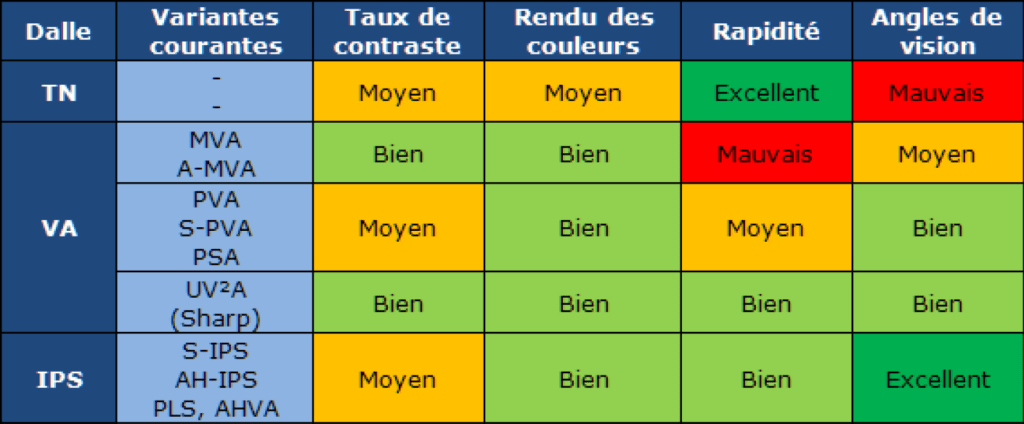
Gaming monitors with TN panels, on the other hand, offer low-quality image display. Unlike IPS screens, the images are washed out. This is why you won't find TN panel monitors with HDR. Also, with this type of monitor, you'll only have a narrow viewing angle.
The VA panel remains a middle ground between IPS and TN panels. The image quality of a monitor with a VA panel is undeniably close to that of a screen with an IPS panel. However, its viewing angle remains minimal.
G-Sync or Free-Sync?
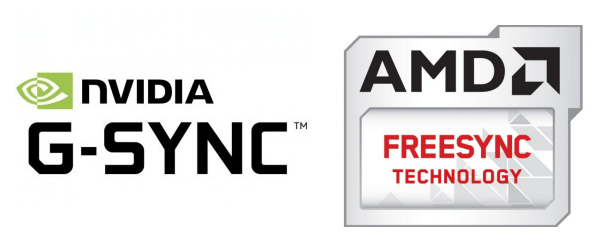
When choosing a PC monitor with a 240Hz refresh rate, it's best to opt for one of these technologies. But which one is right for you? While G-Sync and FreeSync technologies are quite similar, they have several key differences. First, it's important to note that G-Sync is developed by Nvidia and FreeSync by AMD.
Very often, each technology is compatible with a graphics card of the same name. In terms of price, G-Sync is the most expensive. This technology is more costly than FreeSync due to the hardware chip integrated into the former.
Ease of use

Whether you want to use a 240Hz PC monitor at the office or for gaming sessions, user comfort is a key factor to consider when choosing one. By adjusting the position of a computer monitor, you can eliminate glare and improve user comfort. Most importantly, orienting the screen in the direction of your choice allows you to maintain a comfortable posture.
Tilt is also a feature of many 240Hz PC monitors. Furthermore, a good tilt will help eliminate reflections for a sharper image. Additionally, a monitor that rotates left and right is extremely useful if you want to share your workspace.
The ability to adjust the height of 240Hz PC monitors is quite rare. Yet, it's an effective way to position the screen so that it aligns with your line of sight, thus reducing the risk of neck and shoulder discomfort.
Image quality settings
Like display devices, computer monitors can be adjusted to optimize image quality using the OSD (On-Screen Display). This menu can be accessed via dedicated buttons or a remote control. It allows you to adjust contrast, color temperature, and brightness.
240Hz Monitor – FAQ
Which should you choose: a curved screen or a standard screen?
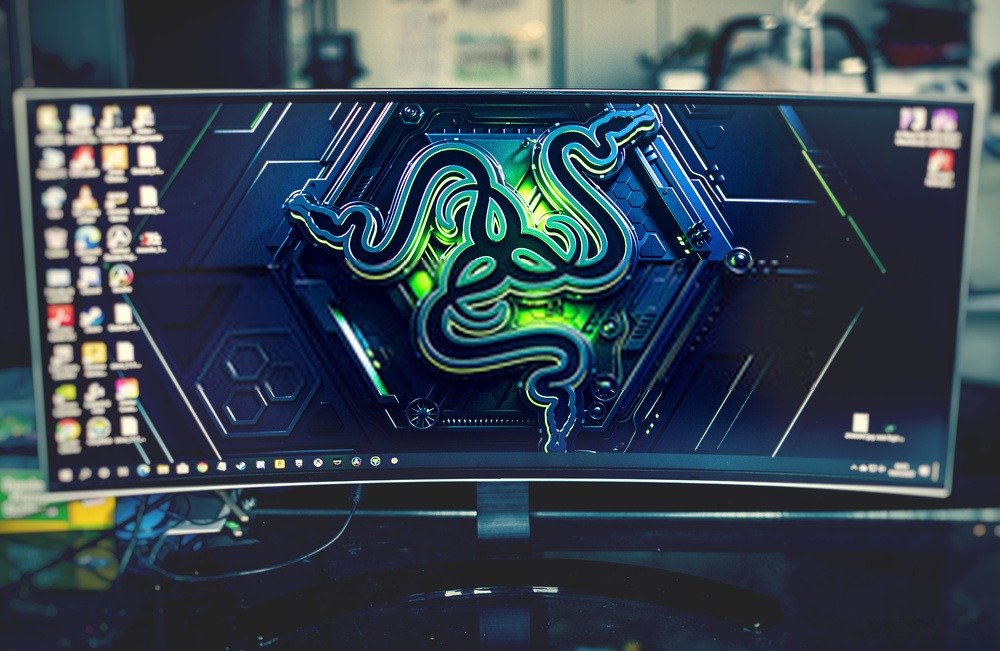
Curved 240Hz monitor technology draws its inspiration from curved televisions, primarily designed by LG and Samsung. Unlike a standard screen, a curved monitor allows for undisturbed gameplay. With such a screen, gamers can fully immerse themselves in the image without distractions. Furthermore, curved screens position the viewing edges closer to the player, resulting in a sharper viewing experience. Curved monitors are becoming increasingly popular, especially those featuring Full HD or 4K resolution.
If you are interested, you will find our comparison of the best curved monitors for PCs .
Why more hertz for monitors?

The refresh rate is a crucial factor to consider when choosing a monitor. That said, there has been some evolution in PC monitors. Desktop monitors, or standard monitors, generally offer a refresh rate of 60 Hz. This means that such monitors refresh the image 60 times per second.
Conversely, the refresh rate will be higher on the most innovative LCD and OLED screens. 240Hz screens are specifically designed for the fastest and most responsive games. Therefore, a high refresh rate won't offer any particular advantage to gamers if the PC isn't efficient. In addition to your computer's performance, your screen must meet certain specifications: a 24.5" size, TN technology, and Full HD resolution.
Who are the highest refresh rates intended for?

A high refresh rate will be of greater interest to gamers who need a seamless experience, even with the fastest-paced games. However, a high refresh rate will be of no use if you don't play smooth and responsive games. While a 240Hz screen is the best ally for gamers, streamers and graphic designers will also appreciate a screen that refreshes 240 times per second. However, a 144Hz screen will be sufficient for them.
How much does a 240Hz PC monitor cost?

Even though 240Hz monitors offer the same refresh rate, their price will depend on their resolution. For 240Hz PC monitors with Full HD technology, you should budget between €300 and €600. Within this price range, most monitors you choose will have one of the features mentioned above (G-Sync and FreeSync), along with the connectivity options, panel type, and screen size.
Which graphics card is compatible with a 240Hz monitor?
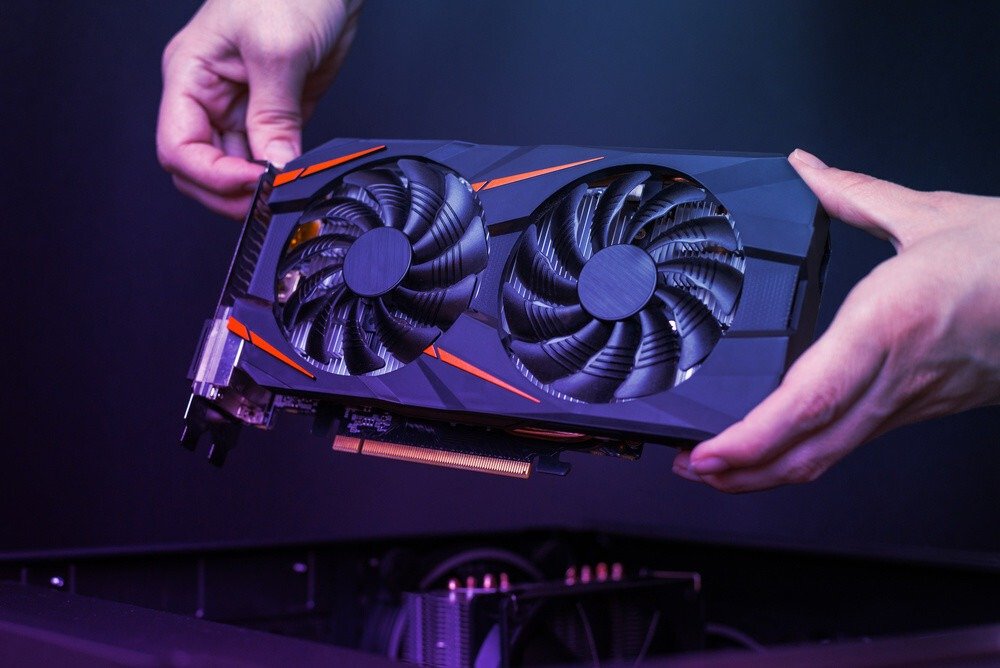
At this stage, you need to focus heavily on connectivity. You must decide whether it's better to opt for HDMI or DisplayPort. HDMI 2.0 or DisplayPort 1.1, 1.2, or 1.4 will be compatible with Full HD 240Hz resolution or 4K and 8K displays.
Conclusion
We have reached the end of this article on 240Hz PC monitors. Thank you for reading it to the end. This article shows that monitors offering a 240Hz refresh rate are very popular with gamers. Indeed, whether you are a hardcore gamer or a casual player, you will need a monitor with a high refresh rate.

Asus, Agon, Alienware, VewSonic… many manufacturers are constantly innovating to offer cutting-edge and responsive PC monitors. To purchase one, you can visit the manufacturers' websites. Prices vary from one brand to another.
Nevertheless, the Alienware AW2518H 240Hz monitor is sold for €300, a price lower than the Asus ROG PG256G, which sells for over €600. Besides the manufacturer's store, you can also visit Amazon. For example, you'll find the products featured in our comparison on this general online retailer.