Are you a true video game enthusiast? And are you looking for the best 144Hz PC monitor to fully immerse yourself in your passion? Here you'll find the best models to choose from in 2020 and our complete buying guide to help you make the right choice for your needs!
A comparison of the 10 best 144Hz PC monitors!
For an unparalleled and almost magical experience in terms of image quality and visual comfort, 144Hz PC monitors are a must-have! Here are 10 models you shouldn't miss!
The giant curved Samsung "LC49HG90DMU"!

Features and Reviews
Let's begin our overview of the best 144Hz PC monitors with the Samsung LC49HG90DMU. This monitor allows gamers to truly experience video games in panoramic view. It's the perfect choice for gamers who prefer very wide screens, as evidenced by its 32:9 aspect ratio and 49-inch curved VA panel.
It's practically the equivalent of two good 27-inch Full HD monitors! This curved PC monitor offers a more immersive experience because it expands around your peripheral vision. It can therefore meet the expectations of most gamers who want to play in a panoramic view. It must be said that all the features of this 144Hz gaming monitor demonstrate how closely Samsung remains committed to its vision of image quality.
And its focus on visual comfort is reflected in the product's 3840 x 1080 resolution and its very fast 1ms response time. This response time also demonstrates how incredibly practical and responsive the Samsung LC49HG90DMU is, even with its renowned QLED technology. This innovative design is complemented by other nice and convenient features, such as cable management integrated into the stand. But that's not all! This system also includes a headphone hook on the back, particularly useful when the monitor isn't wall-mounted.
- Screen size: 49 inches
- Screen resolution: 3840 x 1080 pixels
- Response time: 1 ms
- Refresh rate: 144 Hz
- Slab: VA

BenQ ZOWIE XL2411P 24-inch eSports monitor

Features and Reviews
Here's one of the best 144Hz gaming monitors, featured in numerous magazines dedicated to video game fans! Extremely immersive, it delivers an even more intense gaming experience. Its features guarantee an extraordinary experience in terms of image quality, perfect visual comfort, and speed. In every respect, the specifications of this 144Hz monitor indicate that it's designed for the most demanding gamers, especially those involved in eSports competitions. This monitor offers a wide range of adjustments that you'll need to tweak to fully exploit its potential. It can be adjusted vertically, as well as horizontally. If you're a fan of fast-paced games like FPS titles, this monitor will blow you away!
A refresh rate of 144Hz with a response time of 1ms
A flicker-free system ideal for preventing eye strain during long gaming sessions thanks to fairly smooth images;
A screen frame designed to limit uncomfortable reflections, which helps maintain the concentration needed for a good gaming session;
Several customization options such as the ability to modify the degree of black and colors in order to obtain the best possible image for your favorite games;
The "Black eQualizer" technology provides increased visual clarity in dark areas without overexposing bright areas. This has the advantage of helping gamers find targets easily with greater visual comfort;
A "Color Vibrance" mode for easy adjustment of your favorite colors and more precise calibration with increased flexibility; • multiple peripheral connectors such as DisplayPort, DVI-DL, HDMI and jack.
It should be noted that it is used in professional eSports tournaments! Moreover, it offers a suitable price/performance ratio for gamers seeking optimization.
- Screen size: 24 inches
- Screen resolution: FHD 1920 x 1080 pixels
- Response time: 1 millisecond (1ms)
- Refresh rate: 144Hz
- Slab: TN
- Image format: 16:9

ASUS TUF Gaming VG32VQ 32-inch

Features and Reviews
If you plan to play your favorite games for hours without straining your eyes, the ASUS TUF Gaming VG32VQ will be your best asset! It's undeniably one of the few 32-inch 144Hz 1ms PC monitors capable of meeting the expectations of even the most demanding gamers! Just look at its 144Hz refresh rate and response time to see that ASUS has set a high standard with this new monitor model.
Available with NVIDIA G-SYNC HDR technology, the image quality is exceptional on this curved VA panel! This 144Hz curved PC monitor is undoubtedly a standout, offering gaming with the fluidity and speed you expect from Asus. You won't regret choosing this Asus monitor, crafted with remarkable finesse and precision.
Screen size: 32 inches
Screen resolution: 2560 x 1440 pixels
Response time: 1 ms
Refresh rate: 144Hz
WQHD and HDR technology
Panel: TN
ASUS TUF Gaming VG32VQ

Features and Reviews
Let's continue our review with another 144Hz PC model from ASUS. This is the ASUS VG279Q, equally popular with gaming enthusiasts. For PC gamers who dream of an immersive gaming experience, its 27-inch screen will be perfect! Indeed, ASUS isn't a leader in the field for nothing!
It also stands out thanks to the quality of its IPS panels. With the ASUS VG279Q, a 144Hz IPS monitor that every gamer dreams of, the brand intends to maintain its position among the market leaders. That's why they've made this PC monitor an exceptional screen with a high brightness of 400 cd/m² and a supersonic response time for gamers.
The ASUS VG279Q offers a range of innovative features in a sleek, slim-bezel design for a perfect visual appeal. Not only does its stand rotate, but it also includes a handy cable management option.
This 144Hz PC monitor is one of the very first "FreeSync" monitors compatible with G-Sync. With this compatibility, it's possible to run games at 144 frames per second with the required fluidity. Furthermore, this Asus 144Hz monitor is compatible with the "G-Sync" system! It can therefore be connected to an Nvidia GPU for futuristic graphics!
- Screen size: 27 inches
- Screen resolution: 1920 x 1080 pixels
- Response time: 1 ms
- Refresh rate: 144Hz
- Panel: IPS
- Digital signal frequency: DisplayPort: 162 ~ 162 KHz (H) / 48 ~ 144 Hz (V)

AOC Gaming C27G1, 27'' FHD eSport Gaming screen

Features and Reviews
AOC is a globally recognized pioneer in the high-tech sector. The AOC Gaming C27G1 monitor is one of the first 27-inch 144Hz PC monitors designed for eSports gaming! This 144Hz HD monitor is ideal for gamers who favor multi-monitor setups. In terms of connectivity, the AOC Gaming C27G1 features a VGA input, a DisplayPort 1.2 input, two HDMI ports, and a headphone output. However, it lacks a USB hub.
- Screen size: 27 inches
- Screen resolution: 1920 x 1080 pixels
- Response time: 1 ms
- Refresh rate: 144Hz
- Slab: VA

ASUS VG248QE, 144Hz Gaming PC Monitor

Features and Reviews
Let's continue our overview of the best 144Hz monitors for gamers with the ASUS VG248QE. With this PC monitor, you'll enjoy exceptional 3D visuals. It offers a 144Hz refresh rate and a very short 1ms response time. ASUS also offers gaming enthusiasts a Full HD 1920 x 1080 pixel screen. It features ASUS Smart Contrast Ratio technology, delivering a brightness of 350 cd/m² and a contrast ratio of 80,000,000:1.
Similarly, the ASUS VG248QE monitor features Splendid Video Intelligence technology, which determines and analyzes the type of file being played. This technology intelligently adjusts the settings to provide the best possible colors. With Splendid Video Intelligence, you have three color options: yellow, red, and natural. You can also choose from five video playback modes: Gaming, Night, Theater, Standard, and Landscape.
In terms of connectivity, this gaming monitor offers DisplayPort, Dual-link DVI-D, and two HDMI ports for connecting all your peripherals. This allows gamers to use other multimedia devices such as HD game consoles and Blu-ray players. This gaming monitor also features two stereo speakers, each with a 2W output.
- Screen size: 24 inches
- Image format: 16:9
- Image resolution: 1920×1080
- Response time: 1ms in FreeSync
- Brightness level: 350 cd/m²
- Refresh rate: 144 Hz

MSI Optix G241VC
Features and Reviews
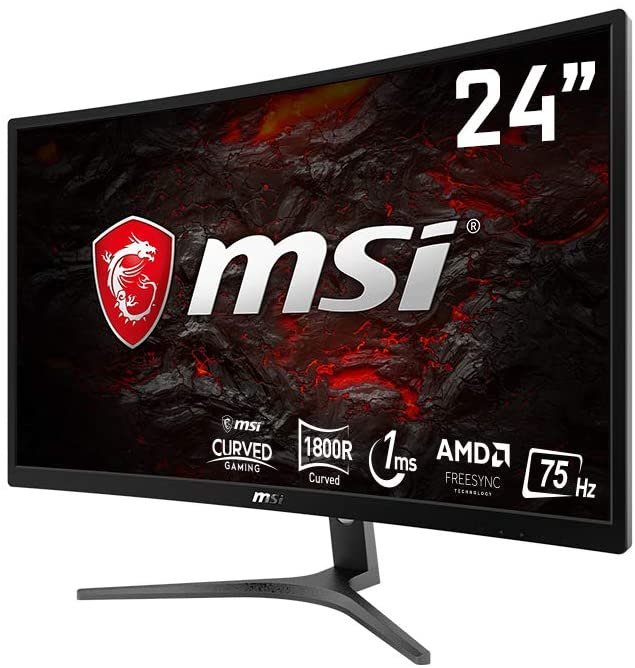
The seventh 144Hz PC monitor in our selection comes from MSI! It's the MSI Optix G241VC. This model offers true gaming comfort thanks to its 24-inch curved Full HD screen. Whether for entertainment, video games, or office work, this monitor provides optimized visual comfort, especially with its R1800 curvature and 178° viewing angles!
The MSI Optix G241VC features AMD FreeSync technology, allowing you to enjoy smooth performance with crisp, real-time images. However, to fully utilize this technology, you'll need an AMD graphics card or a MAMD APU. Less Blue Light and Anti-Flicker technologies ensure optimal eye comfort. This gaming monitor also boasts a 144Hz refresh rate and a 1ms response time.
Regarding connectivity, the MSI Optix G241VC monitor has a displayPort 1.2 port and an HDMI 1.4 port. Rest assured, this monitor is very energy efficient, consuming only 45W and 0.5W in standby mode.
- Screen size: 61 cm (23.6 inches)
- Screen resolution: 1920 x 1080 pixels
- Type HD: Full HD
- Display technology: LCD
- Response time: 1 ms
- Image format: 16:9

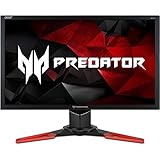
Acer Predator XB241H

Features and Reviews
We can't talk about gaming monitors without mentioning Acer. This brand enjoys a worldwide reputation in the field of computer accessories. The Acer Predator XB241H is synonymous with top-of-the-line 144Hz PC monitors featuring flicker-free technology. This technology allows you to fully enjoy long gaming sessions without eye strain. This monitor boasts LED backlighting for a brightness of 350 cd/m².
With its 24-inch screen, you'll enjoy a maximum Full HD resolution of 1920 x 1080 and a 1ms GTG response time. This Predator monitor offers a 144Hz refresh rate, which can be overclocked up to 180Hz via DisplayPort. For smoother visuals, this gaming monitor features G-Sync technology. This technology eliminates screen tearing for improved image quality.
- Screen size: 61 cm (24 inches)
- Screen resolution: 1920 x 1080 pixels
- Response time: 1 ms
- Display technology: TN + Film / G-Sync
- Image format: 16:9
- Connectivity: HDMI / DP
Dell S2421HGF, 4K 144Hz Full HD PC monitor

Features and Reviews
For excellent image quality and optimal visual comfort, the Dell S2421HGF 4K 144Hz Full HD PC monitor can be a game-changer for gamers. It stands out in the market with its sleek design, wide viewing angles, and ample resolution. There's absolutely nothing to criticize about its backlighting, robust pixels, or the flawless performance of its G-Sync. Similarly, its top-notch response time delivers accurate color reproduction. It has everything to satisfy your gaming appetite and promotes an unforgettable gaming experience.
- NVIDIA G-Sync FreeSync technology
- Highest refresh rate: 144Hz
- Screen size: 24-inch Gaming
- Image resolution: 1920 x 1080
- Image format: 16:9,
- Response time: 1 ms

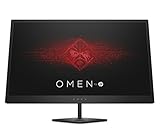
HP OMEN 25 Inch, 144Hz Full HD Gaming Screen

Features and Reviews
Let's conclude our selection of the best 144Hz PC monitors of 2020 with the HP OMEN 25-inch model. This 25-inch curved LED Full HD monitor with a VA panel offers superior contrast. Furthermore, its high refresh rate significantly enhances and increases fluidity.
In addition to this, there's the quality and speed of the refresh rate. This 144Hz gaming monitor is the one to choose if you want to enjoy long hours of gaming with the best performance.
- Screen resolution: Full HD 1920 x 1080 pixels
- Panel type: TN with LED backlight
- Refresh rate: 144 Hz
- Response time: 1 ms
- AMD FreeSync Technology
How to choose the best 144Hz PC monitor?

One of the most essential gaming accessories for optimal performance is the PC monitor! However, the sheer number of models on the market makes choosing the right one difficult for gamers. To help you select the best 144Hz PC monitor, here are the criteria you should consider.
The type of slab
The term "panel" simply refers to the LCD screen's coating, which is the image display technology. Knowing the panel type of your 144Hz PC monitor is therefore crucial! To begin, let's explore the four panel types, each distinguished by different characteristics:

- TN panels are the most affordable. This type of panel offers more muted colors than usual. However, a TN panel can be advantageous due to its low latency and minimal motion blur. Indeed, these inherent characteristics make this panel particularly well-suited for video games.
- VA panels are slightly more optimized than TN panels; the response time is the same, but their colors and contrast are significantly improved. It's worth noting that their display technologies are constantly evolving with the integration of numerous variations.
- IPS panels are synonymous with image quality for professionals, offering perfect fluidity and response time!
- OLED panels represent excellence!
The screen's response time or responsiveness
This parameter is measured from the moment the screen is powered on until it reaches its normal brightness. It's a crucial factor for any type of game. Note that this responsiveness is measured in milliseconds and typically ranges from 0.5 to 5ms. A slower response time means poor screen responsiveness. It's therefore essential to consider this criterion, especially for fast-paced, reactive games like FPS titles. While 2ms is an acceptable response time, most PC gaming monitors boast a 1ms response time (even faster).
The presence or absence of Free-Sync and G-Sync technologies
These two technologies, from AMD and Nvidia respectively, relate to variable refresh rates. They represent the solutions developed by their manufacturers to definitively resolve the problem of screen tearing .These two graphics card solutions offer virtually the same content, with a few differences. However, you should consider your GPU manufacturer when making your choice. The advantage is that most current PC gaming monitors are compatible with these different refresh rate systems.
The brightness
This is a significant factor, as it plays a crucial role in achieving visual comfort. Brightness can vary depending on the area where the PC monitor is installed. It is measured in candelas per square meter (cd/m²) and typically ranges from 250 to 400 cd/m². Lower brightness results in a less vibrant display.
The size of a 144 Hz PC screen
In terms of size, you might often be tempted to choose an ultrawide screen for gaming. However, if you're really looking for performance in terms of gameplay, we recommend a smaller monitor for better responsiveness.
Conversely, for activities primarily focused on office work or watching your favorite series on PC, an ultrawide screen will be highly beneficial for improved visual comfort!
The contrast
It indicates the difference or ratio of light intensity between the brightest white and the darkest black and is expressed as X:X. For example, 500:1 indicates that white is 500 times brighter than black. In any case, the minimum recommended ratio for better display quality when performing tasks with larger images is 1000:1. This is essential for displaying a sufficiently large page.
The quality of the ergonomics

For more demanding and specific uses of 144Hz PC monitors, such as for video games, checking the ergonomics can be very helpful. It's important to adjust your screen's tilt and height optimally in relation to your desk. However, other 144Hz PC monitor models offer more adjustment options, such as vertical and horizontal rotation.
From another perspective, screen size and refresh rate are also important factors to consider when buying a 144Hz PC monitor, especially for gaming. The same applies to image resolution. If your budget allows, choosing a 4K PC monitor for gaming is the right choice.
Why not use 240Hz instead of 144Hz?

We are dealing here with two refresh rates (that is, the number of images per second displayed by a PC monitor), both equally important. The 240Hz model is noticeably faster and displays significantly more consistent and sharp images than the 144Hz model. Unfortunately, this 240Hz monitor is almost exclusively compatible with TN panels, resulting in low color intensity and contrast. However, 144Hz PC monitors include VA, IPS, and even OLED panels in addition to TN.
If you are planning to buy a 240Hz PC monitor, take a quick look at our comparison of the best 240Hz screens.
Are 144Hz monitors worth their cost?
To that question, we say yes! They offer a more enjoyable and responsive gaming experience regardless of the screen type. They allow PC monitors to refresh more quickly, displaying images faster.
Is 1ms good for gaming?
1ms is currently the lowest response time. However, only TN panels can achieve this performance, unlike IPS panels which cannot reach 4ms. In conclusion, 1ms is generally better for more competitive games.