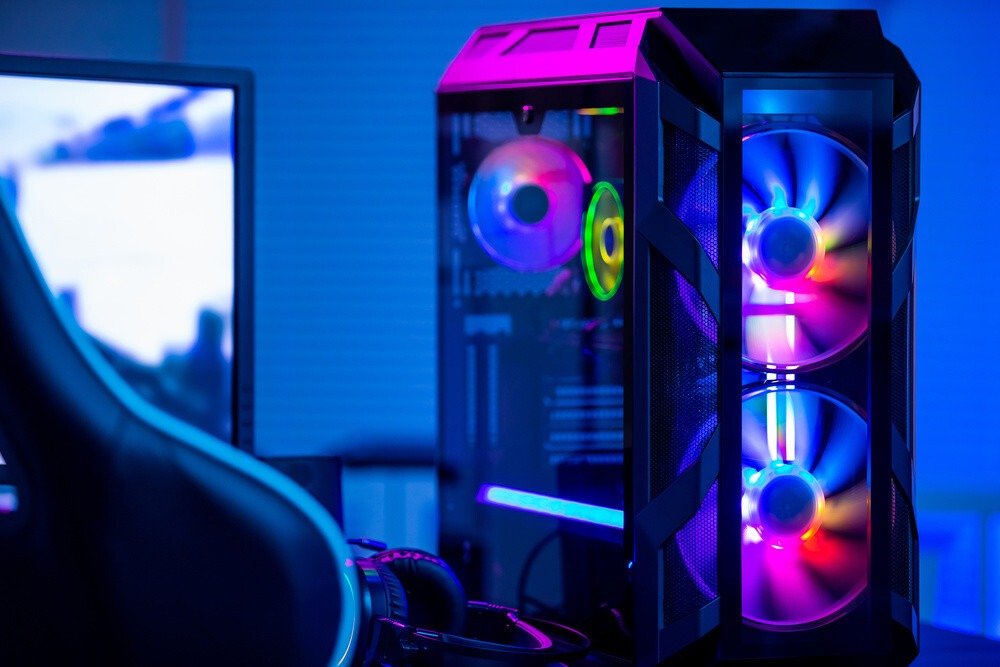
A sudden urge to personalize your gaming setup while crushing your opponents? RGB gaming cases offer customization not only in terms of components but also through their backlighting. Enjoy maximum power while staying within your budget and adding a touch of color to match.
How to choose the right RGB case for gaming?
Apart from its specific feature ofRGB lighting, gaming PC cases are chosen using the same method as ATX cases, namely:
- If you're looking to upgrade your setup to ultra-gaming, be aware that a PC tower with RGB lighting has its limitations. The components needed to customize your case to this extent are larger, and they won't fit in this case, even though it accommodates most components.
- The case material influences its level of insulation. Opt for steel or aluminum, which are significantly more insulating than plastic. This is important because the noise generated can quickly become a major nuisance.
- If your motivation is its aesthetic appeal to make your games more immersive and your desktop reflect your personality, take the time to explore the different lighting modes and RGB elements of your case; the key is to make a choice that suits you.
A comparison of the best RGB gaming cases!
If you're planning to replace your old PC tower with an ATX RGB case, we've selected the hottest new models right now!
The 3 best RGB cases in our ranking!

1. ANIDEES EATX PC CASE
Features and Reviews
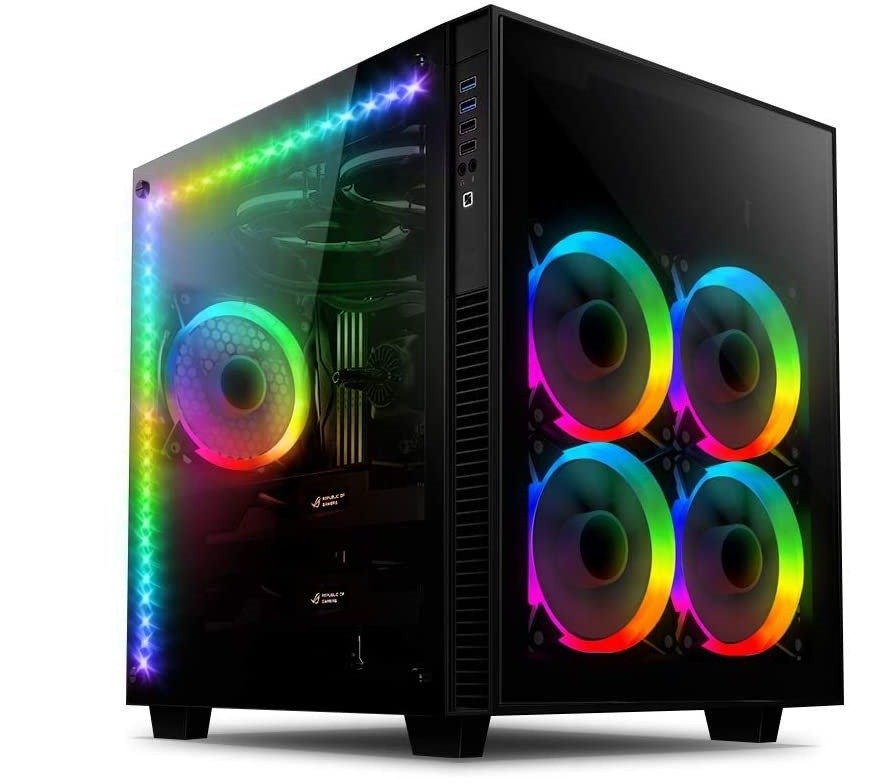
This backlit case features a dual-chamber design for improved airflow and cable management. With aesthetics in mind, it boasts 5mm tempered glass panels to showcase your system's components. The integrated fan hub simplifies operation, allowing you to control fan speed and LED modes via a remote. Its compact cube shape undeniably reduces the overall footprint of your PC.
2. THERMALTAKE LEVEL 20 MT ARGB CASE
Features and Reviews
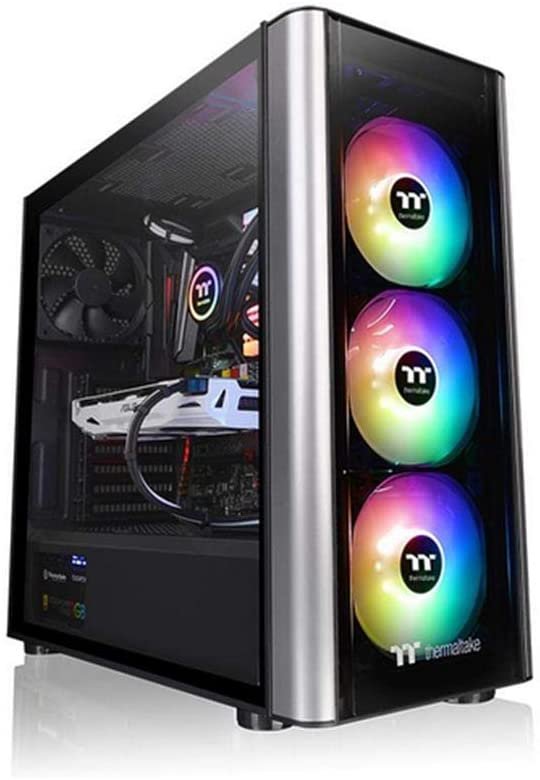
This bright case is a mid-tower design, but it still boasts a generous interior volume, perfect for organizing your components and cables. It readily accommodates ATX, Micro ATX, and Mini ATX motherboards. Aesthetically, it features two 4mm tempered glass panels, giving it a sleek yet elegant look. The Thermaltake case offers ample storage capacity. Finally, it comes with four fans: three RGB fans at the front and one at the rear, though you can install up to ten.

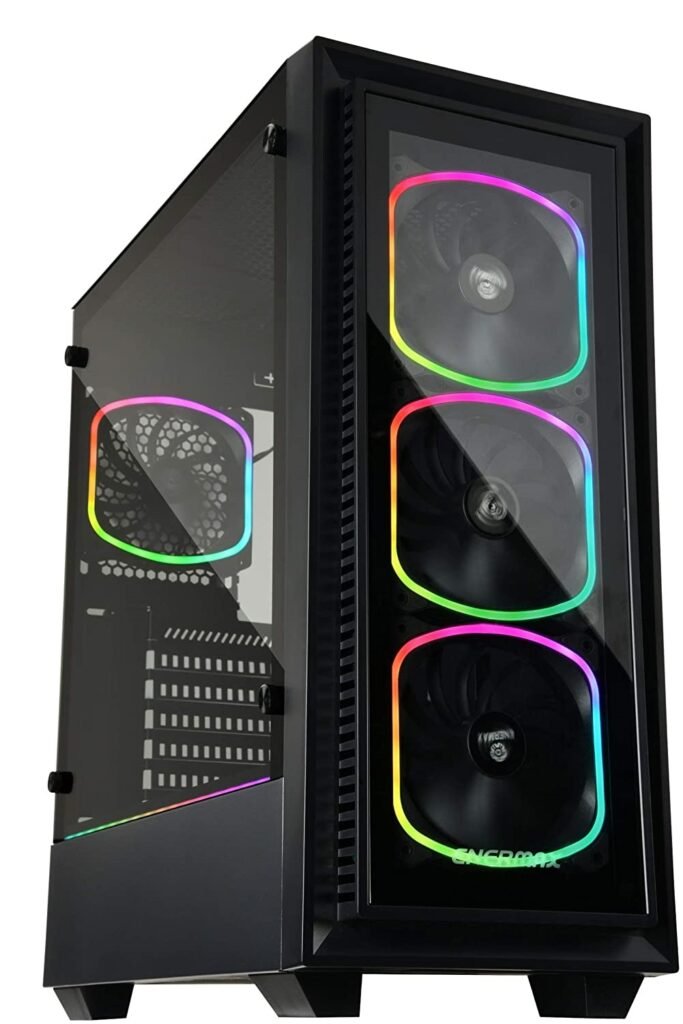
3. ENERMAX STARRYFORT RGB ADDRESSABLE GAMING PC CASE
Features and Reviews
The case accepts all ATX motherboards. Four pre-installed aRGB fans provide excellent visibility. Two tempered glass front panels showcase the addressable RGB fans. For storage, it can accommodate five 2.5" drives or SSDs, or two drives and three 2.5" HDDs/SSDs. The side panel doesn't cover the entire front; a portion remains solid to conceal the power supply . This case is perfect for RGB enthusiasts, offering a truly dazzling display.

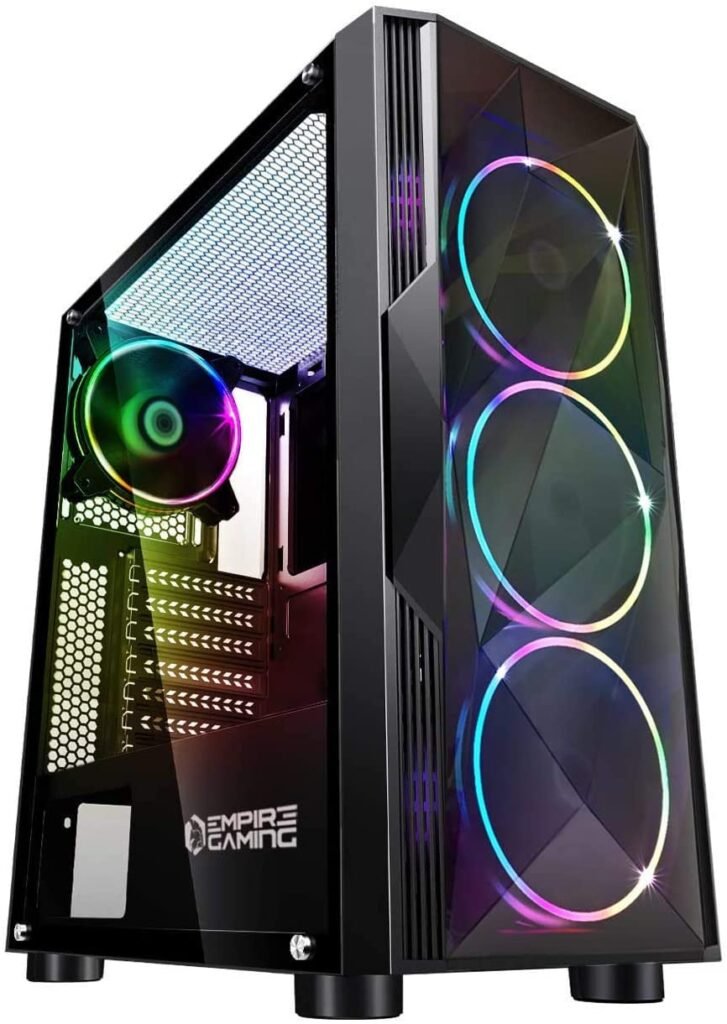
4. EMPIRE GAMING DIAMOND ARGB GAMING PC CASE
Features and Reviews
Empire Gaming offers a mid-range case that accommodates Mini-ITX, Micro-ATX, and ATX motherboards. It features three addressable RGB fans at the front and one at the rear. Fan control is managed via the integrated hub. Enjoy a futuristic design with the latest RGB LED technology and 20 preset effects. The hard drive cage is removable, allowing for easier configuration if you wish to integrate a power supply to optimize cable management.

5. CIT G FORCE GAMING CASE

Features and Reviews
This case offers a modern yet discreet design with its semi-transparent front panel, featuring two RGB fans at the front and one at the rear. The I/O ports are conveniently located at the top of the case. Functionally, it includes two fan controllers and a card reader behind the side panel.

Buyer's guide to choosing your RGB case

To choose the right ATX case with RGB, you should refer to the same criteria as for a standard case. Therefore, note:
- the desired changes
- have good ventilation
- check device connectivity
- having a silent PC
- organize your cable management
- the ease of assembling the various components
But then why offer backlit PC towers?
The RGB trend has permeated all gaming accessories and components. Gone are the days of the austere, all-black setup that was hidden away. Now, you can fully embrace your passion by adding color with RGB lighting . Manufacturers have clearly understood this, and to avoid having to choose between performance and aesthetics, integrating LEDs into your components and accessories offers you extensive customization possibilities.
A minor detail, some might say, and indeed RGB lighting doesn't improve your computer's performance or your gameplay, but it allows you to enjoy sessions in an atmosphere that suits you and reflects your personality. You become immersed in your games as if you were actually there, thanks to its lighting that makes the game feel incredibly realistic.

Take your RGB gaming case customization to the next level
Looking for an even more stylish and futuristic look? Well, you're spoiled for choice! Manufacturers aren't just stopping at adding color to your devices by integrating RGB LEDs. No, they're taking design and style much further by creating a wide range of RGB cases to satisfy even the most demanding users.
The window case: showcase your components

Are you a component enthusiast? Then this RGB case is perfect for you. Thanks to its translucent panel, your components are proudly showcased. Combined with RGB lighting, you get a truly spectacular desktop PC.
Be aware that not all ATX RGB window cases are the same. The translucent panels that make up the cases can be made of tempered glass or acrylic. Acrylic is more impact-resistant but more prone to scratches. Tempered glass offers greater brightness. In terms of case insulation, tempered glass is far superior, followed by acrylic, and then acrylic.
Similarly, we can compare the durability of its materials over time.
Good to know: If you're looking for a PC tower that makes no noise, we recommend reading our comparison of silent cases !
Also choose the color of your illuminated computer case
Goodbye black or gray, you can now choose a white, red, or even blue case. The market offers dozens of colors to make your case even more personalized. When making your choice, pay attention to how the color will age: white will yellow, and red can fade if exposed to light.
Add RGB accessories to complete your RGB case

Want to take your setup to the next level? The gaming market is brimming withRGB accessories that offer unique customization options. Whether it's your mood, your game, or your home décor, unleash your creativity to create a truly stunning setup.
RGB gaming mouse pads
Mouse pads haven't escaped the RGB trend either. Many brands now offer mouse pads in all sizes, some with RGB LEDs. Depending on the model, you can choose different lighting modes to create a specific atmosphere. They may also offer additional features like USB ports or a built-in speaker.
The RGB mouse

Computer mice are also getting colorful; gone are the days of plain black, RGB has arrived. Wireless, wired, or vertical, RGB mice are available in all versions. You'll have a wide range of RGB mouse models to choose from. Some have a very simple design with only the brand logo lighting up, while others are more futuristic and seem to have come straight from another planet with their LEDs and unique shapes.
The RGB gaming keyboard
For essential accessories, the keyboard also features RGB lighting. The backlighting is present only on the keys. You can illuminate your keyboard with a single color or divide it into zones with different colors depending on your gaming needs. The keyboard comes with configuration software that also allows you to customize the lighting settings.
The case components are also available in RGB

If you have an ATX case that you're happy with but want to add RGB lighting, opt for LED components. RAM modules, fans, and even motherboards are available with RGB options. This makes it easier to choose the style you want for your case. In fact, in most cases with RGB ATX cases, only the front panel features RGB lighting.
The best cheap RGB ATX cases available right now!
FAQs about RGB gaming PC towers
Need to delve deeper into the subject? Are you still hesitating over a few questions before purchasing your RGB case? Discover the additional details you should know about this product.
What does RGB or aRGB mean?
How do I synchronize RGB lighting from a computer with only one program?
To use it, go to the official website and download the latest version. During the download, a warning will appear informing you that the program is not secure; this can happen with some versions, but rest assured, everything is normal. You can run it and proceed with the standard installation. Once the program is open,
you will see a very simple interface. The first thing to do is change the software's language in the settings panel. You can then restart the program automatically. Next, go to the "LED Groups" tab and select "New LED Group," which you will rename, and choose the main LED that sets the tone for the rest of the lighting.
Once that's done, you'll see all the components and peripherals detected by the program appear on the left side of the screen. Then simply move everything to the right side of the screen. The final step is to open the reference software for the selected brand.
Is it preferable to use the same brands for your RGB ecosystem?
Does RGB offer any interesting additional functions?
Finally, depending on the manufacturer and the software installed, there may be game-specific customization options. For example, peripherals might change color depending on the character you're playing. For others, the keyboard might flash red when you take damage or white if you enter a snowy environment. The immersion is amazing!
What is the purpose of the Hub in an RGB case?
What price for a more aesthetically pleasing case?
What PC case sizes should I choose?
How do I connect the RGB on my computer?
What does the term "watercooling" mean?
To stay within the RGB theme, some fluids are colored to highlight your cooling system. Showcasing your setup then requires choosing cases with transparent sides. There are two types of water cooling: AIO and Custom.
The former consists of kits with basic components for beginners who want to start this project.
The latter, Custom, is a DIY project; this means you buy each component separately to create your own cooling system. Be aware that this requires solid knowledge to select the right equipment based on your needs and to ensure proper connections.