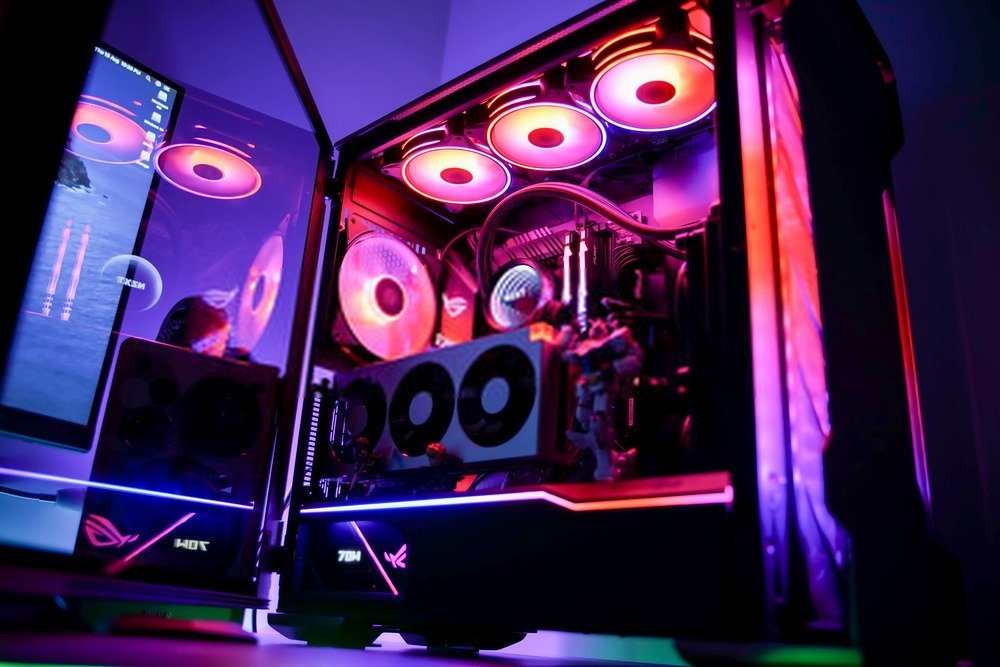
Want to dominate your opponents in your video game sessions? You'll need a powerhouse, and with an ATX PC case, the deal is sealed! We've selected the best ATX cases for you, depending on your budget . From budget-friendly models to ultra-high-end options, you're sure to find what you're looking for!
The 3 best ATX cases in our ranking!

Things to know before choosing your ATX case!
It is essential to consider these 3 points before purchasing an ATX case:
- While ATX cases can accommodate the vast majority of components, you may encounter limitations if you plan to upgrade your system later. For example, an ultra-high-end gaming setup requires larger components that won't fit in an ATX case.
- Consider the materials used in your case, as these can positively or negatively influence its sound quality. A low-end case, generally made of plastic, will therefore be less insulating than one made of steel or aluminum.
- Don't underestimate the importance of a PC case's appearance. Keep in mind that your purchase should be a decision made with both your head and your heart. First, consider what you need, and second, what you like and will like. Feel free to add LED strips or use the built-in lighting on some cases to create a PC that reflects your style and taste.
Comparison of the best ATX cases for gamers
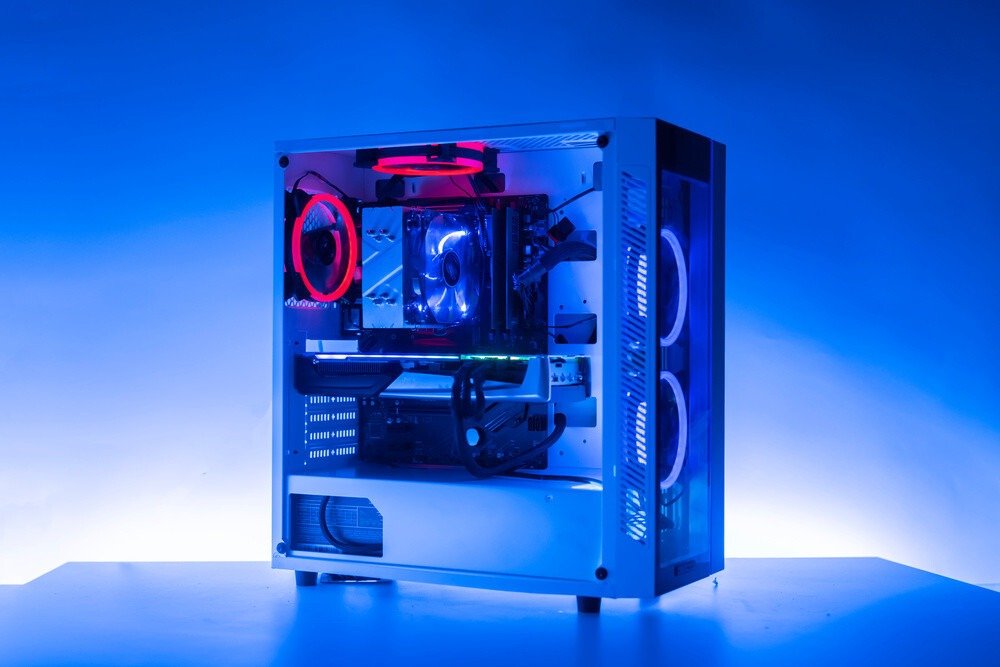
Inexpensive model (between €20 and €40)
Even with an inexpensive case, you can create a gaming PC setup. However, you'll have to compromise on material quality, the case brand's reputation, and available options. Nevertheless, you'll be able to assemble an ATX gaming PC with enough space for essential components.
Aerocool RIFT with RGB!
Features and Reviews
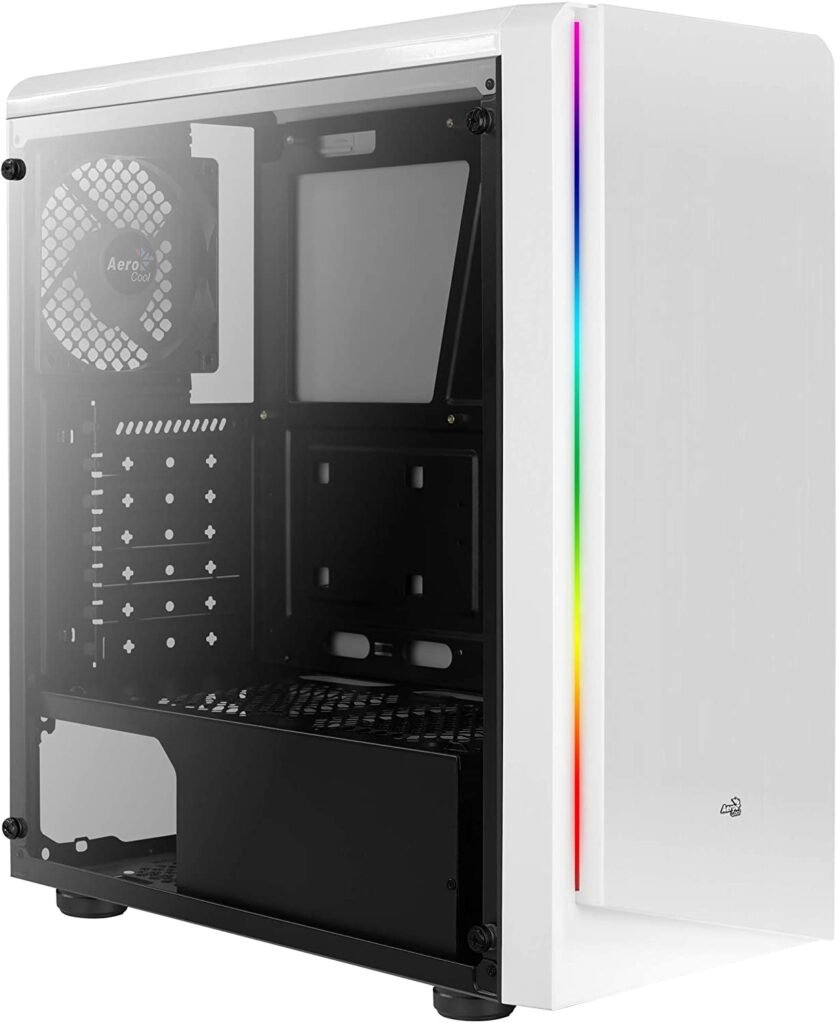
We begin this comparison with the Aerocool RIFT case, featuring an acrylic side window and RGB LEDs on the front. It's an affordable mid-tower case for building a gaming PC, offering elegance and style that can be customized to your liking. It has seven fan mounts (including one 120mm fan at the rear, pre-installed), perfect for keeping your computer cool.
You can configure it as an ATX, Mini-ITX, or Micro-ATX motherboard and equip it with a graphics card up to 371 mm in length. Furthermore, with 7 expansion slots and comprehensive connectivity, it's an excellent case for building a competitive gaming PC at a lower cost. Finally, you can connect a wide range of external peripherals thanks to the 2 USB 2.0 ports, 1 USB 3.0 port, an SD card reader, and audio jacks (headphone and microphone).

ADVANCE ATX Case with plenty of space!
Features and Reviews
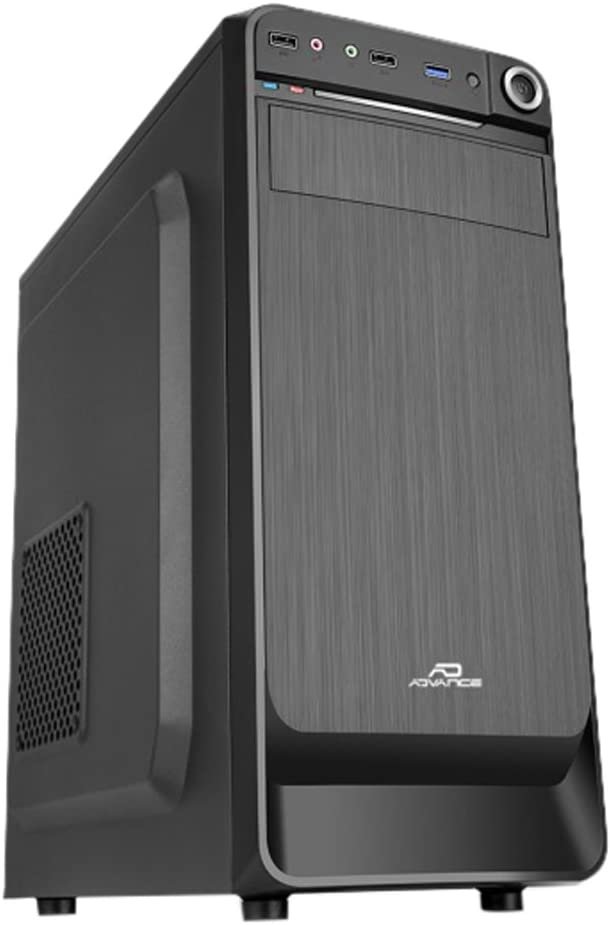
The Advance Origin is a budget-friendly case suitable for gamers looking for a lightweight and easy-to-assemble case. Compatible with both mATX and ATX motherboards, it can accommodate numerous components thanks to its 7 available expansion slots and several hard drive bays: one external 5.25″ bay, two internal 3.5″ bays, and two internal 2.5″ bays.
Despite its advantages, it won't be suitable for all gaming setups due to its limited cooling capacity of only three fan slots (one of which is a 120mm fan included). However, it is adequate for playing video games that don't put as much strain on the graphics card and motherboard, which are prone to overheating.

Ionz ATX Gaming PC Case with Tempered Glass!
Features and Reviews
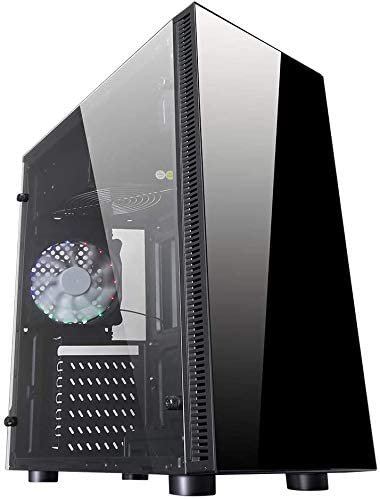
The Ionz ATX/mATX case is an excellent choice for those looking to build a gaming PC on a budget. Thanks to its four 120mm fan mounts and tempered glass side panel, you can enjoy a quiet setup while still being able to admire your build. Its sleek and modern design is further enhanced by easy cable management and routing, allowing for a cleaner build.

Entry-level (between €50 and €75)
If your budget is still limited but you still want to build a decent gaming PC, you can opt for an entry-level case. You'll find well-known brands offering models suitable for smaller budgets.
Corsair Carbide SPEC-05 ATX Mid-Tower Case
Features and Reviews
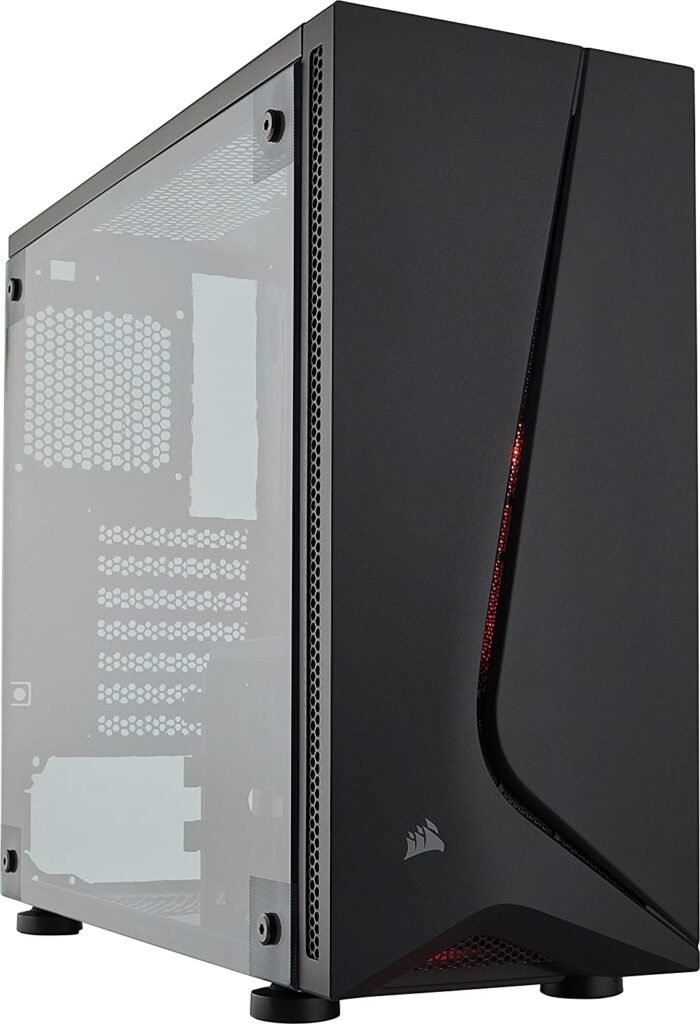
The Corsair Carbide SPEC-05 features an asymmetrical, minimalist exterior design to give your PC a distinctive look. The interior is designed to provide ample space for easy assembly and efficient air cooling. Cable routing can be concealed for a cleaner build and simplified air cooling.
Furthermore, with its five fans that can be installed at maximum capacity, you'll have a quiet setup for playing your favorite games. Finally, regarding storage, you can expand it thanks to the three HDD bays and two SSD bays.
Cooler Master MasterBox for Intensive Gaming!

Features and Reviews
Inspired by motorsport, the Cooler Master Masterbox MB510L in red will give your gaming PC a dynamic look. Its carbon-fiber-look front panel with two air intakes and its lightweight acrylic side panel offer your PC a futuristic and stylish design.
Numerous fans and radiators can be installed to further optimize airflow within your PC. Regarding components, you can use a Mini-ITX, Micro-ATX, or standard ATX motherboard, as well as a graphics card up to 410 mm in length. If you're not a fan of red, the Masterbox MB510L is also available in white, black, and blue.
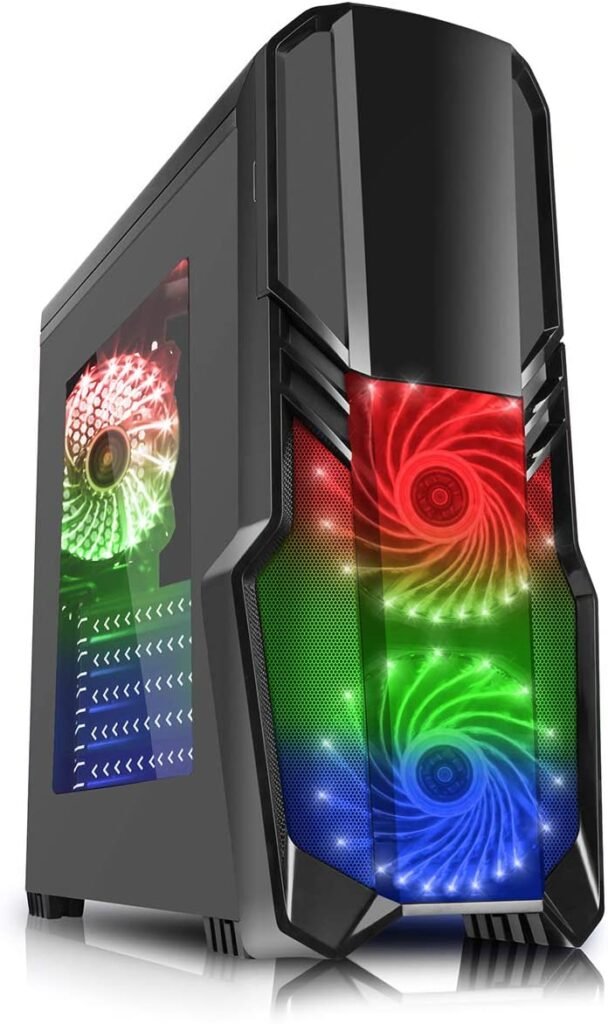
CiT G Force Gaming Case with Fan and RGB
Features and Reviews
The CiT G Force gaming case resembles a multicolored engine straight out of a science fiction film. Your PC won't go unnoticed with its highly customizable RGB LED lighting. Two controllers allow you to adjust the colors and the speed of the two 120mm fans. Both the front and rear fans are included, so you can cool your PC efficiently and in style. For storage, one 5.25" drive bay is available externally, and internally, there's space for two 3.5" and two 2.5" bays.

Mid-range (between €75 and €100)
If you have a larger budget, you can invest in a mid-range case with a tempered glass side panel for better insulation of your system . More prestigious and reputable brands offer models in this category, providing advantages in terms of ease of assembly as well as the option to install a water cooling system.
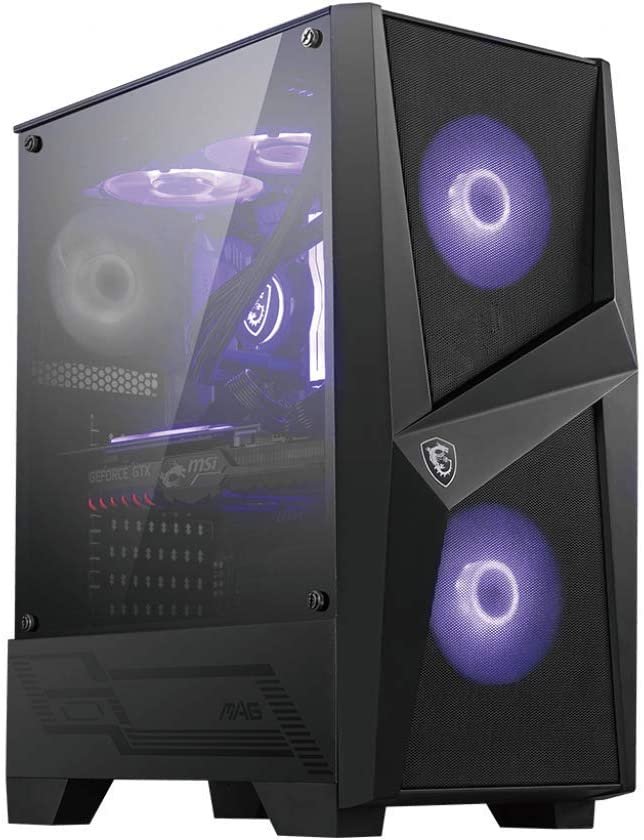
MSI ATX Case
Features and Reviews
With the BT MAG Force 100M, MSI offers a futuristic PC equipped with two pre-installed 120mm fans at the front with RGB LED lighting, as well as a rear fan. In total, you can install six radiator fans to cool your PC. If that's not enough, you can add a water cooling system up to 240mm to optimize the cooling of your components. Its modern and aggressive look is enhanced by its 4mm tempered glass side panel and internal aRGB lighting, which allows you to adjust the color opacity.
NZXT H510 – ATX Gaming PC Case – Liquid Cooling Compatible

Features and Reviews
The NZXT H510 is an aesthetically pleasing case featuring a tempered glass side panel to showcase your build and two LED strips for a unique look. NZXT's patented cable management system allows for intuitive cable organization and easy component connection thanks to pre-installed straps.
Its two included 120mm fans (replaceable with 140mm fans) at the front and rear provide efficient ventilation for your system. If that's not enough, you can install a water cooling system up to 240mm. Finally, you can use the front USB Type-C connector to connect your latest-generation devices.
High-end (between €135 and €200)
By purchasing a high-end case, you can enjoy a super-performance enclosure capable of housing a configuration worthy of a war machine! Few limitations will confront you, and building a gaming PC will never be so exciting.
Corsair ATX Case with Tempered Glass and Fans + RGB

Features and Reviews
The Corsair iCUE 465X RGB is the perfect case for gaming. Its tempered glass front and side panels provide an elegant look, offering a stunning view of your build illuminated by RGB LEDs. The included iCUE Lighting Node CORE system lets you personalize your PC to your liking by customizing and synchronizing the RGB LED lighting, including patterns and effects. As for air cooling, the Direct Airflow Path optimizes cooling for the hottest components, facilitated by three included CORSAIR LL120 RGB fans.
Case ! Tempered side panel
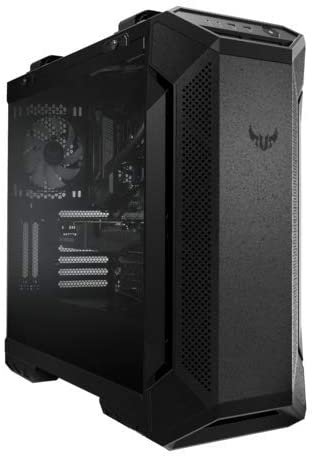
Features and Reviews
The Asus TUF GT501 gaming case allows for the installation of an eATX motherboard to upgrade your ATX system. To keep your Asus PC cool, three 120mm Aura Sync RGB fans and one 140mm PXM fan at the rear are included, ensuring an ultra-efficient air cooling system right out of the box. If this proves insufficient, you can add up to three additional fans at the top.
Regarding storage, the TUF GT501 can accommodate three 2.5-inch bays and four 3.5-inch bays. One of the final advantages of this case is its portability, thanks to two top-mounted carrying handles that can support up to 30 kg.

Corsair SPEC-OMEGA RGB ATX Gaming Case

Features and Reviews
The Corsair SPEC-OMEGA RGB boasts a striking style, showcasing originality with its asymmetrical 3D design. Its front LED lighting strip and a 120mm Corsair HD120 RGB fan will add a unique touch to your gaming PC, customizable via the included Corsair Lighting Node PRO control system. Direct Airflow Path technology is also integrated into the SPEC-OMEGA RGB to improve airflow throughout your system by optimizing cooling for the hottest components.
Corsair Graphite 780T Gaming PC Case
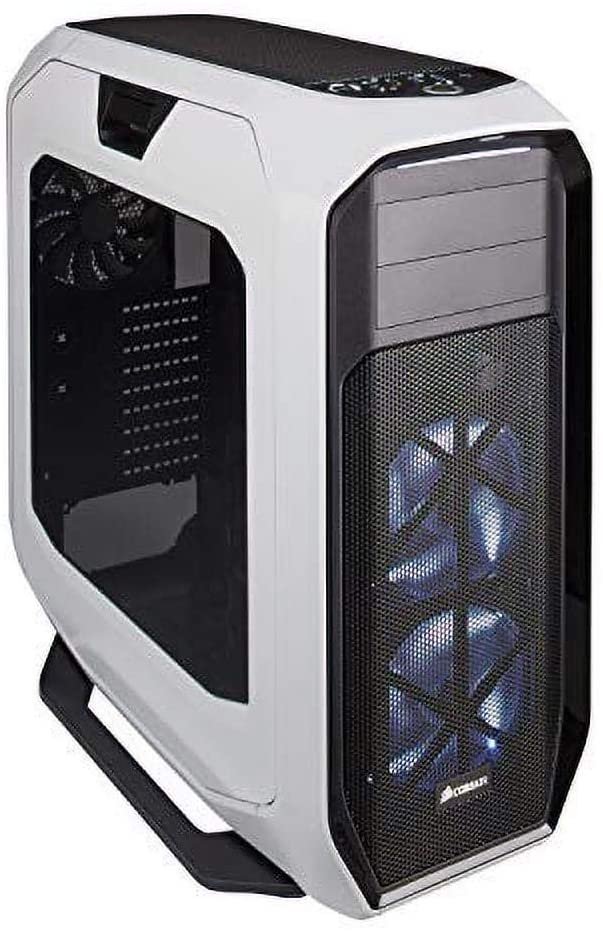
Features and Reviews
The Corsair Graphite 780T is striking thanks to its rounded corners. Access to the inside of the case is made easy by latches on the side panels. Three fans are included to cool your machine, but if that's not enough, you can install two 360mm radiators at the front to quickly draw in cool air.
An LED fan control button is located on the top panel, allowing you to adjust the speed of your air cooling system to suit your needs. A total of nine 2.5" bays or six 3.5" bays can be installed, and any unused bays are removable to avoid interfering with the air cooling system.

Ultra high-end
Is your budget unlimited? That's perfect, because these ultra-high-end gaming PC cases are too. No compromises are allowed when it comes to building a configuration worthy of dominating all your opponents .
Corsair Crystal 570X RGB Gaming PC Case

Features and Reviews
The Crystal 570X is considered by its manufacturer, Corsair, to be the most beautiful case they've ever designed, and it's easy to see why. It features tempered glass panels on the front, sides, and top, enhanced by three fans with fully customizable RGB LED lighting. Cable management is simplified by cable routing channels and Velcro straps. Direct Airflow Path technology is available to cool your hot components, further enhanced by supporting up to six fans.

Corsair Crystal Series 680X RGB Case, High Airflow Tempered Glass

Features and Reviews
Despite its initially surprising appearance, the Corsair Crystal Series 680X RGB can deliver an impressive display and a stunning configuration. Its three 120mm RGB front fans each feature 16 LEDs, individually configurable to provide endless customization possibilities.
The CORSAIR Lighting Node PRO module, using Corsair iCUE software, allows you to dynamically synchronize your compatible LED lighting based on various profiles (visor, rain, arc, color change, and more). The build quality is stunning, divided into two separate compartments: one for cooling the numerous components and the other for cable routing, storage, and power supply . And that's not all; you can also connect your external devices via high-speed Type-C.

COUGAR Conquer ATX Case

Features and Reviews
The Conquer from Cougar Gaming is undoubtedly the most original case in our selection. Its completely open design probably won't appeal to everyone, but it certainly has the merit of being unique. Made entirely of aluminum and complemented by two tempered glass panels, the internal components are visible from 270° and can accommodate a Mini-ITX, Micro-ATX, or ATX motherboard, as well as a graphics card up to 350 mm in length. The assembly process might be daunting for beginners, especially since the case itself requires assembly, although it remains straightforward. Fully upgradeable, this gaming PC is made for gamers who want to dominate their opponents and own a truly unique machine.

The buyer's guide to choosing your ATX case!
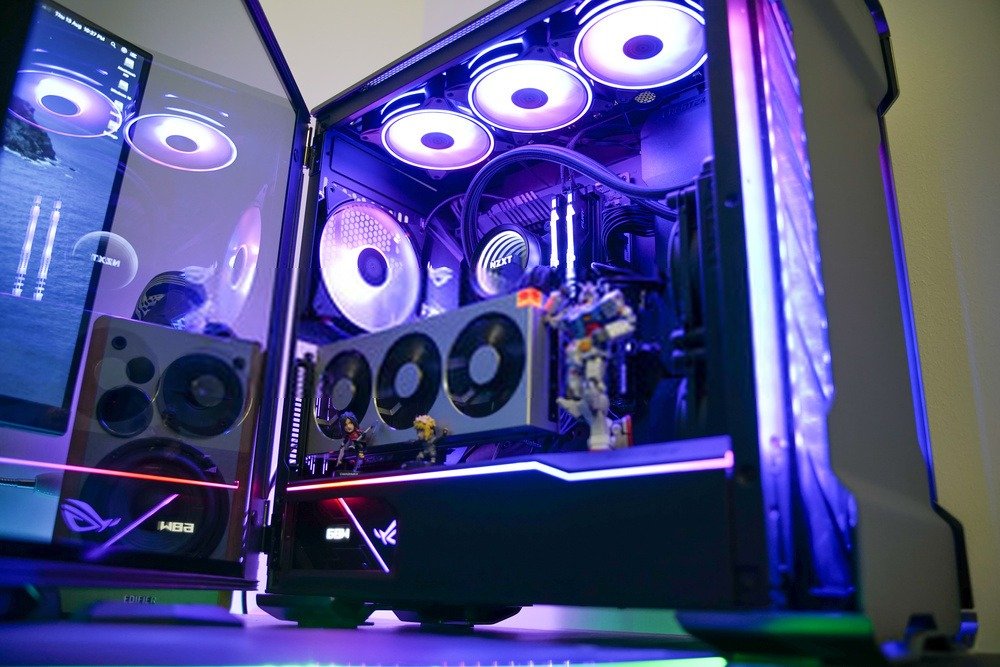
➡️ The desired evolution
Buying an ATX case is an excellent choice for building a gaming PC and ensures compatibility with the vast majority of components. You'll be able to enjoy your video games in High Definition without much worry. However, if you want to push your system further, you'll likely need to opt for an eATX motherboard and larger graphics cards. Since ATX cases are mostly mid-towers, you'll need a full-tower case to have enough space to install these components.
Regarding hard drives, most ATX cases have numerous storage bays , whether for 3.5" Hard Disk Drives (HDDs) or 2.5" SATA Solid-State Drives (SSDs). The former are the most commonly used and primarily dedicated to storage because they offer enormous capacities, ranging from 300 GB to 18 TB (that's 18,000 GB!). The latter are faster and smaller than HDDs. They also offer other advantages such as easier installation, increased shock resistance, and silent data processing.
SSDs, however, have a lower storage capacity than HDDs, limited to 2TB, although this is still quite adequate. SSDs are the preferred choice Windows operating system and the games you play regularly.
➡️ Properly ventilate your case!
is crucial for ensuring adequate cooling of your components . Neglecting this can endanger your PC and all its components. To avoid such a disaster, check the available cooling options in your case, whether it's an air cooling system, liquid cooling, or both.
Your cooling needs will depend on the power of your system. A gamer wanting to play in UHD will need more powerful and efficient ventilation than someone with a casual gaming setup. The hotter your components get, the more important cooling becomes.
Good to know: For laptops, there's an effective solution to prevent overheating. Discover laptop coolers !
Of the available systems, air cooling is the most common and widely used. It involves using air to ventilate your PC, drawing in cool air at the front and expelling hot air at the rear or top of the case. Naturally, cool air settles at the bottom and hot air rises, which is why case manufacturers include fan slots on the top panel. Furthermore, some cases feature multiple fan slots to further enhance airflow efficiency.
Liquid cooling, on the other hand, is a system that uses either oil or water, although the latter is far more common. It involves precisely targeting specific components to be cooled, usually the motherboard or graphics card. It's a remarkably effective system, but it requires a bit more expertise and available space.

➡️ The choice of aesthetics
The aesthetics of your PC case are a purely personal choice. While some gamers will prefer a clean and simple style, others will look for a more eye-catching case.
The former will be drawn to modern cases with symmetrical shapes and a solid color like black or white. A few LEDs to give it a unique style and that's all there is to it!
On the other hand, for a more striking configuration, opt for an atypical case, whether by its shapes (asymmetrical for example), its colors (red, blue, bicolor), a tempered glass window to admire the interior and finally LEDs on the case but also on the fans.
The advantage of LEDs over fans is that they are generally programmable and offer a virtually endless variety of colors. Some programs allow you to synchronize them and display them with different dynamic patterns, maximizing customization. Your gaming PC won't go unnoticed!
In any case, choose a PC case you like, as the goal is usually to keep it for several years and only upgrade the components. Keep in mind that you can buy LED strips and RGB fans separately later.

➡️ Connectivity for your devices
This is a point that's too often overlooked when choosing a case. However, it's (very) important to consider for a gaming PC. Indeed, you need to make sure you can connect your external peripherals , such as your phone, external hard drives, a microSD card reader, your headset, a microphone, and finally, a camera for streaming.
The vast majority of ATX cases have a headphone jack and a microphone jack, but the number and standard of USB ports vary.
Their technology has evolved significantly in recent years, resulting in increasingly powerful and faster USB ports. The higher-end your case, the more recent your connectors will be, although this isn't always the case.
The most powerful USB port currently available is USB 3.2 Gen 2x2, followed by USB 3.2 Gen 2, then USB 3.1 Gen 2, then USB 3.0, and finally USB 2.0. The difference lies in the data transfer rate; USB 3.2 Gen 2x2 is 333 times faster than USB 2.0, transferring 20 gigabits of data per second. If you need to copy large files between your computer and an external device, choose a modern USB port to avoid waiting several minutes for the transfer to complete.
Recently, a new type of USB has been rolled out on the latest devices, particularly phones and laptops: Type-C . It is destined to become the standard for all kinds of peripherals, such as external hard drives and batteries, Bluetooth headsets, smartphones, laptops, monitors, and many others. Its distinguishing feature is that it allows for the exchange of data, video, and power through the same cable. Furthermore, it no longer has a male or female connector, as USB-C is reversible, meaning it can be plugged in either way.
Some case manufacturers have already started to make Type-C ports available on their models, this may help you make your choice.
➡️ Silent case to avoid having a noisy PC!
Nothing is more annoying than hearing your gaming PC make noise! Besides being distracting, it can disturb those around you. To have a quiet PC case, there are several criteria to consider.
The first consideration is the materials used in your case. Opt for thick, solid materials like steel or aluminum. Plastic is more fragile and less effective at dampening internal noise. A PC with feet will generally be less prone to wobbling. Also, add rubber pads to the HDD cages (this doesn't apply to SSDs) to prevent them from touching each other and moving when the drives are under load. Finally, choose a fully enclosed case, or if you absolutely must show off your build, opt for a tempered glass side panel (more effective than acrylic or plexiglass).
The second criterion is your PC's ventilation . If your components aren't cooled, they're likely to overheat and become noisy. One tip is to properly manage the air cooling in your case to optimize airflow . You can also install more fans or radiators to reduce the RPM of each (the faster a fan spins, the more noise it can make).
Manage your cables carefully to avoid obstructing airflow. While this can sometimes be difficult depending on the case and components, good cable management facilitates air cooling for your PC and prevents unpleasant noise.
➡️ Properly managing your cable management
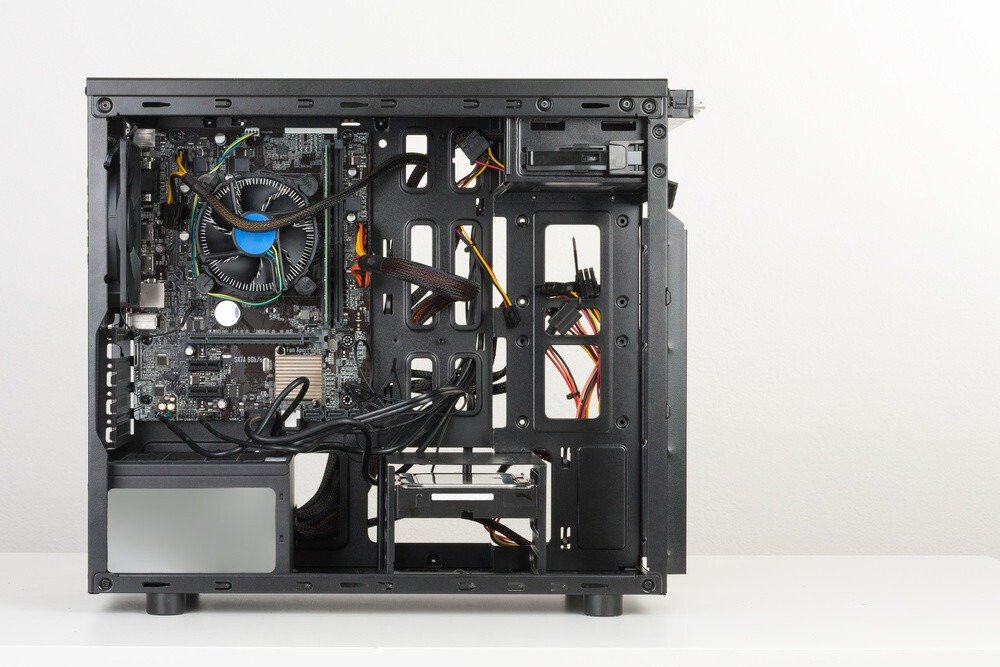
Cable management involves carefully planning the organization of cables within your computer case. There are three main benefits to good cable management: it makes it easier to find cables when you want to upgrade your system, optimizes component ventilation, and gives your gaming PC a more aesthetically pleasing look.
By implementing better cable management inside your case, you can design your build in a smarter and more streamlined way . No more searching and tugging on cables to figure out which one is connected to which component. With improved visibility, you'll save time and be able to swap components out more quickly . Use cable ties or Velcro straps to bundle multiple cables together for neat organization. Consider using color coding, such as red for motherboard cables and blue for hard drive cables, with labels for example.
We've already seen that proper ventilation for your components is crucial for keeping your PC safe and as quiet as possible. Some cables might be obstructing airflow within your case. To resolve this, use cable ties and position them close to the edges, without letting them touch, to prevent vibrations.
Finally, to give your gaming PC a sleek look, especially if it has a transparent side panel, cable management makes all the difference. Nothing beats a perfectly organized PC where no unnecessary cables are visible and run all over the system. To achieve the best possible result, bundle the remaining cables together and, if you can, hide the power supply .
➡️ The practicality of the assembly
Building your own PC can be quite daunting for a beginner, but rest assured, you'll usually only have to do it once. Fortunately, manufacturers are increasingly simplifying the process with pre-designed and organized spaces, and for some, simplified cable management.
While some cases can be assembled without tools, others will require a Phillips screwdriver (magnetic if possible), thermal paste , and wire cutters to complete cable management. As for screws, they are generally included with the case, and each component box contains its own set.
FAQ—Discover all the details about the ATX case!
ATX or Micro-ATX?
If you're not planning on upgrading to a larger machine, you might be interested in a smaller PC. The Micro-ATX (also written µATX) form factor allows for smaller configurations , not necessarily requiring a mid-tower case. However, it's worth noting that a Micro-ATX has the disadvantage of fewer ports than an ATX, with fewer PCI and PCI-Express slots, and fewer RAM slots.
If you prefer a smaller, more compact PC, the Mini ITX case is perfect for you, even for building a gaming PC. However, it is possible to install this motherboard format in an ATX PC case, but the reverse is not possible due to the size difference.
If you are interested in buying a small, pre-configured PC case, we invite you to discover the MINI PC !
Can I use my gaming PC for video editing?

Of course! With a gaming PC, you can absolutely do video editing or photo retouching. You'll need to make sure you have the minimum requirements for the following three components :
The processor : a minimum of 4 cores is recommended. The Intel i5 or AMD Ryzen 5 will do the job, but 8 cores are preferable. In that case, opt for an Intel i7 or an AMD Ryzen 7.
RAM : If you want to edit in Full HD, a minimum of 8 GB is highly recommended, if not essential. Otherwise, your timeline may lag and prevent you from properly viewing your video. For 4K, we recommend 16 GB or 32 GB for optimal performance. With 64 GB, you'll have no problems; it will be more than enough to handle editing and some multitasking simultaneously.
The graphics card : it's not the most important component for video editing. However, keep in mind that a minimum of 2 GB of memory is required for Full HD editing and 4 GB for UHD editing.
What are the minimum specs for a gaming PC?
Your computer's configuration will greatly influence your performance in games, as well as the games you can play. Indeed, some video games require a powerful system, like Red Dead Redemption 2, or a lot of storage, like Call of Duty: Modern Warfare with its 175 GB.
So everything will depend on two things: what you will play and how you want to play?
The first is relatively easy to determine. Most video game publishers provide information on the minimum system requirements to run their games. This will tell you the minimum graphics card you need and the recommended amount of RAM. In addition, the required storage space is usually specified, allowing you to choose a suitable HDD or SSD depending on your needs.
The second factor determines the desired graphics settings. If you have the minimum configuration, you won't be able to play with maximum graphics. Furthermore, you'll need to invest in the latest generation components to enjoy the newest AAA titles. There's no need to spend more than necessary; if you don't want to play in UHD, a minimum configuration will suffice.