In today's ever-changing world, where performance and portability are essential, mini-PCs have seen explosive growth. GEEKOM, a rapidly expanding IT company, stands out for its innovative and high-performance products. The GEEKOM XT12 Pro is their latest masterpiece, a mini-PC equipped with a 12th generation Intel® Core™ i9-12900H processor that promises to push the boundaries of what you can expect from such a small device.
Having had the opportunity to test the GEEKOM XT12 Pro , I'm delighted to share my experience and reveal the results of my test . Get ready to discover a mini-PC that has the potential to revolutionize your workspace or entertainment setup.
In this article, I'll present my in-depth analysis of the Mini PC XT12 Pro , a compact and powerful desktop computer from Geekom. Is all the hype surrounding this device justified? To answer this question, I'll review its technical specifications, performance, connectivity, build quality, and conclude with a summary.
Can't wait? Let's go!

Introducing the GEEKOM XT12 Pro
The GEEKOM XT12 Pro is a mini PC that combines power, elegance, and versatility. Equipped with a 12th generation Intel Core™ i9-12900H processor, this technological marvel offers exceptional performance for creative and professional tasks. If this is your first time hearing about it, here's a detailed product overview:
Performance
The real strength of the GEEKOM XT12 Pro lies in its 12th generation Intel® Core™ i9-12900H processor . This powerful processor offers 14 cores (6 P-cores and 8 E-cores) with 20 threads, 24 MB of Intel Smart Chips , and a clock speed of up to 5.00 GHz.
Memory and Storage
The GEEKOM XT12 Pro is equipped with 32GB of high-performance DDR4 RAM . This generous configuration allows you to run multiple applications simultaneously, manage large files, and enjoy a smooth and responsive user experience.
Important : If you need more RAM for resource-intensive tasks such as video editing or software development, you can expand the RAM up to 64 GB .
The GEEKOM XT12 Pro also comes with a 1TB M.2 2242 SATA SSD for fast and responsive storage. This cutting-edge storage technology offers significantly faster read and write speeds than traditional hard drives, meaning you can load applications, access files, and save your data in the blink of an eye .
If you need more storage space, you can add a second NVMe SSD or use an external hard drive .
Graphics and Display
The GEEKOM XT12 Pro not only offers exceptional CPU performance, but also features a Intel Iris Xe . This graphics card effortlessly handles everyday tasks such as word processing, web browsing, and video playback.
For users who need more graphics power, the XT12 Pro supports 4K video output to up to four displays and 8K video output in Ultra HD. This allows you to enjoy an immersive visual experience for your games , video editing, or multimedia presentations.
Here are some additional details on the graphics capabilities of the GEEKOM XT12 Pro:
- Base graphics frequency: 1500 MHz
- Maximum graphics frequency: 4800 MHz
- DirectX 12 support
- OpenGL 4.6 support
- Vulkan 1.3 support
Connectivity
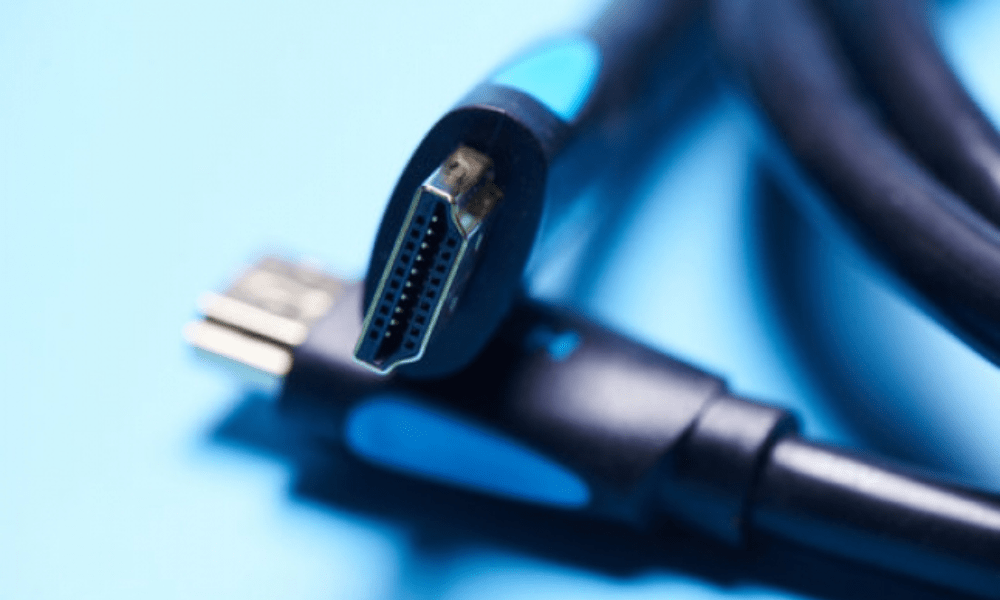
The GEEKOM XT12 Pro makes no compromises on connectivity. It features a wide range of ports to meet all your needs:
- 2 Thunderbolt 4 ports for ultra-fast data transfers and connection of high-end external devices
- 2 HDMI 2.0 ports for connecting high-resolution monitors
- 3 USB 3.2 Gen 2 ports and 1 USB 2.0 port for connecting various peripherals
- 1 Gigabit Ethernet port for a reliable network connection
- 1 SD card reader for playing multimedia content
- 1 x 3.5 mm jack for headphones or a microphone
Operating System and Dimensions
The GEEKOM XT12 Pro comes with Windows 11 Pro pre-installed. Windows 11 Pro is the latest version of Microsoft's operating system, designed for professional users and businesses.
However, if you prefer to use a different operating system, you can always easily install Linux or macOS on the GEEKOM XT12 Pro.
Furthermore, the GEEKOM XT12 Pro is incredibly compact, measuring 117 x 111 x 38.5 mm. It's about the size of a paperback book , making it ideal for small workspaces or for use on the go.
Having had a general overview of the Mini XT12 Pro, let's now turn our attention to unboxing and exploring this mini PC equipped with an Intel Core i9 processor, 32GB of RAM, and a 1TB SSD. Prepare to be blown away!
Unboxing and first impressions
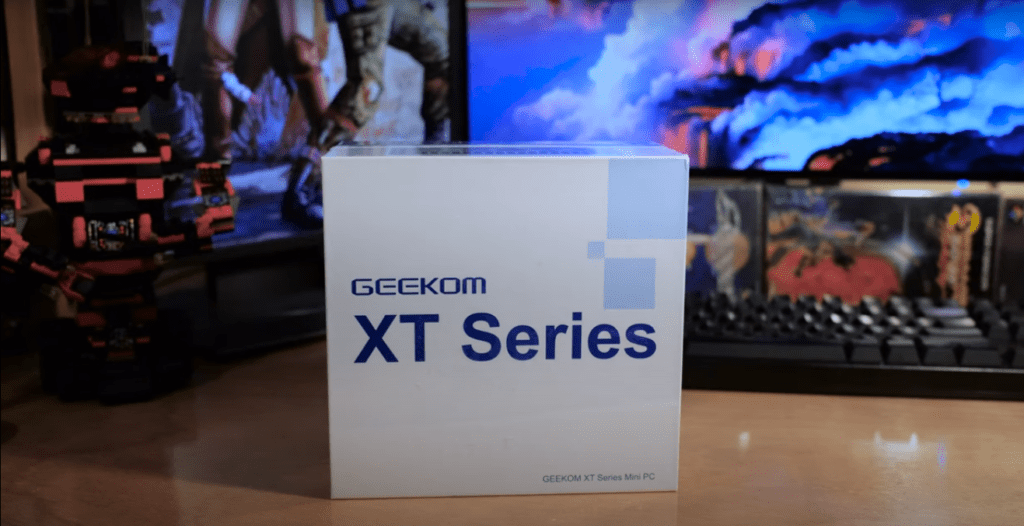
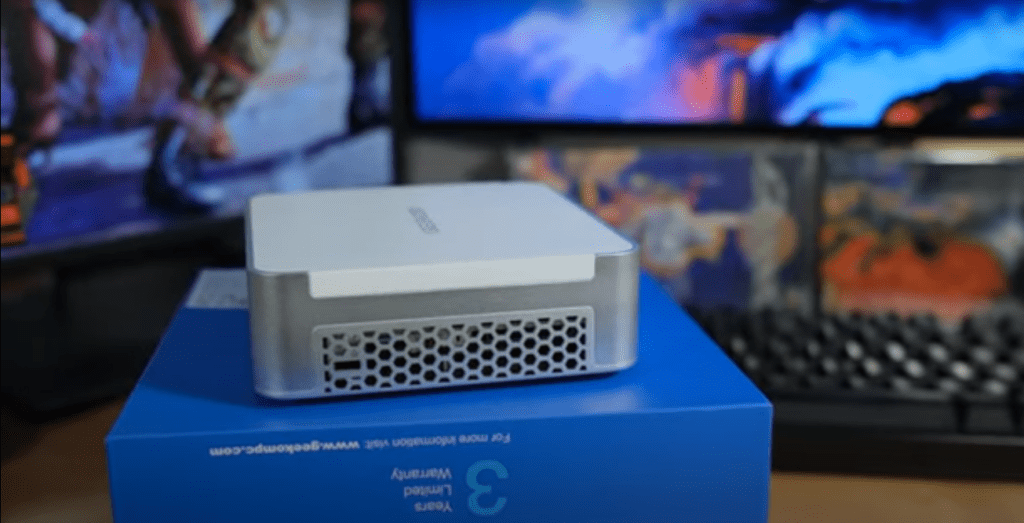
As was already the case when I was testing the Geekom Mini IT13 , the excitement was palpable as I gently slid the GEEKOM Mini XT12 out of its cardboard box.
The first thing that strikes you is its size: it's not every day you see a computer that could almost get lost on a spacious desk. With its dimensions of 117 x 111 x 38.5 mm and its featherweight 450 g (lighter than some phones), it's clear that this mini PC was designed to go unnoticed, while still making a strong impression with its aesthetics.
Upon opening, the mini PC is revealed, nestled in protective foam that perfectly conforms to its shape, demonstrating the care taken in its protection. The gray finish catches the light and draws the eye, giving the Mini XT12 Pro an air of modernity and elegance. It's an object one can easily imagine proudly displayed on a desk, without ever looking out of place in a contemporary interior.
Upon examining the high-quality aluminum casing, one immediately senses the promise of durability. The ports, arranged with surgical precision, offer seamless accessibility, ready to accommodate the cables and peripherals that will bring this little technological marvel to life.
This first impression is a promising glimpse of what the GEEKOM XT12 Pro has to offer. Stay with me to discover the performance and features of this mini PC that's full of character.
Analysis of the external part of the XT12 Pro
Inside the Mini XT12 Pro packaging, you'll find everything you need to begin your experience:
1. The minicomputer itself, constituting the heart of this adventure.
2. A power adapter with its cable to power the device.
3. An HDMI cable is essential for connecting the mini-PC to a screen.
4. An start guide providing a clear overview of the device.
5. A VESA mounting kit with screws, allowing for discreet mounting behind a monitor.
Despite its compact size, it offers a variety of connection ports, demonstrating that functionality is not limited by size. As an illustration, a detailed diagram, available on the manufacturer's website , highlights the clever arrangement of the ports:
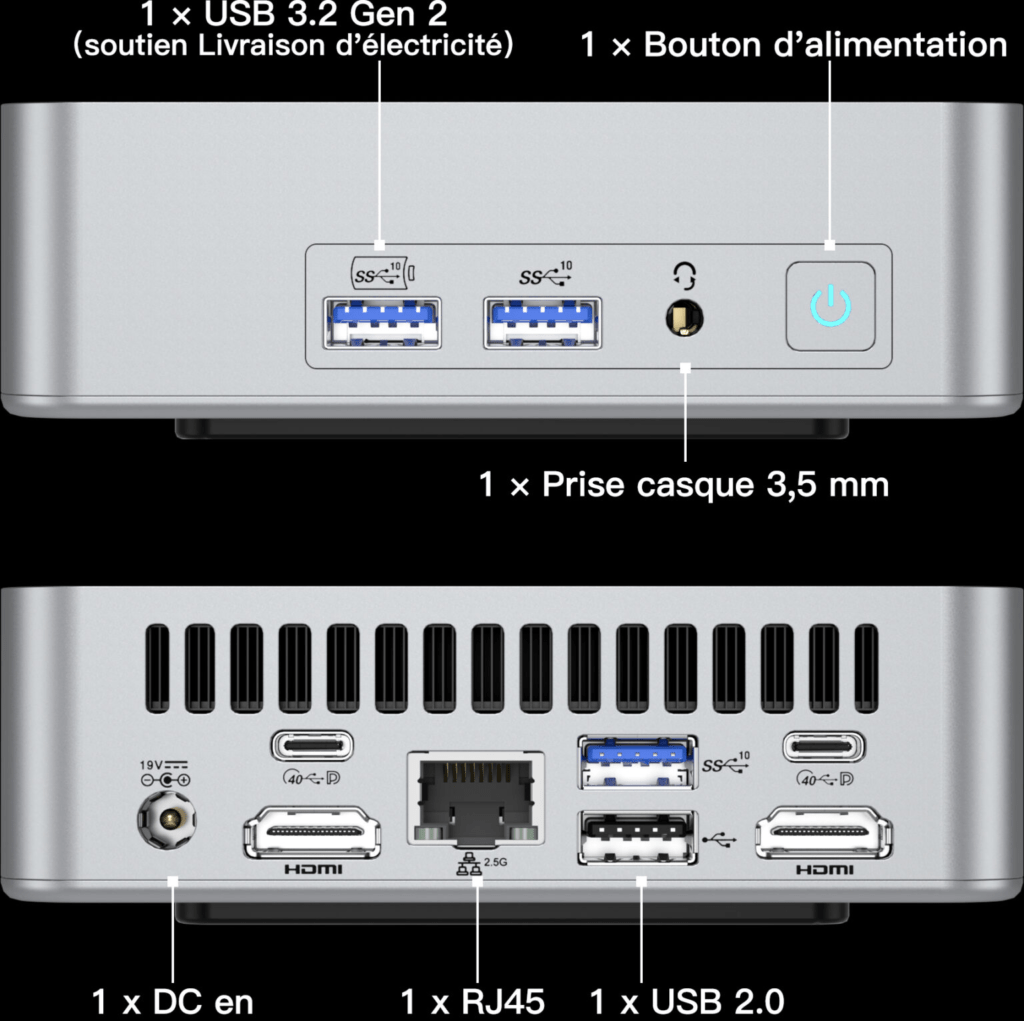
The Mini XT12 Pro's casing also holds some surprises with practical features arranged on the sides:
Left side: a dedicated location for the front 3.5 mm stereo headphone jack
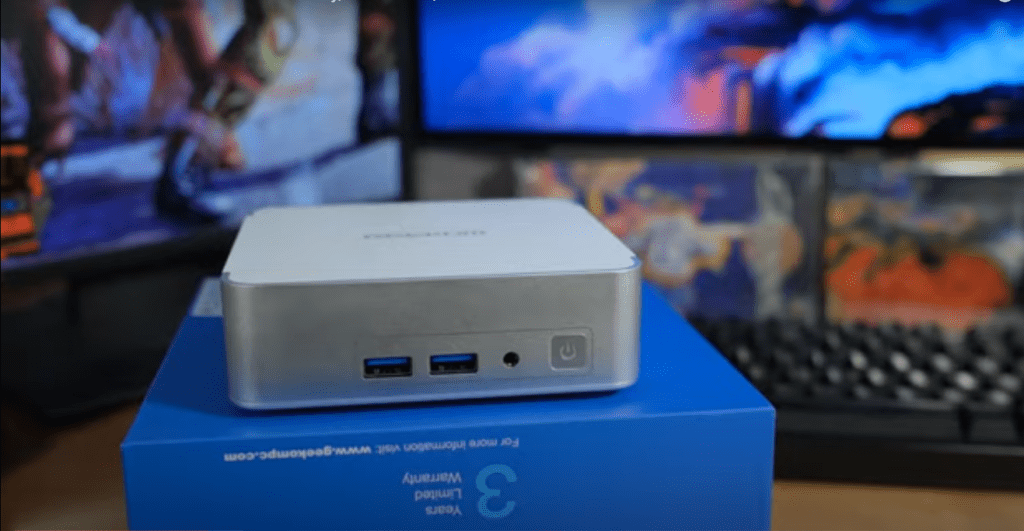
Right side: a port for Kingston security connector.
Internal exploration of the Geekom Mini XT12 Pro
the chassis can be , providing access to the inside of the computer. Inside, two 16GB DDR4 RAM modules , and they can be easily replaced if necessary.
For those seeking greater capacity, it's possible to reach up to 64GB by replacing the two 16GB modules with two 32GB modules available in stores . Further exploration reveals a 1TB M.2 SSD and another memory expansion slot, allowing for the addition of another terabyte for a total of 2TB.

An important observation can be made on the sides of the computer: while examining the ports, I wondered what this unusual connector was for. It turns out it's not a strange connector at all, but an SD card reader. This raises the question of why an SD card reader was included without a corresponding opening on the side of the chassis. This question remains unanswered, and it's reasonable to assume that a cutout would have been appropriate.
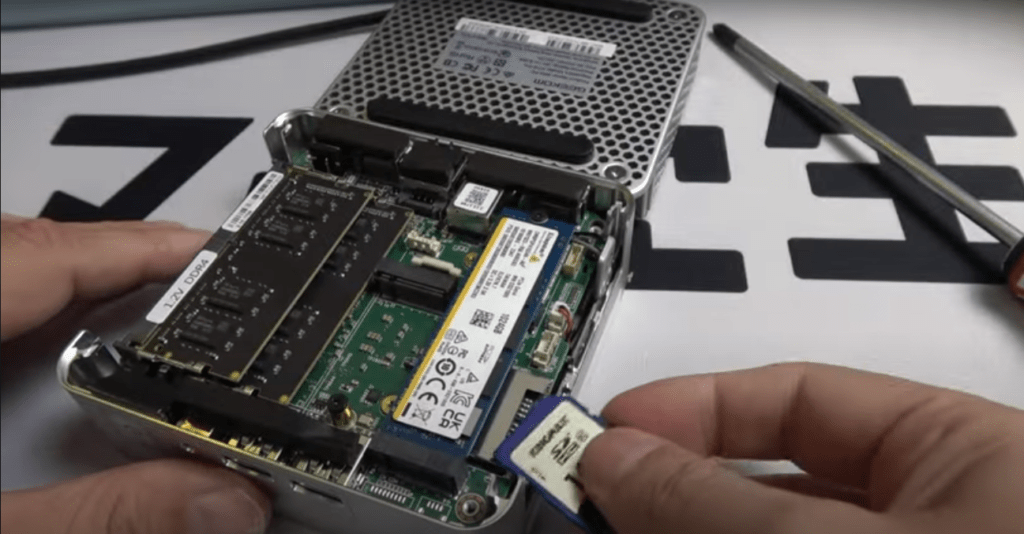
Initially, one might assume this is a manufacturing defect in the chassis, a lack of synchronization between the chassis design and the component placement. However, it's possible this decision was made for design or cost reasons. Sometimes, computer manufacturers choose to retain specific locations for components, even if they aren't directly accessible from outside the chassis, to simplify the design or reduce production costs .
Installing Windows 11 Pro, customizing and exploring the features of the Geekom Mini XT12 Pro
To launch my Geekom Mini XT12 Pro and install Windows 11 Pro, I followed these steps:
1. I connected my monitor, keyboard and mouse, then I started the installation process after plugging in the HDMI cable and the power supply .
2. I chose my Wi-Fi network, although the Ethernet option is also available.
3. Next, I created a user account via a Microsoft account, a standard procedure unless you follow a specific procedure to protect privacy.
Once these initial steps were completed, I accessed the Windows 11 Pro desktop . My first instinct was to launch Windows Update to download the latest updates and security patches, thus ensuring the system was up to date with Microsoft's latest features.
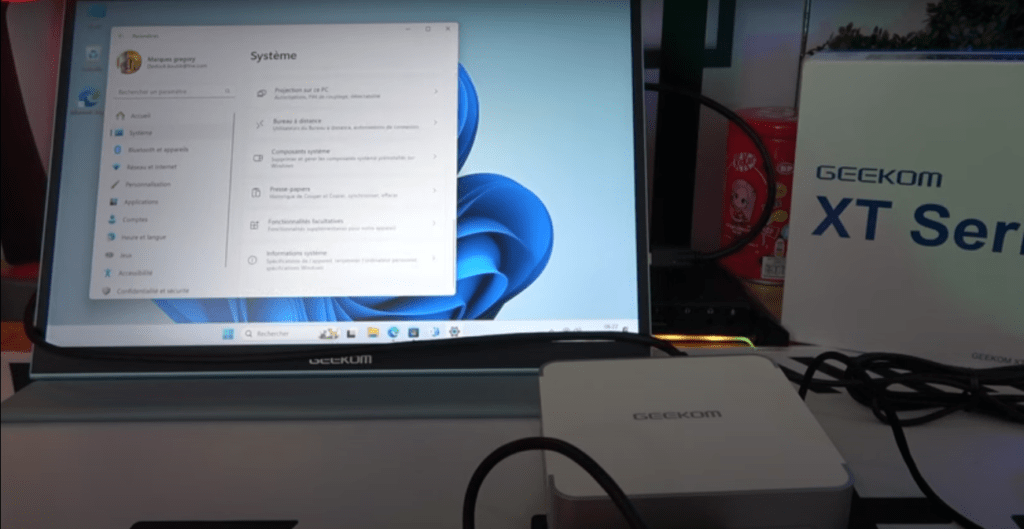
What impressed me was the cleanliness of the installation: no software pre-installed by Geekom , just Windows 11 Pro in its purest form, without superfluous applications or publisher customizations.
The Mini XT12 Pro is a smooth and efficient user experience. Whether installing apps, browsing the web, or playing videos, everything went smoothly. It's a real pleasure to work with such a responsive machine.
Benchmark launch
To assess the technical capabilities of the Mini XT 12 Pro 3DMark benchmarking tool for computers, known for its expertise in in-depth performance evaluation. This approach provided me with precise and detailed information about the hardware capabilities of this small computer.
As a technology enthusiast, the results truly impressed me.
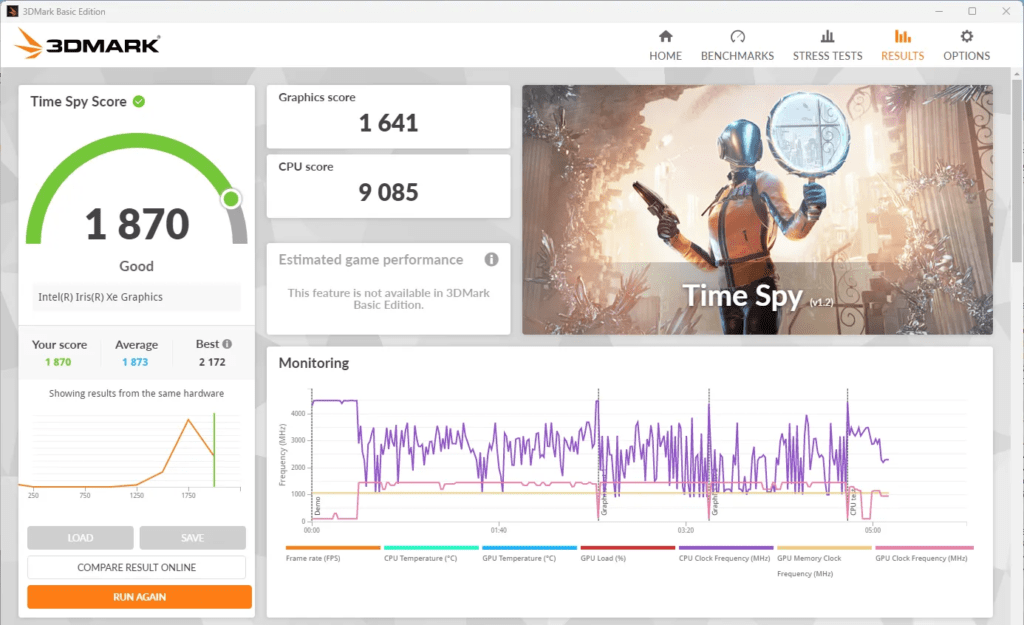
The Geekom XT12 Pro recorded the following scores in the 3DMark Time Spy test:
- Total Time Spy score: 1870 points
- Graphic score: 1641 points
- CPU score: 9085 points
An overall score of 1870 points indicates decent performance for a mini PC, although it's not exceptional. It allows you to play recent games with some adjustments to the resolution and graphics settings.
This indicates that the mini PC can run most modern games at 1080p resolution , but users will likely need to lower the graphics details to medium or low levels to achieve a smooth experience in terms of FPS (frames per second).
Remarkable synergy between the CPU and the GPU
The XT12 Pro stands out for its perfectly balanced CPU and GPU performance, offering an effective synergy between the two components.
At the heart of this device is a powerful processor , boasting a remarkable score of 9085 points. This performance underscores its robustness in handling everyday tasks, such as word processing, web browsing, and playing high-definition videos.
The XT12 Pro's GPU, meanwhile, demonstrates its capabilities with a score of 1641 points . While it can't compete with the latest dedicated graphics cards, it delivers a satisfying and smooth gaming experience across a wide variety of current titles.
In-depth examination of the performance graph
Analysis of the performance graph reveals a balanced distribution between CPU and GPU capabilities. It is noteworthy that the processor plays a central role in the overall score, which aligns with the expectations of the 3DMark Time Spy test , designed to simulate realistic gaming scenarios.
Furthermore, the graph demonstrates the GPU's ability to maintain consistent performance throughout the test. This stability is essential for ensuring a smooth user experience, especially in the most demanding gaming environments.
Geekom XT12 Pro: A closer look at gaming performance
Fortnite Battle Royale : a challenge brilliantly met

Want to unwind after a day at work by launching Fortnite on your Geekom XT12 Pro ? No problem! Configured in 1080p, Performance mode and with graphics settings between low and medium, this mini-PC proves capable of handling this popular game smoothly.
Smooth frames per second
During my tests, the frame rate (FPS) generally fluctuated between 100 and 150, providing a pleasant gaming experience. In quieter moments, when the camera was pointed towards the ground or sky, the FPS could even exceed 160, for an even smoother experience.
Intensely charged scenes, expertly handled
Even in intense action scenes where the screen teems with enemies and explosions, the Geekom XT12 Pro remained efficient, with an FPS rarely dropping below 70.
A mini-PC that's not lacking in resources
The conclusions drawn from my analysis with 3DMark Time Spy are validated by these results. Even though the Geekom XT12 Pro isn't specifically designed for high-end gaming , it offers enough power to handle popular games like Fortnite with reasonable graphics settings.
The noise and heat emitted by the XT 12 Pro
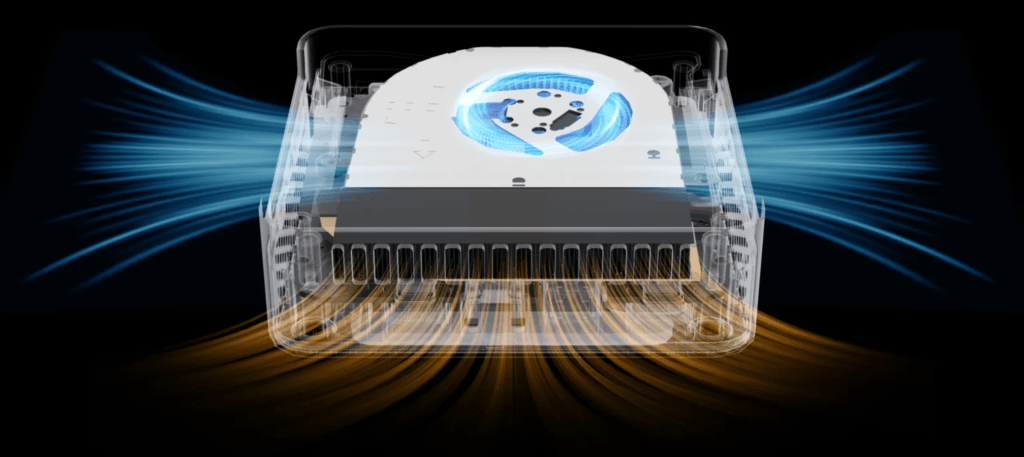
During everyday activities such as web browsing , word processing , or video playback , the Geekom XT12 Pro remains silent at a normal distance, demonstrating excellent acoustic management under light loads. This feature is particularly valuable in a home or office environment where silence is often preferred.
However, during performance tests that heavily stress the components, the fan noise becomes noticeable but remains moderate.
Regarding temperature, the Geekom XT12 Pro reaches peaks of 105°C at the processor level as a whole and 100°C at the core level , corresponding to the maximum threshold tolerated by the CPU according to Intel's specifications.
These temperatures have led to thermal limiting, a protection mechanism that reduces the processor frequency to lower its temperature and prevent permanent damage, which directly results in a drop in performance.
Few mini-PCs can boast of passing performance tests without experiencing thermal limitations. The Geekom XT12 Pro is no exception in this regard.
Power consumption of the Geekom XT 12 Pro
The energy consumption assessment was carried out under realistic usage conditions. I directly measured the consumption at the wall outlet using a wattmeter, taking care to disconnect all external devices to guarantee data integrity.
Consumer tests were conducted in three distinct scenarios:
1. In standby mode, Windows desktop displayed , power consumption was exceptionally low, at just 3.1 watts. This energy efficiency is remarkable, especially for everyday use where the mini-PC could remain powered on unused for hours.
2. While playing 4K videos from YouTube, the mini-PC recorded moderate power consumption, varying between 11 and 15 watts. This level remains low, considering the handling of 4K decoding and video streaming over WiFi 6.
3. The maximum power consumption, observed at 72 watts, occurred during the execution of demanding benchmarks. Although this value is significantly higher than other measurements, it remains reasonable for a mini-PC capable of handling resource-intensive tasks such as 3D rendering or complex simulations.
GEEKOM MINI XT 12 PRO REVIEW
Summary and Opinion
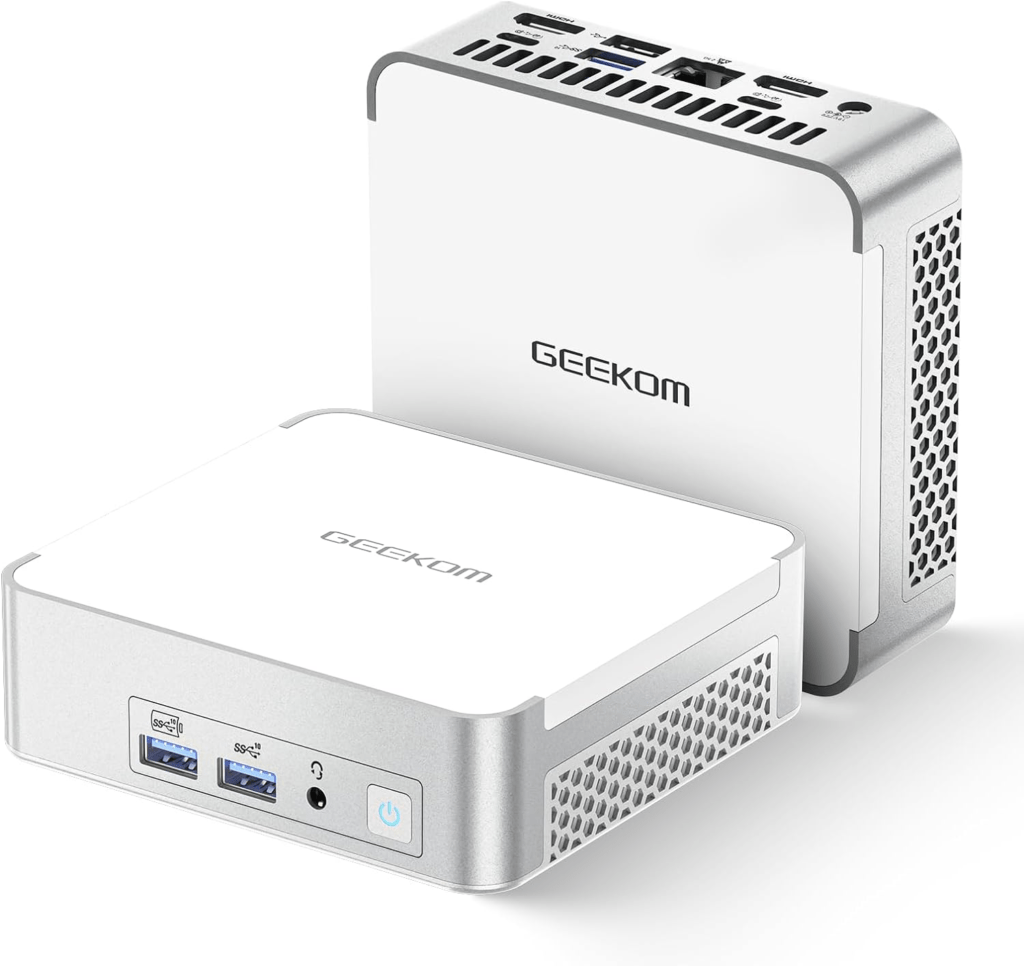
The Geekom XT12 Pro is a powerful mini-PC, ideal for office work, 4K video playback, and content creation. Its quiet operation and low power consumption make it an attractive choice for a peaceful and energy-efficient work environment. However, it's not suitable for demanding AAA games without graphical tweaking . For users looking for a compact and economical device with limited gaming capabilities, the XT12 Pro is a sensible option, especially since it offers the possibility of adding an external graphics solution via its USB 4 ports.
The +
- Compact design
- Beautiful finish
- Excellent value for money
- Solid performance
- Large storage capacity with a 1TB SSD
- Full connectivity
- Fast and stable wireless connectivity thanks to Wi-Fi 6 and Bluetooth 5.0.
- Windows 11 operating system pre-installed
- Energy efficiency
- Effective sound management
THE -
- Limited thermoregulation
- Fan noise slightly audible during intensive use
- No SD card reader on the side