
In the exciting world of computing, overclocking is the practice of pushing a hardware component beyond its factory specifications to achieve increased performance. For AMD Ryzen processors , the official overclocking tool is called Ryzen Master and offers a user-friendly way for users of all skill levels to unlock the hidden potential of their CPU.
Whether you are a seasoned gamer looking to maximize FPS or a professional wanting to optimize the performance of your workstation, this comprehensive guide will accompany you step by step in overclocking your AMD processor with Ryzen Master .
Prerequisites
Before you begin overclocking, it is essential to ensure that your system has the following components:
- Compatible AMD Ryzen processor: Not all Ryzen processors are created equal when it comes to overclocking. Make sure your model is supported by Ryzen Master and has sufficient overclocking potential.
- Compatible motherboard: Your motherboard must also be overclocking-compatible and have the necessary BIOS options. Consult your motherboard manual for more information.
- High-performance cooling system: Overclocking generates additional heat, so an efficient cooling system is crucial for keeping temperatures under control. A high-performance CPU cooler is essential.
- Power Supply : Overclocking can also increase power consumption. Ensure your power supply is powerful enough to handle the additional load.
Understanding the basics of overclocking
Overclocking involves increasing the processor's clock speed, resulting in a higher number of instructions executed per second. Two key parameters influence the clock speed:
- Multiplier: The multiplier is a number that determines the base frequency of the processor.
- Base frequency: The base frequency is the clock speed at which the processor operates by default.
By increasing the multiplier or base frequency, you can overclock your processor. However, it's important to note that overclocking can lead to system instability and hardware damage if not done correctly.
What is Ryzen Master?
Ryzen Master is free software developed by AMD specifically for AMD Ryzen processors. It offers a user-friendly interface that allows users to easily adjust their processor's overclocking settings. Ryzen Master is designed for use with unlocked Ryzen processors, meaning you can modify overclocking settings without encountering manufacturer-imposed limitations.
Ryzen Master software also offers the option to revert to default settings if any issues arise. This means that if you experience instability or errors after overclocking your processor , you can simply return to the factory settings with a single click.
Steps to overclock your AMD processor with Ryzen Master
Now that you understand the basics of overclocking and are familiar with Ryzen Master, let's move on to the concrete steps to overclock your AMD processor .
Step 1: Download and install Ryzen Master
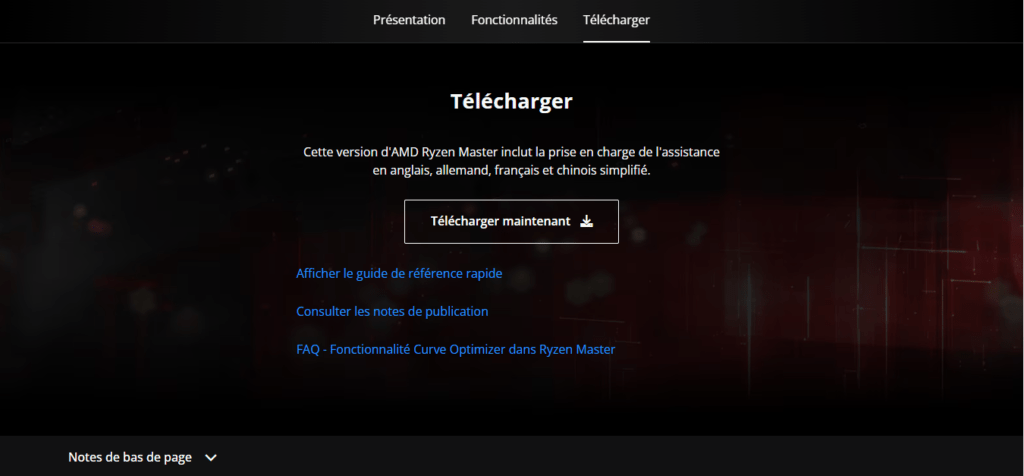
The first step is to download and install Ryzen Master on your computer . You can find the latest version of the software on AMD's official website . Make sure you download the version compatible with your operating system.
Step 2: Perform stability tests
Before you begin overclocking, it's important to ensure your system is stable. To do this, run stability tests such as Prime95 or OCCT to verify that your processor is functioning correctly at its factory settings.
Step 3: Launch Ryzen Master
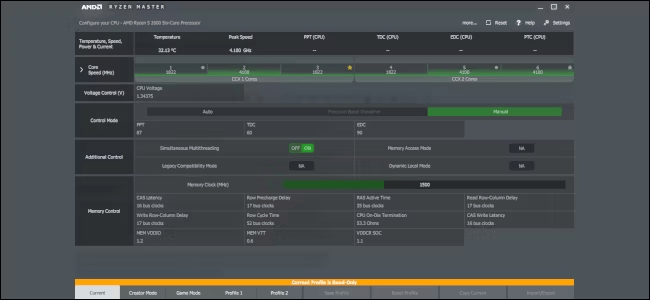
Once Ryzen Master is installed , launch the software. You will be greeted by a user-friendly interface that displays information about your processor, including current clock frequencies and temperatures.
Step 4: Enable overclocking mode
In Ryzen Master, look for the option to enable overclocking mode . This may vary depending on the software version, but you will usually find this option in the advanced settings.
Step 5: Adjust the overclocking settings
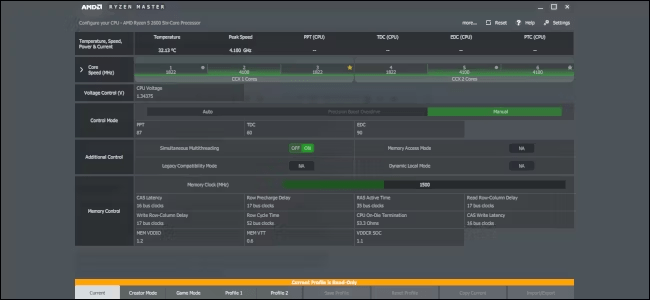
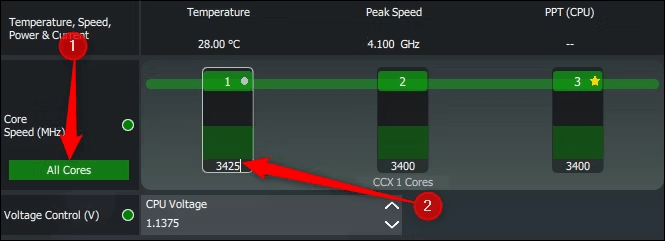
Once you have enabled overclocking mode, you can begin adjusting the settings to increase your processor's clock speeds. Ryzen Master allows you to change the frequency of each core individually or globally. You can also adjust
Step 6: Test the stability of the overclocking
After adjusting your overclocking settings, it's essential to test your system's stability. Ryzen Master offers a built-in testing tool that lets you check if your processor is running stably at its new frequencies. Run the test and monitor your processor's temperatures and performance .
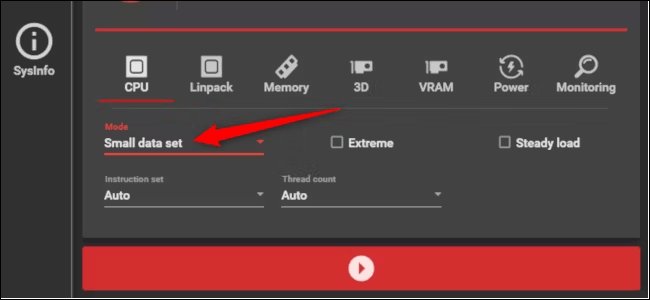
If you encounter errors or instability during the test, it means your overclocking is too aggressive. In this case, you will need to revert to the previous settings and adjust them to find a balance between performance and stability.
Step 7: Monitor temperatures and performance
Once you've successfully overclocked your processor stably , it's important to regularly monitor your system's temperatures and performance. High temperatures can lead to long-term damage to your processor, while increased performance can improve your gaming experience and other CPU-intensive tasks.
This article might interest you: How to solve the problem of DISM Host Servicing Process consuming too much CPU?
Use monitoring software such as HWMonitor to track your CPU temperatures and adjust overclocking settings as needed to maintain safe temperatures.
In conclusion, here are some key points to remember:
- Overclocking can improve the performance of your AMD processor, but it must be done with caution.
- Make sure you fully understand the risks involved before you start overclocking .
- Ryzen Master offers several features to improve performance without overclocking .
- Only overclock if you are comfortable with the technology and have an adequate cooling system.
By following these tips and proceeding with caution, you can enjoy the benefits of overclocking while minimizing the risks.


