In the field of visual creation, artificial intelligence (AI) is revolutionizing the industry. It's now possible to generate unique and breathtaking images from simple text descriptions. Microsoft, at the forefront of this innovation, offers its powerful tool: Microsoft Copilot Image Creator . This article will immerse you in the fascinating world of this tool, guiding you step by step through its features and revealing its extraordinary creative potential.
What is Microsoft Copilot Image Creator?
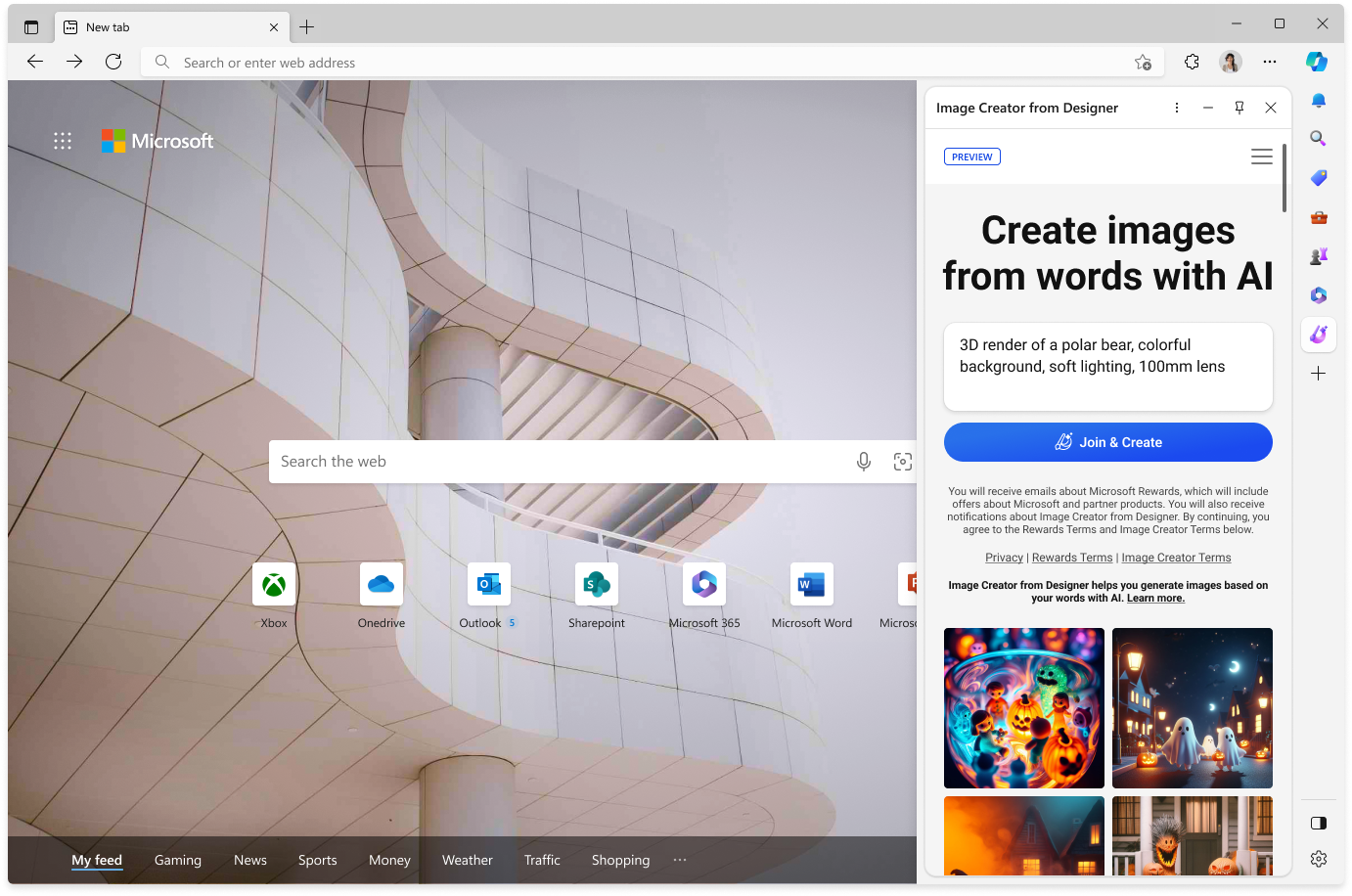
Microsoft Copilot Image Creator is a revolutionary AI-powered tool that generates images from text queries. Integrated with the search engine , it offers users a unique visual creation experience. Whether you're a seasoned artist or a complete beginner, this tool empowers you to bring your wildest ideas to life and push the boundaries of your imagination.
How to use the Microsoft Copilot image generator
Using Microsoft Copilot Image Creator is incredibly easy. Here are the steps to follow:
Step 1. Access the tool
You can use Microsoft Copilot Image Creator in two ways:
- Via the Web : Go to https://www.microsoft.com/en-us/edge/features/image-creator?form=MA13FJ and sign in to your Microsoft account.
- Integrated with Microsoft Edge : Open Microsoft Edge and click on the " Image Creator " icon in the sidebar.
Step 2. Write your request

In the text box provided, describe the image you wish to generate using precise and descriptive terms. Feel free to include details about the colors, styles, moods, and elements you want to include in the image.
Step 3. Select your options
Microsoft Copilot Image Creator offers several options to customize your image, such as artistic style, image size, and the number of images to generate.
Step 4. Start the generation
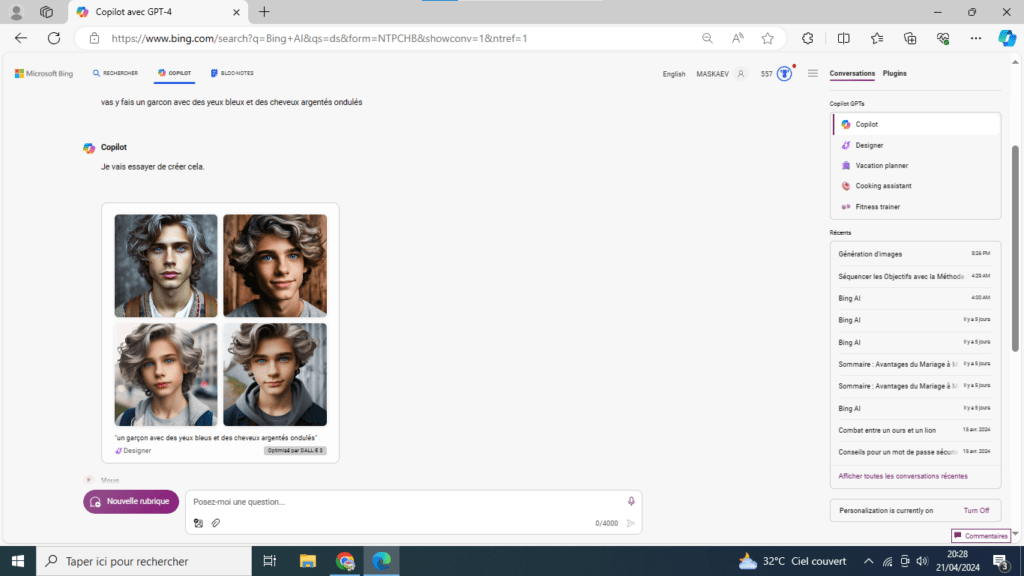
Click the " Create " button and let the AI work its magic. In seconds, you'll get a set of images matching your query.
Step 5. Adjust and explore
Microsoft Copilot Image Creator lets you refine your results by selecting the images you like best and editing them using simple editing tools. You can also generate new images from your existing creations.
Should you use Microsoft Copilot Image Creator or ChatGPT Plus with DALL-E 3?
The choice between Microsoft Copilot Image Creator and ChatGPT Plus with DALL-E 3 depends on your needs and preferences. Here are some points to consider:
- Features : Microsoft Copilot Image Creator offers a simplified and intuitive interface, while ChatGPT Plus with DALL-E 3 offers more advanced features and more precise control over image generation.
- Image quality : Both tools generate high-quality images. However, some users have reported that DALL-E 3 produces more realistic and detailed images.
- Accessibility : Microsoft Copilot Image Creator is freely accessible to all users, while ChatGPT Plus with DALL-E 3 requires a paid subscription.
- Integration : Microsoft Copilot Image Creator is integrated with Microsoft Edge, making it convenient for users of that browser. DALL-E 3 is available as a standalone web application.
Conclusion
Microsoft Copilot Image Creator stands out as a powerful and accessible tool for exploring the wonders of AI image creation . Its ease of use, intuitive features, and the quality of the generated images make it an ideal choice for users of all skill levels, from seasoned artists to complete beginners. Whether you're looking to bring your artistic ideas , create visuals for your personal or professional projects, or simply have fun exploring the endless possibilities of AI, Microsoft Copilot Image Creator is an essential tool that will allow you to push the boundaries of your imagination and bring your visual dreams to life.