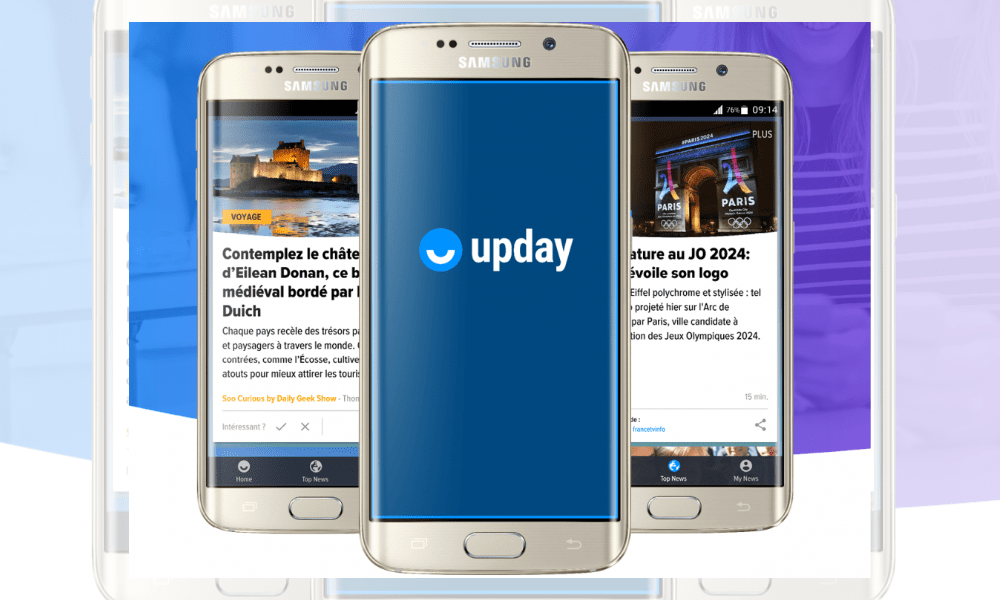
Upday news aggregator app that lets you receive news that interests you on your smartphone . Upday is developed by Axel Springer and Samsung , and comes pre-installed on some Samsung phone models.
How does Upday work?
Upday works using an algorithm that analyzes your preferences and reading history, and suggests articles tailored to your interests .

You can choose the categories and sources you want to follow, and create alerts so you don't miss any of the topics that matter to you.
What are the advantages and disadvantages of Upday?
Upday offers several advantages for users who want to stay informed about current events:
- Discover relevant and high-quality articles from reliable and diverse sources.
- Optimized reading experience , with a clean design and smooth navigation.
- Save time by avoiding the need to search for information on multiple websites or applications.

However, Upday also has some drawbacks that might lead you to disable it:
- It consumes a lot of mobile data and battery , especially if you receive many notifications or view articles with videos or images.
- Intrusive , by occupying part of your home screen or by displaying advertisements.
- Biased , by favouring certain sources or points of view, or by omitting certain information.
How do I disable Upday?
If you are not satisfied with Upday, you can easily disable Upday on your smartphone. Here's how:
- On your Samsung phone's home screen , [1] swipe right to access the Upday screen.
- Go to the top right corner of the screen , [2] press the button (3 dots), then [3] click on Settings .

- Disable the Notifications option to block Upday notifications.

- If you also want to remove the Upday icon from your home screen , long press the icon, then drag it upwards until the “Remove” option appears.
FAQs
What is the difference between Upday and other news aggregator applications?
Upday distinguishes itself from other news aggregator applications through its partnership with Samsung, which allows it to be pre-installed on certain models of the brand's phones.
How does Upday choose its sources of information?
Upday selects information sources based on several criteria, such as credibility, relevance, diversity, and timeliness. Upday relies on a network of media partners, which includes newspapers, magazines, websites, television channels, and radio stations.
Upday also collaborates with news agencies, such as AFP or Reuters, to cover the most important news of the day.
How does Upday respect user privacy?
Upday respects user privacy by collecting only the data necessary for the application to function, and by not sharing it with third parties. Upday uses the data to analyze users' preferences and reading history, and to offer them articles tailored to their interests.
Upday also allows users to manage their data, giving them the ability to view, modify, or delete it.
Speaking of privacy, if you use Gmail and don't want anyone else accessing your emails without your permission, read the article: Gmail: Disconnect your account remotely to protect your privacy! Tips
How does Upday make money?
Upday earns money through advertising, which is displayed as banners or videos within the app. Upday pays its media partners based on the number of clicks or views generated by their articles. Upday does not charge users to access the app or its content.
How does Upday adapt to different countries and languages?
Upday adapts to different countries and languages by offering a local version of the app for each market. Upday is currently available in 16 European countries, including France, Germany, the United Kingdom, Spain, and Italy.
Upday also offers a multilingual version for users who speak several languages, or who wish to discover articles from other countries.
How does Upday integrate social networks?
Upday integrates with social networks, allowing users to share articles they like with their friends via Facebook, Twitter, WhatsApp, or other apps. Upday also monitors trends and discussions on social media to offer articles related to the most popular or controversial topics of the moment.

How does Upday evolve over time?
Upday evolves over time by constantly improving its algorithm, design, and features. Upday takes user feedback and suggestions into account to offer a better reading experience. Upday also stays abreast of technological innovations to integrate new possibilities, such as augmented reality and voice recognition.
Conclusion
You have now deactivated Upday on your smartphone. You can always reactivate the app if you change your mind, by following the same steps. You can also explore other news aggregator apps , such as Flipboard , Google News , or Feedly , which offer similar or different features.