
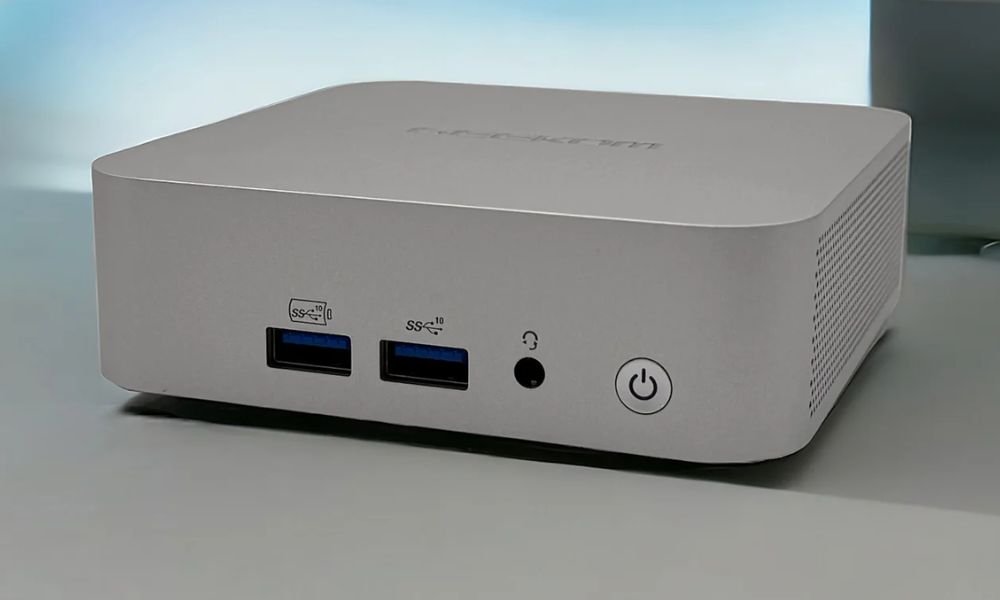
In an era where compactness and power are increasingly sought after, mini-PCs are enjoying growing popularity. GEEKOM , the innovative IT company that needs no introduction, stands out with products that combine performance and design . Their latest model, the GEEKOM A8 , a worthy successor to the A7 , equipped with an AMD Ryzen 9 8945HS processor , promises to redefine mini-PC standards by offering impressive capabilities in a small form factor.
Having had the opportunity to test the GEEKOM A8, I'm excited to share my impressions and the results of my evaluation. This mini-PC, with its promising specifications, could very well transform your workspace or entertainment setup. Incidentally, this computer is available in two distinct models, each offering different configurations and prices!
In this article, I offer a detailed analysis of the GEEKOM A8 , a compact and powerful machine from the GEEKOM brand. To determine if this device lives up to the hype, I will examine its technical specifications , performance, connectivity, build quality, and conclude with an overall opinion.
Ready to learn more? Let's go!

Introducing the GEEKOM A8
The Geekom A8 is one of the latest models to stand out, featuring the latest generation AMD Ryzen 9 and Ryzen 7 processors. This technological marvel promises to push the boundaries of performance even further in an ultra-compact form factor. Is this the first time you've heard of this mini PC? Here's a detailed overview of its features:
Performance
The Mini A8 comes in two powerful configurations, each incorporating the latest generation of AMD Ryzen processors .
- R9-8945HS with 32GB RAM and 2TB SSD : This configuration is the more powerful of the two and offers the best graphics performance, perfect for the most demanding gamers.
- R7-8845HS with 32GB of RAM and 1TB of SSD : This configuration is slightly less powerful than the R9-8945HS configuration, but it still offers more than enough graphics performance for most video games and applications.
Equipped with an integrated AMD Radeon 780M graphics card , this mini PC is capable of running most current video games at medium settings , thus offering you a smooth and enjoyable gaming experience.
Memory and Storage
The Geekom A8 makes no compromises on memory and storage . It is equipped with:
RAM :
- Dual-channel DDR5 5600MT/s
- Up to 64 GB
This configuration offers speed and capacity for the most demanding tasks, such as multitasking, video editing, and software development.
Storage :
- M.2 2280 PCIe Gen 4 x4 SSD
- Up to 2 TB
The PCIe 4.0 SSD offers ultra-fast read and write speeds , allowing you to load your applications and files in the blink of an eye.
Graphics and Display
Cutting-edge AMD Ryzen processors, such as the Ryzen 9 8945HS and Ryzen 7 8845HS , deliver exceptional performance with 8 cores and 16 threads. With a maximum Boost clock speed of up to 5.2 GHz TSMC 4nm FinFET technology , these processors ensure realistic graphics and vibrant details. The integrated AMD Radeon™ 780M graphics card in the GEEKOM A8 provides smooth, high-fidelity experiences for gaming, editing, and streaming.
Connectivity
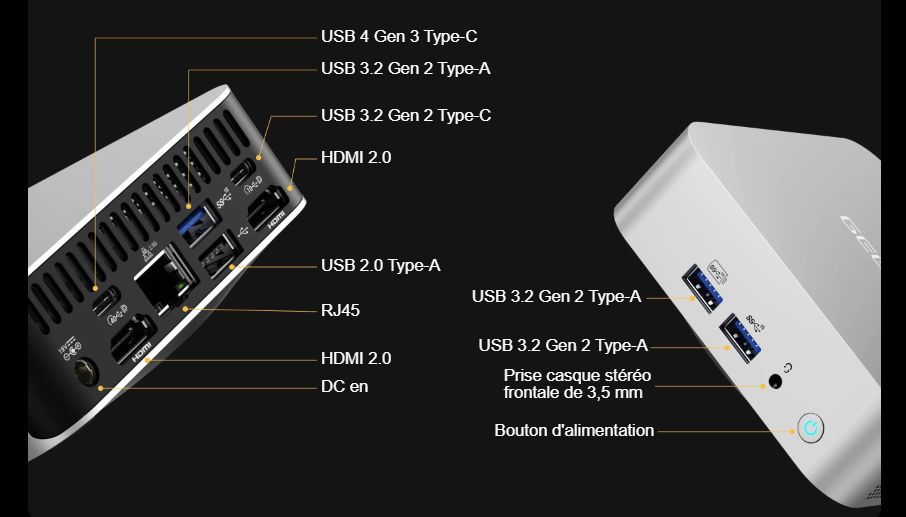
Ports :
- 1 x USB 3.2 Gen 2 Type-A on the back
- 1 x USB 2.0 Type-A port on the back
- 1 x USB 3.2 Gen 2 Type-A port on the front panel supporting Power Delivery
- 1 x USB 3.2 Gen 2 Type-A on the front
- 1 x USB 3.2 Gen 2 Type-C supporting Power Delivery (rear panel)
- 1 x USB 4 Gen3 Type-C supporting Power Delivery (rear panel)
- 1 front 3.5 mm stereo headphone jack
- 1 x RJ45 (rear panel) RTL8125BG-CG
- 2 x HDMI 2.0 (rear panel)
- 1 x DC input (rear panel)
- 1 x power supply button
- 1 x SD card
Network :
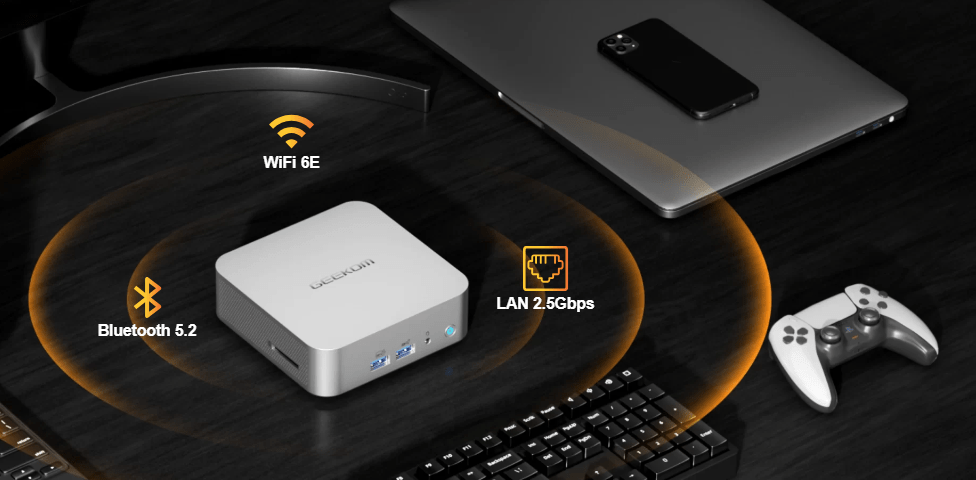
- Wi-Fi 6E and Bluetooth 5.2 for an ultra-fast and stable wireless connection
- Gigabit Ethernet for a secure and high-performance wired connection
Operating System and Dimensions
- OS : Windows 11 Pro pre-installed, offering the latest Windows . However, if you prefer to use a different operating system, you can always easily install Linux or macOS on the GEEKOM A8.
- Dimensions : A compact design measuring 112.4 mm x 112.4 mm x 37 mm, ideal for tight spaces. This mini PC is perfect for demanding users who want high performance without sacrificing portability.
Now that you have a general idea of the A8 mini PC, let's focus on unboxing and discovering the top-of-the-line model, equipped with an AMD Ryzen 9 8945HS processor, 32GB of RAM, and a 2TB SSD. Get ready to be amazed!
Unboxing and first impressions
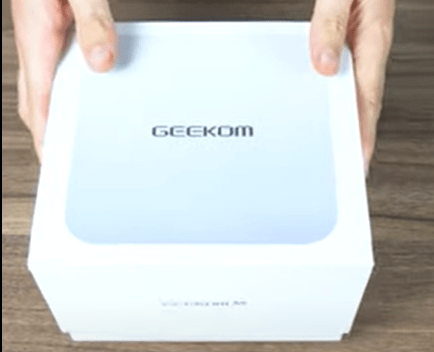
As soon as I held the package in my hands, I felt a wave of excitement. The packaging immediately impressed me with its quality. Not only was it aesthetically pleasing with its minimalist design, but it also offered solid protection, ensuring that the GEEKOM Mini A8 inside arrived in perfect condition.
Upon opening the box, the Mini A8 was presented to me with an elegance that surprised me. It rested in a custom-made stand.
The first thing that struck me was the compact size of the device, a surprising contrast with its weight of 450g, suggesting the use of robust materials in its manufacture.
The unboxing process was a real adventure, each layer revealing a new aspect of the mini-PC. The brushed aluminum case caught the light, adding a touch of sophistication while conveying an impression of durability . Every detail seemed to have been carefully considered to combine aesthetics and functionality.
The Mini A8's highly durable metal frame inspires great confidence. It's clear that GEEKOM has taken significant steps to ensure the product's longevity. The use of a hybrid design combining metal and plastic isn't just for looks; it plays a crucial role in preventing deformation from impacts or compression. This demonstrates a particular focus on the mini-PC's durability and reliability .
Analysis of the external part of the Geekom A8
Let's get down to business! Right from the opening of the Geekom A8 Mini PC box, everything you need to get started is neatly packed inside:
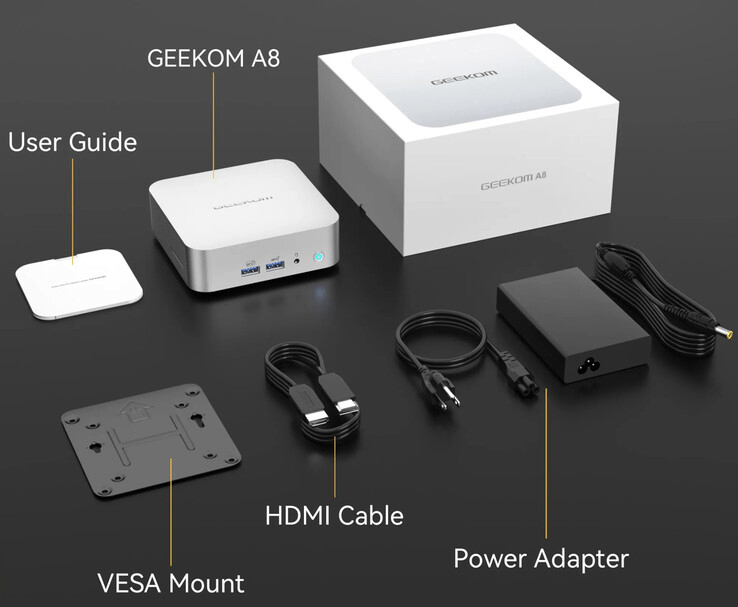
- Obviously, the mini-PC itself is the centerpiece of this technological adventure.
- A power adapter with its cable to power your new gadget.
- An HDMI cable , essential for connecting the mini-PC to a screen.
- An illustrated quick start guide , offering a clear and concise overview of the device.
- A VESA mounting kit with all the necessary screws, ideal for discreetly attaching the mini PC behind a monitor.
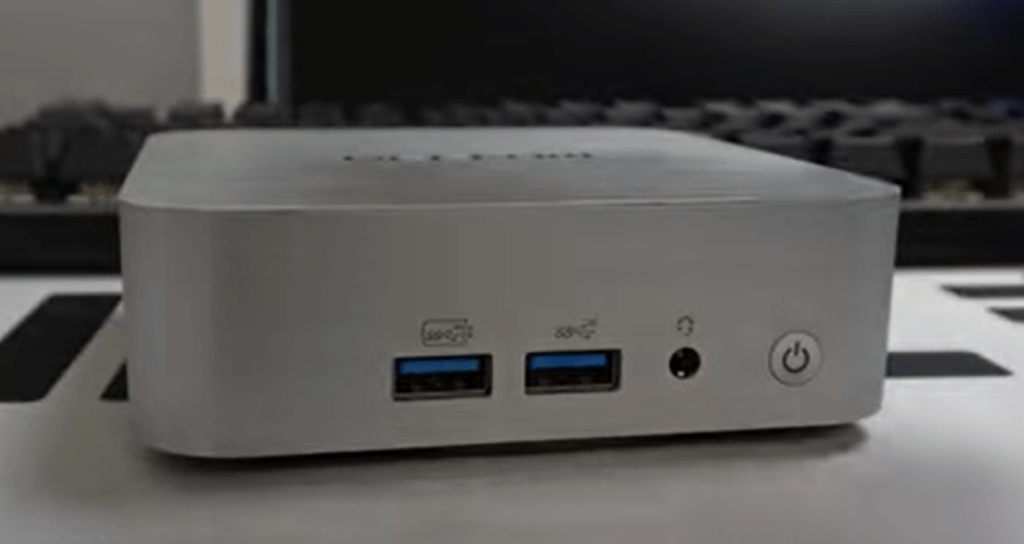
Despite its compact size, the Geekom A8 is packed with ports, demonstrating that size doesn't hinder functionality. To illustrate this, here's a detailed diagram, taken from the manufacturer's website, highlighting the ingenious layout of these ports:
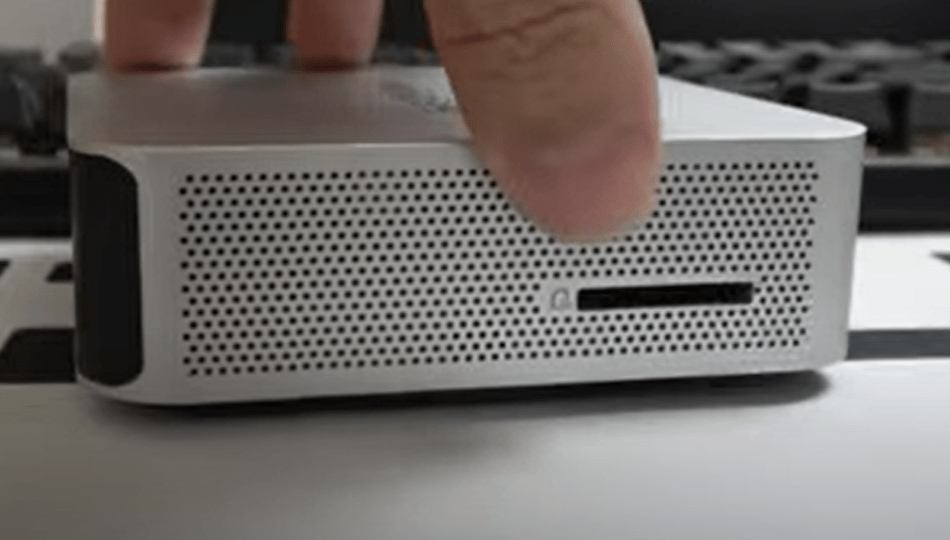
Similar to what we observed on the Mini PC IT13 , the Geekom A8 is equipped, on its left side, with a dedicated slot for the SD card reader , but curiously, there is nothing on the right side.
Internal exploration of the Geekom Mini A8
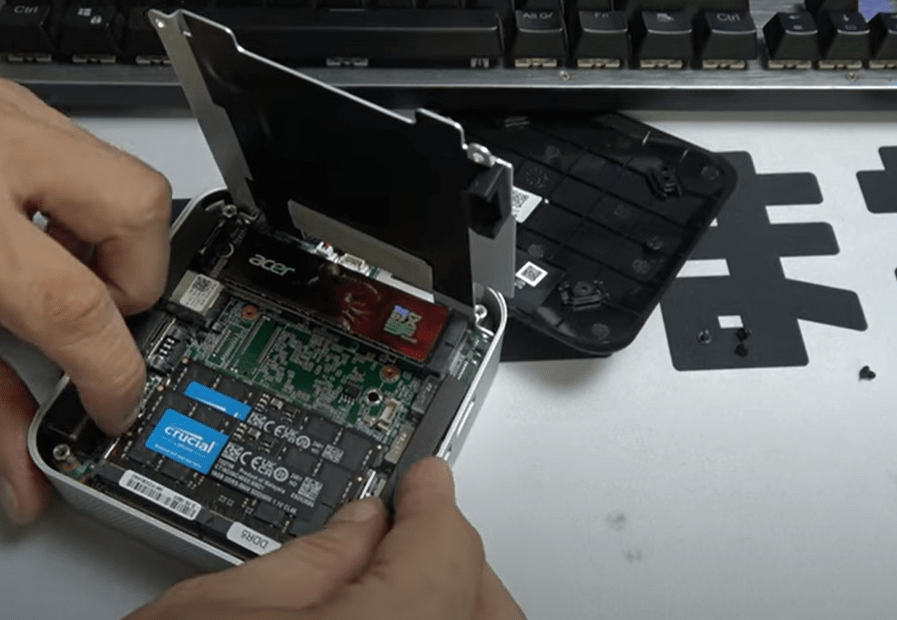
As soon as you remove the bottom panel, you're greeted by a neatly organized internal layout . Right in the center, you'll find a 2TB M.2 SATA/PCIe x4 Gen 4 NVMe SSD , offering an undeniably impressive storage capacity. Furthermore, you have the option to add a 2.5-inch SATA SSD with a capacity of up to 2TB for even more storage space.
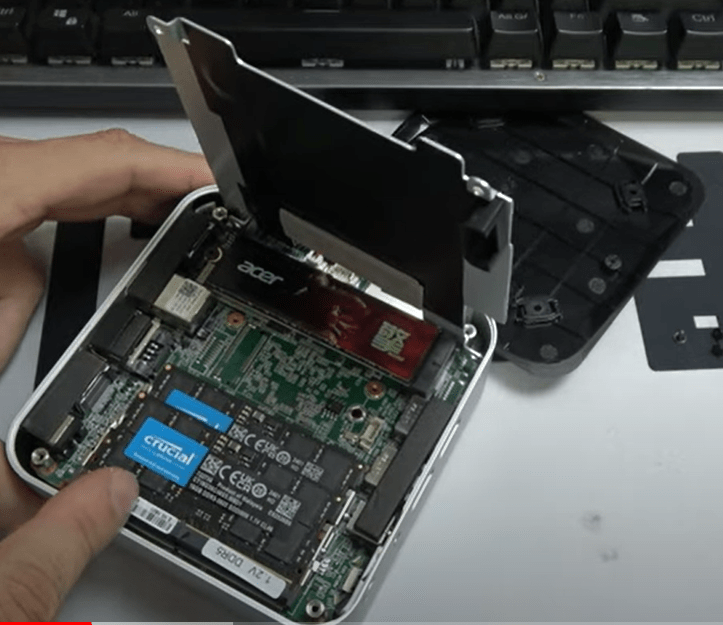
Regarding memory, the Geekom A8 is equipped with two slots, each housing a 32GB DDR5-5600MT/s RAM module . This configuration ensures a smooth and efficient multitasking experience, even for the most demanding applications.
User Experience: Launch, installation and feedback!
Upon first powering on my Geekom A8 Mini PC, I immediately connected the monitor, keyboard, and mouse, then plugged in the HDMI cable and power power supply to begin the installation. After selecting my Wi-Fi network ( an Ethernet option is also available ), I proceeded to create a user account, opting for a Microsoft account, although alternatives exist for those who prioritize privacy.
Once these steps were completed, the Windows 11 Pro desktop appeared. My first instinct was to launch Windows Update, downloading the latest updates and security patches to ensure my system was up-to-date with the latest features offered by Microsoft.
What particularly impressed me was the cleanliness of this installation: Geekom included no superfluous software, leaving room for a pure version of Windows 11 Pro , without pre-installed applications or unnecessary customizations.
The user experience with the Geekom A8 is exceptional. Every task, whether installing applications, browsing the internet, or watching videos, is smooth and seamless. Working on such a responsive and powerful machine is a true pleasure.
Daily Use
In everyday use, the GEEKOM A8 proved to be a reliable and efficient companion. Whether for word processing, web browsing, or more resource-intensive tasks like video editing, this mini-PC handled everything with remarkable smoothness. I tested several office suites, including Microsoft Office and LibreOffice , and the GEEKOM A8 showed no signs of slowing down, even when running multiple demanding applications simultaneously.
For web browsing, I opened numerous tabs in various browsers such as Chrome, Firefox, and Edge. With over 20 tabs open, including streaming videos and web applications, the mini-PC maintained stable performance without any noticeable lag. The Wi-Fi 6E connection also ensured fast and reliable download and browsing speeds.
In terms of multimedia, the GEEKOM A8 excelled . I used video editing software like Adobe Premiere Pro and DaVinci Resolve to edit 4K videos, and the results were impressive.
Rendering time was significantly reduced thanks to the combination of the AMD Ryzen 9 8945HS processor and the Radeon 780M graphics card. Large files were processed effortlessly, which is often a challenge for less powerful systems.
Benchmark launch
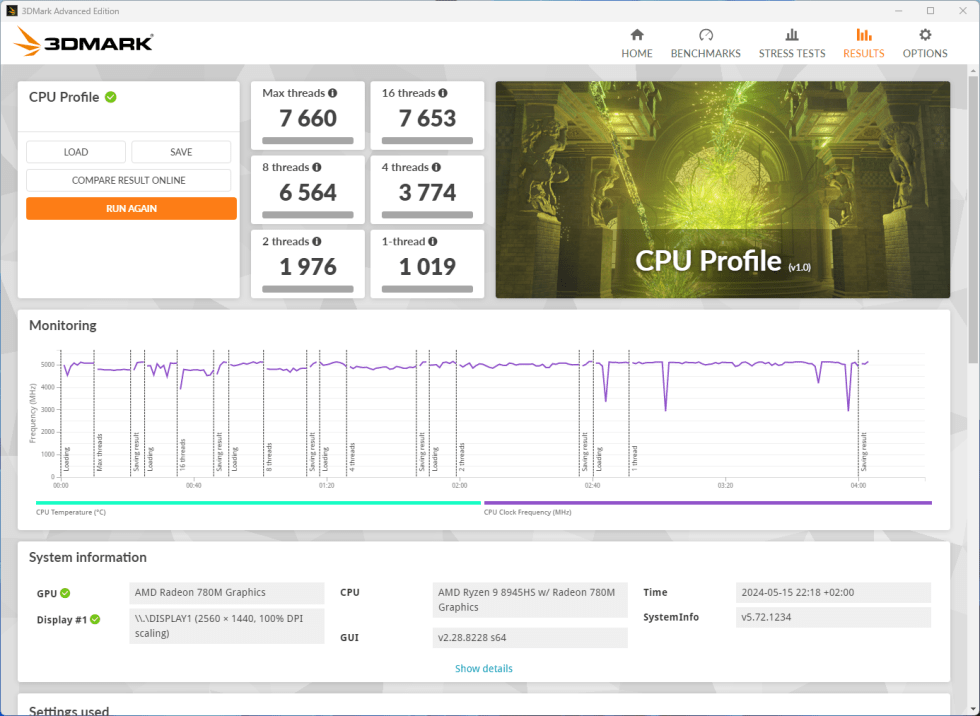
To evaluate the technical performance of the Geekom A8 Mini PC, I used 3DMark , a benchmarking software well-known for its rigorous performance tests. This method allowed me to gather precise and detailed data on the hardware capabilities of this mini PC.
As a technology enthusiast, I found the results particularly impressive.
Gaming experience on the Geekom A8: Performance and adaptability
As I did with the Geekom XT 12 PRO , I decided to launch Fortnite on the Geekom A8 mini-PC to see what it was capable of. Configured in 1080p, Performance mode, and with graphics settings fluctuating between low and medium, this little technological marvel proved more than capable of handling this popular game with impressive fluidity.
During my test sessions, the frame rate (FPS) generally remained between 100 and 150, ensuring a smooth and enjoyable gaming experience. In quieter moments, when the camera was pointed towards the ground or sky, the FPS could even exceed 160, offering an even more pronounced sense of fluidity.
Even during intense action scenes, where the screen filled with enemies and explosions , the Geekom A8 held up well, with an FPS that rarely dropped below 70. This allowed for good gameplay without any noticeable slowdown.
Thermal Management
Another crucial aspect for a mini-PC is thermal management. The GEEKOM A8's aluminum case plays a significant role in heat dissipation. During my tests, even under heavy load, the mini-PC remained relatively quiet and cool. This is partly due to the intelligent design of its passive and active cooling, which ensures that heat is efficiently dissipated.
To evaluate thermal management, I subjected the GEEKOM A8 to prolonged stress tests. During intensive gaming and video editing sessions, CPU and GPU temperatures remained within acceptable limits, never reaching concerning levels. The cooling system maintained high performance without throttling , which is often a problem with mini-PCs.
I also measured the noise levels produced by the mini-PC under various load conditions. In standby mode or during light tasks, the GEEKOM A8 is virtually inaudible. Under maximum load, the fan noise is noticeable , but remains relatively low compared to other similar systems. This performance is particularly beneficial for users working in noise-sensitive environments, such as shared offices or creative studios.
Another notable point is the GEEKOM A8's energy consumption. Thanks to its efficient processor and optimized thermal management, the mini-PC consumes less power than a traditional desktop computer while offering comparable performance. This translates not only into savings on electricity bills but also a reduced carbon footprint, which is a benefit for environmentally conscious users.
Security and Management of the GEEKOM Mini A8
Finally, for business users, the GEEKOM A8 offers several security and management features that make it ideal for a corporate environment. The inclusion of Windows 11 Pro enables the use of BitLocker for data encryption, ensuring that sensitive information remains protected against unauthorized access.
Furthermore, the mini-PC supports remote management features via Microsoft Endpoint Manager and Windows Autopilot , simplifying large-scale device deployment, configuration, and management. These tools are essential for IT teams managing numerous devices within an organization.
The GEEKOM A8 is also equipped with a TPM 2.0 (Trusted Platform Module), which provides additional hardware security by storing cryptographic keys used for encryption and authentication functions. This feature is particularly useful for businesses looking to strengthen the security of their systems against sophisticated attacks .
GEEKOM MINI REVIEW
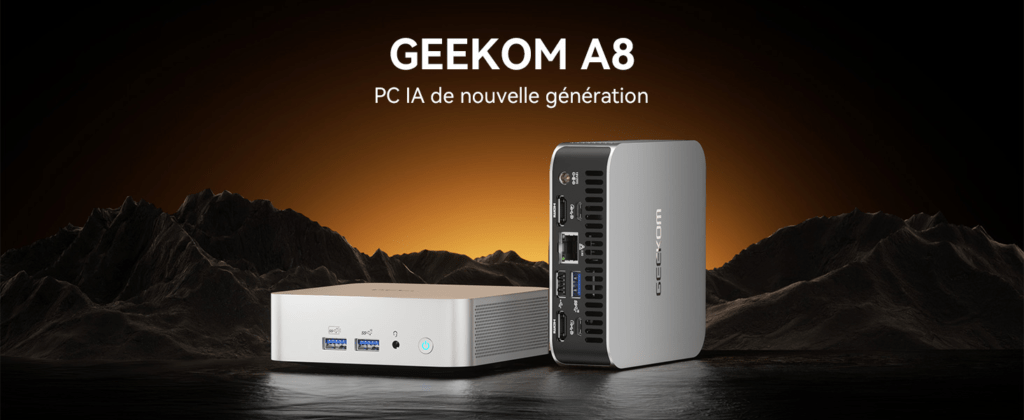
Whether you need a mini PC for office tasks, photo editing, or even light video editing, the Geekom A8 is perfectly equipped to meet your needs. Despite its compact size , it packs all the power of a full-size machine. Its Ryzen 9 processor , combined with a Radeon graphics chip and multi-monitor support up to 8K resolution, makes it an ideal choice.
The +
- High performance
- Large memory capacity
- Fast and large storage
- Powerful integrated graphics
- Compact and lightweight design
- Efficient thermal management
- Advanced security
THE -
- High price
- Relative weight for its size
- Maintenance complexity
- Limited upgrade options : While RAM and storage are expandable, other components are not easily upgraded.


