You may have heard of electric sit-stand desks , these innovative desks that offer you the possibility to vary your posture between sitting and standing, according to your needs and desires!
But among the many models available on the market, which one should you choose?
Today, I'm going to talk to you about the Flexispot E7 PRO desk next-generation sit-stand desk that stands out for its advanced features and elegant design. I had the opportunity to test this desk, and I'm going to give you my detailed opinion on its strengths and weaknesses. Let's get started!
Flexispot is currently offering back-to-school discounts valid until October 6th:
Why choose this type of office?

Sitting for too long can have detrimental effects on the body and mind, such as muscle pain, circulatory problems, decreased productivity, or increased stress. Conversely, alternating between sitting and standing can have numerous benefits , such as:
- Stimulate blood circulation and metabolism
- Preventing back pain and muscle tension
- Improve posture and body alignment
- Increase energy and concentration
An electric sit-stand desk therefore allows you to work in optimal conditions, adapting the desk to your needs and desires, rather than adapting to the desk!
Technical specifications of the E7 PRO desk
The E7 PRO desk is an electric sit-stand desk that consists of a solid wood top and a sturdy steel frame.
To carry out this test, we received the E7 pro desk with a 120 x 60 cm bamboo wood top !

It has an electric height adjustment system, which allows the height of the platform to be adjusted between 63 cm and 129 cm , depending on the user's height and the desired position.
The height is adjusted using a touch control panel located beneath the desktop, which also displays the current desk height. The panel also features programmable height memory, allowing you to save up to four preferred positions and easily access them at the touch of a button.

The desk's movement is silent and smooth, thanks to the two motors integrated into each leg of the frame. The desk can support a maximum load of 160 kg, allowing for the easy placement of multiple monitors, accessories, or personal items.
Depending on the dimensions you choose, the tabletop can measure from 120 cm to 180 cm in width and 60 cm to 80 cm in depth, providing ample workspace for most activities! It is available in several colors: white, black, grey or natural wood.
The advantages of the electrical system
I've already had the opportunity to test other height-adjustable desks. But I must say that the electric system of the Flexispot E7 PRO desk has several advantages over other height adjustment systems, such as manual or pneumatic systems.

Firstly, it allows for more precise and faster adjustment, since all you have to do is press a button to change the height of the desk .
Secondly, it allows for more personalized and comfortable adjustment, as it lets you save your favorite positions and easily retrieve them. Finally, it allows for quieter and smoother adjustment, since there is no noise or jerking when changing height.
The characteristics of the tray and the frame
The E7 PRO desk's tabletop and frame are designed for optimal quality and durability. The tabletop is made of solid wood, giving it a warm and natural look. It is also easy to clean and maintain , thanks to its scratch- and stain-resistant coating.
The frame is made of steel, which gives it great strength and good stability. It's even very heavy!


It also features an integrated cable management system , which allows wires to be stored under the tabletop and prevents tangling.
The desk's design is elegant and modern, and suits all decorating styles.
Assembly and installation of the E7 PRO desk
The E7 PRO desk comes in two packages: one for the desktop and one for the frame. Assembly is quite simple and requires no special tools. Just follow the instructions provided in the manual or on the Flexispot website.
It takes approximately 20 minutes to fully assemble the desk .

Once the assembly is complete, the power supply cable from the desk must be connected to an electrical outlet and checked to ensure everything is working correctly.
Installation tips
Here are some tips for installing the E7 PRO desktop in the best possible conditions:
- Choose a suitable location that offers enough space to work sitting or standing, and that has an electrical outlet nearby.
- Use cable ties or clips to secure cables under the tabletop or to the wall, to prevent them from dangling or getting in the way.
- Use an anti-fatigue mat or footrest to improve comfort when working standing or sitting
Using and experiencing the E7 PRO desktop
I have been using the E7 PRO desk for several days now, and I must say that I am very satisfied with the desk.
I mainly work from home on my laptop, and I often spend long hours in front of my screen. Before, I had a traditional office, which forced me to sit all day. I often experienced back, neck, and shoulder pain, as well as a feeling of fatigue and weariness.
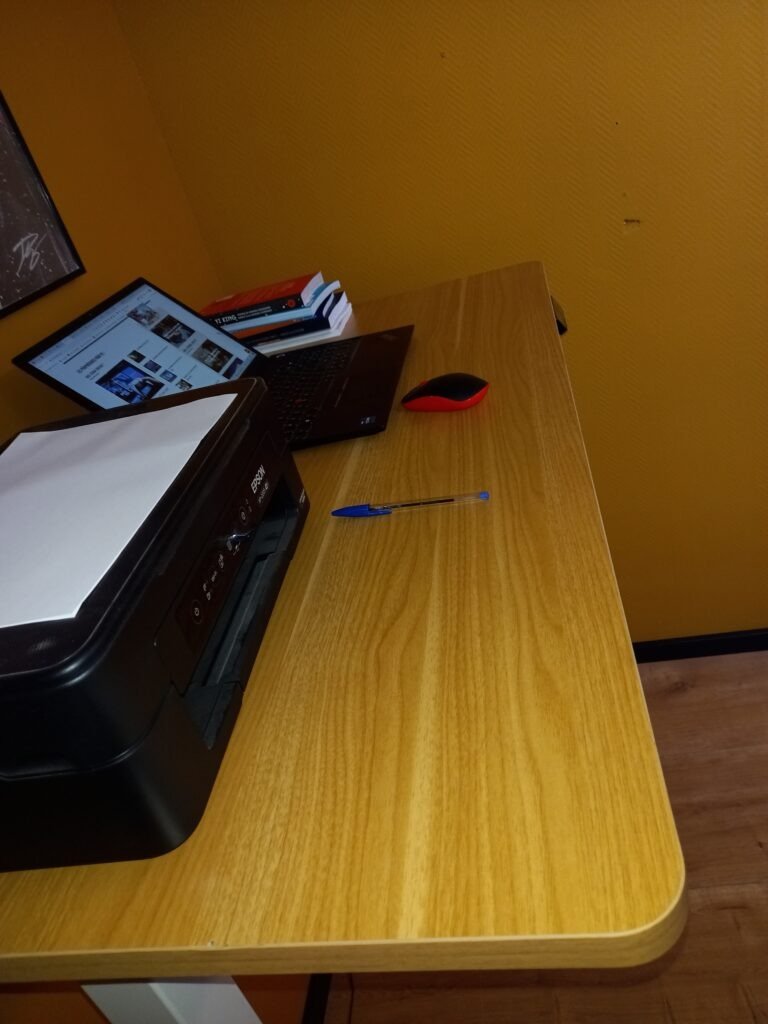
Since I got the E7 PRO desk, I can change position whenever I want, going from a sitting position to a standing position in seconds.
I feel more dynamic, more focused and more productive . I vary my postures according to my mood, my energy level or the type of task I am performing.
For example, I prefer to work standing up when I have to do internet research, answer emails, or participate in online meetings. I find that it allows me to be more alert and responsive.
When I need to write something or take a break, I prefer to work sitting down, to relax and rest. My back and neck pain disappear, and I feel more comfortable in my workspace.
The benefits of the change in posture that it brought me
Changing my posture from sitting to standing brings me several benefits, both physical and mental. Physically, I've noticed that my blood circulation has improved, my muscles are more relaxed, and my posture has corrected itself. I no longer experience stiffness or numbness in my legs or arms. I feel lighter and more flexible.
I find that changing posture allows me to vary the stimuli and break the monotony.
Control panel features
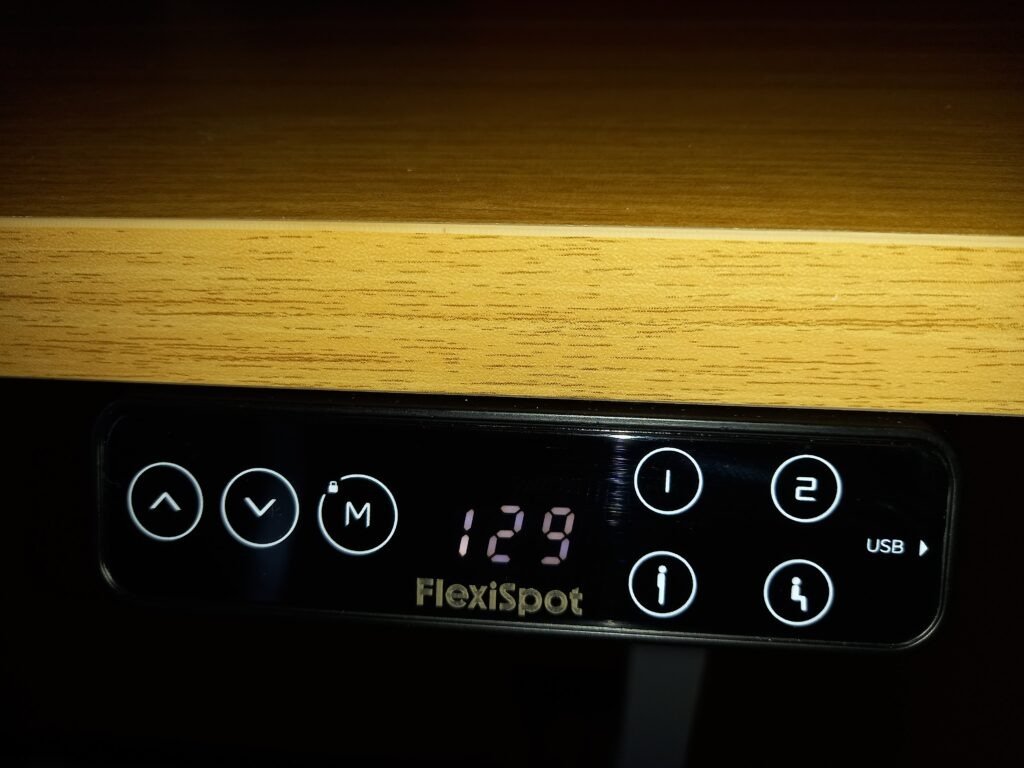
The E7 PRO desk's control panel is very practical and easy to use. It's located under the desktop, on the right, and it's touch-sensitive. It allows me to adjust the desk height by pressing the up or down arrows, or by pressing one of the four programmable buttons.
It also tells me the current height of the desk in centimeters , which allows me to know if I am in the right position.
The panel also has a lock function , which prevents accidental adjustments or tampering by children. To activate or deactivate the lock, simply press the button with the padlock symbol for three seconds. The panel will beep to confirm that the lock is activated or deactivated.
Finally, on the right side of the control panel there is a USB port!
Tips for optimizing office usage
Here are some tips to optimize the use of the E7 PRO desktop and fully enjoy its benefits:
- Change your posture regularly , at least once an hour, to avoid a sedentary lifestyle and stimulate your body and mind.
- Adjust the desk height according to your height and position, ensuring that the desktop is at elbow height, your shoulders are relaxed, and your gaze is at screen level.
- Use an ergonomic chair that supports the back and promotes good sitting posture.
- Use a wireless keyboard and mouse, which allows you to work without the constraints of distance or cables
- Take regular breaks to stand up, stretch, walk around, or drink a glass of water.
What is the difference between the E7 and E7 Pro models?
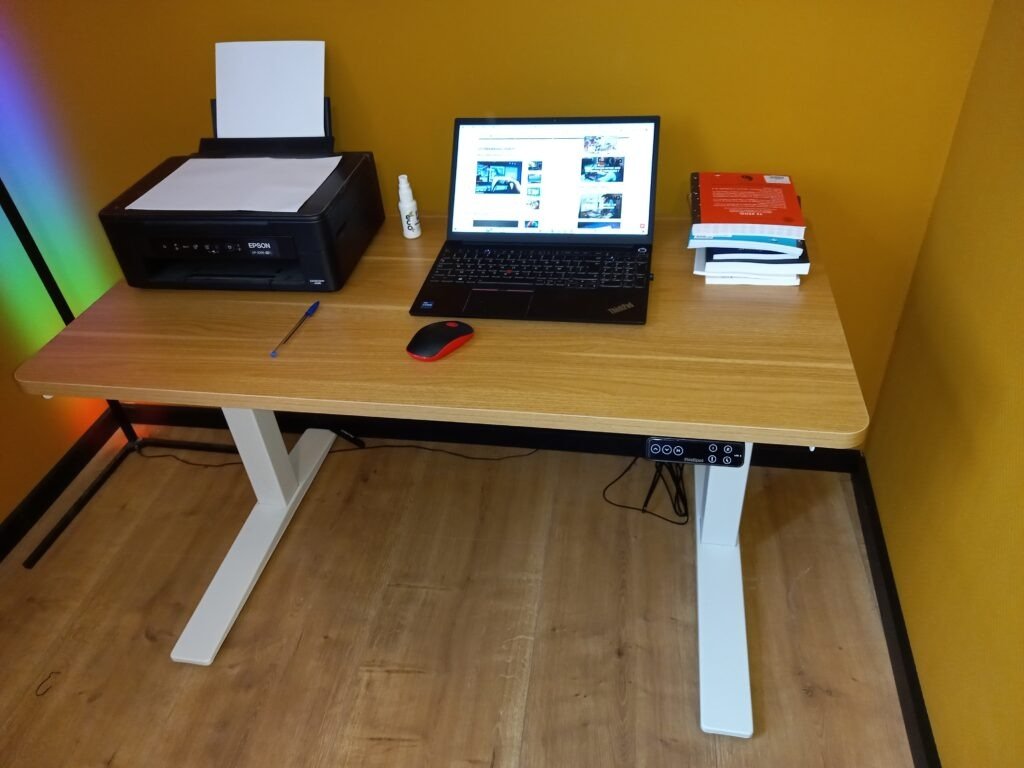
The main difference between the Flexispot E7 and E7 PRO models is that the E7 PRO is an enhanced version of the E7, offering additional features and a more elegant design. Here are some examples of the differences between the two models:
- The E7 PRO model features a more efficient electric system , allowing for faster, more precise, and quieter desk height adjustment. It also has a higher load capacity, supporting up to 160 kg, compared to 125 kg for the E7 model.
- The E7 PRO model offers a wider selection of solid wood tabletops in various colors and materials, such as bamboo, walnut, or maple. The E7 model, on the other hand, offers a more limited selection of particleboard tabletops in more classic colors, such as white, black, or gray.
- The E7 PRO model features a cable management system under the desktop , which allows you to tidy up wires and prevent tangles. The E7 model, on the other hand, requires the purchase of additional cable management accessories, such as cable ties or clips.
- The E7 PRO model has a more modern and refined design , with square legs and thick columns that enhance the desk's stability and aesthetics. The E7 model, on the other hand, has a simpler, more basic design, with round legs and thin columns.
See also other articles about Flexispot brand desks!
Conclusion
In conclusion, I can say that the Flexispot E7 PRO desk is an excellent product that perfectly meets my needs and expectations. It allows me to work comfortably and efficiently. It is easy to assemble, use, and adjust. It is also stylish and functional, and adapts to any workspace.
I highly recommend it to anyone looking for a high-quality ergonomic desk that allows them to alternate between sitting and standing positions. The Flexispot E7 PRO desk is available on the brand's website for €599.99.
You can also enjoy a 6% discount if you subscribe to the Flexispot newsletter. Don't hesitate to treat yourself or give this desk as a gift to your loved ones – you won't regret it!