Installing a motherboard is a crucial step in building a computer. However, many people make mistakes that can lead to malfunctions and even damage the system. In this article, we'll review six fundamental mistakes to avoid when installing a motherboard, explaining the consequences of each error and providing tips on how to avoid them.
1. Avoid Static Electricity

Before you begin installing your motherboard , it is essential to protect yourself and the motherboard from static electricity. This precaution is often overlooked, but it can cause irreparable damage to the motherboard. To avoid this, you can touch a grounded metal object or use an anti-static wrist strap.
Advice :
Purchase an anti-static mat or wrist strap when buying your new motherboard. This will allow you to work safely and avoid electrostatic discharges .
2. Incorrect Motherboard Installation

Another crucial point is the precise mounting of the motherboard in the case. It is essential to ensure that the motherboard is positioned and mounted correctly, without excessive stress within the case. Improper mounting can lead to connection and stability problems.
Advice :
Use the correct mounting screws and make sure to tighten them properly. This will ensure the motherboard's stability and protect it from potential damage.
3. Incorrect CPU and RAM installation
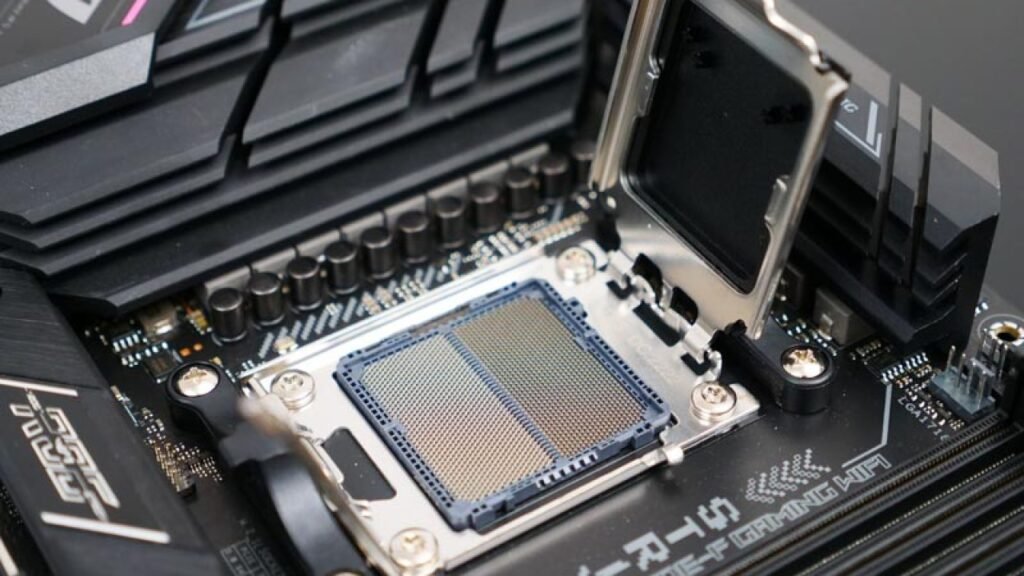
installation of the processor (CPU) and random access memory (RAM) is crucial for the system to function correctly. It is important to ensure that these components are installed correctly and are compatible with their respective slots. Consult the manufacturer's manual for detailed instructions.
See also: How to choose the right size PC case?
Advice :
align the CPU and gently insert it into its slot. Also, ensure that the RAM modules are correctly inserted into their designated slots . This will prevent potential damage and guarantee optimal performance after installation.
4. Incorrect Wiring

Proper cabling is another key aspect of motherboard installation. Ensure all cables are correctly connected and that no cables are touching or obstructing the motherboard. Avoid overstretching or twisting cables , as this can lead to potential short circuits and compromise system reliability.
Advice :
Carefully organize the cables and ensure they do not obstruct airflow inside the case. This will allow for better ventilation of the installed hardware components, such as the CPU , RAM , and graphics card , and ensure their proper functioning.
5. Lack of Support
Using standoffs, also known as brackets, between the motherboard and the case is essential for reliable insulation and to prevent short circuits . Ensure that all necessary standoffs are correctly positioned to guarantee a stable and secure assembly and to extend the system's lifespan. The case specifies mounting locations and points for different motherboard form factors, such as ATA and Mini-ITX , and these must be used accordingly.
Advice :
Carefully check your case manual to determine the locations and types of brackets required for your specific motherboard. Ensure you install them correctly before securing the motherboard .
6. Updating the BIOS without Care
Updating the BIOS is a common step to improve motherboard performance and compatibility. However, it's important to take precautions during this process. An incorrect BIOS update can lead to compatibility issues and even render the motherboard unusable.
Advice :
Before updating your BIOS , be sure to back up all your important data. Carefully follow the instructions provided by your motherboard manufacturer and ensure you are using the correct BIOS version. Avoid updating the BIOS during a power outage or when the system is unstable.
By avoiding these six fundamental mistakes when installing a motherboard, you can ensure optimal system performance and extend the lifespan of your hardware . Carefully follow the manufacturer's instructions and take the time to fully understand each step of the installation process . With the right precautions, you can enjoy a high-performing and reliable computer.
FAQ
1. What are the consequences of incorrect motherboard installation?
Improper motherboard installation can lead to connection problems, system instability, and even hardware damage. Therefore, following proper installation practices is essential to avoid these issues.
2. How to avoid static electricity when installing a motherboard?
To avoid static electricity , you can use an anti-static wrist strap or touch a grounded metal object before handling the motherboard. This helps dissipate any static electricity that may have accumulated in your body.
3. What components should be checked when installing a motherboard?

When installing a motherboard , it is essential to verify the correct installation of the CPU , RAM, and cables. Also, ensure that the brackets are properly positioned and that the BIOS is updated carefully.
4. What are the advantages of a good motherboard installation?
Proper motherboard installation ensures optimal system operation, improved stability, hardware compatibility, and enhanced performance . It also extends the lifespan of the hardware.
5. How to update the BIOS safely?
To update the BIOS safely , be sure to back up your important data, follow the motherboard manufacturer's instructions, and use the correct BIOS version. Avoid updating the BIOS during a power outage or when the system is unstable.
This article might interest you: How to reset your PC's BIOS using Clear CMOS?
Remember that installing a motherboard requires careful attention and precautions. By following best practices and avoiding these fundamental mistakes, you can enjoy a reliable and high-performing system . Take the time to fully understand each step of the installation process and don't hesitate to consult additional resources for more detailed information.