Are you looking for a free app that lets you download 4K videos or audio from streaming platforms like YouTube? 4K Video Downloader is just what you need! Discover in this article what makes this software unique and why it's currently the " free video downloader "!
4K Video Downloader: Description, specifications, and compatibility
4K Video Downloader is a free tool for downloading 4K videos or audio files available on streaming sites or social networks. You can convert multimedia content to several formats and choose the desired resolution (high, normal, low).
How to download a video with 4K Video Downloader ? It couldn't be simpler!
- First, copy and paste the video URL (YouTube, Facebook) into the software
- Next, choose the format and resolution you want
- Finally, press the " Download " button and you're done!
Therefore, you can watch a video offline that you previously downloaded from a streaming site using 4K Video Downloader. This program is compatible with computers running Windows 10 (32-bit and 64-bit). For Linux users, Ubuntu 64-bit portable edition is recommended. Finally, if you are using a Mac, you should have at least Mac OS 10.13 High Sierra.
What are the advantages of 4K Video Downloader software?

The 4K Video Downloader multimedia content download application offers several advantages:
- The best free video downloader has a French interface, is easy to use, and requires absolutely no technical knowledge
- A four-slide guide is available to help beginners when using 4K Video Downloader software for the first time
- Compatibility with a wide range of streaming platforms or social networks such as YouTube, Facebook, Dailymotion, VEVO, etc.
- You can extract audio from a video, and choose the download option, format, and resolution yourself. If you wish, you can enable subtitle retrieval for each downloaded video.
You don't really think that's it, do you? 😃 4K Video Downloader isn't the best free video downloader for nothing… Here are a few other positive points to remember:
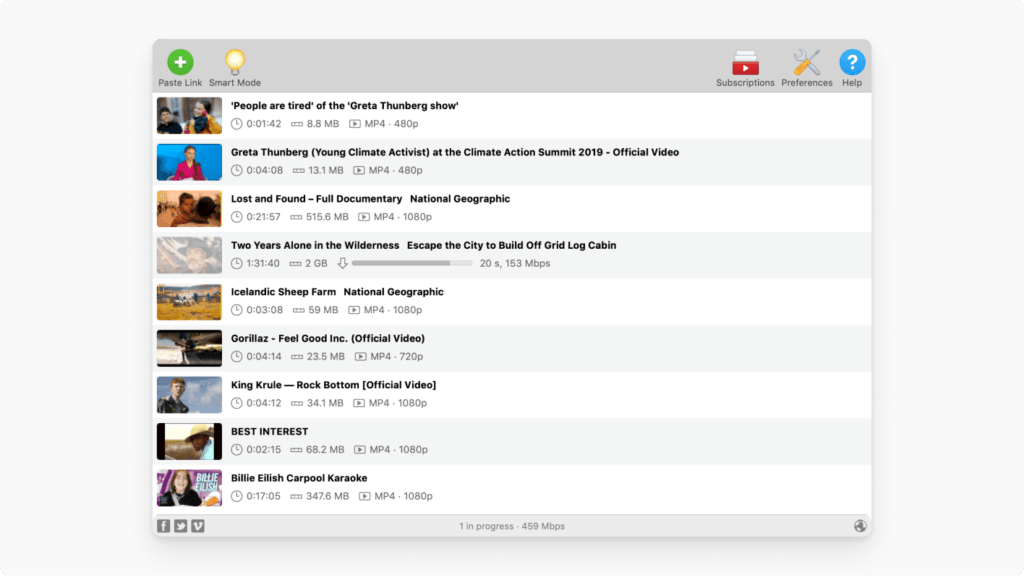
- It's possible to subscribe to YouTube channels and configure the software to automatically download all new videos as soon as they're published. However, please note that this option is only available with a paid license.
- The software features a simple and user-friendly graphical interface that displays all available functionalities in a single window.
- 4K Video Downloader supports a wide range of formats including MP4, MKV, OGG Theora, MP3, and M4A
- The free version of the software, although limited, offers you up to 30 downloads of multimedia content per day
- The personal Premium version guarantees unlimited downloads, allows access to private content on YouTube, and does not suggest any ads
- The Premium Pro version, which includes YouTube Premium HQ Audio, offers unlimited downloads and continuous in-app access to YouTube. This doesn't involve a subscription, but simply using a license key. And we have a nice surprise for you at the end 😉.
Downloading a YouTube playlist with 4K Video Downloader: here's what you need to know!
Do you regularly sort and group your YouTube videos into playlists? This video classification system is very practical when you want to watch thematic content in the same place.
For your information, for security reasons, YouTube makes playlists private and offers local playlists that facilitate the storage and discovery of new content, including the " My Mix ", " Watch Later " and " Video Likes " lists.
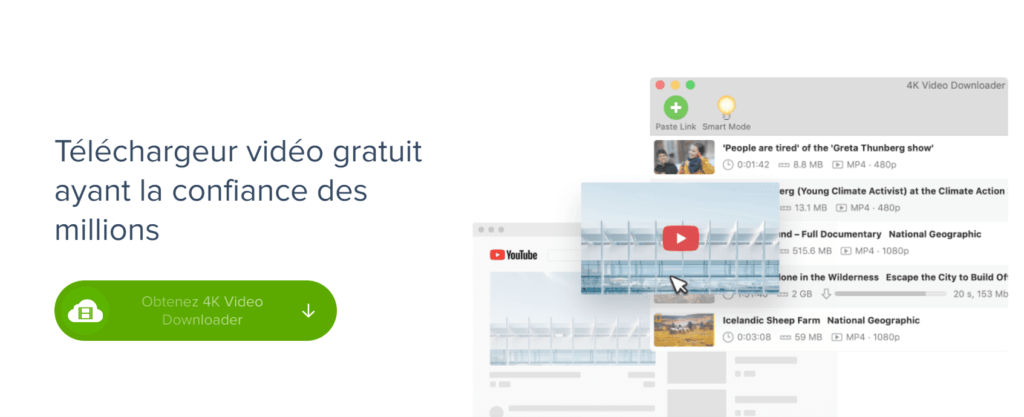
As mentioned previously, 4K Video Downloader allows you to download an entire YouTube playlist and watch it offline. To download a complete YouTube playlist, follow these steps:
- Download the 4K Video Downloader application and follow the instructions to install it on your computer.
- Use this license key: " 67dbdeeb534746c98824991e6407e12d " to try the Premium Pro of the software. This is our gift to you! (Valid until February 18, 2022)
- Next, go to YouTube, and then from the address bar, copy the entire URL of the playlist
- Then return to the 4K Video Downloader application to paste the link by pressing the button labeled " Paste Link ".
- Click on " Download Playlist "
- Choose the format, quality, and subtitle language, then start the download by pressing the " Download "
- Please wait for the download to finish, then enjoy your YouTube playlist offline!
It's also possible to download a YouTube music playlist if you're using an iPhone, iPad, or iPod! You can refer to this article to learn how!