
Currently, numerous PC mice have emerged, each better addressing the issue of ergonomics. Indeed, while traditional mice are well-designed, they can still cause musculoskeletal disorders (MSDs) after intensive use! But new models, such as vertical mice or those with trackballs, are designed to offer excellent ergonomics and grip.
Are you hesitating between these two PC mouse models? We'll explain everything! We'll review the pros and cons to help you make your choice. Let's go!
The trackball mouse
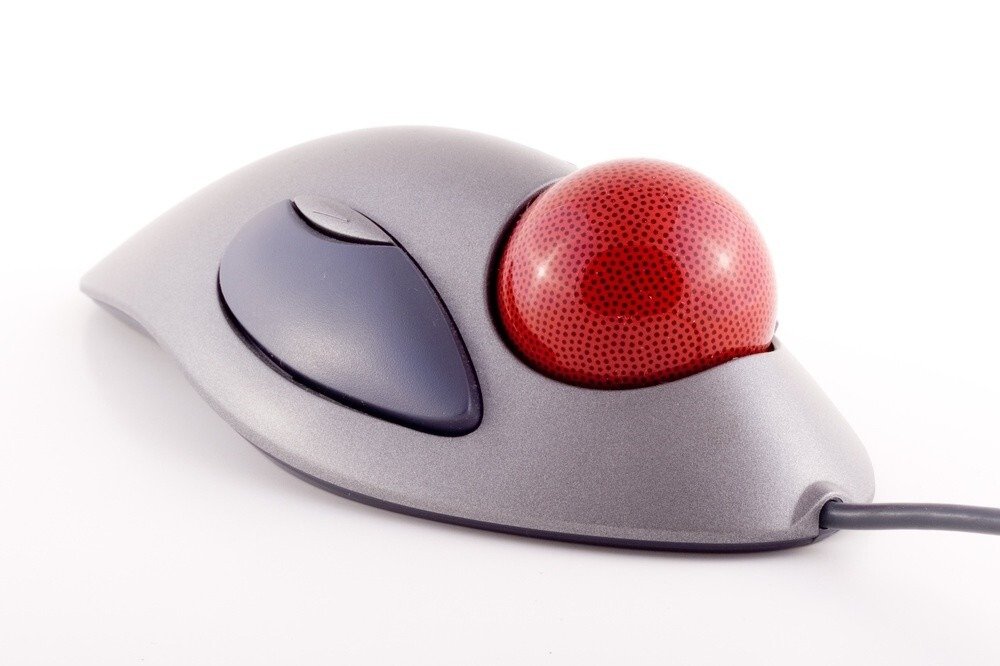
The trackball mouse may seem very innovative, but it actually reverses the original concept of the mouse. Remember, the system of the first mice involved moving the device, causing the movement of the small ball underneath, which in turn caused the movement of your cursor.
For trackball mice, it's almost the same, except you move the ball directly with your thumb to avoid arm movement. What are the criteria for this type of mouse?
Its advantages
First, a trackball mouse requires less space since it doesn't move. This is especially advantageous if your workspace is limited. The second benefit is that you don't have to reposition the mouse in the middle of your workspace as you would with a traditional mouse.
Furthermore, moving your cursor is more precise since you move it with your thumb, which happens to be the most powerful finger on your hand.
This type of mouse also prevents strain on your wrist, as it remains stationary. Similarly, your arm remains still. This immobility therefore protects you from tension in your arm and wrist.

Another strong point of the trackball mouse is that some symmetrical models are suitable for both left- and right-handed users.
Finally, you have the option to configure the mouse buttons. There are usually three, to which you can program the actions you perform most often, such as click-and-drag.
Its disadvantages
Although this mouse has many strengths, it also has some drawbacks.
First, note that it's relatively large. If you have large hands, this won't be a problem. But if you have small hands, this type of mouse can be uncomfortable. So, be sure to pay attention to its size.
The second drawback concerns adaptingto its use. You may find it a little difficult to use the mouse optimally at first, which will make moving your cursor less precise.
Furthermore, while this mouse protects you from arm and wrist movements, your fingers could be subjected to strain. There is also a risk of forearm pronation, that is, a twisting of the forearm.
Finally, this device requires more frequent cleaning than a classic mouse.
Here are our recommendations if you want to buy a mouse with a trackball!

The vertical mouse
The vertical mouse is a good compromise between a classic mouse and an ergonomic mouse. Its 90° angle allows you to position your hand vertically, a much more natural position. To learn more about it, you can also read our buying guide on ergonomic vertical mice.

Its advantages
The main advantage of this mouse is that there's no change in how you use it. It uses the same system as a classic PC mouse, so you won't need any time to adapt.
Programming functions is also possible, just like with a mouse with a trackball.
Finally, the vertical mouse helps prevent musculoskeletal disorders (MSDs) and may be suitable for people with mouse-hand syndrome.
Its disadvantages
This time, you will need to choose your mouse based on whether you are left-handed or right-handed. There is no universal model.
Because the system is similar to a conventional mouse, its use still requires movement of your arm which may cause pain or discomfort in the long term.
Here are our recommendations if you want to buy a vertical mouse!
The result: which ergonomic mouse should you choose?
Besides the intended use of the mouse, the choice will depend on you! If you are bothered by wrist or arm movements, or if you often have shaky hands, opt for a trackball. It will also be the best choice if you have limited space to move your mouse. If, on the other hand, twisting is your biggest concern, choose a vertical mouse.
Whether you're geared towards graphic design, gaming, or office work won't make a huge difference. A trackball used correctly can be just as precise, or even more so, than a vertical mouse. It all depends on your comfort level with each type of mouse.
Choose your mouse according to the sensitivity of your arm, wrist and fingers, but note that it will always be preferable to opt for an ergonomic mouse.