Tired of your computer tower making noise? Whether it's for your own comfort or to avoid disturbing others, switching to desktop PCs with silent cases is a must! Gamer or not, buying a silent PC case will make your life easier and bring you the peace and quiet you've been dreaming of.
Things to know before buying a silent PC case
Here are 3 key points to know before choosing a case. They will influence the sound quality of your PC and are therefore important to consider.
- Silent cases are generally more expensive than standard cases because they use higher-performance technologies and materials. Expect to pay between €50 for entry-level models, €100 for mid-range models, and around €150 to €200 for the most advanced ones.
- Having an idea of your future PC configuration and components will help you determine which case will best suit your needs. Indeed, some cases are compatible with specific types of motherboards or graphics cards, while others are limited by size.
- Always keep in mind how you might want your PC to evolve in 2 or 3 years. This is especially important when components have new versions and new games will require more graphics power or storage space than you have when you buy it.
Comparison of the 10 best silent PC
We know it's difficult to choose from the hundreds of PC cases available on the market… That's why we've compiled this comparison of the quietest cases you can find! At the end of this comparison, you'll find a detailed buyer's guide essential for making a smart purchase! You'll also find a FAQ to answer your questions.

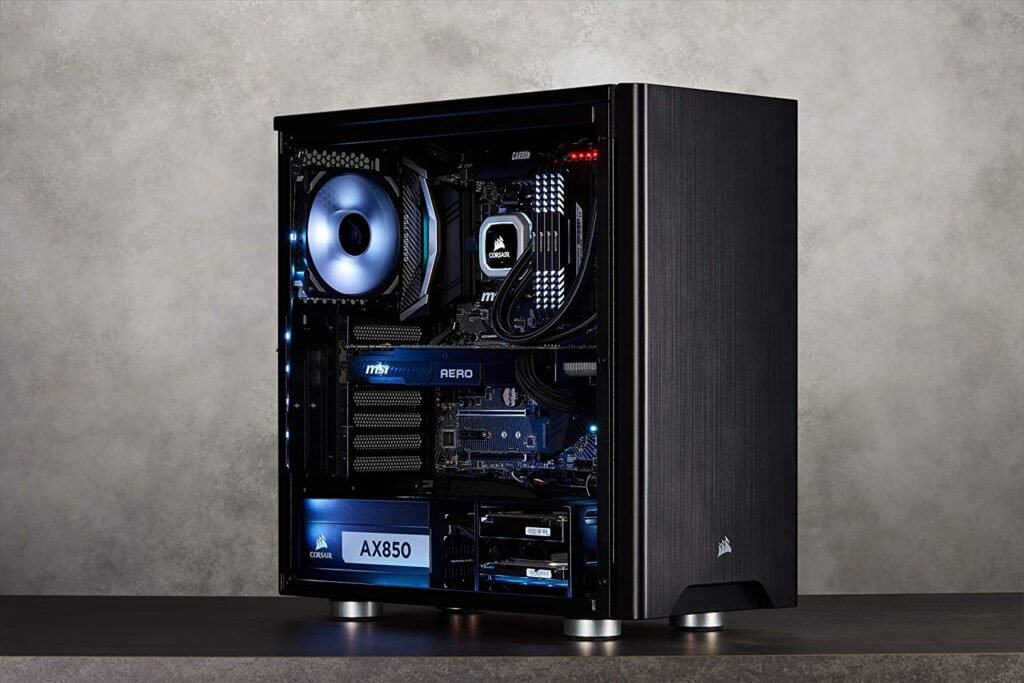
1. Corsair 275Q, Carbide Series, Mid-Tower
Features and Reviews
Our top pick is the Corsair Carbide Series 275Q, a mid-tower case with a clean, minimalist design and removable sound-dampening panels that effectively reduce noise at the top and sides of your PC. It's compatible with all motherboards: Micro-ATX, ATX, Mini-ITX, E-ATX, and XL-ATX. With its ventilation design that directs airflow towards the hottest components, two included 120mm PWM fans, and simplified, cooling-optimized cable routing, the Corsair 275Q offers excellent value for money in a quiet case. Furthermore, a PWM repeater connected to a single dedicated header allows you to control up to six fans simultaneously.

2. Be Quiet! Dark Base 900 ATX PC Case

Features and Reviews
The Be Quiet! Dark Base 900 is the best choice if you're looking for a modular and stylish case with the option to install a water cooling system. Highly customizable and able to accommodate numerous components, it's the perfect choice for building a high-performance machine. With its three 140mm Silent Wings 3 fans, sound insulation, and noise-reducing vents, you have a solid foundation for a quiet PC. If that's not enough, you can add up to seven additional fans and four radiators. Need to store a lot of data? You won't even have to choose what to keep thanks to the seven HDD bays or fifteen SATA SSD bays!

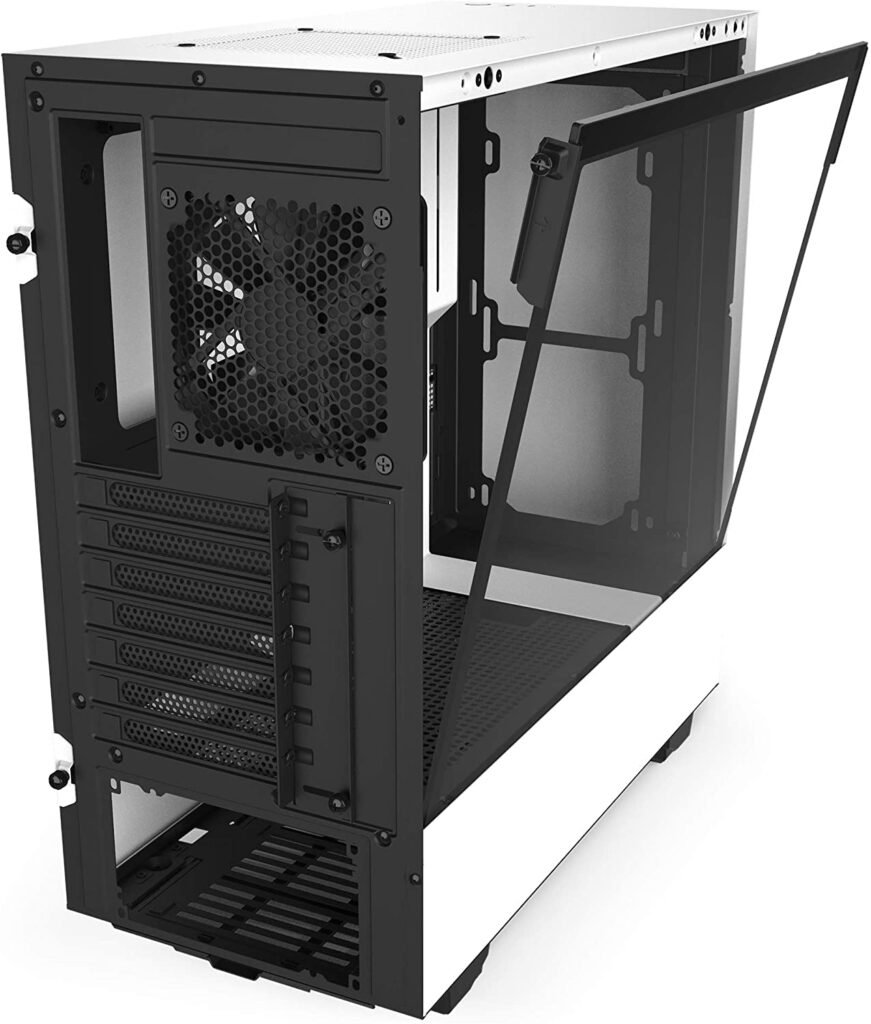
3. NZXT H510 – Compact Mid-Tower ATX Gaming PC Case – Tempered Glass Side Panel
Features and Reviews
The NZXT H510 is an aesthetically pleasing case that will appeal to you if you're looking for a quiet, affordable case with a tempered glass side panel to showcase your build. In addition, two LED strips are included in the kit, allowing you to position them wherever you like to add a unique touch to your setup. Thanks to NZXT's patented, pre-installed cable management system, you can easily and intuitively connect your components. Two 120mm fans are included (rear and top), but these can be replaced with 140mm fans. You can also install a water cooling system to further reduce noise. Finally, the NZXT H510 also features a front-panel USB-C port for connecting your latest devices.

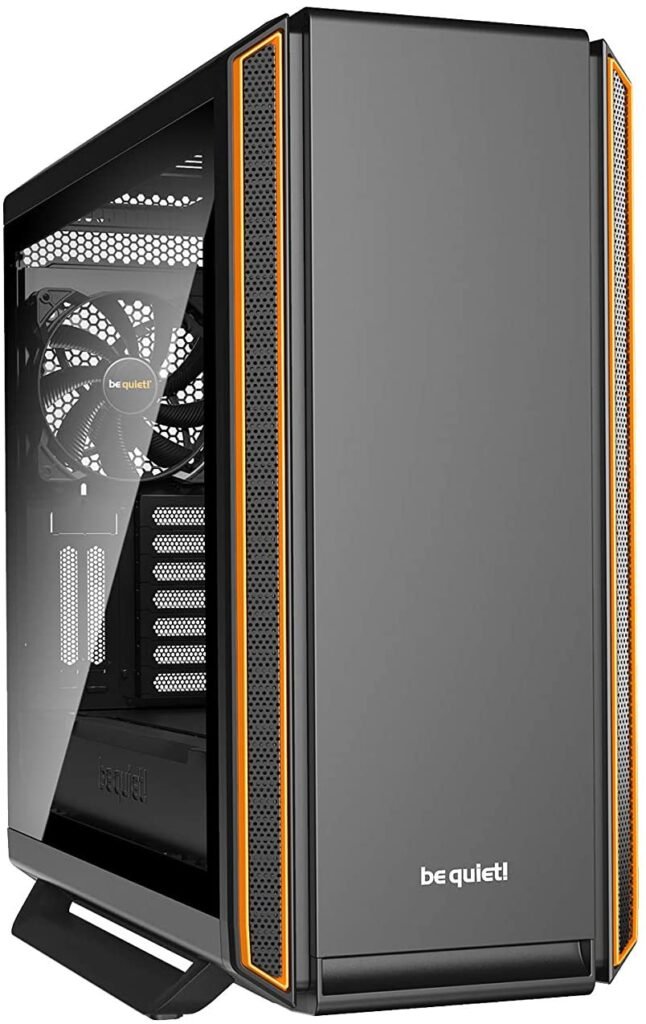
4. Be quiet! Silent Base 801 Orange Case with Black Window, Orange
Features and Reviews
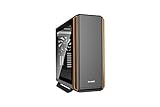
The Be Quiet! Silent Base 801 Orange is a mid-tower case with excellent ergonomics, allowing you to install any configuration while maintaining near-silent operation. Its modern design, featuring striking orange lines and a tempered glass side panel, gives it a distinctive yet understated look. Highly effective noise-dampening panels are installed inside the case, along with sound-dampening material on the front, top, and rear. For fans, three 140mm Pure Wings 2 fans with two dust filters are pre-installed. A PWM fan controller connected to a single PWM header allows you to control up to six fans simultaneously. You can even install two 420mm radiators on the top bracket and add a water-cooling system to make your Silent Base 801 completely silent.
5. Fractal Design FD-CA-DEF-R5-BK Black Mid Tower PC Case
Features and Reviews
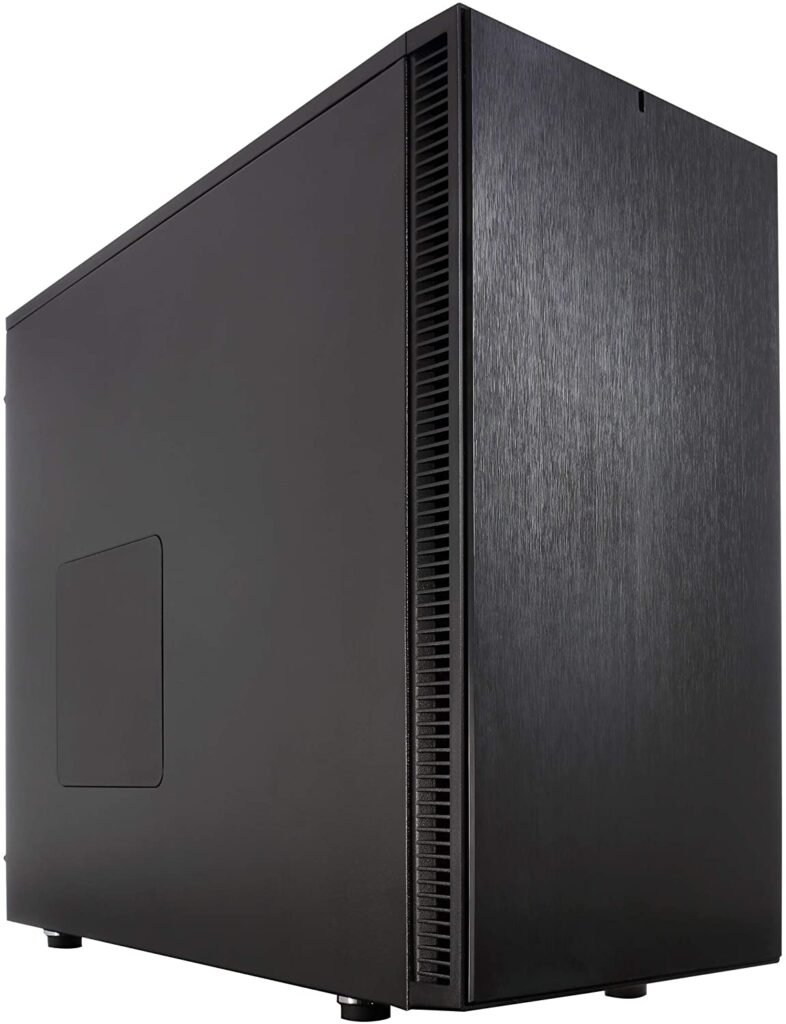
The Define R5 mid-tower case was designed to offer PC builders optimal configurability while allowing for the addition of eight hard drives and a large air or water cooling system. With a robust design to minimize noise without restricting airflow, the Define R5 can accommodate nine fans, including the two pre-installed 140mm Fractal Design Dynamic GP14s. All fans can be controlled via a speed control located on the front panel.
6. Cooler Master MasterCase H500 ARGB
Features and Reviews
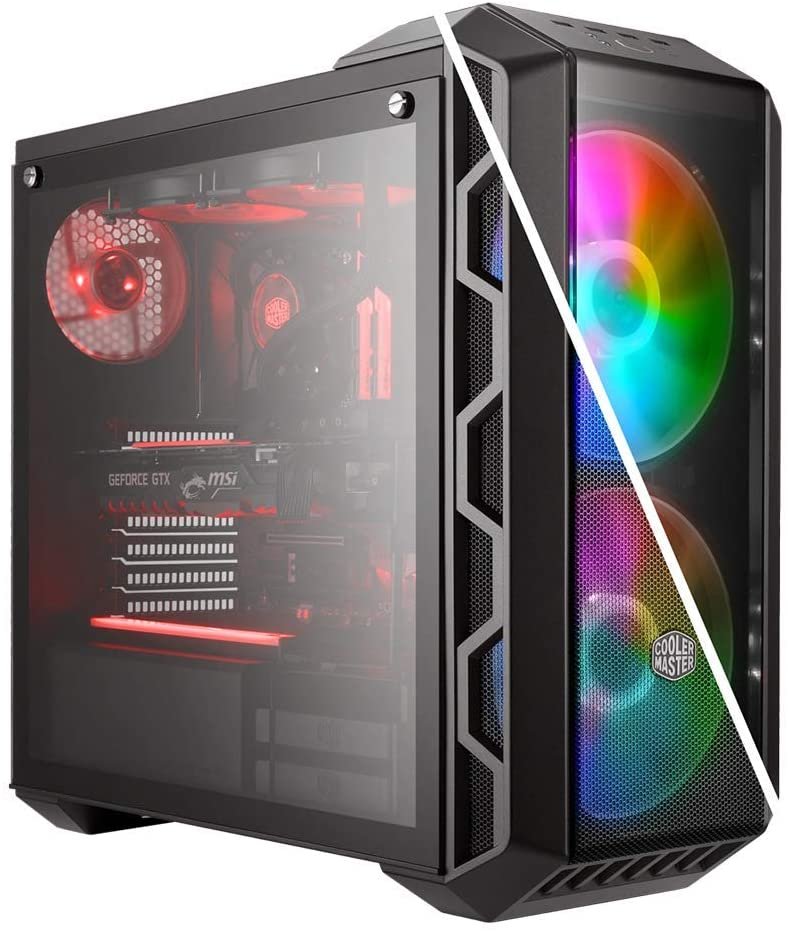
Undoubtedly the most original in our selection, the Cooler Master MasterCase H500 ARGB is an aesthetically pleasing mix between a speaker and nightclub spotlights, perfect for creating a unique atmosphere in your setup! It remains a quiet case, featuring a tempered glass side panel on the left and two large 200mm front fans with ARGB LED lighting, along with a controller. Compatible with numerous configurations (Mini ITX / Micro ATX / ATX / E-ATX), it includes a 2-bay 2.5"/3.5" HDD cage and six 2.5" bays. It also features three dust filters: a large one at the front, a smaller one below the large front filter, and one on the bottom of the case. Finally, you can easily transport your MasterCase H500 ARGB thanks to its integrated top handle.

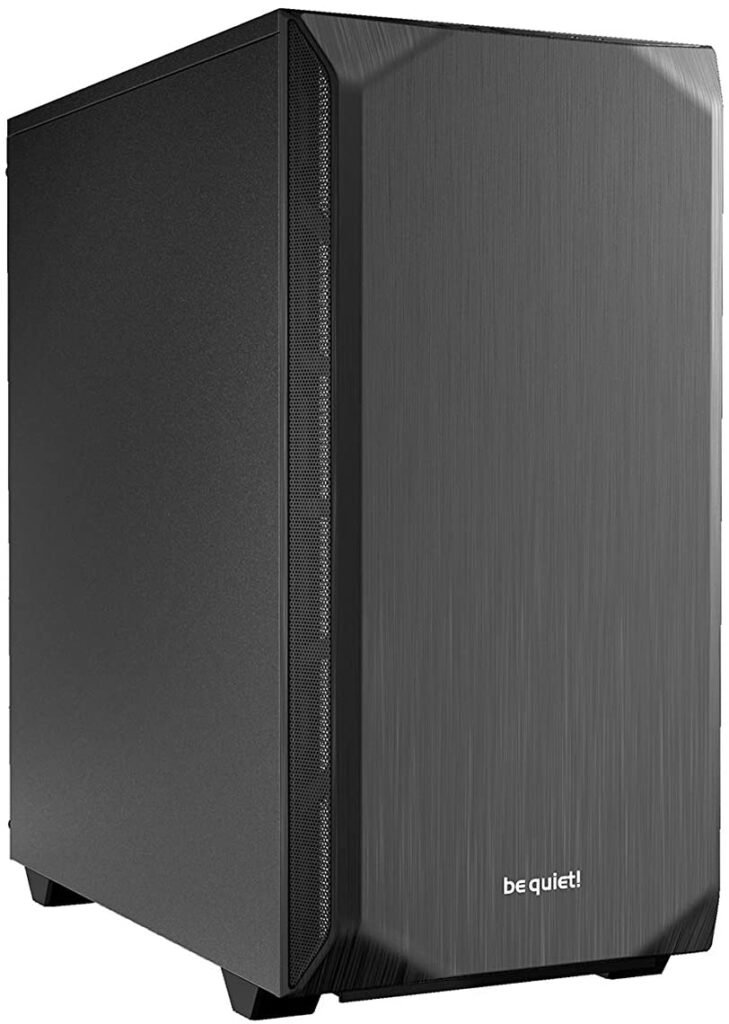
7. Be quiet! Pure Base 500 ATX Mid-Tower Case
Features and Reviews
The Be Quiet! Pure Base 500 ATX Mid-Tower case is ideal for a quiet system with either water or air cooling. Equipped with a tempered glass side panel and an integrated internal power supply shroud, it offers a stylish, functional, and quiet PC. Its front, side, and top panels feature sound-dampening pads for added stability and noise reduction. A removable dust filter is pre-installed at the front and another at the top to combat dust. Finally, two 140mm Pure Wings 2 fans are included (front and rear), and three additional fans can be added.

8. Game Max GMX Noise-Canceling Case

Features and Reviews
The Game Max GMX Noise Reduction Case is perfect for those on a budget who still want a quiet PC. Very lightweight, it comes equipped with acoustic sound-dampening pads and stable sound-insulating or mesh panels to effectively reduce noise. A top-mounted cooling system facilitates airflow. Finally, it's compatible with up to a 240mm water cooling system for even greater performance.

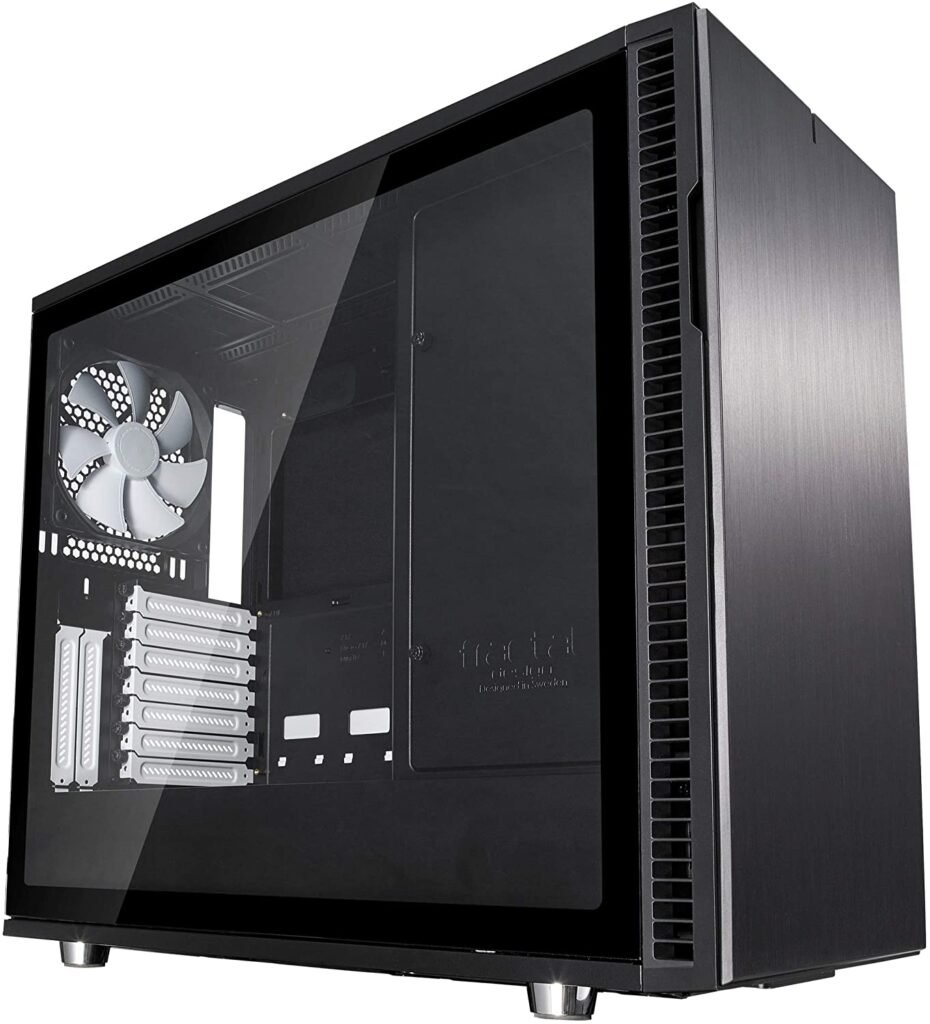
9. Fractal Design FD PC Case
Features and Reviews
An improved version of the Define R5, it nevertheless offers a lower price-to-performance ratio than its predecessor. The Fractal Design Define R6 case features a tempered glass side panel with industrial-grade shock absorbers on the front, side, and top panels. This case is designed to provide excellent soundproofing for your system and design flexibility limited only by your imagination. Indeed, a wide range of powerful graphics cards are compatible: mATX, ATX, ITX, and E-ATX (up to 285 mm wide). Three Dynamic X2 GP14 fans (two front intake fans and one rear exhaust fan) are included out of the nine that can be installed. Storage is arranged on a modular plate to prioritize either storage capacity or top water cooling, as well as airflow. The default airflow is perfectly positioned and calculated to optimize your system's cooling.
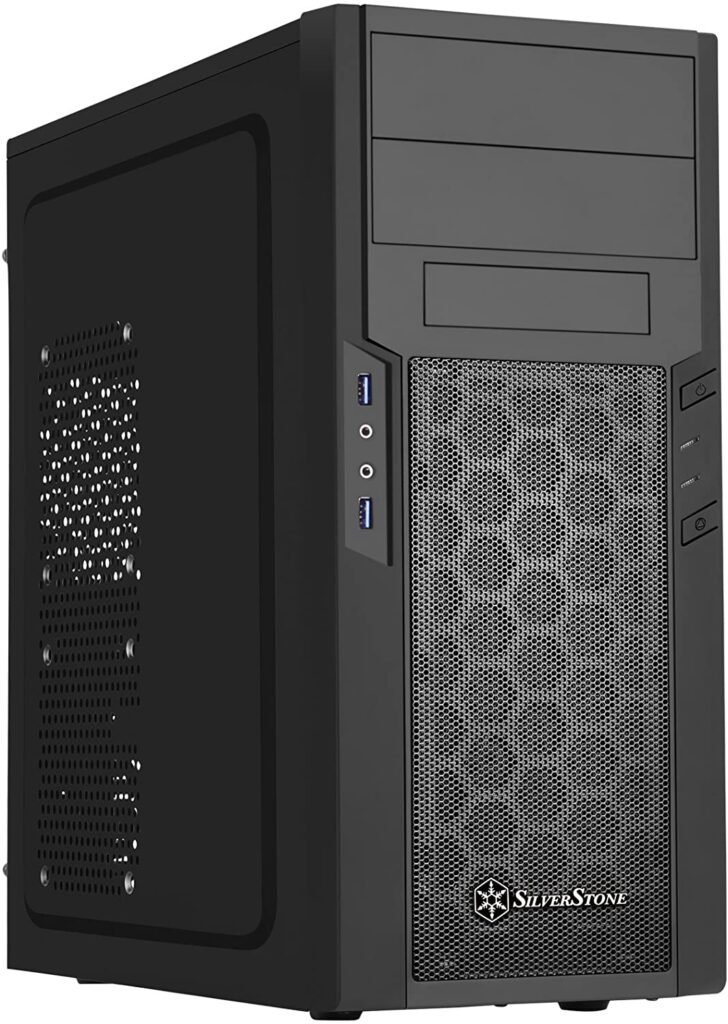
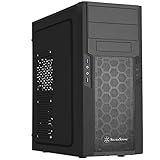
9. Silverstone Technology – Precision ATX Mid-Tower Silent PC Case, Black
Features and Reviews
Finally, a very affordable mini-tower for those on a budget, yet still allowing for a quiet PC with an ATX motherboard. The SST-PS13B is very easy to assemble, with convenient access to the CPU cooler via a rear panel. Although made of plastic, it features a steel chassis for improved stability and one of the best space utilization rates. Its six fan mounts (including one 120mm fan) allow for efficient airflow.
The criteria for buying a silent PC case!

The size of your case and its components
The two questions to ask here are: what is my PC intended for and where am I going to install it?
The requirements of a computer for office work are not the same as those of a gaming computer. This also applies to the case!
There are two types of PC form factors:
Towers where the components are assembled vertically : This tower format ultimately prevailed because it was more practical. It allows for better accessibility and compatibility of components, takes up less floor space, and offers better airflow.
Desktops, in which components are mounted horizontally : This model proves practical in two cases. Firstly, for setting up in the living room, by integrating the case more aesthetically near the hi-fi equipment and thus better harmonizing the room. Secondly, if you don't have much floor space, you can place your monitor on top of the desktop and thus save space.
There are also mini-towers, which are much more compact and have components specifically designed to be installed in them.
The available space for your components
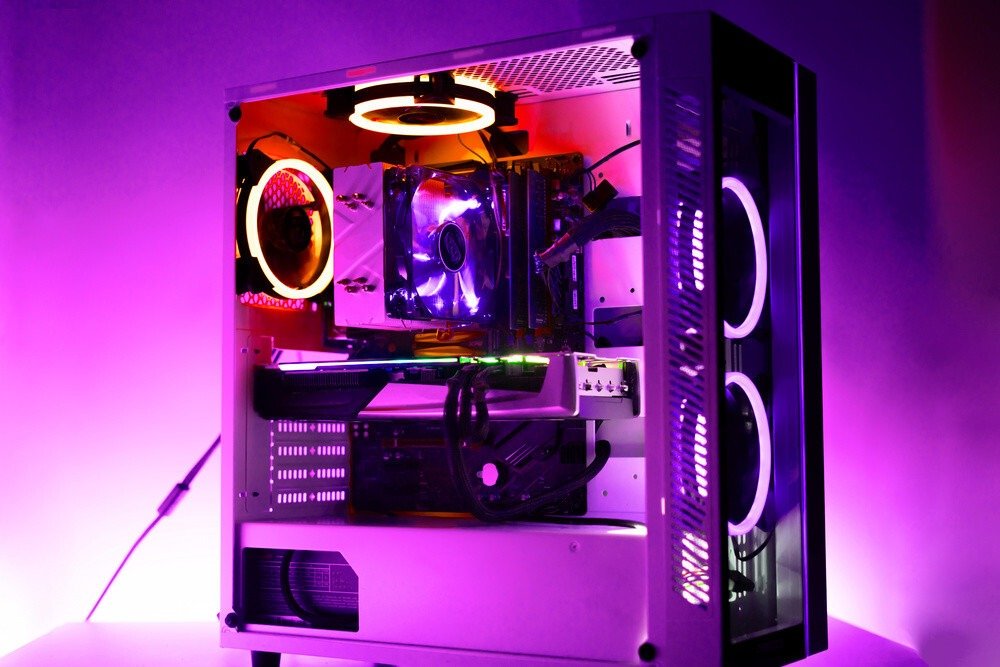
An often overlooked but nonetheless important point: check that you have enough space to install the components you want, and above all, make sure they are compatible . Pay particular attention to the motherboard and graphics card, as these are usually the components most affected.
There are different models of motherboards (from smallest to largest): Pico-ITX; Nano-ITX; Mini-ITX; Micro-ATX; Standard ATX; Extended ATX (= E-ATX) and finally Enhanced Extended ATX (EE-ATX).
Regarding hard drives, sizes have been standardized to allow for better integration into computer cases. Two main sizes exist: 3.5 inches and 2.5 inches. The first is the "standard" size, which is used in the vast majority of cases for Hard Disk Drives (HDDs). The second is a format used either for laptops or for Solid-State Drives (SSDs), which are faster and generally more energy-efficient than HDDs.
As for the components, they should be chosen according to your needs. In the case of a gaming PC, high-performance components are obviously preferable. You will then need to opt for a fairly large tower, as more powerful components are generally larger.
Also consider the possible modifications you might make to your PC later, such as adding extra components (RAM, hard drive, etc.), changing the graphics card, and so on. Your case should be adaptable enough to maximize its value over time, but it should also appeal to you so you won't want to replace it too soon.
Your PC's ventilation
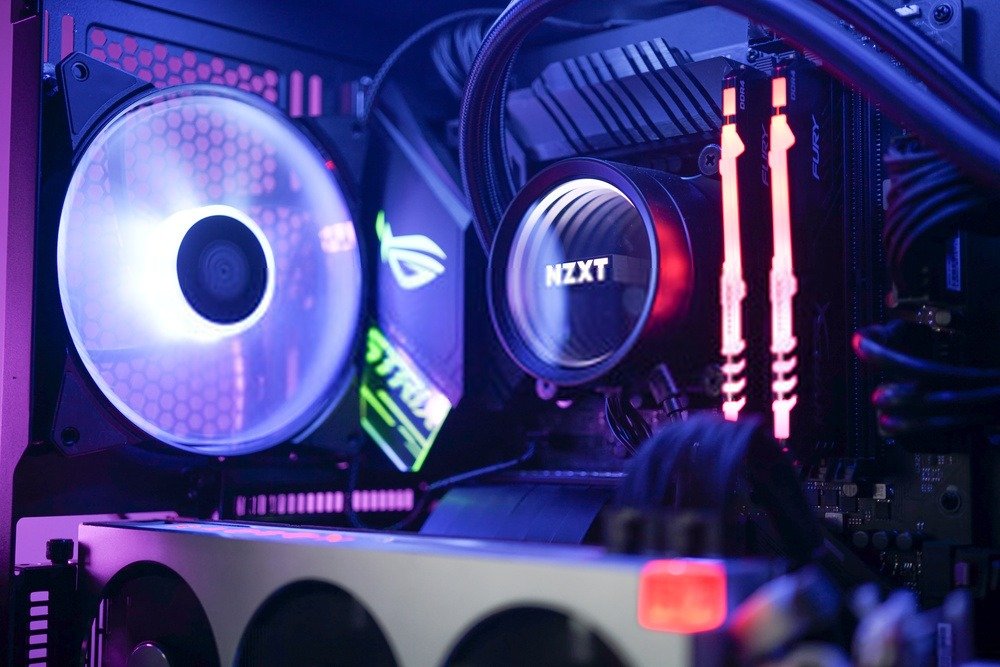
This is one of the most important criteria when choosing your case. Good ventilation helps extend the lifespan of your PC components and reduces noise . The design of your case and the cooling system you use can either mitigate or amplify the noise your PC makes.
To cool your case and its components, cool air (circulating near the bottom) must expel the hot air (which rises). This is why most cases have air vents at the front bottom and rear top. Some also have vents at the top and bottom to utilize natural airflow.
One piece of advice: avoid open PC cases . While they may look great and show off your build, they don't provide proper ventilation. Instead, choose a case with a transparent or tinted side panel.
PC cooling systems are also available to help cool your machine and its components. Air cooling, which uses air, and water cooling, which uses water. Check if one of these cooling systems is compatible with your case to effectively reduce the temperature inside the tower and minimize noise.
Recommended materials for a PC case
The quality and type of materials used in your case will greatly influence its noise level. Opt for thick, solid materials such as steel and aluminum, and avoid plastic, which, in addition to being more fragile, doesn't provide optimal sound insulation. Rubber mounts on the hard drive cages will also help reduce noise .
Some cases feature soundproofed walls thanks to acoustic reduction panels that reduce noise, but these can sometimes hinder ventilation and cause the case to overheat. Therefore, ensure you have an efficient and well-designed cooling system that takes this into account.
If you want to admire the inside of your PC, don't choose an open case (for cooling and soundproofing reasons) but rather a case with a glass front. Glass is far more effective than acrylic , which is itself more effective than plexiglass.
Aesthetics

Aesthetics are a purely personal choice. Some will prefer a simple, unobtrusive case, while others will opt for one with LEDs . To each their own, as they say! It can be pleasing to admire the interior of your superbly assembled machine with cutting-edge components, free from any stray cables thanks to a tinted side panel. Or perhaps this isn't a feature that particularly appeals to you, and you'd prefer to fully optimize the soundproofing of your PC.
Each case has its own unique aesthetic and defined visual style: understated and versatile, modern, or even futuristic. Some models come in various colors, mostly black and white, but others stand out with bolder color accents like orange or red. Choose a model you like and will continue to like , because it would be a shame to get tired of your case only to change it after a short time.
The practicality of the assembly
Even though you will normally only have to assemble your PC once at the beginning, the practicality of assembly is an aspect that can discourage some if it is not easy.
Fortunately, nowadays manufacturers greatly simplify this step with increasingly well-organized designs. Nevertheless, for some cases you will need tools to assemble them: a medium-sized Phillips screwdriver (preferably magnetized), thermal paste, a plastic cable tie, and wire cutters for tidying up the cable management.
Regarding the screws, if they are needed, they will usually be supplied with the case.
Cable management

Cable management involves planning and implementing the placement of cables, both inside and outside your PC, but we'll focus on the internal cables in this section. Cable management has three main goals: organization, ventilation, and aesthetics.
Organizing your cables inside your case is important because it allows you to design it in a structured and intelligent way. Good cable management gives you visibility into which cable is connected to which component, and also greatly simplifies access for easy removal of each component. Therefore, use cable ties to group cables together whenever possible for neat organization.
Ventilation is crucial for keeping your PC quiet, and sometimes cables can significantly obstruct airflow . To resolve this, bundle your cables as close to the edges as possible (while still avoiding touching them and keeping them out of the way of any air vents) to allow for easier, unobstructed airflow.
Aesthetics are especially important if you have a case with a window, as a messy setup is never appealing. If you want a beautiful desk, it's best to pay close attention to your cable management, because after all, your case with the window remains the centerpiece of your setup.
Remove any unnecessary cables, bundle the remaining ones together, and hide your power supply if possible. You'll have an organized, well-ventilated, and aesthetically pleasing PC!
Connectivity beforehand (to break the tie)
Your PC's connectivity is sometimes overlooked because it's rarely used or only in specific situations. However, it's essential for those who connect their phone, external hard drives, CD/DVD readers, or microSD cards. While the vast majority of PCs include a headphone jack and a microphone jack, their connectivity varies depending on the number and standard of USB ports available.
USB ports allow you to connect all types of external devices, but their technology has evolved considerably in recent years. Depending on your PC model, you will have older or more recent USB ports, with USB 3.2 Gen 2x2 being the most common, followed by USB 3.2 Gen 2, 3.1 Gen 2, 3.0, and 2.0.
The differences are related to the data rate per second: 20 Gbits/s for the latest version on the market, which is double that of the previous version and 333 times faster than USB 2.0.
A new type of USB is increasingly common on new devices, destined to replace all previous connectors because it is reversible: Type-C . Some PC cases have already begun to integrate Type-C connectors.
The best cheap silent PC cases!
FAQ—Discover all the details about silent PC cases
Now that you know which PC case model to buy, let's move on to the frequently asked questions!

What are air cooling and water cooling, how do they work and what are their advantages/disadvantages?
Air cooling and water cooling are two cooling systems for your PC. They allow you to reduce the temperature of components , such as the microprocessor (CPU) and graphics card (GPU), which convert a large portion of their energy consumption into heat. There are two types: air cooling, which uses air, and water cooling, which uses water.
Air cooling can be passive or active. In the first case, it consists of a simple heat sink attached to the component to be cooled . Made of a metal with high thermal conductivity, it offers a much larger contact surface between the component and the ambient air. Thus, heat passes through the heat sink and is then dissipated into the air. In the second case, a fan and heat pipes (heat conductors) are assembled with the heat sink to form a heatsink (fan-radiator).
This system accelerates airflow over the heatsink, thus improving heat transfer. The more fans you have positioned to create efficient airflow within your PC, the cooler and quieter it will be.
| Benefits | Disadvantages |
| Very easy to install. Inexpensive. Dual cooling (passive/active). Low maintenance. No risk | Less efficient than water cooling. Still monitor dust movement |
Water cooling has truly proven useful with the rise of overclocking (the practice of pushing the CPU and/or GPU beyond their technical specifications). The need for ever-more powerful processors to run new video games and applications has also contributed to the growing popularity of water cooling.
To set up a water cooling system, you will need pipes, a pump, a reservoir, and sometimes a heatsink . Heat transfer from the hot components occurs through the water (a better conductor than air), via pipes driven by a pump, to the reservoir where it is dissipated into the air.
| Benefits | Disadvantages |
| Ultra-efficient for high-performance configurations. Targeted component cooling. Relocation of the cooling system away from the heat source. Water is non-toxic and inexpensive | Expensive system; complex to install; not adaptable to all housings; risk of leakage if not properly sealed |
The best-selling silent PC cases of the year!


How many fans do I need for a quiet PC?
The number of fans depends primarily on your system configuration , but generally two fans are recommended : one at the front to draw in cool air and one at the rear to exhaust hot air. If you have a PC with a high-heat configuration, we advise optimizing the ventilation to minimize noise from your machine.
Install additional fans at the front, rear, and top of your computer case. This will increase and improve airflow, effectively dividing the hot air between the rear and top. The more fans you install, the slower they will spin thanks to synchronization, resulting in a quieter PC tower.
Which fan should I choose for a quiet PC?
To determine which fan is best suited and quietest, you need to look at its noise level in decibels (dB) divided by its rotation speed. However, this is sometimes insufficient. Ideally, you should use a unit weighted to human frequency: dB(A), which is more accurate for our ears.
Furthermore, knowing its speed and airflow (cooling capacity) allows you to determine which fan is most effective. However, the faster the fan spins, the more noise it generates. The best fans (both efficient and quiet) are therefore those with a low rotation speed and a high airflow . Remember, though, that a fan's primary purpose is to cool the components. So don't prioritize quiet operation above all else!
There are three different sizes of fans:
- The smaller ones ( 60 mm – 92 mm ): used on processors and graphics cards
- 120mm standard is the most widespread among PC cases, especially in the mid-range.
- The largest ones ( 140 mm – 200 mm ), where 140 mm fans are found on large or high-end cases, are particularly useful for a front fan.
I don't have much space to put my camera, what can I do?

If you don't have much space for your desktop computer, it must be adapted to the space you have allocated for it and have a compact layout, with insulating materials and, if possible, the possibility of installing multiple fans or a water cooling system.
We recommend an ATX case to have enough space in your PC tower.
However, a compact layout will allow you to arrange your components in a mini-ITX case (your Nvidia GeForce GTX or AMD Radeon graphics card, for example, as well as your hard drives) without placing them too close together, which could create significant heat. Insulating materials like steel and aluminum will make your PC quieter thanks to their sound insulation.
Finally, fans or water cooling will be useful for keeping your machine cool. With limited space, optimizing both the available space and the systems will give you the best results.
My PC is making a lot of noise, what should I do?
If your PC is making a lot of noise, check the points mentioned above. You may have missed one of them. Generally, insufficient airflow relative to the needs can be the cause, due to a lack of fans, for example.
Also, make sure your components are properly secured , especially hard drives, which tend to vibrate during use. If they aren't, try repositioning them and spacing them further apart to avoid any contact. Consider using rubber grommets to reduce vibrations. Also, check that the heatsinks and CPU cooler are conducting heat effectively.
Sometimes the fans themselves are the source of the noise ! An economical solution is to reduce their rotation speed using an adapter that can undervolt the fan. To find out which fan is noisy, plug them in one by one to identify the culprit. Other solutions include replacing the fan(s) with quieter models or adding more fans if your case allows it.
You can also use your graphics card and/or motherboard software to detect any anomalies , provided the manufacturer has included this option accessible through the BIOS. However, don't reduce your graphics card's fan speed too much; a balance between quiet operation and temperature needs to be found.