The graphics card is an essential component of a PC , especially a gaming PC. Choosing the right one is therefore crucial, because without a powerful graphics card, you won't be able to play the latest video games. This article dedicated to graphics cards for gamers includes a comparison of the best on the market, a buyer's guide to everything you need to know, and a FAQ section to answer your questions.
Things to know before making a purchase!
- If you're an old-school gamer who only plays older games (pre-2010), you won't need a high-end graphics card. Technology evolves so rapidly that games considered demanding a few years ago are playable with today's entry-level graphics cards.
- The graphics card is also useful for multimedia professionals, especially for video. It's what enables high-quality rendering on your screen, provided it can display at high resolution.
- The two components to consider when buying a graphics card are the graphics processing unit (GPU) and its video memory. The former is dedicated to calculating 2D and 3D graphics, while the latter processes, stores, and sends the data received from the GPU to the monitors. We will discuss their roles in detail in the buyer's guide.
Comparison of the best graphics cards for gamers!

In this comparison, we will present you with the best graphics cards available on the market. This comparison will be based on several criteria, including price, value for money, and customer reviews.
1. ASUS TUF Gaming NVIDIA GeForce RTX 3090

Features and Reviews
Manufactured by ASUS, the ASUS TUF Gaming NVIDIA GeForce RTX 3090 graphics card is one of the most expensive on the market. This model stands out from all others thanks to its Ampere-based architecture. It remains the most powerful in its category available to the general public. ASUS offers a refined design and unparalleled cooling performance. The Ampere architecture doubles the FP32 throughput and optimizes GPU efficiency.
Equipped with dual ball-bearing fans, the graphics card boasts a long lifespan, even with the two-year warranty. It features 24GB of DDR6 RAM. Its dimensions are 30 x 12.7 x 5.2 cm and it weighs 1.4 kg. The ASUS TUF Gaming NVIDIA GeForce RTX 3090 is truly unique. Unrivaled, it offers users an unprecedented gaming experience.

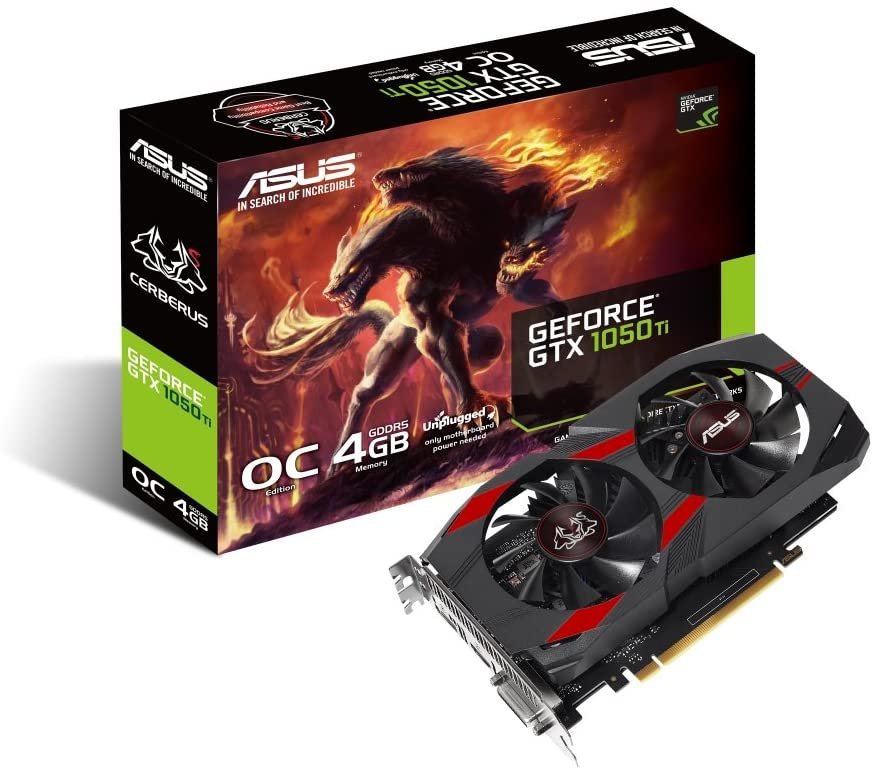
2. ASUS CERBERUS-GTX1050TI-O4G
Features and Reviews
The Asus CERBERUS-GTX1050TI-O4G – 90YV0A74-M0NA00 graphics card is among those that appeal to internet users and gamers alike. This graphics card model is high-performance and very reliable. It is specifically designed for video game enthusiasts who seek uninterrupted fluidity and speed, even under intense use. You can therefore enjoy games at high resolutions while benefiting from the two virtually silent cooling fans.
In terms of specifications, the Asus CERBERUS-GTX1050TI-O4G — 90YV0A74-M0NA00 features 4GB of DDR5 RAM. Backed by a 2-year manufacturer's warranty, this AMD FirePro V7800 GPU is equipped with a 1455 MHz clock speed and a 1.48 GHz processor. Measuring 20.3 x 3.8 x 11.5 cm and weighing 720 g, it includes an HDMI port.

3. MSI GeForce GTX 1050 Ti Gaming

Features and Reviews
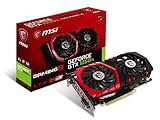
The MSI GeForce GTX 1050 Ti is one of the best graphics cards available. A reliable, high-quality product with satisfactory performance and good value for money, it has received a 4.6 out of 5-star rating from users. Its specifications include 4GB of DDR5 memory with a clock speed of 7008 to 7108 MHz. The AMD FirePro V7800 GPU has a clock speed of 1290 to 1493 MHz, depending on the configuration. It also features an HDMI video connector.
The MSI GeForce GTX 1050 Ti Gaming X 4G measures 22.9 x 4 x 13.1 cm and weighs 527 g. Despite its good performance, this graphics card is only available in black. Furthermore, MSI does not provide any software for managing settings. On the plus side, this model has a good cooling system and is very quiet, even under the most demanding conditions.
4. Gigabyte GeForce GTX 1050 Ti Windforce OC Edition 4G Graphics Card

Features and Reviews
With a user rating of 4.6 out of 5 stars, this graphics card meets gamers' expectations. Priced at €395, it offers excellent value for money. The card's maximum resolution is 7680x4320, allowing gamers to enjoy fast and smooth HD gameplay. Even the latest PCs will achieve optimal performance with this graphics card. Thanks to its 4GB of DDR5 memory, it can handle graphics applications.
Since the card is factory overclocked, the GeForce GTX 1050 Ti Windforce OC 4G delivers optimized and satisfying graphics experiences thanks to Nvidia Game Ready and Nvidia G-Sync technologies. The card measures 19.1 x 3.6 x 11.1 cm and weighs 658 g. It offers HDMI and PCI-E 3.0 connectivity options. Furthermore, this graphics card requires a minimum system configuration, including a motherboard with one or more PCI-Express x16 slots and 2 GB of RAM.

5. Gigabyte GeForce GT 710 2GB

Features and Reviews
This Gigabyte graphics card is very popular with gamers for its low price! It features 2GB of memory and a 64-bit interface. Its RAM is DDR5 with a clock speed of 5010 MHz. Backed by a 2-year manufacturer's warranty, this GPU is equipped with a 954 MHz processor, manufactured by Nvidia GeForce GT 710.
It also features a SATA connector and HDMI connectivity. According to reviews, this graphics card offers excellent value for money. Despite its small size, it is very quiet. Unfortunately, its performance is limited, especially for recent games. The graphics card measures 14.5 x 1.5 x 6.9 cm and weighs approximately 245 g. It is only available in black.
Buyer's guide to choosing a graphics card for gaming

Market players
As you've probably noticed, there are many graphics cards for gamers on the market. Some are made by manufacturers, while others are assembled by subcontractors. In fact, many brands simply distribute graphics cards manufactured by the two industry giants: AMD and Nvidia. Discover the reasons behind this market segmentation.
The manufacturers
As mentioned in the introduction to this section, AMD and Nvidia together dominate the graphics card manufacturing market. However, further details are needed to better understand their respective roles.
AMD and Nvidia specialize in graphics card chip architecture , the famous GPUs. However, they develop and market graphics cards entirely under their own name, which can be considered "blank slate" because they are not associated with another brand (called Founders Edition by Nvidia). They therefore contain only the basic components without any extras from external brands. Nevertheless, the sales of these two manufacturers represent a very small portion of the market.
The assemblers (MSI, Gigabyte, Asus, EVGA)

Many manufacturers use AMD and Nvidia GPUs. These include ASUS, EVGA, Gigabyte, KFA2, MSI, and Zotac. By adopting the core technologies, they further optimize the manufacturers' graphics cards by customizing certain features .
- Increasing the clock speed: By adjusting the clock speed, assemblers can increase the number of calculations performed by the graphics card, providing a performance boost
- Memory optimization: With better memory, your graphics card will be able to store more textures, add effects, and filtering
- Improved cooling: Builders install more efficient fans to provide better cooling for your graphics card
- Adding quality components: Some assemblers will change or add higher quality, more durable materials to increase the longevity of your graphics card
By playing with these different characteristics, manufacturers seek the price/performance/durability ratio best suited to their objectives. This allows them to offer graphics cards that will appeal to and meet the needs of gamers.
Good to know : Here is our latest comparison of AMD Radeon graphics cards !
The three key components of a graphics card for gamers
Three components are essential to consider when choosing your graphics card. These will primarily influence your decision because they represent the "vital" characteristics of the graphics card in your PC, especially if it is dedicated to gaming.
The graphics processing unit (GPU)
Also known as the GPU (Graphics Processing Unit), the graphics processor on your motherboard assists the motherboard with calculations. Specifically, the GPU handles calculations related to 3D graphics display and coordination. The more powerful it is, the faster it can perform calculations, freeing up more resources from the motherboard and creating a virtuous cycle of improved performance. Without this division of labor supported by the graphics processor, a motherboard could not provide as much information simultaneously.
Video memory
This memory is used to store digital data that the graphics processor converts into images. These images are then processed by the motherboard before being displayed. Larger storage capacity allows your PC to store more pre-loaded textures in video memory without having to recalculate them, resulting in significant time savings. Furthermore, effects like anti-aliasing are commonly used to enhance the visual appeal of your games by correcting image distortion.
We recommend choosing a graphics card with 8GB of video memory for optimal performance, although 6GB may be sufficient. If you play games with very demanding textures, there are graphics cards available with up to 11GB of video memory.
Cooling
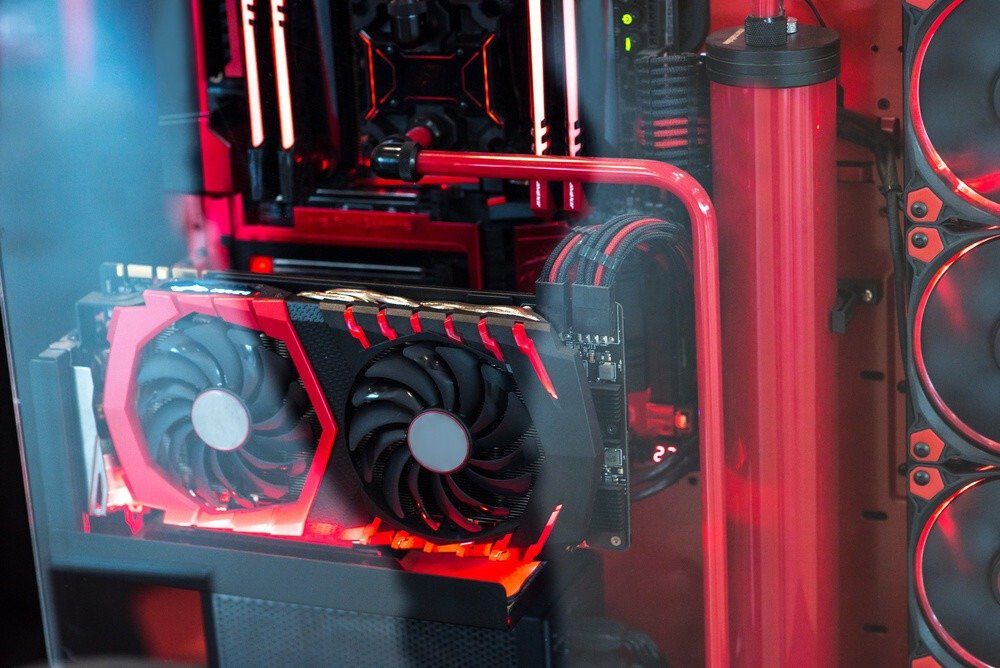
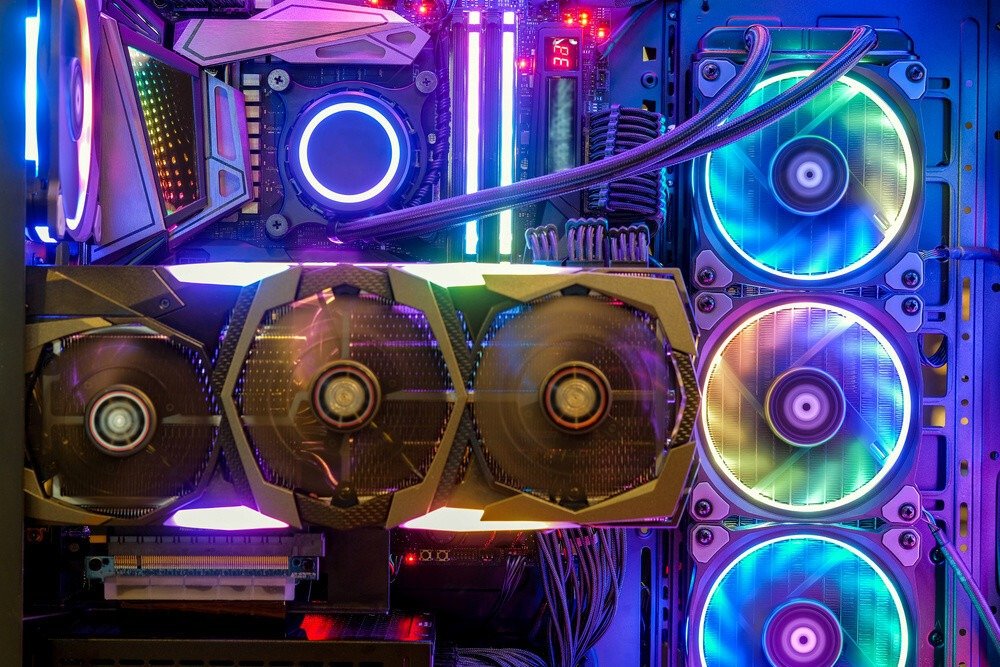
To keep your system in good condition, proper cooling is essential, and this is especially true for your graphics card, which will generate a lot of heat. Fortunately, cooling systems are integrated into these cards, consisting of one, two, or three fans depending on the model. Furthermore, some system builders add supplementary systems and controllers to adjust the fan speed according to your usage.
If you wish to overclock your PC, you will likely need to use a water cooling system to manage the increased heat output. Some graphics cards are compatible with this system, so check beforehand. For maximum optimization, you can replace the card's fans with higher-performance ones, but this may void your warranty.
The connectors of a graphics card
To connect your graphics card to your monitor, it's essential to pay attention to their connectors. Connector technology has evolved significantly to keep pace with innovations in image resolution and refresh rate. Here are the three most common types found on graphics cards today, listed in ascending order of image quality.
The VGA
Once the standard on older monitors, VGA is generally a 15-pin connector that transmits analog signals. These signals correspond to the primary colors red, green, and blue, as well as horizontal and vertical signals. This technology is somewhat outdated and is disappearing in favor of digital displays. Indeed, VGA displays are limited to 1280 x 1024 pixels (not Full HD) and do not allow for audio transmission.
HDMI
The HDMI port is the most common for connecting monitors these days. Unlike VGA, it supports audio, as well as high-definition video. While the technology continues to evolve, DisplayPort is significantly more powerful in many areas. HDMI remains sufficient for connecting multiple HD displays to your computer, provided you have an HDMI 2.0 port. The same applies to 4K UHD (3840 x 2160 pixels) at 60 Hz with 60 frames per second. However, if you plan to game in 4K, we still recommend connecting your monitor to a DisplayPort.
The DisplayPort
This is the ultimate choice for gamers, especially versions 1.3 and 1.4, offering considerable bandwidth. The higher the bandwidth, the greater the amount of data that can be transmitted simultaneously. Thanks to the introduction of Daisy Chaining, you can now connect multiple compatible displays to a single DisplayPort, allowing you to build a dream setup while minimizing the number of connections! Furthermore, this type of port is compatible with FreeSync and G-Sync technologies to eliminate screen tearing and stuttering, whereas HDMI only supports FreeSync. Finally, you can play in 4K at 60 FPS with version 1.2, at 120 FPS with version 1.3, and in 8K (7680 x 4320 pixels) at 60 FPS with version 1.4.
To conclude this point, we obviously recommend using a DisplayPort for gaming. It's the most efficient and best option for fully enjoying your video games at the highest possible resolution.
Things to consider before your purchase
In addition to the three key components of your gaming graphics card mentioned at the beginning of this buying guide, there are 6 other elements to watch out for in order to make the right choice.
The size
This is the first thing to pay attention to. Not all graphics cards are the same size. So, carefully check the dimensions of the one that catches your eye to make sure it will fit in your case.
Good to know : Is your PC case not designed to accommodate a graphics card? Or do you own a laptop? The solution: use an external graphics card! Check out our comparison of the best eGPU enclosures for external graphics cards.
The clock frequency
This is a measurement in Hz or GHz corresponding to the GPU's processing speed. As a reminder, the higher this value, the faster your graphics card can perform calculations and therefore increase its performance. By default, this value remains constant across different models, but it can vary when comparing graphics cards from different manufacturers. As mentioned in the section on market players, different brands adjust the frequency to deliver the desired performance, often by unlocking its full potential.
FPS
To play in optimal conditions, you'll need at least 60 FPS in single-player games and as high as possible in multiplayer games. The number of FPS you get will depend on two factors: your monitor and your video output port. Ideally, choose a monitor with a minimum refresh rate of 75 Hz and a DisplayPort connection. DisplayPort is highly recommended for 4K gaming and essential for 8K.
Cooling
The cooling of your graphics card will depend on the number of integrated fans, their efficiency, their optimization through additional technologies, the possibility of installing a water cooling system, and finally the overall temperature of your setup.
Some fans are more efficient than others at keeping your graphics card cool. However, the more powerful the card, the more heat it will generate. Therefore, you'll need to ensure your fans are sufficiently effective. If not, you can always opt for a water cooling system to significantly improve cooling. Also, make sure your entire setup is well-ventilated so you're not solely focused on cooling your graphics card.
The noise
Some fans are noisy because they aren't made of quality materials. Unfortunately, it's impossible to know the noise level of a graphics card in advance without testing it. However, you can always refer to reviews from other buyers who have purchased it. If the graphics card has a common problem, you can be sure that other users have already pointed it out.
Energy consumption
Your graphics card's power consumption won't significantly impact its performance. However, the more powerful it is, the higher its power consumption will be, which could be costly. Besides the benefit of estimating your electricity bill, research your graphics card's power consumption to choose a suitable PC power supply .
Overclocking
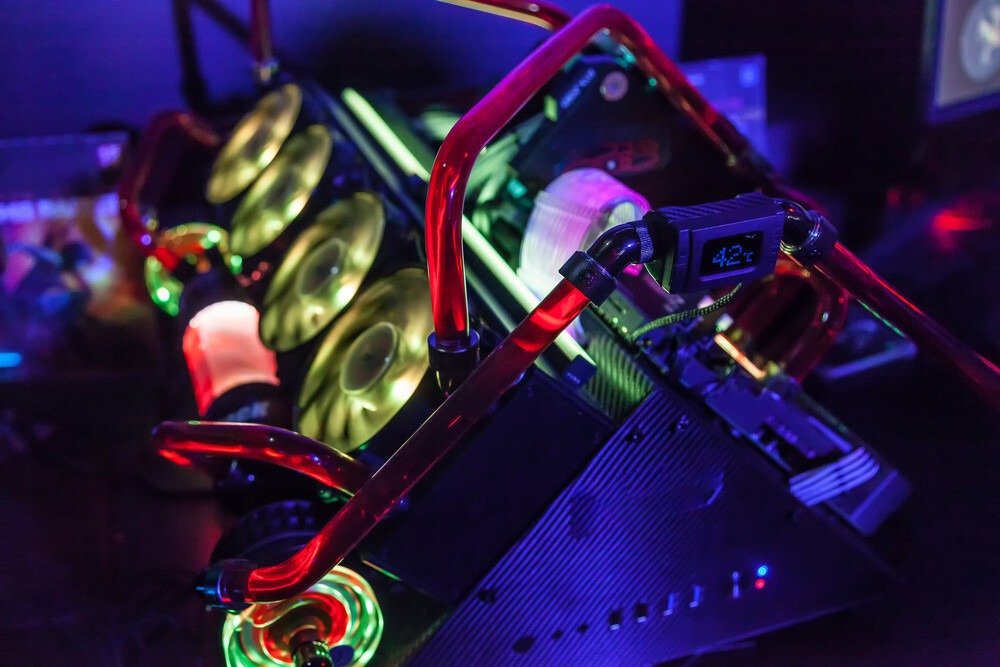
Overclocking involves unlocking the clock speed of your GPU. By increasing its frequency beyond normal levels, your graphics card's performance will be enhanced . This is because overclocking your processor allows it to perform more calculations per second, thus running programs faster.
Overclocking can increase your GPU's performance by 10 to 20%, but we advise against exceeding 10%. This technique can damage your card, particularly due to overheating.
Not all graphics cards are suitable for overclocking. However, some already have performance boosted by AMD and Nvidia's distributors. They intentionally increase the clock speed to improve performance and compensate for the increased heat with optimized cooling systems.
A glossary of terms
Find a glossary of terms to familiarize yourself with the descriptions of the different graphics cards covered in our comparison!
VR
Virtual Reality (VR) is a technology that allows you to become fully immersed in a video game using an augmented reality headset. It offers a highly immersive experience but requires significant resources, particularly in terms of processing power for 3D rendering. If you wish to use or play in VR, we recommend budgeting at least €200 for your graphics card, although it's preferable to spend around €350 for a high-end model.
FreeSync & G-Sync
FreeSync and G-Sync are technologies created by AMD and Nvidia respectively, which vertically adapt and synchronize the images displayed on your screen. Be aware that not all graphics cards are compatible with these options, regardless of whether they are from the correct manufacturer or not. The same is true for monitor models; some only support one of the two. With these caveats in mind, let's look at the benefits of these features.
Fixes the Tearing
One of the major problems addressed by these technologies is screen tearing, which causes image tearing during display. This results from a mismatch between two numbers: the frame rate (FPS) calculated by the graphics card and the refresh rate of your video monitor. When your GPU has started calculating the next frame but your monitor isn't ready, a difference in frame size between the previous and current images will be displayed. This lack of synchronization will therefore cause frames to be displayed not only with a time lag (delayed frames) but also in the wrong position (shifted frames). To overcome these issues, FreeSync (with AMD graphics cards) or G-Sync (with Nvidia graphics cards), depending on your monitor's compatibility, will synchronize the monitor's refresh rate with the graphics card's FPS.
Limits Stuttering
Unlike screen tearing, which doesn't display all the correct image strips at the right time, stuttering will continuously display them. This is also due to a difference between the monitor's refresh rate and the graphics card's frame rate (FPS), however, in this case, it's the GPU that's lagging behind. Since your graphics card hasn't calculated all the subsequent frames, the monitor will only display the ones that are ready, creating image stuttering on the screen due to the processing delay. FreeSync and G-Sync therefore synchronize the calculations by lowering the refresh rate to match the FPS in order to provide smooth image display.
Ray Tracing
Ray tracing is a technology that renders images of scenes with exceptional realism. It relies on displaying light according to natural laws, unlike previously used techniques. Instead of calculating pixel brightness from the light source, ray tracing calculates it from the camera's perspective . Light rays are directed at the various pixels of the image to calculate their reflection, refraction, and shadow as they bounce off them before reaching the light source. Because these rays are projected only from the viewer's camera, they don't calculate pixels that are invisible to the viewer but would still be calculated without ray tracing. This saves significant resources, which can then be used to provide the most realistic image possible.
Following a natural logic, ray tracing offers much more realistic images because they are displayed according to the same physical laws used by our eyes and brain. For developers, this technology simplifies and automates the management of lighting and effects.
PCI Express 4.0
PCI Express 4.0 ports are the latest version of the expansion bus used on motherboards to connect to other components in your system. This is particularly true for your graphics card, which, when connected via PCIe 4.0, will have a data transfer speed twice as fast as with a 3.0 port for the same number of connectors. The higher the bandwidth, the faster the data exchange between the graphics card and the motherboard, thus improving your PC's display speed.
DirectX 12
DirectX is a library that includes various software programs dedicated to game and multimedia programming. Version 12 offers better resource distribution to facilitate multiprocessing and multi-graphics card support, while optimizing performance and reducing power consumption.
For Nvidia
Nvidia has its own proprietary technologies featured in its products. Below you will find explanations to help you better understand them.
His scales
Nvidia has developed a variety of graphics card ranges to offer the best performance/price/durability ratio for different needs.
GTX vs RTX
These are Nvidia's most common product lines. The difference between the two is ray tracing support, which is only available on the RTX series. Furthermore, the RTX series features Deep Learning Graphics System (DLSS), which uses artificial intelligence to accelerate frame rates and deliver superb image quality.
Quadro
Nvidia's Quadro range comprises graphics cards designed for professionals. Specific features have been improved to deliver better computing performance. They are not significantly different from GeForce graphics cards, as the only differences lie in the use of ECC memory (which corrects data errors) and improved calculation accuracy. These two optimizations are essential in a professional context where a lack of precision could be disastrous (databases, industry, etc.)
Titan
Like the Quadro series, the Titan series are graphics cards primarily designed for professionals. However, the Titan series is more commonly used by researchers, developers, and creative professionals because it allows them to work much faster. Its components support major deep learning frameworks, hyper-accelerated data processing, and real-time 8K video editing thanks to its 24GB of dedicated memory.
Nvidia card figures
In order to differentiate the power of its cards, Nvidia has established a nomenclature in the form of numbers.
- Thousands = generation where the 20XX series are the most recent, released after the 10XX series
- Hundreds = intermediate generations, for example the GTX 1660 between a GTX 1060 and an RTX 2060
- Tens = the closer it is to 90, the higher the card's quality
- "Ti" for Titanium = improved version of the base card
GeForce Experience
This is the brand's software to further enhance and personalize your experience with their graphics card. It offers numerous features such as
- ShadowPlay Highlights: automatically records the best moments of your games (kills, epic plays, etc.). You can then share them on Facebook, YouTube, or Twitch directly from your game in just a few clicks.
- Nvidia Ansel: allows you to take super high-resolution 360° screenshots with HDR or Stereo. A free camera lets you take your photos from the best angle before adding filters in post-processing.
- Nvidia Freestyle: a display mode that allows the application of post-processing filters in-game (color modification, saturation adjustment, HDR, etc.)
- Game settings optimization: GeForce Experience will automatically adapt your game's graphics settings based on your hardware (GPU, CPU, and video monitor). The software will strike the best balance between performance and graphics quality.
- GameStream: If you own a SHIELD 4K, you can stream your games directly to your living room screen while enjoying 4K HDR at 60 FPS.
- Driver updates: Always keep your drivers up to date with the built-in detection feature in GeForce Experience
SLI
Scalable Link Interface (SLI) is a technology that increases graphics performance by connecting multiple graphics cards simultaneously. Initially compatible with four cards, the new HB Bridge SLI bridge only allows two to be connected at a time.
Be aware, however, that using SLI will significantly increase your power consumption and also cause your equipment to overheat. Therefore, ensure you have a sufficient cooling system.
For AMD
Formerly known as ATI, AMD has fewer features on its graphics cards than Nvidia, however the brand is catching up.
Radeon™ Software Adrenalin
- Quick access to games: allowing you to launch or modify the graphics settings of your favorite games and view your statistics (total playtime, average FPS)
- Capture gallery: for taking screenshots, videos and GIFs that can be shared on social networks or for streaming your gaming sessions.
- System status: to verify that you have the latest driver and also to ensure that your configuration meets the minimum requirements to play
- Video tutorials: to learn how to better use the software
Zen
This is a processor microarchitecture used in AMD's Ryzen processors. It offers better energy efficiency than the previous Bulldozer architecture, as well as a higher number of instructions per clock cycle, thus increasing their speed.
Ryzen
Ryzen is a family of AMD microprocessors operating on the brand's new AM4 socket for the latest models (Ryzen 5 5000, Ryzen 7 5000 and Ryzen 9 5000). They use the latest Zen 3 microarchitecture with a higher clock speed.
AMD card figures
At AMD, Radeon cards are separated into 3 categories:
- The Radeon RX 5XX series, where the higher tens signify an upgrade in quality
- The Radeon RX Vega 34 or 64 for a corresponding computing unit
- The Radeon RX 5X00 series, where the hundreds digit represents the range. The higher the number, the more powerful the card. Some have "XT" added to signify an increase in processing units and gaming clock speed.
If you're looking for a reasonably priced used graphics card for gaming, the AMD RADEON R7 graphics card might be of interest to you!
CrossFireX
CrossFire is AMD's equivalent of Nvidia's SLI HB Bridge. It allows you to use two graphics cards on a single motherboard . You can therefore combine two entry-level cards to compete with a high-end graphics card. However, we recommend using the same model to ensure optimal performance.
Just like with SLI, CrossFireX will increase your power consumption and heat output. Plan your ventilation or cooling system accordingly.
The power of the graphics card depends on the type of game
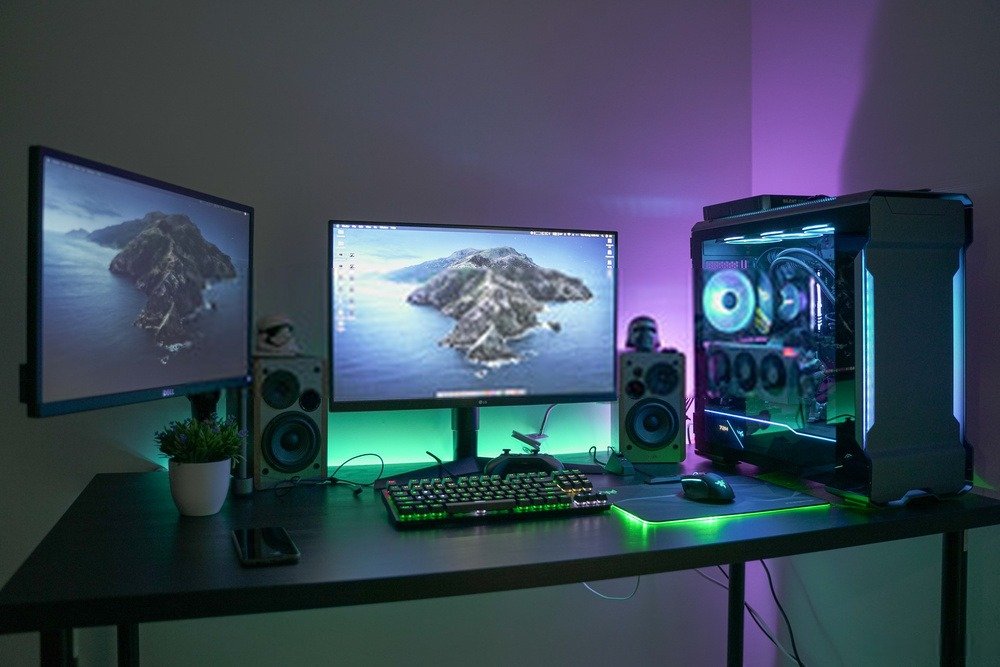
After reading this buying guide, you're probably wondering which graphics card to choose based on the types of games you play. This last point should clarify your needs:
FPS (First-Person Shooter)
First-person shooters (FPS) have become increasingly popular and now represent a large majority of game purchases compared to other genres. This has led to fierce competition, pushing developers to deliver an unforgettable gaming experience to stand out from other titles (particularly through gameplay, graphics, realism, etc.). As a result, FPS games are becoming increasingly demanding and require ever more powerful graphics cards to enjoy top-notch resolution and image quality at Ultra settings.
That's why we recommend aiming for at least a mid-range PC for this type of game (of course, some will be more demanding than others). This is primarily to enjoy the graphics quality, but also to stay ahead of the curve for future games (as requirements evolve quite rapidly).
Pay particular attention to the dedicated video memory to ensure a sufficient number of pre-loaded textures, allowing your graphics card to minimize texture loading times . Furthermore, to avoid missing important information or details, choose a graphics card with FreeSync and/or G-Sync (and don't forget to check compatibility with your monitor).
Key points:
- (6 GB minimum, 8 GB recommended)
- FreeSync and/or G-Sync
- High clock frequency
- DisplayPort is highly recommended for gaming with decent frame rates
MOBA / MMORPG
These games may be the least demanding, but that doesn't mean you should neglect your graphics card choice. Performance in these types of games relies heavily on responsiveness, so choose a graphics card with a high clock speed for efficient processing.
You will be able to run an MMORPG or a MOBA with an entry-level machine, however a mid-range machine will provide you with more comfort.
Key points:
- Entry-level – mid-range
- High clock frequency
- Decent video memory
RTS (Real Time Strategy) and management games
For fans of simulation or real-time strategy games, one of the main features to consider is video memory. This will load the terrain textures to provide you with precise and high-quality details.
Unless your game is demanding and you play online, the clock speed doesn't need to be very high compared to an FPS. However, it should be sufficient (slightly higher than a MOBA) to run your game without lag.
The important thing to pay attention to is the graphics settings, including FreeSync or G-Sync , but also Ray-Tracing , to offer you a more realistic battlefield without display errors.
Regarding video ports, HDMI should be sufficient for 4K single-player gaming; however, a DisplayPort will be necessary for online 4K gaming or 8K gaming. Again, double-check compatibility with your monitor.
Key points:
- Mid-range to high-end
- Large video memory (6 GB minimum, 8 GB recommended)
- FreeSync and/or G-Sync
- Ray tracing and HDR for a realistic rendering
- Correct clock frequency
- HDMI or DisplayPort depending on your needs
Racing / Simulation
To get the most out of your racing or simulation games, it's best to choose graphics cards that offer exceptional image quality. Obviously, an entry-level or mid-range graphics card will likely run your game, but if you want the most immersive experience, you'll need to go for a high-end model.
To use VR, you'll need a compatible card, available from around €200. However, the display may be somewhat limited, so opt for a high-end card to enjoy the best performance.
For the most immersive experience possible, select a graphics card compatible with FreeSync or G-Sync and Ray Tracing. Otherwise, you risk losing realism.
Key points:
- Mid-range but high-end, recommended
- Large video memory (6 GB minimum, 8 GB recommended)
- FreeSync and/or G-Sync
- Ray tracing and HDR for a realistic rendering
- High clock frequency
- DisplayPort recommended
Solo Adventure
As with racing or simulation games, immersion is what will thrill you during your gaming sessions. A mid-range graphics card is essential, but a high-end one is preferable to enjoy high-definition graphics.
Since your graphics card won't have as many calculations to perform as in an FPS game, you can prioritize video memory for graphics over clock speed. Therefore, focus your choices on image quality.
Key points:
- Mid-range but high-end, recommended
- Large video memory (6 GB minimum, 8 GB recommended)
- FreeSync and/or G-Sync are essential
- Ray tracing and HDR for a realistic rendering
- Correct clock frequency
- DisplayPort recommended
Of course, these specifications may be more or less accurate, depending on the game. Some single-player adventures will be more demanding than FPS games, and vice versa. Nevertheless, this gives you a general idea of the expected performance, depending on the type of game, and allows you to focus your attention on the features to check first.
Frequently Asked Questions
Why is a graphics card important for gaming?
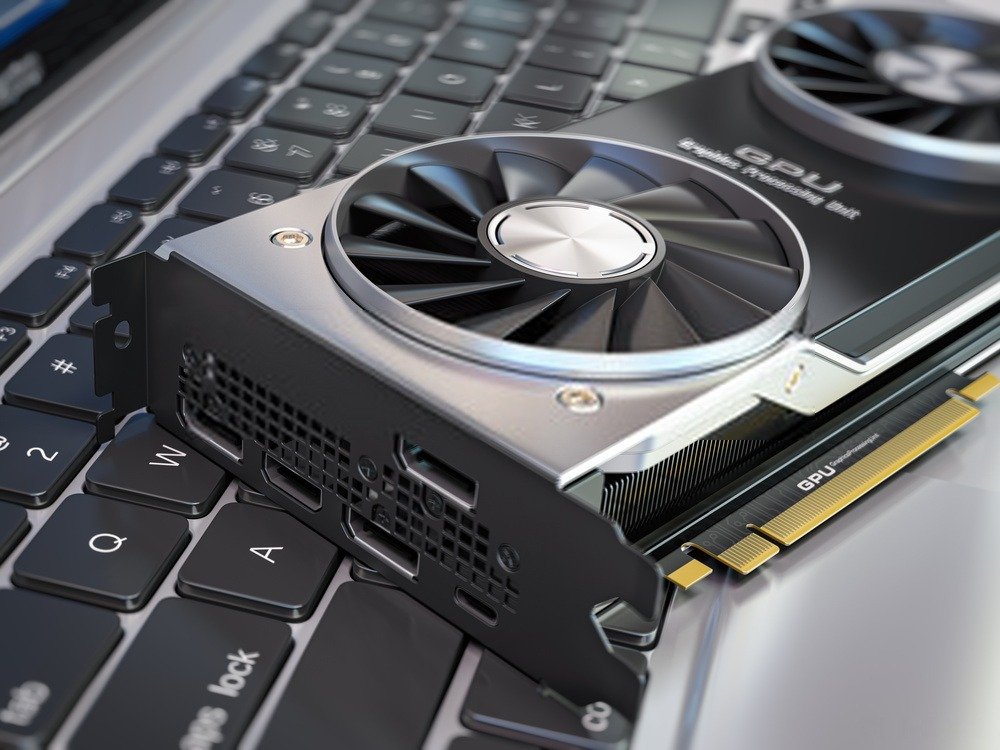
The graphics card, as its name suggests, handles the graphics calculations for your games. Working in conjunction with the motherboard, it allows for more processing power (and therefore faster display speeds) in-game, resulting in smoother, higher-quality images. Additional technologies help deliver a more realistic rendering than if the motherboard were working alone.
Some older games no longer require a dedicated graphics card because the motherboard can handle the calculations on its own. However, to play the latest titles, you will need one. If your games aren't very demanding, there's no point in investing in a graphics card costing more than €100. On the other hand, if you're looking for performance, high-definition graphics, or VR gaming, you'll need to consider graphics cards costing €500 or more.
Okay for the images, but what about the sound?
The graphics card is primarily dedicated to images; however, some models have integrated sound. HDMI, when connected to a graphics card, can also transmit audio, which is why manufacturers of this component have developed dedicated audio chips integrated directly into the circuit. Image and sound can be transmitted simultaneously without requiring a separate sound card.
Nvidia or AMD?
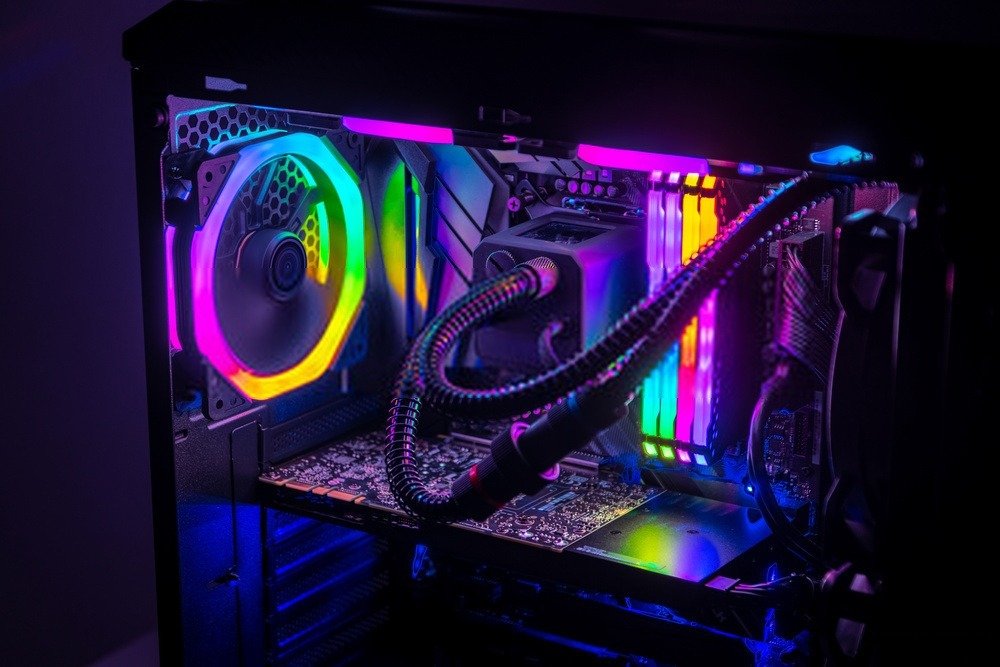
This is one of the most divisive debates among PC gamers. However, it's necessary to analyze each brand's characteristics (FPS, 4K, Ray Tracing, energy consumption) one by one to determine the winner.
However, if you're looking for maximum image quality, opt for Nvidia RTX cards, which feature ray tracing and DLSS for AI-powered image optimization. This latter technology is not available for AMD cards because it's patented by Nvidia, unlike the former.
For a casual gamer, an AMD card will do the job, given that the brand's prices are generally lower than Nvidia's. However, if you're a hardcore gamer, opt for the latter.
One detail that may influence you is the brand's software, where Nvidia with GeForce Experience offers far more powerful features than AMD with Radeon™ Software Adrenalin.
Which graphics card do I need to play in 4K?
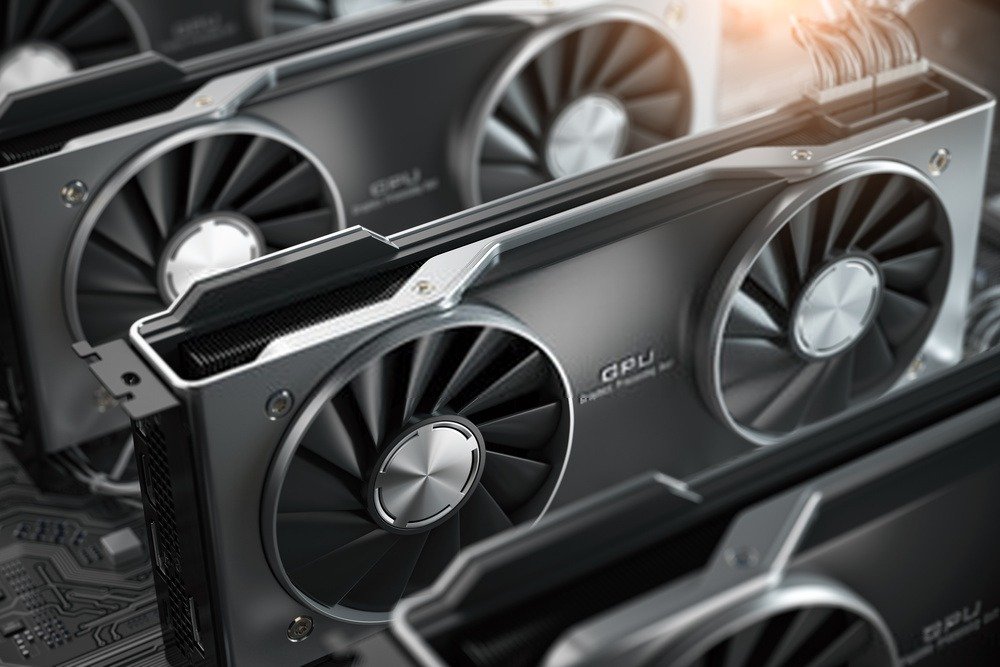
It is the dream of many gamers to play in 4K, but this requires a larger budget and compatible components .
First, you'll need a 4K-compatible graphics card with a high clock speed. If possible, choose 8GB of video memory to save on processing power. The number of clock cycles per second will determine the maximum frame rate (FPS) you can achieve in games. A minimum of 60 FPS is strongly recommended for visual comfort, but 50 FPS can sometimes be sufficient.
What are the different sizes available?
There are different sizes of graphics cards that can be installed in compatible cases.
Mini-ITX: perfect for taking your computer everywhere thanks to its compact form factor. Graphics cards are generally limited to a maximum of 315 mm in length to fit in this type of case. As a result, you won't be able to use a very high-end graphics card. However, they will be much more affordable.
Micro-ATX: The characteristics of the micro-ATX format are quite similar to those of a mini-ITX, although the dimensions are slightly larger. However, you can find more powerful graphics cards available .
ATX: This is the minimum recommended size for a gaming PC, as the vast majority of graphics cards use the ATX form factor. You'll be able to install high-end systems with significantly higher-performance cards and access to the latest technologies. Furthermore, upgradeability will be easy thanks to the abundance of options available, since this is the primary target market for graphics card manufacturers.
E-ATX: These are the largest graphics cards, such as the Titan or the Quadro from Nvidia. If you want to use CrossFireX or SLI, you will likely need an E-ATX case to have enough space to house two graphics cards.
We hope you find what you're looking for in our comparison and that the buying guide and FAQ have helped you learn more. If you still have a question, feel free to leave a comment below this article; our team will answer it!