Looking for a graphics card suitable for 4K? Whether you're a gamer seeking stunning graphics or a professional editing 4K UHD video, you'll need a powerful graphics card for your computer!
However, you still need to know where to look… That’s why we’ve written this comparison and buying guide so you can choose the best graphics card for 4K gaming and video editing at 3840 x 2160 pixel resolution.
Things to know before making a purchase!

- To fully utilize the capabilities of your 4K graphics card, your processor must be powerful enough to keep up. These two components need to have balanced clock speeds. If your CPU can't keep up with your GPU, even if you have a UHD graphics card , you won't be able to play in 4K.
- Some 4K graphics cards are equipped with overclocking to push performance even further. It's a form of performance boost. However, in addition to generating infernal noise from the fans if they aren't powerful enough, you risk overheating. Use it sparingly!
- Editing video in 4K and gaming in high resolution requires a graphics card for a 4K screen. Yes, don't expect to play in UHD on a PC monitor that only displays HD.
Comparison of the best graphics cards for 4k!
To enjoy 4K resolution on your gaming PC, equipping yourself with high-performance and compatible accessories is essential for a better graphics experience. For optimal configurations and to play the latest generation of games at high resolution, the new generation of graphics cards for gamers promises total immersion and unparalleled performance!

ASUS TUF Gaming NVIDIA GeForce RTX 3090: the most powerful graphics card
Features and Reviews
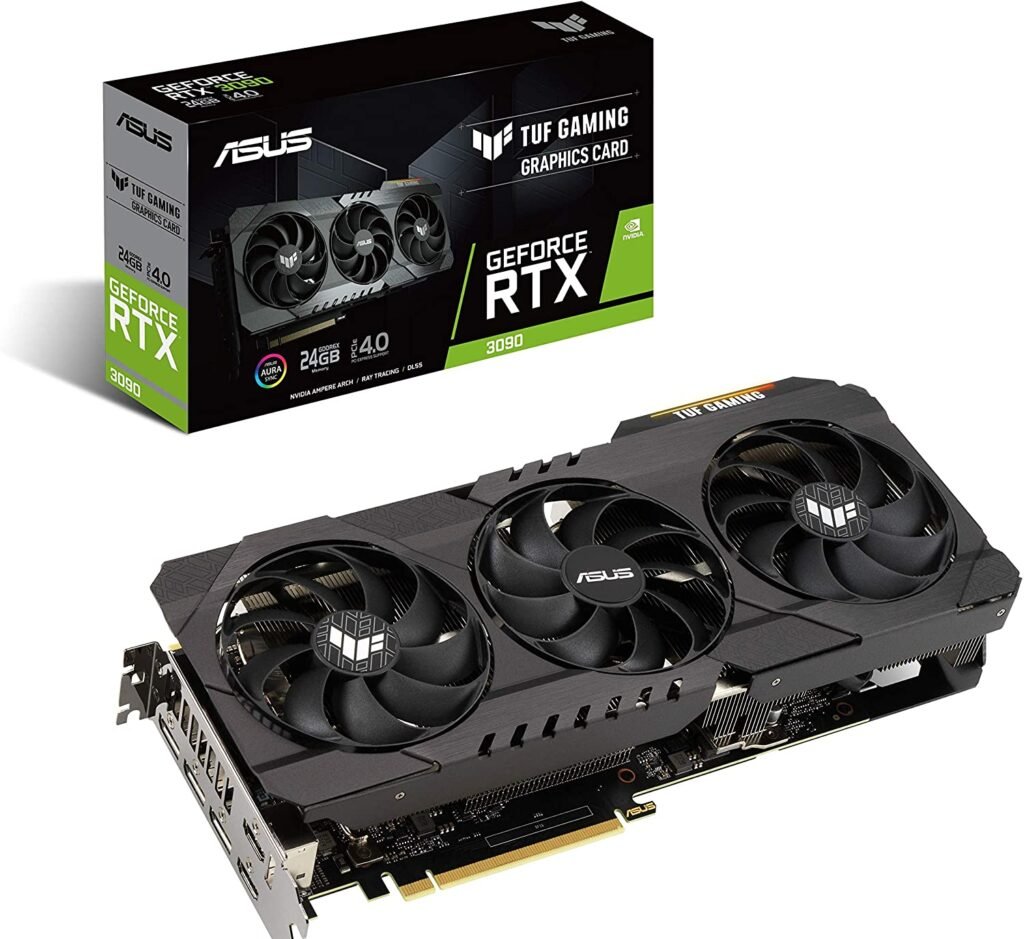
An ASUS product, this graphics card delivers incredible performance in high-resolution video games. Priced at €3965.00, it's the most expensive graphics card on the market. It features 24GB of GDDR6X video memory. With high operating frequencies and an enhanced cooling system, this graphics card is the most powerful in its class.
The ASUS TUF Gaming GeForce RTX 3090 features three dual ball-bearing fans with a reverse rotation system for the central fan. Based on the Ampere architecture, this graphics card delivers an unprecedented and unparalleled experience in the latest games, immersing gamers completely in the action. Graphics are more realistic with 8K resolution. With improved performance, RT cores, Tensor cores, and stream multipliers, ASUS promises smoother gameplay.
The FP32 throughput is doubled. This graphics card features highly robust capacitors that meet military-grade safety standards. GPU Tweak II offers intuitive performance adjustments and monitors system temperatures. Connectivity options include two HDMI ports, three DisplayPort connectors, and two 8-pin PCI-Express slots. You can connect up to three displays for an enhanced graphics experience.
MSI Radeon RX 6900 XT GAMING X TRIO 16G: Experience unprecedented graphics
Features and Reviews
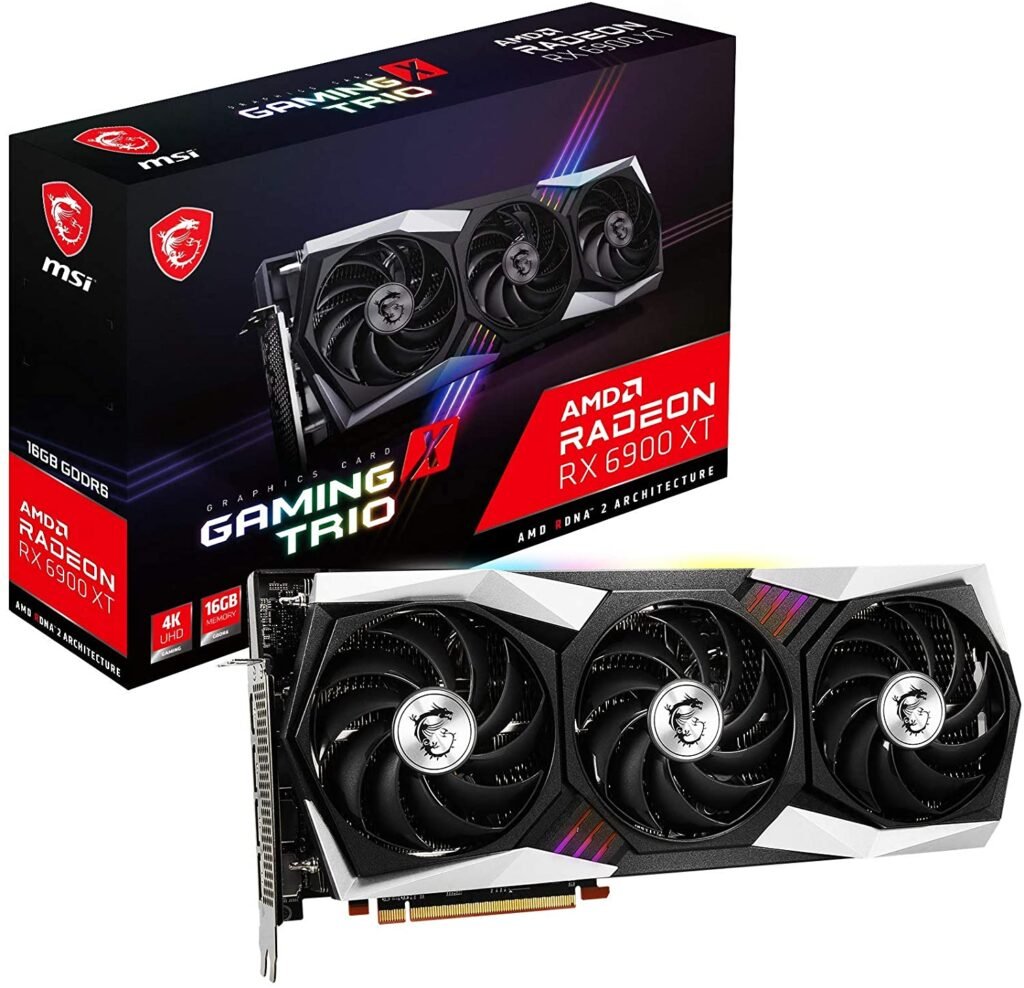
A product of the MSI brand, this Radeon RX 6900 XT GAMING X TRIO 16G graphics card is among the most expensive currently available on the market. To get its performance, you'll have to pay €2,019, a huge sum for a computer accessory, but it will offer you the best graphics quality for gaming in 4K resolution.
Powered by the RDNA 2 architecture, this graphics card is specifically designed for the most demanding gamers and features modern technologies including Radeon Sharpening and Fidelity FX. It is suitable for virtual reality use, except for UHD 4K resolution. With the overlock option, the clock speed can reach up to 2340 MHz to achieve its maximum performance, resulting in highly detailed graphics and smoother gameplay.
In terms of specifications, the MSI Radeon features 5120 stream processors, 320 texture units, a 256-bit memory interface, 16GB of GDDR6 VRAM, and 80 Ray Accelerators for 2nd generation ray tracing to bring your images to life. To better dissipate heat, it is equipped with three fans and a hot air exhaust.
Regarding its physical characteristics, its dimensions are 32.4 x 14.1 x 5.5 cm (W x D x H). Powered by power supply connectors, a minimum electrical power of 750 W is required.

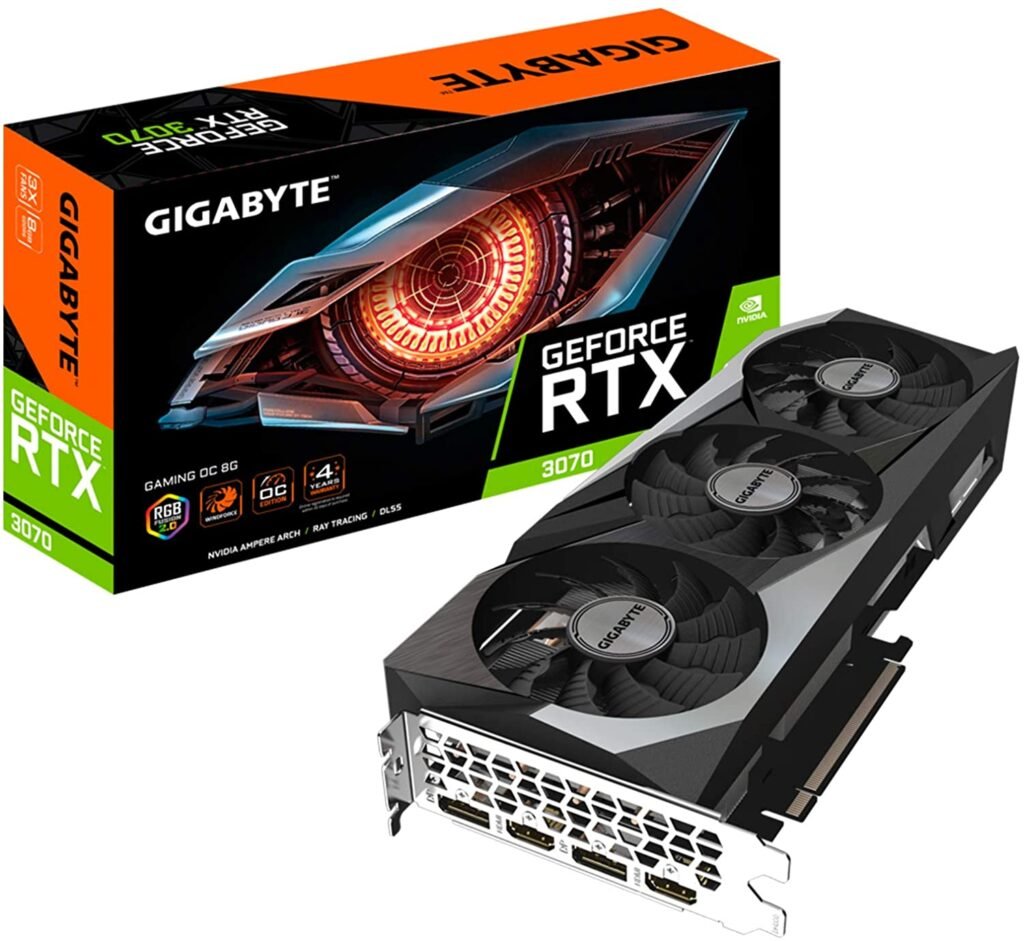
Gigabyte GeForce RTX 3070 Gaming OC: Enjoy 4K resolution
Features and Reviews
The Gigabyte GeForce RTX 3070 Gaming OC graphics card supports incredible image resolutions from 4K up to 8K. For €1609.00, treat yourself to this RTX 3070 graphics card, which promises an exceptional graphics experience and stunning realism in your games. This RTX 3070 model demonstrates its efficiency and speed thanks to the Nvidia Ampere Streaming multiprocessor system.
With a high clock speed of up to 1725 MHz and 5888 CUDA cores, it's compatible with the latest generation of games. Gaming performance is optimized to the maximum. Enjoy unparalleled smoothness; your PC's display will experience no glitches during use. The RTX 3070 features 8 GB of GDDR6 RAM, enabling fast 4K image transmission from your GPU to your PC monitor.
Furthermore, owning a G-Sync PC monitor is a significant advantage for gamers, as the images are perfectly synchronized, resulting in more realistic brightness and shadows thanks to second-generation Ray Tracing. Equipped with a WINDFORCE cooling system, this Gigabyte graphics card features three alternating rotating fans, ensuring heat dissipation during extended use and boosting the card's battery life. The RGB LED lighting system is customizable and can be adjusted via Gigabyte software.
ASUS TUF NVIDIA GeForce RTX 3080 OC: equipped with a highly efficient cooling system

Features and Reviews
Another product from ASUS, this TUF Nvidia GeForce RTX 3080 OC is one of the best graphics cards available on the market. It features new streaming multiprocessors, which significantly improve GPU speed and performance. These multiprocessors double the FP32 throughput. With 2nd generation RT cores, performance is even better than the 1st generation.
Equipped with TUF-branded capacitors and components, they meet military-grade standards for robustness. Featuring three cooling fans, the central fan boasts a reverse rotation mechanism. These fans are equipped with double ball bearings for improved heat dissipation. Intuitive performance settings are enabled for temperature control during operation, as well as system monitoring.
The RTX 3080 is equipped with 10GB of GDDR6X memory. It ensures smooth image quality and incredible realism at 4K and 8K resolutions. Connectivity options include a PCI-Express 4.0 slot, an HDMI 2.1 port, and a DisplayPort. Measuring 30 x 12.7 x 5.2 cm, this card is lightweight at 1.4 kg.
MSI GEFORCE RTX 2080TI Gaming X Trio: the graphics card with intelligent technology
Features and Reviews
MSI unveils its RTX 2080 Ti Gaming X Trio. Priced at €1999.99, this graphics card features the latest version of MSI's award-winning TRI-FROZR design, which utilizes three fans for cooling. With TORX 3.0 fans, heat dissipation is ensured by a new intelligent technology with aerodynamic fans that reduce both airflow and noise.
With its original and modern design, this MSI graphics card uses a gunmetal-style black and gray color scheme. The backplate is made of matching metal. It supports almost all games at 4K resolution smoothly and without glitches. At high settings, this graphics card demonstrates its performance with highly realistic visuals thanks to ray tracing technology. Equipped with an RGB lighting system, the settings can be adjusted via the Mystic Light software.
You can synchronize your system's RGB lighting with other lights. This graphics card is designed to satisfy demanding gamers in terms of quality and graphics. If you're playing a light game or watching a movie, the fans automatically shut off and won't disturb you in any way.
What is the difference between 4K, FULL HD, UHD, QHD?

Many people suspect that 4K is the highest resolution currently available (at least in terms of graphics cards for gaming or video editing). But what is the real difference compared to other resolutions? Why are UHD graphics cards HD graphics cards?
Nowadays, there are 3 types of resolutions that you can display on your PC screen:
- The FULL HD
- QHD (or WQHD)
- UHD or 4K
FULL HD
Full HD represents the 1080p resolution you see on your YouTube videos. In terms of pixels, it's 1920x1080. This is a decent resolution for a standard office graphics card . However, video editors and gamers won't be impressed by this resolution, which is compatible with most GPUs.
QHD (or WQHD)
More appealing than Full HD with its 2560x1440 pixel resolution, 1440p starts to deliver stunning images on your PC monitor. This is where you'll start looking at , but also more expensive, graphics cards
UHD
UHD and 4K are two names for 3840 x 2160 pixels . To display such a high resolution on your screen, you'll need significant resources. Hence the need for a powerful 4K graphics card capable of displaying so many pixels.
Why choose a 4K graphics card?
As you've probably gathered, you need a UHD graphics card to experience 4K resolution. Even if you have a 4K monitor, you won't be able to display such a high resolution with a graphics card that isn't designed for it. Hence the importance of having components that can keep up, especially the CPU.
These GPUs are graphics cards for video editing, home theater, and gaming. In short, anything that consumes a lot of resources and requires high resolution (sometimes even through a standard office graphics card) needs a 4K graphics card.
A 4K graphics card for gaming?

After video editing, gamers are the most demanding customers for these products . Indeed, video game resolution is becoming increasingly important as textures move from HD to 4K. Now, as a gamer, you'll need to carefully analyze your needs to avoid ending up with an unusable GPU.
First, keep in mind that the higher the resolution resources your 4K graphics card lower screen refresh rate 4K graphics card capable of at least 60 fps . You can go up to 144Hz if you want, but it will cost you dearly!
In any case, make sure your processor is as powerful as your 4K graphics card, otherwise you can say hello to UHD but goodbye to 144Hz. We can all agree that it's more enjoyable to play in Full HD at 60Hz than in 4K with a refresh rate . Video editors are no exception to this rule.
What are the advantages and disadvantages of a 4K graphics card?
Getting a 4K graphics card has both advantages and disadvantages. Whether you've chosen a home theater graphics card or a gaming graphics card , you'll inevitably encounter them.
The advantages
Thanks to these powerful GPUs, you can enjoy ultra-high resolution (UHD) on your PC monitor. For gaming, it's ideal for your 4K games, provided they are compatible with this resolution, of course. Video editors looking to take their profession to the next level will be thrilled to process their video productions in 4K , which home theater users can also enjoy thanks to their UHD graphics card . Having incredible resolution that enhances the game or video you're watching—that's the advantage of a 4K graphics card.
The disadvantages
Unfortunately, as you can imagine, enjoying UHD comes at a price. Indeed, high-end of this kind are extremely expensive, but that's not all. Yes, if you want to be able to display 4K at 60fps for gaming or video, you'll need a processor with equivalent power to your 4K graphics card . In short, if you don't already have a laptop or desktop computer powerful enough to handle UHD, you'll need to invest in at least a 4K monitor.
Why invest in a PC monitor?
While we might be excited about buying a 4K gaming graphics card , it's easy to forget that resolution is primarily determined by our monitor. Don't expect to play in ultra-high resolution if your PC monitor can only display 4K. That's why you need a dedicated 4K gaming monitor in addition to your graphics card. Otherwise, you risk being disappointed when you get home.
Our buying guide to 4K graphics cards
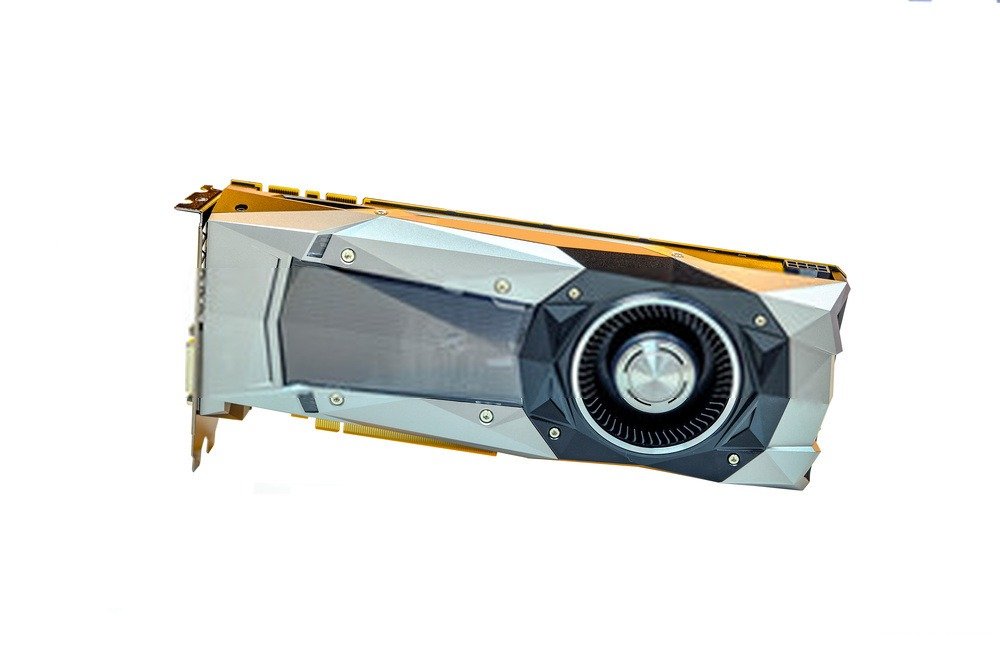
You now have a clear understanding of the benefits of investing in a 4K graphics card, whether for home theater, video editing, or gaming. Our buying guide will help you select the GPU that best suits your needs from our comparison above, ensuring you choose the ideal 4K graphics card for your setup.
The frequency
Your GPU's clock speed (or frequency ) is the primary indicator of your 4K graphics card's power, just like the processor. We also remind you that the power of these two computer components must be similar for you to use your UHD graphics card without any issues.
In any case, the your GPU's clock speed , the more powerful it will be. Therefore, to enjoy smooth gameplay and 4K resolution, it's essential to invest in a 144Hz 4K graphics card. With this high-end model, you'll be set for a good while.
RAM
When buying a graphics card for 4K gaming, this is the second indicator you should consider. Indeed, RAM is an extremely important factor in performance, just like your GPU's clock speed. It represents the short-term memory of your graphics card, used to accelerate data processing , keeping the most frequently used data within it.
Simply put , the more RAM you have, the more powerful your graphics card will be high-resolution textures and shaders in your games and videos (3D modeling, movies, animations, etc.). For optimal performance, and without going into technical details, we recommend using GDDR6 RAM . It's currently the best option for 4K graphics cards.
GPU synchronization
GPU synchronization is a technology present in every UHD graphics card, and it's specific to the manufacturer. Therefore, you won't find the same GPU synchronization between NVIDIA and AMD cards . In fact, there are two types to guarantee optimal synchronization between the GPU and your screen's refresh rate:
- FreeSync AMD 's GPU synchronization technology . Its advantage lies in its compatibility with far more peripherals than its NVIDIA counterpart. In fact, with FreeSync, you can buy a 4K monitor with complete confidence.
- G-Sync NVIDIA 's GPU synchronization technology . Performance is roughly the same as AMD's, with a slight advantage for NVIDIA, though this advantage isn't universally acknowledged as it's negligible. In any case, you should definitely check if your 4K monitor is G-Sync compatible or install the drivers , otherwise you risk a very unpleasant surprise with your new 4K graphics card.
The cooling system

When you buy a graphics card, it comes with a cooling system to ensure it doesn't explode when you launch your first 4K game.
The preferred cooling system for graphics cards is fans . Indeed, a liquid cooling system like Cooler Master's would make 4K graphics cards even more expensive than they already are.
However, keep in mind that you're using a very powerful GPU that can overheat without a proper cooling system. That's why we recommend using at least two fans for your UHD graphics card . With this cooling system, you can sleep soundly, provided the fans aren't too noisy!
Indeed, the downside of powerful fans is their noise, which can be disruptive during video editing or gaming sessions. Check the noise level of your 4K graphics card or house it in a soundproof desktop computer.
The power supply
entry-level, mid-range, or high-end graphics card its power consumption will vary. It goes without saying that a 4K graphics card will require a very good power supply , which should not be overlooked, otherwise your GPU simply won't work.
As a general guideline, most PC graphics cards run on 550W (watts) , but 4K graphics cards are power-hungry and require a power supply of at least 620W . This is the price to pay for a graphics card capable of 4K gaming, meaning a very high-end model.
Our FAQ on 4K graphics cards
Now you have all the essential information to choose the right 4K graphics card. We've covered how to determine its clock speed RAM requirements , and crucial factors like a power supply and a powerful processor . Even though you're now a pro, you probably still have some questions about 4K graphics cards. We've answered them below in our FAQ about these high-performance GPUs.
What type of connector should I choose for my 4K graphics card?
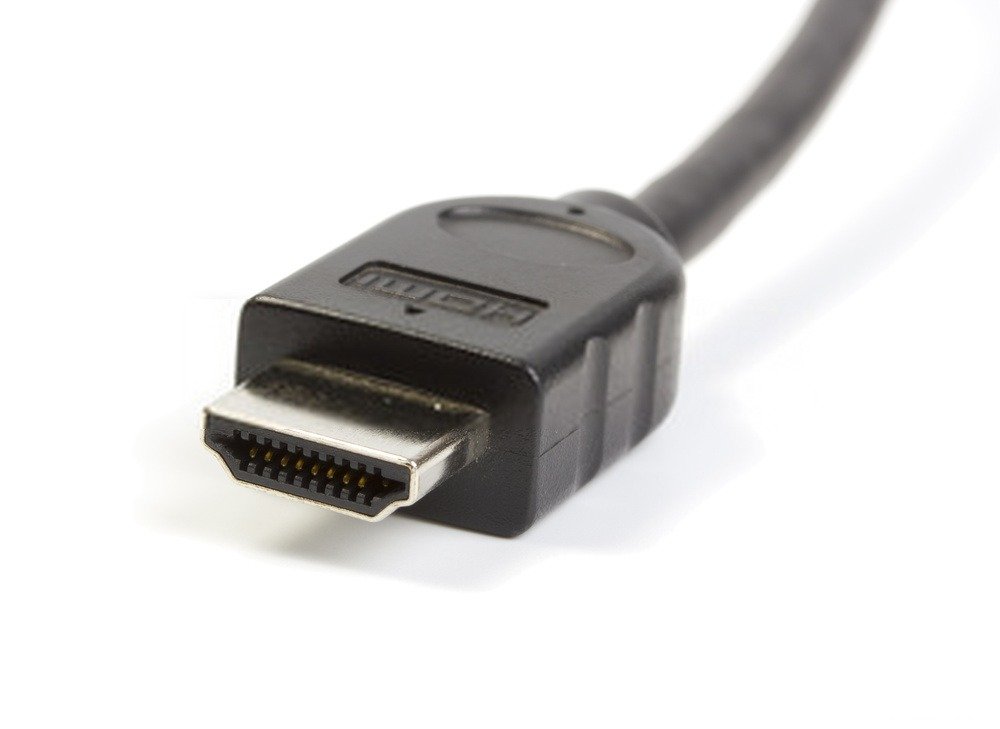
Analyzing and understanding the connectivity of your UHD graphics card will allow you to avoid quality and refresh rate problems on your or home cinema monitor .
Indeed, it is this that will determine the image output quality of your GPU, so if your 4K 144Hz graphics card is connected to your 4K monitor with an HDMI 2.0 that only transmits 1080p, you are not going to be happy.
When you're going to invest in a graphics card, pay close attention to the variety and number of ports it has. These should be compatible with FreeSync if you have an AMD graphics card and G-Sync if you have an NVIDIA graphics card.
In any case, the most common connectors are:
HDMI,
DVI
, DisplayPort
This is the one you should choose for your 4K graphics card because it is compatible with both types of GPU synchronization and gives you the best image quality in terms of both screen resolution and fluidity.
With a 4K graphics card, am I guaranteed to be able to play in 4K at 144Hz?
As we have mentioned several times, and this is why investing in a high-end GPU is even more expensive, buying a 4K 144Hz graphics card is just the beginning of your gaming setup .
Indeed, if your laptop or desktop PC isn't powerful enough to handle your graphics card, you simply won't see anything on the screen. Perhaps a static 4K image if you're lucky. Which is a problem for video games.
Furthermore, as we just mentioned above, your GPU's connectivity needs to be compatible, otherwise you risk playing at a lower resolution and 60fps instead of 144Hz. Some won't mind, but you might as well have bought a cheaper 4K graphics card.
Finally, you'll need a graphics card for a 4K screen. Yes, don't expect to display that many pixels if your PC monitor simply doesn't have enough.
In short, if you already meet all these requirements, you're guaranteed to be able to enjoy your new computer component. But if not, you'll have to invest a little more to take advantage of 4K 144Hz.
How can I find out what my current graphics card is?

Knowing your current graphics card helps you understand your starting point, but more importantly, it determines the compatibility of your new graphics card with your PC case . Indeed, if you have a powerful gaming PC but your new 4K graphics card is too large to fit in the case, you'll be disappointed.
Therefore, you have two ways to find out your current GPU:
You disassemble your PC : a bit brute force, this method will allow you to take measurements of your graphics card and see the PC case to know whether or not your next UHD graphics card will fit.
You're analyzing your system : there are many websites that can give you detailed specifications for your component. However, you have two options. The first is to go to the Control Panel and then to System . The other is to right-click on your desktop and access your graphics card settings. You can then note the model and compare it to the 4K home theater graphics card you were considering.
Which graphics card should I choose between NVIDIA and AMD?
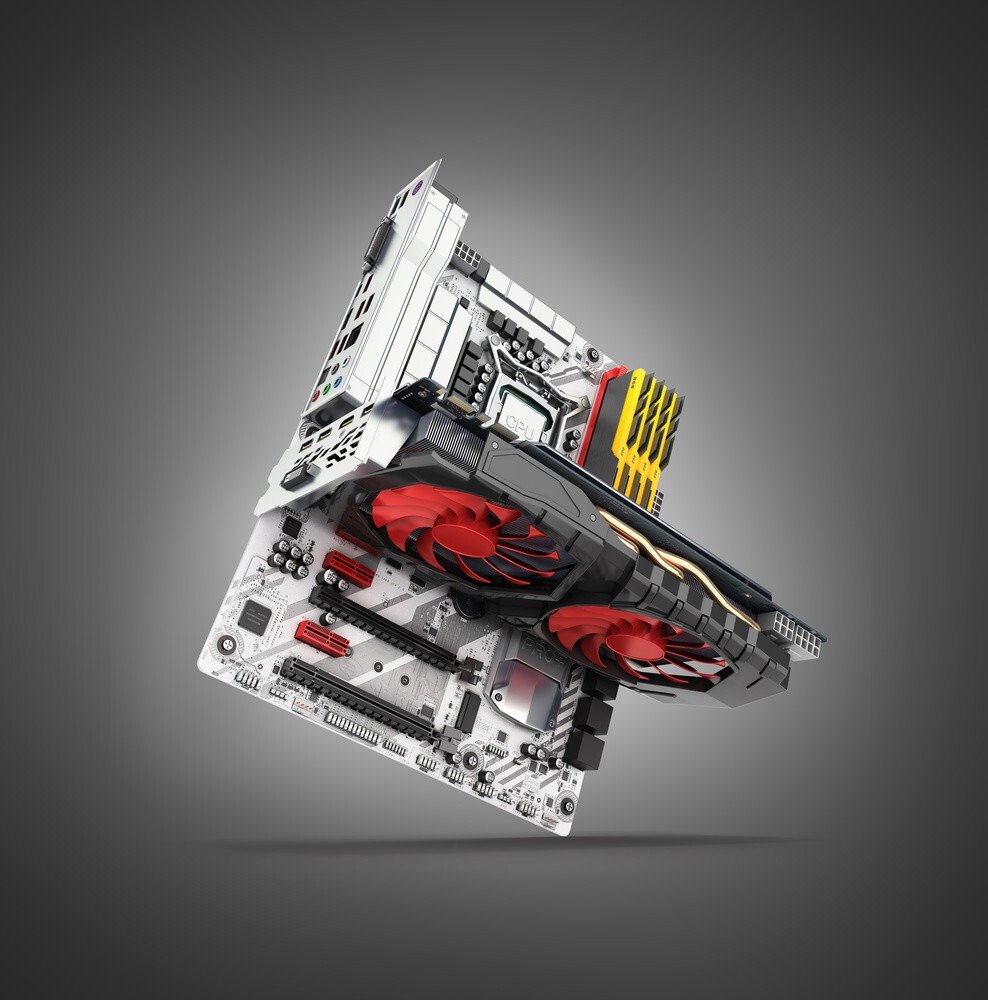
There's no easy answer to that. In fact, the two brands are comparable in the market and differ very little. People are more familiar with NVIDIA because of their excellent marketing campaigns and their partnerships with major gaming brands like Razer.
What we can tell you is that AMD graphics cards consume more power than NVIDIA GPUs , that NVIDIA cards are generally more technologically advanced, but that AMD offers better value for money
For consistency, if you have an AMD processor such as a Ryzen, we recommend using a 4K graphics card from the same manufacturer . Conversely, Intel and Nvidia work well together.
What is overclocking?
Are you familiar with Turbo Boost on Intel processors? It's essentially the same thing, but applied to graphics cards. Overclocking your graphics card means boosting its performance, unlocking its full potential, so to speak. However, while an unlocked 4K graphics card is certainly more powerful, it also consumes more energy and risks overheating at any moment, which could permanently damage your GPU!
That is why we urge you to exercise the utmost caution, especially with a UHD graphics card which already has considerable power.
To address this, manufacturers invented OC graphics cards
, meaning cards with factory overclocking . As a result, you buy them already boosted and generally equipped with a more efficient cooling system capable of withstanding such a powerful GPU.
What budget is needed for a 4K graphics card?
, a 4K graphics card is a high-end card. The price is likely to be steep. Especially since it's rarely sold separately unless you also have a 4K processor and a compatible PC monitor. The total cost is equivalent to buying a pre-built gaming laptop. But it's true that you won't be able to take full advantage of the ultra-high resolution offered by 4K.
Looking for a stunning UHD graphics card? Then you'll need to budget around €1000. At that price, you'll certainly have no problem with gaming, video editing, 4K movies, graphic design , and more. That's where you'll find the best 4K graphics card for your needs.
Which graphics card should I buy to play an FPS game?
The quest for the ultimate FPS (First Person Shooter) experience requires careful attention to your graphics card's performance. Smooth gameplay and sharp graphical details depend largely on this essential PC component.
The question then arises: which graphics card should you choose to be at the top of your game during your virtual battles?
First and foremost, for an FPS, the most important quality to look for is undoubtedly the frame rate. The quality of the shaders, the programs that manage the lighting and hardware aspects of graphics rendering, is also crucial. The best graphics cards currently available, such as the NVIDIA RTX 3080 or the Radeon RX 6800 XT, offer cutting-edge shaders that significantly enhance the realism of in-game textures.
Resolution is also an important factor: experiencing a high-definition world enhances immersion and sharpens the sense of detail. A high-end graphics card will be able to display a resolution of at least 1920×1080 pixels.
It would be wise to opt for a graphics card combining high performance and sufficient graphics memory to anticipate future games.