You may have already heard of this little game hidden in the Google search engine: the barrel roll with the results page. It's a fun trick that rotates the screen 360 degrees when you type a certain command. But how do you do a barrel roll with Google? What's the origin of this game? And what other secrets does Google have in store for us? In this article, we'll explain everything you need to know about the barrel roll with Google and reveal other Easter eggs from the famous search engine.

What is a barrel according to Google?
A barrel roll with Google is an Easter egg, meaning a hidden feature in software or a website that is triggered when the user types a specific command. In the case of the barrel roll with Google, simply type “do a barrel roll” or “z or r twice” into the search bar and press Enter to see the results page perform a complete rotation.

The term “barrel roll” refers to an aerial maneuver in which an aircraft rotates around its longitudinal axis. The name comes from the fact that the aircraft appears to follow the surface of an imaginary barrel. The term “z or r twice” refers to a command in the video game Star Fox 64, released in 1997 for the Nintendo 64, where the character Peppy Hare advises the player to perform a barrel roll to avoid enemy fire by pressing the Z or R buttons twice.
The barrel with Google was launched in 2011 by an anonymous developer who wanted to pay homage to the game Star Fox 64 and amuse internet users. Since then, it has become one of Google's most popular and well-known Easter eggs.
How to do a barrel roll with Google step by step

To do a barrel roll with Google, simply follow these easy steps:
- Open your web browser and go to the Google website.
- Type “do a barrel roll” or “z or r twice” into the search bar, without the quotes.
- Press Enter or click the Search button.
- Admire the result: the results page will rotate 360 degrees before returning to its initial position.
You can repeat this as many times as you like, for fun or to impress your friends. You can also try other variations, such as "do a backflip" or "tilt," which will change the page's orientation.
What are some other Google Easter eggs?
The barrel with Google isn't the only Easter egg the search engine has in store for us. There are indeed many other hidden games or unusual features that you can discover by typing certain queries. Here are a few examples:

- Type “atari breakout” and click on Images to play a version of the famous arcade game directly in your browser.
- Type “pacman” and click on the first result to play a version of the legendary 80s video game.
- Type “google snake” and click Play to control a snake that must eat apples without biting its tail.
- Type “google gravity” and click on the first result to see all the elements of the page fall under the effect of gravity.
- Type “google in 1998” to see what the search engine looked like more than 20 years ago.
- Type “askew” to see the page tilt slightly to the right.
- Type “flip a coin” to flip a virtual coin and get heads or tails.
- Type “roll a dice” to roll a virtual die and get a number between 1 and 6.
- Type “spinner” to spin a virtual wheel of fortune or top.
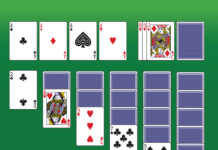
- Type “solitaire” or “tic tac toe” to play these classic games against the computer or a friend.
Conclusion
The barrel with Google is a fun Easter egg that lets you rotate the search results page 360 degrees by typing a simple command. It's a nod to the video game Star Fox 64 and its famous line, "Do a barrel roll." But that's not the only hidden game Google offers: you can also play Solitaire , Pac-Man, Snake, or even Breakout by typing certain keywords into the search bar. Google's Easter eggs are an original and entertaining way to enjoy the world's most popular search engine.