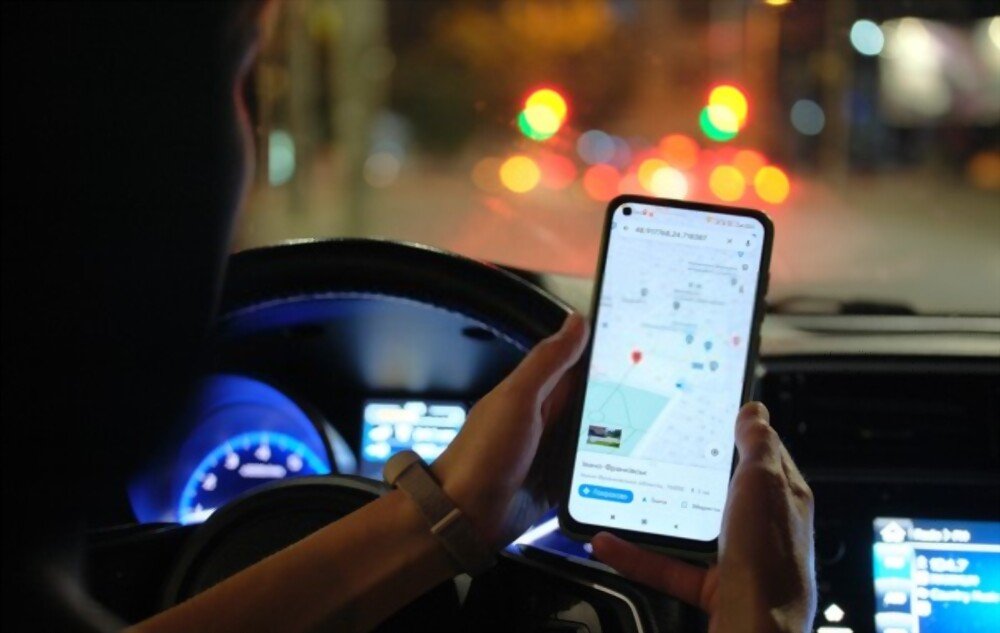
Have you lost your smartphone or do you want to know the whereabouts of someone you know? There's a simple and free solution for locating a phone number using Google Maps. This online mapping service allows you to turn your device into a GPS and easily find it if it's lost or stolen. In this article, we'll explain how to locate a phone number with Google Maps, the conditions you need to meet, and the advantages and disadvantages of this method.
What are the conditions for locating a phone number using Google Maps?
To locate a phone number using Google Maps, the target phone must be running Android or iOS and have an internet connection (mobile data or Wi-Fi). The target phone must also have location sharing enabled on Google Maps and have agreed to share its location with you. Finally, you must have access to your Google account on another device (computer, tablet, or smartphone) and know the target phone's email address or phone number.
How to locate a phone number using Google Maps via the app?
If you have access to the target phone, you can locate its phone number using Google Maps via the app. Here are the steps to follow:
- Google Maps application on the target phone.
- Tap on your profile picture in the top right corner of the screen.

- Select “Location sharing”.

- Choose how long you want to share your location (until you stop, for 1 hour or for a custom duration).

- Select the person with whom you want to share your location (you can choose from your contacts, enter an email address or phone number, or copy a link).
- Send a location sharing request to the chosen person (via SMS, email or online messaging).
- On your device, open the link or notification you received and accept location sharing.
- You can then see the position of the target phone on the Google Maps map in real time.
How to locate a phone number using Google Maps via a web page?
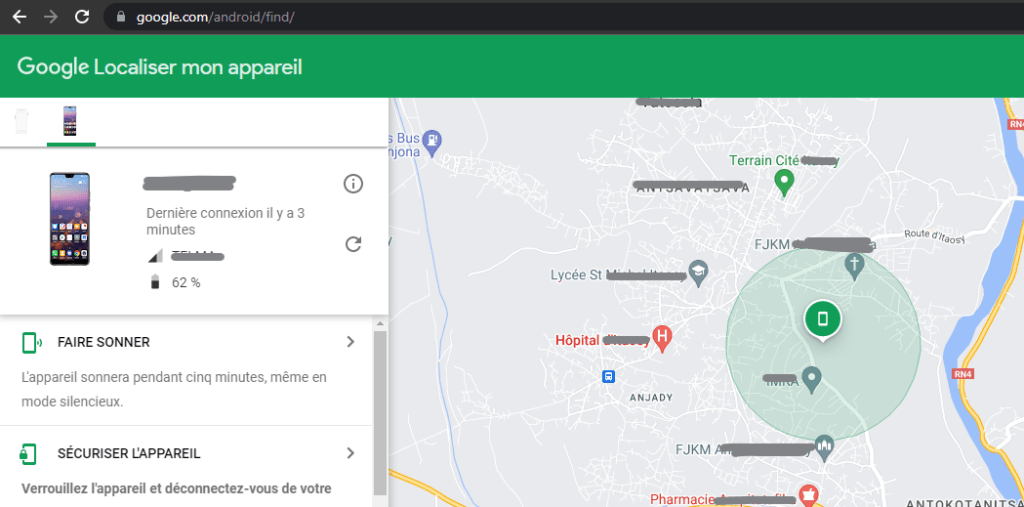
If you don't have access to the target phone, you can locate its phone number using Google Maps via a web page. Here are the steps to follow:
- On your device, go to android.com/find and sign in to your Google account.
- The target phone receives a notification and its location is displayed on the map. If you do not receive confirmation SMS messages from the target phone, check that you have entered the correct number and that you have a stable internet connection.
- If the target phone is switched off or offline, you can see its last known location.
- You can also ring the target phone, lock it, or erase it remotely.
What are the advantages and disadvantages of locating a phone number with Google Maps?

Locating a phone number with Google Maps has advantages and disadvantages. Here are some points to consider:
Benefits
- It's a simple and free method that does not require installing any additional application.
- It's an effective method that allows you to find your smartphone if it's lost or stolen.
- It is a practical method that allows you to know where a person in your circle is located (child, parent, friend, etc.).
Disadvantages
- This method requires that the target phone be connected to the internet and have location sharing enabled.
- This method requires that the target phone has agreed to share its location with you.
- This is a method that can infringe on the privacy and consent of the people being located.
Comparative table of methods for locating a phone number
| Method | Application | Web page | Benefits | Disadvantages |
| Google Maps | Yes | Yes | Simple, free, effective, practical | Requires internet connection, location sharing, and consent |
| mSpy | Yes | No | Powerful, undetectable, geofencing | Paid, requires installation |
| Eyezy | Yes | No | Fast, discreet, precise | Paid, requires installation |
FAQ
How to locate an iPhone using Google Maps?
To locate an iPhone using Google Maps, you need to follow the same steps as for locating an Android device via the app. However, you must ensure that the target iPhone has downloaded the Google Maps app and has granted access to its location.
How to locate a landline number using Google Maps?
It is not possible to locate a landline number using Google Maps. This service only works with mobile devices connected to the internet.
How to locate a private number using Google Maps?
It is not possible to locate a private number using Google Maps. This service requires you to know the email address or phone number of the target phone.
How do I stop location sharing on Google Maps?
To stop sharing your location on Google Maps, simply open the app, tap your profile picture, and then tap “Location sharing.” You can then choose to stop sharing for everyone or for a specific person.
How can I tell if someone is locating me using Google Maps?
To see if someone is tracking your location using Google Maps, simply open the app, tap your profile picture, and then tap "Location sharing." You can then see a list of people who have access to your location and for how long. You can also modify or revoke their access if you wish.
Conclusion
Locating a phone number with Google Maps is a simple and free method that can be useful in several situations. Whether it's to find a lost or stolen smartphone, to locate a loved one, or to protect your children, certain conditions must be met for this method to work, and you must be aware of the risks to privacy and the consent of the people being located. For example, the smartphone to be located must be connected to the internet, and the Google Play service must be offline or not displayed on the screen. There are also other, more powerful and discreet solutions, such as the mSpy or Eyezy apps, which offer more advanced features for monitoring a mobile device.